
VeryPDF DRM Protector vs. 10 PDF DRM and Document Security Tools
Compare VeryPDF DRM Protector with Locklizard, Vitrium, DRM-X, FileOpen, Digify, Adobe Acrobat, Seclore, Fasoo, DocSend, and Microsoft Purview to find the right PDF DRM and document security solution.
Introduction
If you sell PDF files, training materials, reports, ebooks, or confidential business documents, you may have a common problem: once someone downloads your files, how can you stop them from sharing copies with other people?
Adding a password to a PDF is often not enough. A reader may remove the password, copy the content, take screenshots, or send the file to someone else. Emailing a PDF also gives you little control over what happens after delivery.
PDF Digital Rights Management (DRM) provides another way to protect digital content. Depending on the product and supported platform, DRM can limit who opens a document, control printing and copying, add watermarks, set an expiration date, and restrict access to approved devices.
There are many document security products on the market, but they do not all solve the same problem. Some focus on PDF protection, while others are designed for video training, secure file sharing, enterprise data security, or online document review.
This guide compares VeryPDF DRM Protector with ten well-known document security and DRM solutions to help you choose the right product for your business.
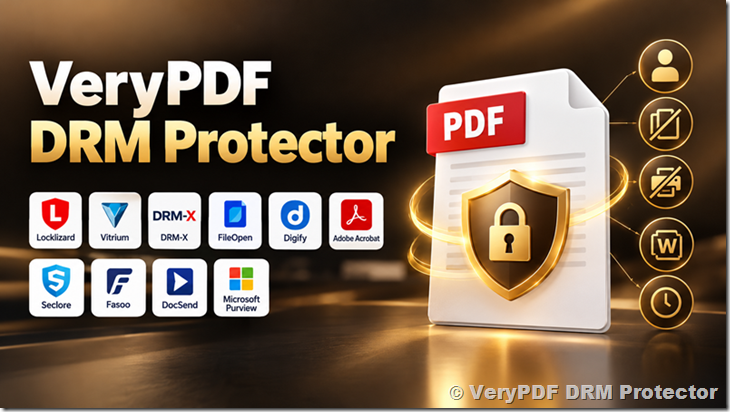
1. What Is VeryPDF DRM Protector?
VeryPDF DRM Protector is a document protection solution designed to help businesses control access to PDF files and reduce unauthorized copying and sharing.
It is useful for organizations that distribute valuable digital content and need more control than a standard PDF password can provide.
Depending on the selected protection settings and supported environment, key protection functions include:
- PDF encryption: Protect PDF files from unauthorized access.
- Access control: Set rules for who can open protected documents.
- Print and copy restrictions: Limit printing and copying where supported.
- Expiration and access revocation: Control the period during which documents can be used and revoke access under supported online conditions.
- Watermarks: Add visible or other supported watermark information to help identify the source of a document leak.
- Device restrictions: Limit document access to approved devices where supported.
- Screen protection: Use supported screen protection features to make unauthorized capture more difficult.
- Online document delivery: Distribute protected files to authorized users.
- Integration options: Use available online services and APIs to connect document protection with existing business processes.
The exact protection level depends on the operating system, viewing method, connection status, and product configuration. For example, revoking access to a downloaded file generally requires the file to check its authorization status online. No software can guarantee that every form of copying or screen capture will be prevented on every device.
For businesses selling reports, ebooks, technical manuals, financial documents, training materials, or confidential PDF files, these controls can help reduce unauthorized distribution and make document access easier to manage.
2. VeryPDF DRM Protector vs. Other DRM Solutions: Quick Comparison
The following table summarizes the main differences between the products. It is a comparison of their general product focus, not a claim that every feature has been tested under identical conditions.
| Product | Main Focus | PDF Protection | Video Protection | Typical Use |
|---|---|---|---|---|
| VeryPDF DRM Protector | PDF DRM and document protection | Core focus | Check the available product and service options | PDF distribution and document access control |
| Locklizard Safeguard | PDF DRM | Core focus | Not its main focus | Secure PDF publishing |
| Vitrium Security | Document and video protection | Yes | Yes | Enterprise content distribution |
| DRM-X 5.0 | Multi-format digital rights management | Yes | Yes | Online courses and digital content sales |
| FileOpen | Document rights management | Core focus | Not its main focus | Publishers and controlled PDF distribution |
| Digify | Secure document sharing and virtual data rooms | Yes, within its supported workflows | Not its main focus | Business transactions and confidential sharing |
| Adobe Acrobat | PDF creation, editing, and document workflows | Yes, with different levels of protection | Not its main focus | General PDF management |
| Seclore | Enterprise data-centric security | Supported document protection workflows | Not its main focus | Large organizations |
| Fasoo | Enterprise document security | Supported document protection workflows | Not its main focus | Corporate information protection |
| DocSend | Secure document sharing and analytics | Limited compared with dedicated DRM workflows | Not its main focus | Sales documents and investor presentations |
| Microsoft Purview | Enterprise information protection | Supported through its information protection ecosystem | Not its main focus | Microsoft-based business environments |
A key point is that a product supporting password protection or secure document sharing does not necessarily provide the same level of ongoing control as a dedicated DRM system.
For example, a secure sharing service may let you disable a link, but that does not automatically mean it can revoke access to every copy that a user has already downloaded. Check the actual protection method before making a decision.
3. Detailed Comparison of the Main Competitors
3.1 VeryPDF DRM Protector vs. Locklizard Safeguard
Locklizard Safeguard is a dedicated PDF DRM solution for organizations that need to distribute documents while controlling how recipients use them.
Its main strengths include controlled PDF distribution, document access rules, printing restrictions, watermarks, and license-based access management.
Where Locklizard may be a good fit
- Publishers selling protected PDF documents.
- Organizations distributing confidential reports.
- Businesses that need controlled printing and document access.
- Teams that want a dedicated PDF DRM system.
Where VeryPDF DRM Protector may be a good fit
VeryPDF DRM Protector is worth considering if your main requirement is to protect PDF files and manage document permissions through the available VeryPDF workflows.
When comparing the two products, look beyond the feature list. Check how users open protected files, whether a dedicated reader is required, how licenses are managed, which operating systems are supported, and how access revocation works.
| Comparison Point | VeryPDF DRM Protector | Locklizard Safeguard |
|---|---|---|
| Main focus | PDF protection | PDF DRM |
| Access restrictions | Available protection controls | Available protection controls |
| Printing and copying | Depends on supported settings | Depends on supported settings |
| Watermarks | Supported options | Supported options |
| User experience | Review the applicable viewing workflow | Review the applicable reader workflow |
| Best comparison question | How easily can you protect and distribute files? | How well does its PDF DRM workflow fit your needs? |
Which should you choose?
If your primary requirement is PDF protection, compare both products using the same sample documents and user scenarios. VeryPDF DRM Protector is a practical option to evaluate, especially if you want a PDF-focused solution without buying a larger enterprise information security platform.
3.2 VeryPDF DRM Protector vs. Vitrium Security
Vitrium Security provides content protection for documents and videos. It serves organizations that distribute digital content to employees, customers, partners, students, and other authorized users.
Its broader content protection focus makes it relevant to businesses that manage more than PDFs.
Vitrium may be suitable for:
- Training companies distributing documents and videos.
- Publishers selling digital content.
- Businesses delivering confidential educational materials.
- Organizations that need content protection across multiple formats.
VeryPDF DRM Protector is worth evaluating when PDF protection is the main requirement. If you need video protection as well, compare the specific video services and licensing options available rather than assuming that every PDF feature also applies to video.
| Feature Area | VeryPDF DRM Protector | Vitrium Security |
|---|---|---|
| PDF protection | Core use case | Supported |
| Video protection | Verify available product options | Part of its content protection offering |
| Access control | Supported controls | Supported controls |
| Watermarks | Supported options | Supported options |
| Enterprise workflows | Evaluate required integrations | Designed for business content protection |
| Main decision | PDF requirements and ease of use | Broader document and video requirements |
Which should you choose?
For a business that mainly distributes PDF files, VeryPDF DRM Protector deserves a place on the shortlist. If video training and document protection must be managed together, Vitrium should also be evaluated.
3.3 VeryPDF DRM Protector vs. DRM-X 5.0
DRM-X 5.0, from Haihaisoft, is a multi-format DRM solution. Its product range covers different types of digital content, including documents, videos, audio, web content, and other supported formats.
This makes it relevant to businesses selling online courses, digital publications, and protected media.
DRM-X is especially worth comparing when you need to protect more than one type of content and want to control how customers access it.
| Comparison Point | VeryPDF DRM Protector | DRM-X 5.0 |
|---|---|---|
| PDF DRM | Core focus | Supported |
| Video DRM | Verify available options | Supported |
| Other digital formats | Check the applicable product scope | Multiple formats supported |
| Device and usage rules | Depends on supported settings | Depends on the selected DRM configuration |
| Viewing environment | Check the supported VeryPDF workflow | Some workflows use the ZJGet secure browser |
| Best use case | PDF document protection | Multi-format digital content protection |
What should you check before buying?
If your customers use different operating systems, test the complete process on Windows, macOS, Android, and iOS as applicable. Also check whether customers need to install special software, whether protected files work offline, and what happens when a subscription expires.
VeryPDF DRM Protector is a good product to evaluate when your immediate problem is PDF security. DRM-X 5.0 may be more relevant when your business depends on protecting several types of digital media under one DRM system.
3.4 VeryPDF DRM Protector vs. FileOpen
FileOpen focuses on controlled document distribution, particularly PDF publishing and document rights management.
It is relevant to publishers, associations, educational organizations, and businesses that need to distribute protected documents to specific readers.
The main difference to investigate is not simply which product has more features. It is how each product fits your publishing process.
| Requirement | VeryPDF DRM Protector | FileOpen |
|---|---|---|
| Protect PDF files | Yes | Yes |
| Control document use | Supported controls | Supported controls |
| Support publishing workflows | Evaluate the available workflow | A major use case |
| Reader compatibility | Check supported viewers and platforms | Check supported viewers and platforms |
| API and integration | Check the required interfaces | Check the required interfaces |
| Best comparison area | General PDF protection and distribution | Controlled document publishing |
If you sell manuals, reports, or technical documents directly from your website, test how easily a customer can purchase, receive, open, and use a protected file.
VeryPDF DRM Protector is worth considering if you want to protect PDF documents as part of your digital product delivery process. FileOpen is also worth evaluating if your organization depends on an established controlled-document publishing workflow.
3.5 VeryPDF DRM Protector vs. Digify
Digify focuses on secure document sharing and virtual data rooms. Typical use cases include fundraising, mergers and acquisitions, investment reviews, and confidential business transactions.
Imagine sending a financial report to several potential investors. You want to know who opened it, limit access to certain people, and remove access when the discussion ends.
This is the type of business problem Digify is designed to address.
VeryPDF DRM Protector approaches the problem from the perspective of protecting PDF documents. The important question is whether you need a complete secure-sharing workspace or more focused document protection.
| Requirement | VeryPDF DRM Protector | Digify |
|---|---|---|
| Protect PDF documents | Core use case | Supported workflows |
| Secure document sharing | Evaluate available delivery options | Core use case |
| Virtual data rooms | Not its primary positioning | Core use case |
| Access expiration | Supported options | Supported options |
| Watermarks | Supported options | Supported options |
| Business document review | Depends on the workflow | A major use case |
Choose based on the problem you need to solve.
If you need a virtual data room for a business transaction, Digify may fit your workflow better. If your main goal is to distribute protected PDFs and control how recipients use them, VeryPDF DRM Protector is worth evaluating.
3.6 VeryPDF DRM Protector vs. Adobe Acrobat
Adobe Acrobat is widely used to create, edit, sign, convert, and manage PDF documents. It also provides document security features, but standard PDF passwords and permission settings should not be treated as equivalent to every form of dedicated DRM.
For example, you may password-protect a report and restrict printing. However, a user with sufficient technical knowledge may be able to remove some restrictions, depending on the encryption method, password strength, and available tools.
Dedicated DRM takes a different approach by combining protected content with authorization and usage rules. The exact level of control depends on the implementation.
| Requirement | VeryPDF DRM Protector | Adobe Acrobat |
|---|---|---|
| Create and edit PDFs | Not its primary purpose | Core capability |
| Password-protect PDFs | Check available workflows | Supported |
| Dedicated DRM controls | Core use case | Depends on the product and service |
| Printing and copying restrictions | Supported DRM options | Supported PDF permission settings |
| Ongoing access control | Depends on the authorization workflow | Depends on the applicable Adobe service |
| Best use case | Controlled PDF distribution | General PDF work and document management |
Which is better for protecting paid PDF content?
If you mainly need to edit PDFs and apply basic security settings, Adobe Acrobat may be enough. If you sell valuable PDF files and need more control over access after distribution, VeryPDF DRM Protector is worth considering.
You do not necessarily need to replace Adobe Acrobat. Many businesses use PDF creation tools to prepare documents and a separate DRM solution to protect them before delivery.
3.7 VeryPDF DRM Protector vs. Seclore
Seclore focuses on enterprise data-centric security, including persistent protection and access policies for sensitive files.
Its target customers often need to protect confidential information across departments, business partners, and enterprise systems.
Typical use cases include financial records, engineering documents, contracts, and sensitive business information.
VeryPDF DRM Protector has a more focused role in PDF protection and controlled document distribution.
| Requirement | VeryPDF DRM Protector | Seclore |
|---|---|---|
| Main focus | PDF DRM | Enterprise data security |
| Document access rules | Supported controls | Enterprise policy controls |
| Large-scale enterprise integration | Check available interfaces | A major product consideration |
| Cross-organization data protection | Evaluate supported workflows | A key use case |
| Deployment complexity | Evaluate your requirements | Depends on the enterprise environment |
If you are a small business selling PDF reports, you may not need a full enterprise information security platform. VeryPDF DRM Protector is worth evaluating for a more focused document protection requirement.
If you operate a large organization with complex identity, compliance, and data governance requirements, include Seclore in your assessment.
3.8 VeryPDF DRM Protector vs. Fasoo
Fasoo offers enterprise document security and data protection products. Its solutions are relevant to companies that need to manage sensitive information across internal systems and business workflows.
For example, a manufacturing company may need to protect engineering drawings, design documents, and internal reports when employees share them with external suppliers.
The requirement goes beyond password-protecting an individual PDF. It may involve document policies, enterprise identity systems, and security administration.
| Requirement | VeryPDF DRM Protector | Fasoo |
|---|---|---|
| PDF protection | Core use case | Supported enterprise workflows |
| Enterprise document policies | Evaluate available controls | A major product area |
| Integration with corporate systems | Check the required interfaces | Depends on the selected solution |
| Deployment and administration | Evaluate your needs | Depends on the enterprise environment |
| Best fit | Focused PDF protection | Enterprise document security |
For an organization that mainly sells or distributes PDF files, VeryPDF DRM Protector is worth evaluating before investing in a larger enterprise security system.
For a business with company-wide data protection requirements, Fasoo may be relevant because of its broader enterprise focus.
3.9 VeryPDF DRM Protector vs. DocSend
DocSend focuses on secure document sharing and document engagement analytics. Sales teams, startups, and fundraising companies may use it to share presentations, proposals, and investor materials.
A user may want to know whether an investor opened a presentation, which pages received attention, or whether a document link should remain available.
These are different priorities from controlling the use of a protected PDF after it has been downloaded.
| Requirement | VeryPDF DRM Protector | DocSend |
|---|---|---|
| PDF protection | Core use case | Depends on the sharing workflow |
| Secure document links | Evaluate available options | Core use case |
| Reader engagement analytics | Check available reporting | A key use case |
| Printing and copying restrictions | Supported DRM controls | Depends on the available controls |
| Persistent protection of downloaded files | Depends on the DRM workflow | Verify the exact product behavior |
If your priority is understanding how recipients interact with sales materials, DocSend may be a suitable choice.
If you need to protect paid PDF documents and control their use, VeryPDF DRM Protector is worth considering. Do not assume that disabling a sharing link provides the same protection as revoking authorization for an already downloaded DRM-protected file.
3.10 VeryPDF DRM Protector vs. Microsoft Purview
Microsoft Purview Information Protection is part of Microsoft’s broader information protection and data security ecosystem.
It helps organizations classify sensitive information and apply protection policies across supported applications and services. It is especially relevant to businesses that already use Microsoft 365 and need consistent security policies.
However, setting up enterprise information protection is different from selecting a focused PDF DRM product for a website that sells digital downloads.
| Requirement | VeryPDF DRM Protector | Microsoft Purview |
|---|---|---|
| Protect PDF documents | Core use case | Supported in applicable workflows |
| Classify sensitive information | Not its main purpose | A key capability |
| Enterprise information policies | Evaluate available controls | Core use case |
| Microsoft ecosystem integration | Check available integrations | A major strength |
| Protect paid PDF downloads | A relevant use case | Depends on the complete setup |
If your company needs information classification, data loss prevention, and security policies across Microsoft 365, Purview deserves consideration.
If you mainly need to protect PDF files that customers purchase or download from your website, VeryPDF DRM Protector may be a more direct solution to evaluate.
4. Which PDF DRM Solution Is Best for Different Users?
There is no single DRM product that is best for every business. The right choice depends on what you sell, who receives your files, and how much control you need.
| Your Situation | Products Worth Evaluating | Why |
|---|---|---|
| Selling paid PDF reports or manuals | VeryPDF DRM Protector, Locklizard, FileOpen | Focus on PDF protection and controlled distribution |
| Selling video courses and PDFs | DRM-X 5.0, Vitrium Security | Consider multi-format content protection |
| Sharing confidential files with investors | Digify, DocSend | Focus on secure sharing and document review |
| Protecting company-wide sensitive data | Seclore, Fasoo, Microsoft Purview | Consider enterprise policies and integration |
| Creating and editing ordinary PDFs | Adobe Acrobat | PDF authoring and general document management |
| Protecting documents without building a large enterprise system | VeryPDF DRM Protector and other focused PDF DRM tools | Compare setup, cost, and required controls |
Before choosing, identify your three most important requirements. For example, if you sell PDF manuals, you may care most about download protection, printing restrictions, and expiration dates. If you distribute confidential business documents, access revocation, audit records, and user identity may matter more.
5. How to Choose a PDF DRM Solution
A feature list is useful, but a real test is more valuable. The following checks can help you avoid buying a product that does not fit your workflow.
Check 1: Can you control access after a PDF is downloaded?
This is one of the most important questions.
A normal download creates a file that can often be copied and sent to another person. A DRM-protected file should use an authorization mechanism to limit access according to the product’s rules.
Ask the vendor whether the protection remains active after downloading, whether users need a special reader, and what happens when a license expires.
Check 2: Can you revoke access?
Suppose a customer leaves your company or an employee shares a confidential report with the wrong person.
Can you revoke that user’s authorization?
Ask whether revocation requires an internet connection, how quickly changes take effect, and whether previously downloaded files must reconnect to the authorization service.
No online DRM system should be assumed to provide instant remote revocation while a device is completely offline.
Check 3: Can you restrict printing and copying?
Different products enforce these controls in different ways.
Check whether users can print, copy text, extract images, or use third-party PDF software to access the content. Test the controls using the readers and devices your customers actually use.
Check 4: Does the product support watermarks?
Visible watermarks can show a reader’s email address, name, or other identifying information. They may discourage unauthorized sharing because a leaked copy can be traced to its recipient.
However, a watermark does not prevent every type of leak. Check which watermark types are supported and whether the information changes for each user.
Check 5: Does it work on your customers’ devices?
A protection system that works well on Windows may have different capabilities on mobile devices.
Test the full process on your required platforms. Check whether users need to install software, whether web access is available, and whether the same restrictions apply everywhere.
Check 6: Does the price match your business model?
A solution designed for a large enterprise may be more than a small publisher needs. A low-cost sharing tool may also lack the controls required for valuable content.
Compare the total cost, including licenses, setup, storage, support, and user management. Ask for current pricing rather than relying on old reviews or outdated comparison articles.
6. Why Consider VeryPDF DRM Protector?
VeryPDF DRM Protector is worth considering when PDF protection is your main requirement and you want to manage how recipients access and use your documents.
It can be evaluated for several common business scenarios.
Selling digital products
If you sell PDF manuals, reports, research, or other paid documents, DRM can help reduce unauthorized sharing and support controlled access.
Distributing confidential business documents
Companies can use document protection to restrict access to sensitive information and apply usage rules to authorized recipients.
Delivering training materials
Training providers can protect PDF course notes and other learning materials. If video protection is also required, confirm which video services are available and whether they meet your requirements.
Managing document access
Expiration rules, supported revocation features, device restrictions, and watermarks can help businesses manage document access more carefully than with ordinary file sharing.
Adding protection to an existing workflow
Before selecting a product, check the available online services and APIs to see whether document protection can fit your website, customer portal, or business application.
VeryPDF DRM Protector should not be selected simply because a product page lists many features. Test the features that matter to your business, especially access revocation, platform support, and protection against copying.
For many PDF-focused use cases, it is a practical product to include on your shortlist alongside dedicated PDF DRM competitors.
Learn more about VeryPDF DRM Protector: https://drm.verypdf.com/
7. Frequently Asked Questions
1. What is the best PDF DRM software?
The best PDF DRM software depends on your requirements. VeryPDF DRM Protector, Locklizard Safeguard, and FileOpen are worth comparing if your main goal is controlled PDF distribution. If you also need video protection, consider products such as DRM-X 5.0 and Vitrium Security.
2. What is the difference between PDF DRM and PDF password protection?
A PDF password may control who can open a file, while PDF permission settings may restrict printing or copying. Dedicated DRM can add authorization, expiration rules, device restrictions, and ongoing access management. The actual protection depends on the product and how the document is opened.
3. Can I stop people from sharing downloaded PDF files?
You can reduce unauthorized sharing by using a DRM system that requires valid authorization to open protected files. However, no solution can guarantee that users will never copy information, photograph a screen, or find another way to capture content.
4. Can I revoke access to a PDF after sending it?
Some DRM systems let administrators revoke access to protected documents or users. Whether the change takes effect immediately depends on the authorization system, the device’s connection status, and the product’s design.
5. Is VeryPDF DRM Protector better than Locklizard?
The answer depends on your needs. Both are relevant to PDF DRM. Compare their supported platforms, reading experience, printing and copying controls, watermarks, licensing, revocation behavior, and current prices before choosing.
6. What is the difference between VeryPDF DRM Protector and DRM-X 5.0?
VeryPDF DRM Protector focuses on PDF protection, while DRM-X 5.0 covers a wider range of digital content formats. If your business mainly distributes PDFs, evaluate VeryPDF DRM Protector. If you need a multi-format DRM system for video and other media, compare DRM-X’s supported features and workflows.
7. Can VeryPDF DRM Protector protect video files?
VeryPDF DRM Protector is primarily presented here as a PDF protection solution. If video DRM is an essential requirement, check the currently available VeryPDF products and services for the exact video formats, playback methods, and protection controls supported.
8. Does PDF DRM prevent screenshots?
Some DRM products provide screen protection features on supported platforms. However, screenshot restrictions vary by operating system and viewing environment. External cameras and other capture methods may still be possible, so screenshot prevention should not be treated as an absolute guarantee.
9. Can I stop users from printing a protected PDF?
DRM products can offer printing restrictions or printing limits, depending on the configuration. Check whether the selected product enforces these rules in every supported reader and operating system.
10. Can I add a user’s email address to a PDF watermark?
Some DRM products support personalized watermarks that display information such as a user’s email address or name. This can help discourage unauthorized sharing and may make it easier to investigate a leaked document. Confirm the available watermark options before purchasing.
11. Is Adobe Acrobat enough to protect confidential PDF files?
Adobe Acrobat provides useful PDF security features, including password protection and permission settings. A dedicated DRM system may be more suitable when you need ongoing authorization and control over protected document use after distribution.
12. What is the difference between Digify and PDF DRM software?
Digify focuses on secure document sharing and virtual data rooms. Dedicated PDF DRM software focuses more directly on protecting document access and use. The products may overlap, but they are not interchangeable in every workflow.
13. Can DRM protect a PDF when the user is offline?
Some DRM products support offline access under specific licensing rules. Offline access can limit how quickly a system checks for expired licenses or revoked permissions. Ask the vendor how long a file can remain available without an internet connection.
14. Is PDF DRM suitable for small businesses?
Yes. Small publishers, training providers, consultants, and software companies may use PDF DRM to protect valuable documents. The key is to choose a product with the required controls without paying for enterprise features you do not need.
15. Does DRM guarantee that a PDF can never be copied?
No. DRM can make unauthorized copying more difficult and limit access through supported software, but it cannot guarantee complete prevention of all copying methods. A user may still capture visible content or use external equipment.
16. How do I compare PDF DRM software prices?
Check the number of users, protected documents, devices, storage requirements, and available features included in each plan. Also consider API usage, support, setup costs, and whether the price is monthly or annual. Use current official pricing because plans can change.
17. Which DRM software is suitable for selling PDF ebooks and reports?
VeryPDF DRM Protector, Locklizard, and FileOpen are worth evaluating for paid PDF distribution. Compare how customers receive protected files, which software they need, how licenses work, and whether you can revoke access when necessary.
18. How can I choose between document DRM and enterprise information protection?
Choose based on the scope of your problem. A focused PDF DRM product may be suitable for protecting documents sold or distributed through a website. Enterprise tools such as Seclore, Fasoo, and Microsoft Purview may be more relevant when you need organization-wide data policies, identity integration, and broader information protection.
Conclusion
PDF DRM software can help publishers, businesses, and content creators reduce unauthorized document sharing and manage access to valuable files.
The right solution depends on the type of content you distribute and the controls you need. Locklizard and FileOpen are relevant to PDF publishing, DRM-X 5.0 and Vitrium cover broader content protection needs, while Digify and DocSend focus on secure sharing and document review. Enterprise platforms such as Seclore, Fasoo, and Microsoft Purview address wider information security requirements.
If your main goal is to protect PDF files, control document access, and reduce unauthorized copying, VeryPDF DRM Protector is worth evaluating. Test the features that matter most to your business, confirm platform compatibility, and compare current pricing before making your decision.
Visit https://drm.verypdf.com/ to learn more about VeryPDF DRM Protector and determine whether it fits your document protection requirements.