
If you need to distribute videos on USB drives but do not want customers to freely copy, share, or play those videos on other computers, a normal MP4 file is not enough.
An Offline + USB Video DRM solution can protect the video before it is distributed and control how the customer can use it after delivery.
VeryPDF DRM Protector can provide a customized Offline + USB Video DRM solution with a Secure Video Player, video encryption tool, USB device binding, offline activation, license control, screenshot protection, and screen recording protection.
The protected videos can be distributed on an authorized USB drive and played without an Internet connection, according to the license settings.
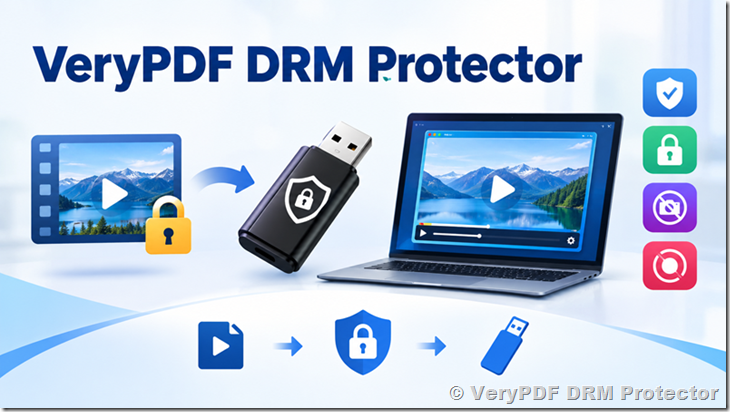
What Is an Offline + USB Video DRM Solution?
An Offline + USB Video DRM solution is designed for businesses that need to sell or distribute protected videos through USB drives.
Instead of giving the customer a normal MP4 file, the video is encrypted and can only be opened by an authorized Secure Video Player.
A typical setup looks like this:
Original Video → Video Encryption → Encrypted Video → Authorized USB Drive → Secure Video Player → Licensed Playback
The customer does not simply copy the MP4 file to another computer and play it with VLC, Windows Media Player, or another normal video player.
The encrypted video is designed to work with the Secure Video Player and the configured license.
This is useful when the video must work without a permanent Internet connection.
Why Use DRM for Videos Distributed on USB?
USB drives are convenient, but they also create several security problems.
For example, imagine that a training company sells a USB drive containing 50 hours of professional training videos.
The customer can normally:
- Copy the MP4 files to another computer
- Make another USB copy
- Send the files to a colleague
- Upload the files to cloud storage
- Share the files online
- Keep using the files after a license expires
Once a normal video file has been copied, controlling it becomes very difficult.
An encrypted DRM video changes this model.
The customer receives the content, but playback is controlled by the DRM system.
| Normal MP4 on USB | Offline + USB Video DRM |
|---|---|
| Easy to copy | Encrypted video |
| Can use normal players | Requires Secure Video Player |
| Easy to share | Can bind video to an authorized USB |
| No license control | License controls available |
| Difficult to expire | Expiration control |
| Easy to move to another PC | Can restrict unauthorized computers |
| Easy to distribute online | Designed for controlled offline distribution |
| No playback limits | Playback count limits can be configured |
How Does USB Video DRM Work?
The basic process is simple.
Step 1: Prepare the original video
You start with your original video files, such as MP4 videos.
These can be:
- Training courses
- Educational videos
- Paid video lessons
- Medical training
- Corporate training
- Technical courses
- Product demonstrations
- Certification materials
- Private video libraries
- Premium video content
Step 2: Encrypt the videos
The video is processed using the Windows Video Encryption Tool.
Instead of distributing the original video file, you distribute the protected version.
The protected video cannot simply be opened using a normal video player.
Step 3: Prepare the USB drive
The encrypted videos are copied to the authorized USB drive.
The USB drive can contain the protected video content and the required Secure Video Player.
Step 4: Bind the license to the USB device
The encrypted video can be associated with a specific authorized USB device.
This means that copying the encrypted video to another USB drive does not automatically give the user another valid copy.
The USB device becomes part of the authorization process.
Step 5: Customer plays the video
The customer connects the authorized USB drive and starts the Secure Video Player.
The player checks the license and authorization information before allowing playback.
The video can then be played according to the configured license rules.
Offline Video Playback Without Internet
One of the main reasons businesses choose an Offline + USB Video DRM solution is that the customer may not have a reliable Internet connection.
For example:
- A training company sends courses to customers on USB drives.
- A factory has computers that are not connected to the Internet.
- A school distributes educational content to students.
- A company provides confidential training material to remote offices.
- A customer needs to watch purchased videos while traveling.
In these situations, forcing the customer to connect to an online DRM server every time they watch a video may not be practical.
The Offline + USB solution is designed for offline activation and offline playback.
The protected videos can be played without an Internet connection according to the configured license and protection settings.
Secure Video Player
The Secure Video Player is an important part of the solution.
A normal video player is designed to play standard video files.
A DRM-protected video needs a player that understands the protection and license rules.
The customized solution can therefore include a Windows Secure Video Player.
The player can handle:
- DRM-protected videos
- License verification
- USB authorization
- Offline playback
- Expiration dates
- Playback limits
- Unauthorized-use checks
- Screenshot protection
- Screen recording protection
The previous proposal for this customer specifically includes an Offline Secure Video Player and Windows Video Encryption Tool.
USB Device Binding
USB device binding is useful when you want to control where protected videos can be played.
For example:
Customer A → USB Drive A → License A → Protected Videos
If the protected videos are copied to another USB drive, the copied files will not automatically become a valid licensed copy.
This is useful for businesses that sell one USB package to one customer.
The solution can assign one USB device to one customer or license.
Can Customers Copy the Encrypted Video?
The purpose of encryption is to make the protected video different from a normal MP4 file.
A customer may be able to copy the encrypted file itself, but copying the file does not necessarily provide authorized playback on another computer.
The solution can include protection against copying encrypted videos to another computer and protection against unauthorized use.
This is an important difference:
Copying a protected file is not the same as getting permission to play it.
The DRM system controls playback rather than relying only on hiding the video file.
License Expiration
An offline video license can include an expiration date.
For example, you could provide:
| License type | Example |
|---|---|
| 30-day access | Customer can watch for 30 days |
| 90-day access | Training course for one quarter |
| 1-year access | Annual training license |
| Permanent | No expiration |
| Custom | Based on your business rules |
License expiration is useful for:
- Paid courses
- Temporary training
- Subscription content
- Certification programs
- Corporate training
- Trial content
- Rental-style video products
The customized Offline + USB solution includes license expiration control.
Playback Count Limits
You may also want to limit the number of times a video can be played.
For example:
Maximum playback: 20 times
This can be useful when selling a limited-access training course or examination preparation material.
The solution described for the customer includes playback count limits.
Screenshot and Screen Recording Protection
Video piracy is not limited to copying files.
A customer can also try to capture the screen.
For this reason, the Offline + USB solution can include:
- Screenshot protection
- Screen recording protection
These features are particularly important for paid courses and confidential training videos.
The proposed Offline + USB solution specifically lists both screenshot protection and screen recording protection.
For online video playback, VeryPDF DRM Protector can also provide screen recording protection on supported Android devices, as confirmed in the customer’s testing.
Offline Activation and Authorization
A common problem with offline DRM is authorization.
If the customer’s computer has no Internet connection, how can the software know whether the customer is authorized?
An Offline + USB solution can use an offline authorization process.
The license information is associated with the authorized environment and USB device.
The customer can then use the Secure Video Player without requiring a permanent Internet connection.
The proposed solution includes offline activation and authorization.
Why Not Just Password-Protect the Video?
A password-protected ZIP file or encrypted folder is usually not enough for commercial video distribution.
Consider this situation:
A company sells a training course for $500.
If the customer receives ordinary MP4 files, the customer can potentially copy the files immediately after purchase.
A password may protect the original download, but it does not necessarily control what happens after the files are opened.
DRM takes a different approach.
| Method | File protection | Playback control | Expiration | USB binding | Screen recording protection |
|---|---|---|---|---|---|
| Normal MP4 | No | No | No | No | No |
| ZIP password | Yes | Limited | No | No | No |
| Encrypted folder | Yes | Limited | No | No | No |
| Offline Video DRM | Yes | Yes | Yes | Yes | Yes* |
*Protection features depend on the selected platform and implementation.
Who Needs Offline USB Video DRM?
This type of solution is useful when customers need to distribute valuable video content without depending on Internet access.
Training companies
Sell professional training courses through USB drives.
Educational organizations
Distribute lessons to students who may have limited Internet access.
Corporate training
Provide confidential employee training materials to offices or employees.
Medical training
Distribute sensitive training content with controlled access.
Technical training
Protect expensive technical courses and product training.
Certification providers
Provide examination preparation or certification content with access limits.
Government and restricted environments
Some environments do not allow normal Internet access.
USB-based offline distribution can be more practical in these situations.
Offline USB DRM vs Online Video DRM
Not every customer needs an offline solution.
VeryPDF DRM Protector can provide both online and offline approaches.
| Requirement | Online Video DRM | Offline + USB DRM |
|---|---|---|
| Internet connection | Normally required | Not required for playback |
| USB distribution | No | Yes |
| Secure Video Player | Online player | Customized player |
| USB device binding | No | Yes |
| Offline playback | No | Yes |
| License expiration | Yes | Yes |
| Playback limits | Yes | Yes |
| Screen recording protection | Supported features | Supported features |
| Custom development | Usually not required | Required |
| Best for | Online video delivery | Controlled USB distribution |
If your customers can watch videos online, the existing Online Video DRM Protector may be enough.
If you need to physically distribute protected videos on USB drives and allow playback without Internet access, the Offline + USB Video DRM solution is the more suitable type of architecture.
What Is Included in the Offline + USB Solution?
The customized solution described by VeryPDF includes the following components:
| Component | Purpose |
|---|---|
| Windows Secure Video Player | Plays protected videos |
| Windows Video Encryption Tool | Encrypts videos |
| USB offline protection | Supports USB-based distribution |
| USB authorization | Authorizes the USB device |
| USB device binding | Associates content with the authorized USB |
| License Key | Controls access |
| License expiration | Controls how long the content can be used |
| Playback limits | Limits video playback |
| Copy protection | Helps prevent unauthorized use on other computers |
| Screenshot protection | Helps prevent screenshots |
| Screen recording protection | Helps prevent screen capture |
| Offline activation | Allows authorization without normal online playback |
| Technical support | Included with the quoted solution |
These are the functions described in the existing Offline + USB proposal.
What Platforms Are Supported?
The current quoted Offline + USB solution is based on a Windows Secure Video Player and Windows Video Encryption Tool.
Other platforms require separate consideration.
For example:
- Windows
- macOS
- Android
- iOS
- Android TV
- Other specialized devices
A Secure Video Player for another platform may require additional development depending on the required features.
This is important if your business wants to distribute one USB drive that works on Windows, Android, iPhone, Mac, and smart TVs.
The player and DRM architecture need to be designed for each target platform.
A Real Example: Selling a Training Course on USB
Suppose you sell a professional training course with 100 video lessons.
You want:
- One customer per USB drive
- No Internet required
- Videos cannot be played with VLC
- Videos should not work on another computer
- USB should be authorized
- Course should expire after one year
- Customers should not easily copy the videos
- Screen recording should be restricted
A possible workflow is:
1. Prepare the original 100 videos.
2. Encrypt the videos using the Windows Video Encryption Tool.
3. Create the customer license.
4. Bind the license to the customer’s USB device.
5. Copy the encrypted videos and Secure Video Player to the USB drive.
6. Deliver the USB drive to the customer.
7. Customer connects the USB drive to the authorized computer.
8. Secure Video Player verifies the authorization.
9. Customer watches the videos offline.
10. Playback is controlled according to the license.
This gives the content owner much more control than simply copying 100 MP4 files to a USB drive.
What Happens If the Customer Copies the USB Files?
This is one of the most important questions when designing a USB DRM system.
The goal is not necessarily to prevent a user from seeing or copying every byte on a USB drive.
The goal is to make the copied content useless without valid authorization.
For example:
USB A
→ Protected Video
→ License A
→ Secure Player
→ Authorized
Customer copies the protected video to:
USB B
→ Protected Video
→ No valid USB authorization
→ Playback denied
This is why USB device binding is important for offline video distribution.
Offline DRM for Customers Without Internet Access
Offline DRM is particularly useful when the customer works in an environment where Internet access is restricted.
Examples include:
- Factories
- Laboratories
- Hospitals
- Training centers
- Remote offices
- Secure facilities
- Field operations
- Aircraft or ships
- Rural locations
- Private corporate networks
The customer can receive the content on a USB drive and use the Secure Video Player without requiring a continuous Internet connection.
Offline + USB DRM or Online DRM: Which Architecture Fits Your Project?
The key question is simple:
Do your customers need to watch protected videos without Internet access?
If No, start with Online Video DRM.
If Yes, consider Offline + USB Video DRM.
Choose Online Video DRM when:
- Customers have Internet access
- Videos are delivered through a website
- You want fast deployment
- You do not need USB distribution
- You do not need a custom offline player
Choose Offline + USB DRM when:
- Videos must be distributed on USB drives
- Customers may not have Internet access
- You need USB device binding
- You need offline activation
- You need a customized Secure Video Player
- You need stronger control over offline video distribution
Why Choose VeryPDF DRM Protector?
VeryPDF DRM Protector is designed for businesses that need to protect digital content after distribution.
For video, the solution can cover both online video protection and customized offline USB video protection.
The Offline + USB solution is especially useful when your business model depends on physical delivery of protected video content.
Instead of simply asking customers to trust them not to copy your videos, you can build access control into the video delivery system.
For businesses that need an online solution without custom development, you can also test the existing Video DRM Protector:
VeryPDF Online Video DRM Protector
Frequently Asked Questions
1. Can I distribute DRM-protected videos on a USB drive?
Yes. The Offline + USB Video DRM solution is designed specifically for USB-based video distribution.
2. Can the protected video work without Internet?
Yes. The customized solution supports offline playback according to the configured license and authorization settings.
3. Can I bind a video license to one USB drive?
Yes. USB authorization and device binding are part of the proposed solution.
4. Can customers play the encrypted video with VLC?
The protected video is intended to be played through the Secure Video Player rather than a normal video player.
5. Can customers copy the encrypted video to another computer?
The solution includes protection against unauthorized copying and use of encrypted videos on another computer.
6. Can I set an expiration date?
Yes. License expiration control is supported.
7. Can I limit the number of times a video can be played?
Yes. Playback count limits can be configured.
8. Does the solution support screenshot protection?
Yes. Screenshot protection is included in the described Offline + USB solution.
9. Does it support screen recording protection?
Yes. Screen recording protection is included in the proposed Offline + USB solution.
10. Does the Offline + USB solution support Android?
The quoted solution is based on a Windows Secure Video Player. Android requires a separate platform-specific player and development if Android offline playback is required.
11. Can the same USB drive work on Windows, Mac, Android, and iOS?
This depends on the required Secure Video Players. The quoted solution is for Windows, while other platforms may require additional development.
12. Do I need custom development if I only need online video protection?
No. The existing Online Video DRM Protector can be used directly without the additional development required for the Offline + USB solution.
13. What is included in the Windows Offline + USB solution?
It includes the Windows Secure Video Player, Windows Video Encryption Tool, USB authorization and binding, license controls, offline activation, screenshot protection, screen recording protection, and related DRM functions.
14. Is Offline + USB DRM suitable for paid training videos?
Yes. It can be useful for businesses selling high-value training courses where customers need offline access but the content owner still wants control over video usage.
15. Can I use DRM to protect confidential corporate videos?
Yes. Offline USB DRM can be considered when confidential video content needs to be distributed to specific customers, employees, partners, or offices without relying on Internet playback.
16. What is the main difference between USB video encryption and USB video DRM?
Encryption protects the video data. DRM adds rules around who can play it, where it can be played, how long it can be used, and how it can be accessed.
17. Can VeryPDF build a customized Secure Video Player?
Yes. The Offline + USB solution described here is a customized solution, including a Windows Secure Video Player and Windows Video Encryption Tool.
Final Takeaway
If you only need to protect videos that customers watch online, start with VeryPDF Online Video DRM Protector.
If you need to sell or distribute encrypted videos on USB drives, support offline playback, bind content to an authorized USB device, control licenses, and reduce unauthorized copying and screen capture, a customized Offline + USB Video DRM solution is a better fit.
The important difference is that the customer receives a controlled video playback system, not just a USB drive containing ordinary MP4 files.
For businesses selling valuable training, education, medical, technical, or confidential video content, this approach can make USB distribution much safer and easier to control.