
Selling training courses, educational videos, or confidential corporate content on USB flash drives solves a huge problem: your customers do not need an internet connection to watch. However, standard MP4 files on a USB stick are easy to copy, share online, or pirate within minutes.
If you distribute paid video content offline, you need a way to lock those videos to the physical USB drive while keeping playback simple for your buyers. Below is a practical breakdown of how offline USB video protection works, which USB connectors and operating systems are supported out of the box, and what options exist if your audience uses Android TV, mobile devices, or Mac computers.
Why Standard USB Video Distribution Fails
Many course creators and businesses start by putting regular video files onto flash drives and mailing them out. That approach usually runs into three common headaches:
- Easy file copying: Anyone can plug the drive into a computer, drag the video files onto their desktop, and send them to friends or upload them to file-sharing sites.
- No expiration control: Once a customer has the raw file, they have it forever, even if they only paid for a 30-day or 90-day training license.
- Tech support nightmares: Asking non-technical customers to install complicated decryption software or enter long license keys leads to refund requests and endless support emails.
A dedicated USB video DRM (Digital Rights Management) solution encrypts the video files and ties them directly to the hardware ID of the specific USB drive. Even if someone copies the files to another USB stick or hard drive, the videos simply will not open.
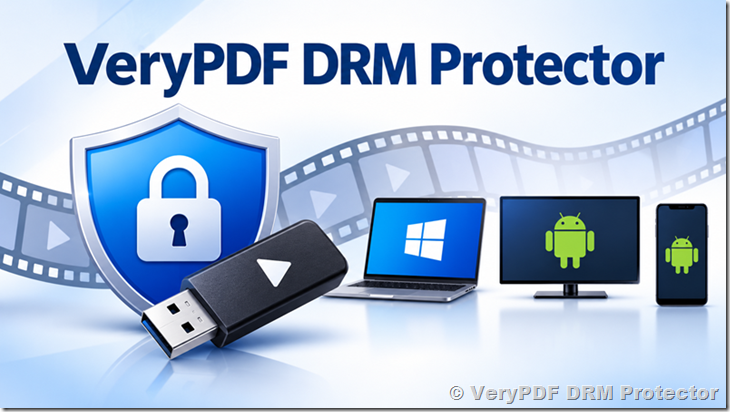
Supported Playback Platforms: Windows vs. Mac and Android
Before choosing a USB video encryption tool, you need to check what devices your customers actually use to watch videos. Most portable offline USB players work by placing a lightweight executable player directly onto the flash drive alongside the encrypted videos.
| Target Platform | Standard Out-of-the-Box Support | How Playback Works | Custom Development Option |
|---|---|---|---|
| Windows PC & Laptops (Windows 7, 8, 10, 11) | Yes (Full Support) | Runs directly from the USB drive via a portable player with zero installation required. | Not needed (built-in) |
| Windows Tablets (with USB port) | Yes (Full Support) | Plays offline directly from the USB stick just like a Windows laptop. | Not needed (built-in) |
| macOS (MacBook, iMac) | Not by default | Windows .exe portable players cannot run natively on macOS without a dedicated Mac player. |
Available (Custom Mac player development for an extra fee) |
| Android Mobile & Tablets | Not by default | Android requires a dedicated APK player app to read hardware-bound USB DRM files. | Available (Custom Android app development for an extra fee) |
| Android TV & Smart TV Boxes | Not by default | Requires a custom TV-compatible Android player built for remote control navigation. | Available (Custom Android TV player for an extra fee) |
Because a Windows portable player needs no installation, your Windows users just plug in the USB drive, double-click the player, and start watching right away. If a large portion of your buyers rely on Android TV boxes, Android phones, or Mac computers, custom player development bridges that gap so you can support those platforms securely.
USB-A vs. OTG and Dual-Interface USB Drives: What Works?
A common question from video distributors is whether they have to buy expensive, specialized hardware-encrypted USB sticks, or if standard off-the-shelf drives will work.
| USB Drive Type | Supported for USB DRM Binding? | Best Use Case |
|---|---|---|
| Standard USB-A Flash Drives | Yes | Standard desktop computers and laptops with traditional rectangular USB ports. |
| OTG / Dual-Interface USB Drives (USB-A + USB-C / Micro-USB) | Yes (on Windows) | Modern thin laptops and Windows tablets that only have USB-C ports, as well as older PCs with USB-A ports. |
| Proprietary Hardware-Encrypted USBs | Not required | Unnecessary expense when software DRM binds directly to normal flash drives. |
DRM software reads the internal hardware serial number of the flash drive itself, not the shape of the metal plug on the outside. That means you can buy affordable bulk flash drives from any reliable brand—including dual-connector OTG drives with both USB-A and USB-C plugs—and lock your videos to them. Note that while an OTG drive works great when plugged into a Windows PC or Windows tablet via USB-C, plugging that same drive into an Android phone still requires a dedicated Android player app.
Real-World Example: Protecting Paid Training Courses on USB
Imagine an exam prep institute that sells video lectures to students in areas with slow or unreliable internet. Previously, the institute shipped regular USB drives, and within two weeks, pirated copies of the lectures appeared in student chat groups.
By switching to a USB-bound video protection workflow:
- The institute buys standard 32GB USB-A and USB-C dual flash drives in bulk.
- They encrypt the MP4 lectures so each video is locked to that individual USB drive’s hardware ID.
- They set an expiration rule (for example, access expires 30 days after the student first opens a video, or on a fixed calendar date).
- Students plug the USB drive into their Windows laptop and play the lessons offline without installing any software or entering passwords.
If a student copies the folder onto their laptop or a friend’s flash drive, the player refuses to launch.
Recommended Solution: VeryPDF USB Video DRM Protector
If you want to protect offline videos on regular flash drives without buying costly custom hardware, VeryPDF USB Video DRM Protector (available at drm.verypdf.com) is built specifically for this job.
Key capabilities include:
- Use your own USB drives: Works with standard USB-A and dual-interface OTG flash drives from any manufacturer.
- 100% offline playback: Viewers do not need an internet connection to verify licenses or watch your videos.
- No software installation for end users: Includes a portable player right on the USB drive for Windows 7, 8, 10, and 11.
- Hardware USB binding: Locks encrypted videos to the exact USB stick so copied files cannot be played elsewhere.
- Flexible expiration controls: Set time limits or custom expiration rules—including custom configurations where a 30-day countdown starts the first time the viewer opens the video rather than the day you prepared the drive.
- Custom multi-platform development: While Windows is supported out of the box, the VeryPDF engineering team can build custom offline players for Android TV, Android mobile devices, and macOS if your project requires cross-platform playback.
You can download the free trial version from the VeryPDF DRM website to test encryption and playback on your own flash drives before committing to a license.
Frequently Asked Questions (FAQ)
1. Can I use any regular USB flash drive to protect my videos?
Yes. You do not need special hardware-encrypted USB sticks. You can use standard, off-the-shelf USB flash drives from any brand, and the DRM software will bind your encrypted videos to each drive’s unique hardware ID.
2. Does offline USB video protection support OTG or USB-C flash drives?
Yes. Dual-interface OTG drives (drives with both USB-A and USB-C connectors) work properly when connected to a Windows PC or Windows tablet, because the software reads the drive’s internal serial number regardless of the physical plug type.
3. Can customers watch the protected videos without an internet connection?
Yes. Once the videos and portable player are placed on the USB drive, playback works completely offline. No internet check-in is required on the customer’s computer.
4. Do my customers have to install any software on their computer?
No. On Windows computers, the portable video player runs directly from the USB flash drive. Your customers just plug in the drive and open the player.
5. Which Windows versions are supported?
The standard portable player supports Windows 7, Windows 8, Windows 10, and Windows 11 across desktops, laptops, and Windows tablets.
6. Can protected USB videos play on Android TV or Android phones?
Not with the standard Windows portable player, because Android cannot run Windows executable files. However, custom offline player development for Android mobile devices and Android TV is available upon request for an additional development fee.
7. Is macOS supported for offline USB video playback?
Out of the box, the portable player is built for Windows. If your audience uses MacBooks or iMacs, you can request custom macOS player development to support encrypted USB playback on Apple computers.
8. What happens if a customer copies the files from the USB drive to their computer?
Even if someone copies every single file from the USB drive onto their hard drive or another USB stick, the videos will not play. Playback only works when the files are launched from the original authorized USB drive.
9. Can I set an expiration date on USB videos?
Yes. You can configure expiration controls so videos stop playing after a set date or after a specific number of days. Custom configurations—such as starting a 30-day timer only when the buyer first plays the video—can also be arranged.
10. Can I test USB video protection before buying?
Yes. VeryPDF offers a free trial version of VeryPDF USB Video DRM Protector so you can encrypt sample videos, load them onto your own USB drives, and verify playback quality before purchasing.
11. What video formats can be protected on a USB drive?
Common video formats such as MP4, AVI, MKV, WMV, and MOV can be encrypted and packaged into the protected USB player so you do not have to manually re-encode your entire video library.