
If you sell an eBook, training PDF, certification manual, or other digital document, you may want to give each customer access on 2 devices only.
For example, a customer may want to read the eBook on a laptop and a phone. That is reasonable. But you may not want the same customer to share the eBook with five friends or upload it to a file-sharing website.
The important question is:
Should the 2-device limit be applied to the PDF itself, or to each user?
For most digital products sold to many customers, the safer approach is to apply the device limit per user, not directly to the PDF.
Why a PDF-Level 2-Device Limit Can Cause Problems
Imagine that you sell the same protected PDF to 1,000 customers.
If you set this type of rule directly on the PDF:
VeryPDFDRM_LockToFirstNDevices=2the rule applies to the PDF itself.
That can create a serious problem.
| Situation | Result |
|---|---|
| Customer A opens the PDF on a laptop | Device 1 |
| Customer A opens it on a phone | Device 2 |
| Customer B tries to open the same PDF | May be blocked |
| Customer C tries another device | May also be blocked |
The PDF is shared by all customers, so a device limit attached directly to the PDF may affect everyone.
This is usually not what an eBook seller wants.
The Better Approach: Limit Devices Per User
A better setup is to create a separate user account for each customer and apply the device limit to that user.
For example:
LockToFirstNDevicesForUser=2Now the rule belongs to the customer instead of the PDF.
| Customer | Device 1 | Device 2 | Device 3 |
|---|---|---|---|
| Customer A | Allowed | Allowed | Blocked |
| Customer B | Allowed | Allowed | Blocked |
| Customer C | Allowed | Allowed | Blocked |
Customer A’s devices do not affect Customer B.
This is much better for selling eBooks, online courses, training materials, and other protected PDFs.
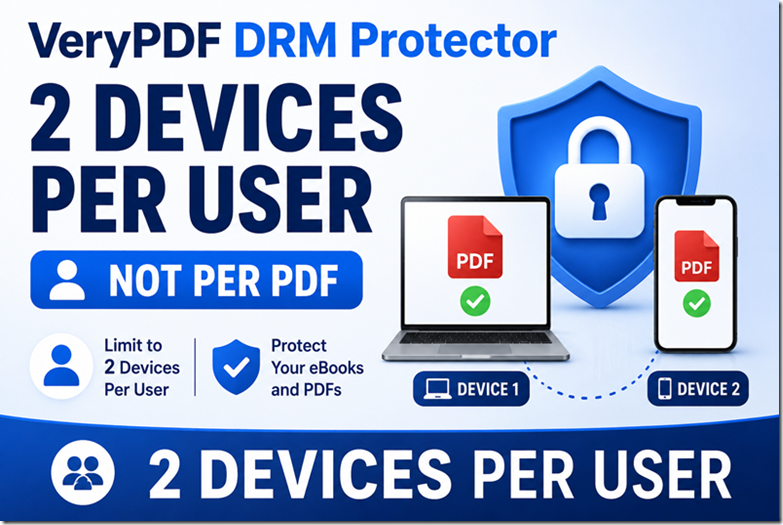
How Does the Second Device Work?
Suppose a customer buys your eBook and you allow two devices.
The customer can use the same account and reading link on both devices.
For example:
Device 1: Windows laptop
The customer opens the secure link and reads the eBook.
Device 2: iPhone or Android phone
The customer opens the same secure link and signs in with the same account.
The phone becomes the customer’s second authorized device.
The customer does not need to use the second device within 48 hours.
If your access policy does not include an expiration date, there is no requirement to activate the second device within the first 48 hours.
What If the Customer Wants to Read the eBook on a Phone?
This is a common question from eBook customers.
A typical example is:
“I bought the eBook on my computer. Can I also read it on my phone?”
Yes, if the user’s account allows two devices.
The user can use:
- Windows PC
- Mac
- iPhone
- iPad
- Android phone
- Android tablet
depending on the devices and viewing method supported by your DRM setup.
The important part is that the second device must be registered as one of the user’s allowed devices.
Does the Customer Need the Same Email Address?
If you are using a per-user device limit, the customer should use the same user account on both devices.
For example:
Email: customer@example.com
Maximum devices: 2
The customer can then use that account on:
- Laptop
- Mobile phone
The third device would not be allowed.
This is different from simply giving everyone the same public PDF URL.
Does the Second Device Have to Be Used Within 48 Hours?
No.
A 2-device limit and an access expiration period are two different settings.
For example:
| Setting | Example |
|---|---|
| Maximum devices | 2 |
| Access expiration | Never expires |
| Device 1 | Laptop |
| Device 2 | Phone |
| Second device deadline | None |
The customer could read the eBook on a laptop today and use the phone much later, as long as the account and access policy remain active.
What If Someone Buys the eBook as a Gift?
This is another important case.
Suppose John buys an eBook for Mary.
If the protected eBook is tied to the purchaser’s account, you should make sure the access is created for the actual recipient.
For example:
Recipient:
Mary Smith
Email:
mary@example.com
Mary can then use her own account and authorized devices.
This is safer than giving John a generic link and asking him to forward it to Mary.
Can Customers Share the eBook Link?
A normal public URL can easily be forwarded.
For example:
https://example.com/my-ebook.pdfIf everyone receives the same unrestricted URL, it is difficult to control who can use it.
A personalized DRM URL works differently.
You can create an account for each customer and generate a reading link for that user.
The access can then be tied to the user’s account and device rules.
This makes unauthorized sharing much harder.
How to Set a 2-Device Limit in VeryPDF DRM
With VeryPDF DRM Protector, you can configure the device limit at the user level.
In the user’s Advanced Settings for User (optional), you can add:
LockToFirstNDevicesForUser=2This tells the DRM system to allow that user to register up to two devices.
You can manage users here:
For more information about the difference between PDF-level and user-level device limits, see:
PDF DRM Device Limits Explained
Manual Setup vs API Automation
If you only sell a few eBooks, you can create users manually.
But if you sell hundreds or thousands of copies, manually creating accounts is not practical.
| Method | Best for | Work required |
|---|---|---|
| Manual user creation | Small number of customers | More manual work |
| API automation | Many customers | Much less manual work |
| Shared PDF link | Simple distribution | Weak user-level control |
| Individual user links | Paid digital content | Better access control |
With API automation, your purchase system can create a user and configure the 2-device limit after someone buys the eBook.
A typical process can be:
Customer buys eBook
        ↓
Create user account
        ↓
Set maximum devices = 2
        ↓
Create personalized access
        ↓
Send secure reading link
This is a much better model for an online eBook store.
What Happens When the Customer Gets a New Phone?
This is one of the problems you should think about before selling a DRM-protected eBook.
Suppose a customer has:
- Old laptop
- Old phone
Both devices are already registered.
Later, the customer buys a new phone.
The customer now has three devices.
If the limit is strictly two devices, the new phone should not simply become a third authorized device.
You need a process for handling device changes, such as removing an old device or resetting the user’s registered devices.
This is important for customer support because legitimate customers may replace phones or computers.
Why Per-User DRM Is Better for Paid eBooks
The main advantage is simple:
One customer’s devices should not affect another customer’s devices.
For example, imagine selling a PDF to 500 customers.
A PDF-level device restriction treats the protected PDF as one shared object.
A per-user restriction treats the customers separately.
| Feature | PDF-Level Limit | Per-User Limit |
|---|---|---|
| Same PDF used by many customers | Risky | Yes |
| 2 devices per customer | Not ideal | Yes |
| Different customers have separate limits | No | Yes |
| Supports personalized access | Limited | Yes |
| Better for paid eBooks | Usually no | Yes |
| Better for online courses | Usually no | Yes |
| Can be automated with API | Possible | Yes |
What About a PDF That Never Expires?
You can separate device limits from expiration.
For example:
Maximum devices: 2
Expiration: Never
This means the customer can continue using the eBook, but only on the authorized devices.
This is useful if you sell an eBook as a permanent purchase rather than a rental or subscription.
You can also create other business models, such as:
Maximum devices: 2
Access period: 1 year
or:
Maximum devices: 1
Access period: 30 days
The correct settings depend on how you sell the content.
Recommended Setup for a Paid eBook
For a paid eBook where customers should have long-term access, a setup like this can make sense:
| DRM Setting | Recommended Approach |
|---|---|
| PDF sharing | Prevent unauthorized sharing |
| User account | One account per customer |
| Maximum devices | 2 |
| Expiration | No expiration, if promised to customers |
| Second device | Same user account |
| Phone access | Allow as supported |
| Gift purchase | Use recipient’s email |
| Access URL | Personalized user link |
| Large customer base | Automate with API |
The key point is to avoid putting a global 2-device restriction on a PDF that is shared by all customers.
Why VeryPDF DRM Protector?
VeryPDF DRM Protector can be used when you need more control over protected PDF content.
Depending on your setup, you can use DRM controls for:
- PDF access control
- User accounts
- Device restrictions
- Expiration dates
- Printing restrictions
- Copy and paste restrictions
- Dynamic watermarks
- Secure PDF viewing
- Personalized access links
- User-level document protection
For businesses selling eBooks, training PDFs, manuals, reports, and certification materials, the important part is not simply encrypting the PDF.
The real problem is controlling who can open the document, how many devices they can use, and whether they can share their access with other people.
Frequently Asked Questions
1. Can I limit a PDF to 2 devices?
Yes. For a multi-customer eBook, it is better to limit the devices per user rather than putting the limit directly on the shared PDF.
2. Can the customer use the eBook on a computer and phone?
Yes, if both devices are supported and the user’s account allows two devices.
3. Does the second device need to be activated within 48 hours?
No. A device limit is separate from an expiration period. There is no automatic 48-hour requirement unless you specifically configure one.
4. Does the second device use the same email address?
With a per-user device limit, the customer should use the same user account on the second device.
5. Can the customer use the same secure link on the second device?
Yes, when the secure link is configured for that user’s account.
6. What happens when the customer tries a third device?
If the account is limited to two devices, the third device should not be allowed unless an authorized device is removed or the device limit is changed.
7. Should I set the 2-device limit directly on the PDF?
Usually not if the same PDF is being sold to many customers. A PDF-level limit can affect other customers.
8. What is LockToFirstNDevicesForUser=2?
It is a user-level setting that can be used to limit a particular user’s access to two registered devices.
9. Can I sell an eBook with no expiration?
Yes, if you configure the access without an expiration period. Device limits and expiration are separate controls.
10. Can I use DRM for gift purchases?
Yes. If the eBook is being purchased as a gift, it is better to create access for the recipient rather than simply giving the purchaser a generic link to forward.
11. Can I stop customers from sharing the eBook?
DRM can make unauthorized sharing much harder by using user accounts, personalized access, device restrictions, and other access controls. No DRM system can guarantee that a person will never share what they can legitimately view.
12. Do I need to create every customer manually?
Not necessarily. If you have many customers, you can use an API to automate user creation, device limits, and personalized reading links.
13. Can the 2-device system work with a mobile phone?
Yes, where the selected VeryPDF DRM viewing method supports the customer’s phone and operating system.
14. What happens if a customer replaces their phone?
You should have a process for resetting or removing an old registered device. This prevents a legitimate customer from being permanently blocked after replacing a device.
15. Is a shared PDF link enough to protect a paid eBook?
A shared link by itself is usually not enough when you need strong customer-level access control. For paid content, personalized user access provides much better control.
16. What is the best DRM setup for a paid eBook?
For many sellers, a good starting point is one user per customer, up to 2 authorized devices, no expiration if the purchase includes lifetime access, and a personalized secure reading link. VeryPDF DRM Protector can be configured around this type of access model.