
Lock Down Your Intellectual Property With Confidence
In today’s digital world, protecting intellectual property is no longer optional, it is essential. Whether you are distributing eBooks, training materials, corporate reports, or academic content, the risk of unauthorized copying, sharing, and redistribution is always present. Traditional PDF protection methods such as passwords and basic encryption are no longer sufficient against modern piracy techniques.
This is where CopySafe PDF Protection comes in. Specially designed to provide advanced copy protection for PDF documents and eBooks, CopySafe PDF delivers one of the most robust DRM (Digital Rights Management) solutions available today. It goes far beyond standard encryption by ensuring that your content remains fully controlled, even after distribution.
With CopySafe PDF, you can confidently distribute your documents via email, downloads, USB drives, or online platforms while maintaining full control over usage, access rights, and security policies.
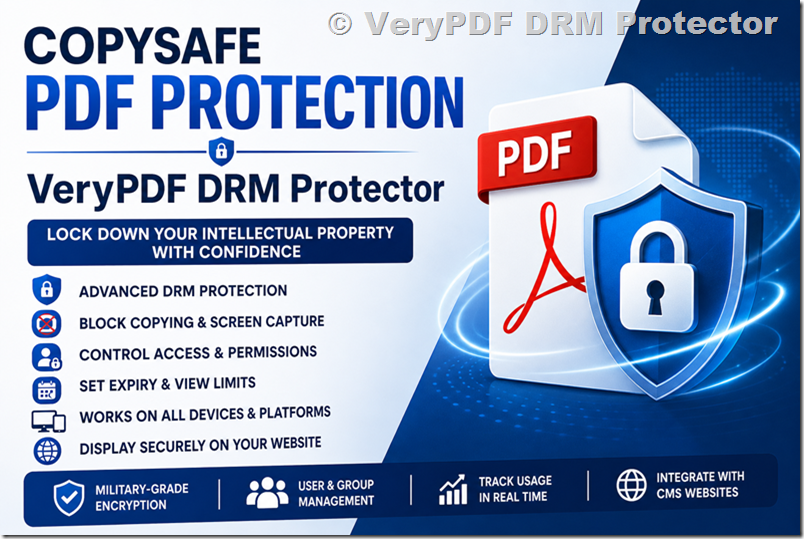
A True DRM-Based PDF Protection System
Unlike conventional PDF security tools, CopySafe PDF is built around a true DRM framework rather than simple password protection. This means your control over documents does not end once the file is delivered.
Even if a PDF has already been downloaded, saved, or shared, updates to permissions, access rights, or restrictions can take effect immediately. This level of control makes CopySafe PDF especially powerful for organizations that need real-time enforcement of content policies.
You can also integrate protected PDFs into websites using CMS plugins for:
- WordPress
- Drupal
- Joomla
- Moodle
This allows seamless access control within learning platforms, membership sites, and content portals.
Copy Protection & Security Features
CopySafe PDF Reader provides one of the most advanced protection systems for PDF content available today. It is designed specifically to eliminate all common forms of piracy and unauthorized usage.
Key Security Features
- Military-Grade Encryption
Ensures PDF content cannot be extracted, modified, or reverse-engineered. - Screen Capture Blocking
Prevents PrintScreen and third-party screen capture tools from copying content. - Password & DRM Access Control
Supports both simple password protection and advanced DRM-based user authentication. - Printing Restrictions
Disable printing completely or limit the number of allowed prints per user. - Expiry Controls
Set documents to expire by date, duration, or number of views. - Device Locking
Restrict access to 1–3 authorized computers using unique machine fingerprints. - User & Group Management
Assign permissions to individuals, groups, or token-based access systems. - Multi-Language Support
Fully supports both LTR and RTL languages for global deployment. - Cross-Platform Accessibility
Works across Windows, Mac, iOS, and Android via online reading systems. - DRM Management Portal
Included with licensing for real-time policy updates, tracking, and user management. - Integrated eBook Store
Enables direct selling of protected PDFs with automated licensing and subscription control.
These features make CopySafe PDF significantly more secure than traditional PDF protection tools.
Watermark Protection
Watermarks provide an additional layer of deterrence by identifying document usage. While they do not prevent copying directly, they strongly discourage misuse.
CopySafe PDF supports two types of watermarking:
- Static Watermarks
Applied during encryption, typically for copyright notices and ownership statements. - Dynamic Watermarks
Display user-specific data such as name, email, or IP address during web viewing sessions.
This ensures that even if content is leaked, the source of the leak can be traced.
Scope and Usage Scenarios
CopySafe PDF supports multiple deployment scenarios depending on how you need to distribute and protect your content:
- Secure PDF downloads for desktop reading with password or expiry control
- DRM-protected PDFs with full anti-sharing restrictions
- Web-based PDF display with domain locking
- Offline distribution via USB or DVD with controlled access
Industry Applications
CopySafe PDF is widely used across industries where data protection directly impacts revenue, compliance, or confidentiality.
Education & eLearning
Schools, universities, and online educators use CopySafe PDF to protect course materials, exams, and study guides. Access can be restricted to enrolled students only, preventing unauthorized sharing.
Publishing & Authors
Writers and publishers protect eBooks, research papers, and whitepapers. Unlike standard PDF security, CopySafe prevents copying, printing, and screen capture entirely.
Corporate Enterprises
Businesses use CopySafe PDF to secure financial reports, internal documents, and confidential client materials with strict access control.
Legal & Government
Law firms and government agencies rely on CopySafe for sensitive documents where confidentiality and audit control are critical.
Media & Online Training Providers
Content creators and training platforms use CopySafe PDF to prevent piracy of courses and tutorials while maintaining monetization.
PDF Encryption Software – Simple to Use
CopySafe PDF Protector is designed for ease of use. The workflow is straightforward:
- Select your preferred distribution method
- Configure protection settings (DRM, password, expiry, etc.)
- Follow the guided prompts to complete encryption
The software supports all major usage scenarios, including offline DRM for USB distribution and online access through secure web readers.
Online Demos and Evaluation
For users who want to evaluate CopySafe PDF before deployment, online demonstrations are available.
You can test protected PDFs through CMS platforms such as:
- Drupal websites
- Joomla websites
- Moodle learning platforms
- WordPress websites
These demos allow you to see how DRM-protected PDFs behave in real-world environments.
Free DRM Evaluation Trial
A free 14-day trial of the DRM portal is available for testing.
While the demo version has limited group and subscriber features, it allows full testing of:
- Document protection settings
- DRM enforcement behaviour
- Sharing restrictions
- Real-world usage scenarios
The system can be accessed from any internet-enabled device, including mobile phones.
Software Downloads
CopySafe provides several tools and readers for different environments:
- CopySafe PDF Protector – Encryption software (trial available)
- CopySafe PDF Reader – Desktop secure PDF viewer (free)
- VeryPDF Secure Web Reader – Online reading across all devices
These tools ensure compatibility across Windows, Mac, iOS, and Android systems.
CMS Plugins for Easy Integration
CopySafe PDF integrates easily into popular content management systems using free plugins:
- DNN Module
- Drupal Module
- Joomla Extension
- Moodle Plugin
- WordPress Plugin
These plugins allow you to upload and display protected PDFs directly within your website without complex configuration.
Tutorial Videos
Step-by-step video tutorials are available covering:
- DRM setup and rights control
- Protecting eBooks and PDFs
- Desktop PDF protection workflows
- Web-based PDF protection
- WordPress integration
- APM usage scenarios
These tutorials help users quickly implement CopySafe PDF into their workflows.
CopySafe PDF Licensing
Unlike many subscription-based DRM systems, CopySafe PDF uses a one-time licensing model, which includes:
- Lifetime email support
- Free lifetime software updates
- Unlimited use of DRM portal
- Free online store for selling PDFs (no commission)
- Free integrated cover design tool
Alternatively, users can choose to rent the DRM portal for monthly usage flexibility.
Rent the CopySafe PDF DRM Portal
For users who prefer not to install software, the DRM portal can be rented.
This option provides:
- Full online encryption tools
- Access from any device
- Mobile-friendly interface
- Subscription-based pricing or usage-based billing
It is ideal for businesses that want flexibility without local installation.
Benefits of Using CopySafe PDF
Compared to unprotected PDFs, CopySafe PDF offers a significant security upgrade:
- Blocks copying, sharing, and extraction
- Works only with secure readers
- Prevents search engine indexing
- Protects against data scraping and bots
- Provides full DRM-based access control
- Supports CMS integration for websites
In short, it transforms a standard PDF into a fully controlled digital asset.
Frequently Asked Questions
How is CopySafe PDF different from other solutions?
It provides full protection against copying, sharing, extraction, and unauthorized redistribution, not just password security.
Can Adobe Reader open CopySafe PDFs?
No. Only CopySafe PDF Reader and VeryPDF Secure Web Reader can decrypt protected files.
Does encryption increase file size?
No, file size remains unchanged despite military-grade encryption.
Can CopySafe PDFs be indexed by search engines?
No, the content is not accessible outside authorized readers.
What files can be protected?
Any document that can be converted to PDF, excluding certain multimedia-heavy PDFs.
Are hyperlinks supported?
Yes, external hyperlinks are supported, while inter-document bookmarks are limited.
Can it be used in corporate networks?
Yes, it can be deployed internally via DRM portal installation.
Final Thoughts
CopySafe PDF Protection is not just another PDF security tool, it is a complete DRM-based content protection ecosystem. By combining encryption, device locking, watermarking, and access control, it delivers one of the most comprehensive solutions for safeguarding digital documents.
For educators, publishers, corporations, and content creators, it offers something critical: peace of mind that your intellectual property stays protected, no matter where it goes.