
Introduction: Why Screen Capture Protection Matters in Modern DRM
In today’s digital-first world, protecting sensitive documents is no longer limited to passwords or encryption. Even highly secure PDF files can be easily compromised using simple screen capture tools, screen recording software, or screen-sharing platforms.
This is especially critical in industries such as education, corporate training, publishing, and financial services, where confidential content is frequently distributed digitally.
To solve this problem, VeryPDF developed VeryPDF DRM Protector, a professional-grade Digital Rights Management (DRM) solution designed specifically to prevent unauthorized screen capture and content leakage.
Unlike traditional protection methods, VeryPDF DRM Protector uses a multi-layer screen protection architecture, combining visual, behavioral, system-level, and OS-integrated security mechanisms.
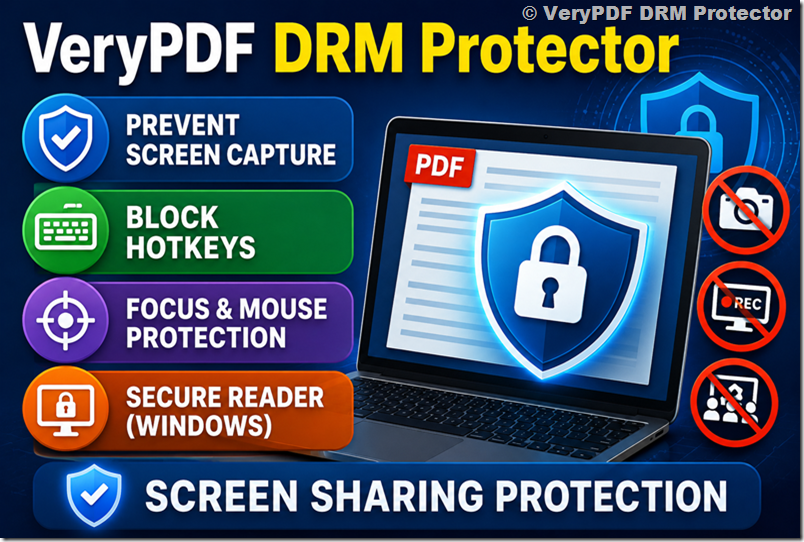
What Makes VeryPDF DRM Protector Different?
Most DRM tools rely on a single protection method, such as:
- Password protection
- PDF encryption
- Disable copy/print settings
However, these methods are insufficient against modern threats like:
- Windows Snipping Tool
- OBS Studio screen recording
- Zoom / Teams screen sharing
- Virtual camera capture tools
- Mobile photography of screens
VeryPDF DRM Protector solves this problem by applying multiple independent protection layers, making screen capture extremely difficult or unusable.
Core Screen Capture Protection Technologies
VeryPDF DRM Protector includes several advanced protection mechanisms that work together as a unified system.
1. Adjustable Screen Shield (Visual Protection Layer)
The screen shield is a semi-transparent overlay that partially covers document content.
- Coverage: 10% to 50%
- Purpose: Make screenshots unusable or incomplete
- Effect: Content becomes partially obscured during capture attempts
This method is especially useful for:
- Educational PDFs
- Preview documents
- Controlled-access reading environments
Even if a screenshot is taken, the result is often incomplete or distorted.
2. Blocking Screen Capture Hotkeys (Input Protection Layer)
Many screen capture attempts begin with keyboard shortcuts such as:
- Print Screen
- Alt + Print Screen
- Windows + Shift + S
VeryPDF DRM Protector blocks these inputs at the system level.
What it does:
- Prevents screenshot shortcuts from executing
- Stops clipboard-based capture
- Disables common capture key combinations
This eliminates the most basic form of screen capture.
3. Focus & Mouse-Based Protection (Behavioral Layer)
This is a dynamic protection system based on user interaction.
Window Focus Protection
When the document window loses focus:
- Content is automatically hidden or masked
- Background visibility is blocked
Mouse Boundary Protection
When the mouse leaves the reading area:
- Content is immediately protected
- Display may blur or lock
This prevents:
- Background screen recording
- Multi-window capture attacks
- External capture tool usage
4. VeryPDF Secure Reader (Windows Advanced Protection Layer)
The strongest protection comes from the VeryPDF Secure Reader for Windows.
This is a system-level DRM environment that provides deep integration with Windows.
Key Features:
- System-level screen capture blocking
- Screen recording detection and prevention
- Protection against virtual camera capture
- Security during screen sharing (Zoom, Teams, WhatsApp)
This layer ensures that even advanced capture tools cannot extract usable content.
Screen Capture Protection Comparison Table (Optimized Version)
Below is a simplified and mobile-friendly comparison of all protection methods:
|
Method |
Level |
What It Blocks |
Strength |
|
Screen Shield |
Visual |
Basic screenshots |
Medium |
|
Hotkey Blocking |
Input |
Print Screen shortcuts |
Medium |
|
Focus Protection |
Behavior |
Background capture |
High |
|
Mouse Protection |
Behavior |
External capture tools |
High |
|
Screen Recording Protection in |
System |
Block screen recording software, |
Very High |
|
Screen Sharing Protection in |
System |
Block screen sharing software, |
Very High |
Why This Table Matters
This comparison clearly shows that screen capture protection is not a single feature, it is a multi-layer defense system.
Each layer targets a different attack method:
- Keyboard attacks → Hotkey blocking
- UI-level capture → Screen shield
- Background recording → Focus protection
- Advanced tools → Secure reader
- Remote sharing → Screen sharing protection
Together, they form a complete DRM security ecosystem.
Screen Sharing Protection: A Modern Requirement
One of the most overlooked threats in document security is screen sharing.
In tools like:
- Zoom
- Microsoft Teams
- WhatsApp Desktop
- Google Meet
Users can unknowingly expose sensitive documents.
VeryPDF DRM Protector solves this by detecting screen-sharing sessions and applying protective rendering, ensuring content is:
- Masked
- Hidden
- Or replaced with secure overlays
This makes remote collaboration much safer for organizations.
Real-World Use Cases
1. Education (Schools & Universities)
Teachers can distribute materials without worrying about students copying or sharing screenshots.
2. Corporate Training
Companies can protect internal training materials from leakage.
3. Financial Documents
Banks and financial institutions can secure sensitive reports.
4. Publishing Industry
Publishers can protect digital books and paid content.
Why Multi-Layer DRM Is Essential
Modern screen capture tools are evolving quickly. A single protection method is no longer enough.
A strong DRM system must:
- Block simple shortcuts
- Prevent system-level screenshots
- Control user behavior
- Detect recording tools
- Protect screen sharing sessions
This is exactly why VeryPDF DRM Protector uses a defense-in-depth architecture.
Conclusion
VeryPDF DRM Protector provides one of the most advanced screen capture protection systems available today. Instead of relying on a single barrier, it integrates multiple layers of security:
- Visual protection (screen shield)
- Input protection (hotkey blocking)
- Behavioral control (focus and mouse tracking)
- System-level DRM (Secure Reader)
- Screen sharing protection
Together, these technologies make unauthorized screen capture extremely difficult and impractical.
For organizations that need strong document security, especially in education, enterprise, and publishing industries, this multi-layer approach offers a highly effective solution.
SEO Keywords (for optimization)
- PDF screen capture protection
- DRM screen recording prevention
- secure PDF viewer Windows
- prevent screenshot PDF document
- screen sharing protection DRM
- VeryPDF DRM Protector
- PDF copy protection software
- enterprise document security solution