
Selling PDF documents online is convenient, but it also creates a serious problem for publishers: once a customer downloads a PDF, how can you stop them from sharing it with other people?
This is an important issue for legal publishers, professional training companies, research organizations, and businesses that sell digital books, reports, case law, and other confidential documents.
A normal PDF password is not enough. Buyers can share the password, copy the document, or send the original PDF to someone else.
If you sell valuable PDF publications through your own online store, you need a better way to protect your documents after download.
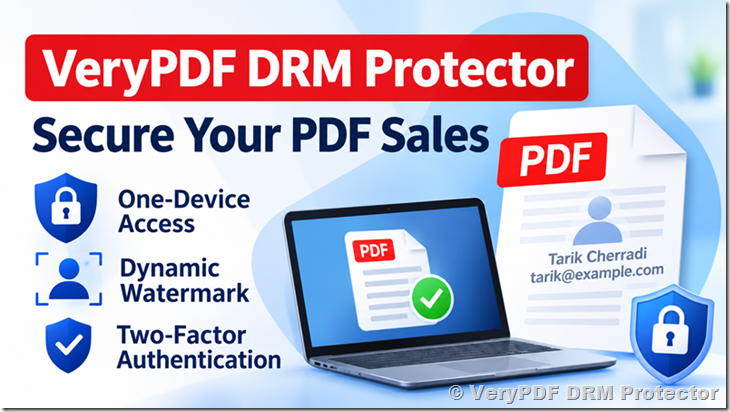
VeryPDF DRM Protector provides PDF DRM protection for online document sales. It can help publishers control who can open their PDFs, limit access to authorized devices, add personalized watermarks, and manage document access.
This article explains how to protect PDF files when selling them online, including device restrictions, buyer authentication, offline reading, Arabic PDF support, and online store integration.
1. Why Do PDF Publishers Need DRM Protection?
Imagine that you publish legal documents and sell them through your website.
A customer purchases a legal report for $50, downloads the PDF, and then sends it to ten colleagues.
You receive payment for one copy, but eleven people can read it.
This problem can happen with many types of digital publications:
- Legal case law and court decisions.
- Legal briefs and professional research.
- Medical reports and technical documents.
- Business reports and market research.
- Academic papers and study materials.
- Paid PDF books and training manuals.
Traditional PDF protection has several weaknesses.
| Traditional PDF protection | Problem |
|---|---|
| PDF password | Buyers can share the password. |
| Disable printing | Some PDF tools can remove restrictions. |
| Disable copying | It does not stop people from sharing the original file. |
| Add a fixed watermark | The watermark does not identify each buyer. |
| Download link expiration | It does not protect a PDF after download. |
PDF DRM (Digital Rights Management) provides another level of protection by controlling access to the document, even after the buyer downloads it.
2. How to Restrict PDF Access to One Device Per Buyer
For publishers selling paid PDF documents, limiting access to authorized devices is one of the most useful DRM features.
For example:
- A customer purchases a legal document from your online store.
- Your store sends the customer’s information to the DRM platform through an API.
- The customer downloads the protected PDF.
- The customer registers an authorized device.
- The PDF can only be opened on that authorized device.
If the customer sends the downloaded PDF to another person, the other person cannot simply open it on a different device.
This helps prevent unauthorized sharing between customers.
A device restriction system is especially useful for legal publishers because their documents may contain valuable case law, legal opinions, and professional research.
With VeryPDF DRM Protector, publishers can configure document access and device restrictions according to their business requirements.
3. Add Dynamic Watermarks with the Buyer’s Name and Email
A dynamic watermark is different from a normal watermark.
A normal watermark may show the publisher’s name or logo. Every buyer receives the same watermark.
A dynamic watermark displays information about the person who purchased the document.
When another person receives the document, the watermark can help identify the original buyer.
Dynamic watermarks can include:
- Buyer’s full name.
- Buyer’s email address.
- Company name.
- Purchase information.
- Other customer-specific information.
The watermark can be displayed on every page, making it harder for buyers to share documents without leaving identifying information behind.
This is particularly useful for legal publications, paid research reports, and professional documents.
4. Two-Factor Authentication for PDF Documents
A username and password may not provide enough protection for valuable documents.
If someone steals a buyer’s login details, they may be able to access the buyer’s purchased publications.
Two-factor authentication (2FA) adds another verification step.
For example, a buyer may need:
- Their registered email address and password.
- A temporary verification code generated by an authenticator application.
TOTP (Time-Based One-Time Password) is a common method used by applications such as Google Authenticator.
It generates a temporary code that changes every 30 seconds.
For legal publishers, stronger authentication can help reduce unauthorized access to paid documents.
VeryPDF DRM Protector can support authentication requirements as part of a customized DRM workflow.
5. Can Buyers Read DRM-Protected PDFs Offline?
Offline reading is important for customers who travel, work outside the office, or have unreliable internet access.
However, offline reading creates a security challenge.
If a document can be opened without an internet connection, the DRM system cannot always contact the server to check whether access has been revoked or the user’s permissions have changed.
A practical offline DRM system needs to balance document security and reading convenience.
For example:
| Requirement | Purpose |
|---|---|
| Authorized device | Prevent unauthorized devices from opening the document. |
| Offline access | Allow reading without an internet connection. |
| Access expiration | Limit how long a document can remain available. |
| Device registration | Link access to a specific buyer and device. |
| Online verification | Check user permissions when an internet connection is available. |
Publishers should also understand that offline access has limitations. A document already authorized for offline reading may remain accessible until its offline authorization expires.
6. How to Protect Arabic PDF Documents with Right-to-Left Text
Arabic PDF documents require special attention because Arabic uses right-to-left (RTL) text.
A DRM solution should not change the original PDF layout or damage its text display.
For legal publishers in Morocco and other Arabic-speaking countries, correct Arabic document display is essential.
A protected Arabic PDF should preserve:
- Right-to-left text direction.
- Arabic character shaping and joining.
- Arabic fonts and font embedding.
- Mixed Arabic and French text.
- Page layout and paragraph alignment.
- Arabic numbers and punctuation.
The best way to check Arabic PDF compatibility is to test real documents before deploying the DRM system.
VeryPDF DRM Protector can be evaluated with your existing Arabic and French PDF publications.
7. Integrate PDF DRM with Your Online Store Using an API
Many publishers already have their own online stores and payment systems.
They do not want to replace their existing websites or force customers to use a completely different shopping platform.
An API-based DRM solution allows publishers to connect document protection with their existing sales process.
A typical workflow looks like this:
1. Customer visits your online store
Selects a PDF publication
2. Customer completes payment
CMI, PayPal, Stripe, or another payment method
3. Your store connects to the DRM API
Sends buyer and document information
4. DRM-protected PDF is prepared
Buyer-specific access and watermark settings
5. Customer downloads the protected PDF
Access is controlled by DRM permissions
This approach allows publishers to keep their existing website and payment systems.
For example, a Moroccan legal publisher could continue using CMI for local payments and PayPal or Stripe for international customers, while VeryPDF DRM Protector handles document protection.
The exact API integration depends on the store platform and the required purchase and user-management workflow.
8. Hosted DRM Service vs. On-Premise DRM Server
When choosing a PDF DRM solution, publishers should consider where the DRM server will run.
There are two common deployment models.
| Feature | Hosted DRM service | On-premise DRM server |
|---|---|---|
| Server management | Managed by the service provider | Managed by the publisher |
| Server installation | Not required | Required |
| Infrastructure maintenance | Provider’s responsibility | Publisher’s responsibility |
| Initial setup | Usually simpler | Requires server configuration |
| Custom integration | API-based | Depends on deployment and API support |
| Server ownership | Service provider | Publisher |
Some companies prefer to run everything on their own servers, such as Hetzner, AWS, or other hosting providers.
However, maintaining a DRM platform requires server administration, software updates, security monitoring, and ongoing technical support.
VeryPDF currently mainly provides the hosted DRM service.
With the hosted option, publishers do not need to install or maintain the DRM server on their own Hetzner infrastructure. VeryPDF manages the DRM platform, while the publisher connects its online store through the available integration options.
For businesses that want to start selling protected PDFs without managing another server, hosted DRM is a practical choice.
9. How Much Does VeryPDF DRM Protector Cost?
VeryPDF DRM Protector currently offers the following promotional subscription:
Save 50% – Promotional pricing
$99.95 / month
Billed annually
Annual subscription equivalent: $1,199.40.
See the official website for current plan limits and included features.
View Pricing
For a publisher selling around 1,000 PDF copies per year, this is a starting point for evaluating the cost of document protection.
Before purchasing, check the plan’s user limits, document limits, and any additional requirements for API integration or custom development.
Official pricing:
https://drm.verypdf.com/purchase/
10. Try VeryPDF DRM Protector Online
Before purchasing a DRM solution, publishers should test it with their own PDF files.
This is especially important if their documents contain:
- Arabic and French text.
- Complex legal formatting.
- Large tables.
- Embedded fonts.
- Special characters.
- Multiple pages and different page sizes.
VeryPDF provides an online demo where you can explore its DRM protection features.
VeryPDF DRM Protector – Document Security & PDF DRM Protection
VeryPDF DRM Protector – Online Demo
Try the DRM platform and test document protection with your own requirements.
Open Online Demo
Website: drm.verypdf.com
VeryPDF can also discuss API integration and the required configuration for your online PDF store.
11. Frequently Asked Questions About PDF DRM Protection
Q1. How can I stop customers from sharing purchased PDF files?
Use PDF DRM protection to restrict access to authorized users and devices. This makes it much harder for customers to share downloaded documents with other people.
Q2. Can I restrict each buyer to one device?
Yes. VeryPDF DRM Protector can implement device restrictions so that a buyer can read purchased documents only on an authorized device, according to the configured access policy.
Q3. Can I add the buyer’s name and email to every PDF page?
Yes. Dynamic watermarks can display buyer-specific information, such as a full name and email address, on every page.
Q4. Does PDF DRM support Google Authenticator?
TOTP-based two-factor authentication can be implemented as part of the authentication workflow. The exact setup should be confirmed for your integration.
Q5. Can customers read protected PDFs without an internet connection?
Yes, offline reading can be supported with suitable DRM authorization and offline access settings. However, online checks are needed for permission changes and remote revocation.
Q6. Does VeryPDF DRM Protector support Arabic PDF documents?
Arabic PDFs can be protected while preserving their original content and layout. We recommend testing actual Arabic documents to check text direction, fonts, and character display.
Q7. Can I sell protected PDFs through my own website?
Yes. Your existing online store can connect to the DRM platform through API integration. You do not need to move your entire store to VeryPDF.
Q8. Can I use CMI, PayPal, and Stripe?
Yes. These payment systems can be used with your own store. After successful payment, your store can communicate with the DRM platform to provide protected documents.
Q9. Do I need to install the DRM server on my Hetzner server?
No. VeryPDF currently mainly provides a hosted service. You do not need to install or maintain the DRM server on your own infrastructure.
Q10. Does VeryPDF offer an annual subscription?
Yes. The current promotional plan is USD 99.95 per month, billed annually, with a 50% saving.
Q11. Can I protect 20 new PDF titles every month?
The DRM workflow can be used to protect new publications as they become available. The suitable subscription and document limits should be checked before deployment.
Q12. Is PDF DRM protection 100% secure?
No DRM solution can prevent every possible form of copying, such as photographing a screen with another camera. However, device restrictions, authentication, dynamic watermarks, and access control can greatly reduce unauthorized sharing and help identify the source of leaked documents.
Q13. Can I use VeryPDF DRM Protector for legal books and court documents?
Yes. It is suitable for protecting paid legal publications, case law, research reports, legal briefs, and other PDF documents that publishers want to sell securely.
Q14. Can VeryPDF help with custom API integration?
Yes. VeryPDF can discuss your online store, payment workflow, buyer authentication, and document delivery requirements to determine the integration work needed.
Conclusion: Protect Your Paid PDF Publications with VeryPDF DRM Protector
If you sell legal documents, research reports, PDF books, or other paid publications, protecting your files after download is important.
A normal PDF password cannot stop customers from sharing the original file. PDF DRM provides more control over who can open a document and how it can be used.
VeryPDF DRM Protector can help publishers:
- Restrict PDF access to authorized devices.
- Add the buyer’s name and email as dynamic watermarks.
- Control document access and user permissions.
- Support online and offline reading workflows.
- Integrate DRM protection with existing online stores.
- Protect paid PDF publications from unauthorized sharing.
If you want to sell PDFs through your own website while keeping control over document access, VeryPDF DRM Protector is worth evaluating.
Visit the official website: