
If you use a PDF DRM system to protect books, courses, training materials, or paid documents, you may run into this problem:
You delete an old PDF, upload a new version, and your existing users can no longer see the file.
The new PDF is uploaded successfully. The file looks fine in your DRM account. But when your customers log in, the document does not appear in their account.
This can be confusing, especially when you only deleted the old PDF because you wanted to change one setting, such as increasing the number of allowed devices.
The reason is simple: the new PDF has a different File ID.
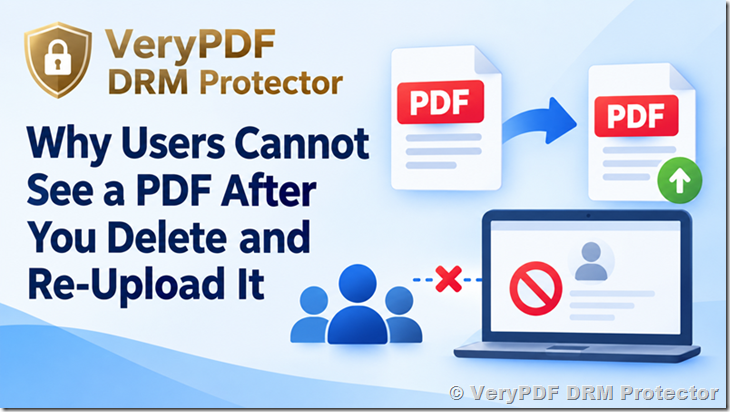
Why Does Re-Uploading a PDF Remove User Access?
A DRM system normally uses a unique File ID to identify each protected document.
For example:
| File ID | User Access | |
|---|---|---|
| Original course.pdf | 12345 | Customer A, B, C |
| New course.pdf | 67890 | No existing access |
Suppose you originally uploaded a PDF with File ID 12345.
You then gave 100 customers permission to read this file.
Later, you delete the PDF and upload it again.
The new upload receives a new File ID, for example 67890.
Your customers still have permission to read File ID 12345, but that file no longer exists.
They do not automatically receive permission to read File ID 67890.
This is why they may log in and see no document.
Changing the Device Limit Can Cause This Problem
A common example is changing the device limit.
For example, you originally uploaded a paid PDF with a limit of 1 device per user.
Later, a customer asks to use the PDF on two devices, so you decide to delete the old PDF and upload it again with a higher device limit.
The new PDF works correctly, but your existing customers cannot see it.
The problem is not the device limit.
The problem is that the File ID changed when you uploaded the new PDF.
This is an important difference.
Changing a setting on an existing file is different from deleting the file and creating a new file.
How to Give Existing Customers Access to the New PDF
There are two simple ways to solve the problem.
Method 1: Invite Your Customers Again
You can create a new invitation for the new PDF.
Open your VeryPDF DRM file management page:
Find the new PDF and select:
Actions → Invite User
The system will generate an invitation link.
Send this invitation link to your customers.
When a customer opens the link and enters their email address, the system can give that customer permission to read the new PDF.
This method is useful when you want customers to go through the normal invitation process.
Method 2: Add the New File ID to Existing Users
If you have many existing customers, manually adding the new File ID may be easier.
Open:
Find the customer and select:
Actions → Edit
Look for:
FileIDs (optional)
Add the new PDF File ID to the customer’s account.
After the new File ID is added, the customer can access the new PDF.
This is especially useful if you have a small number of customers and want to keep their existing accounts and permissions.
What If You Have 100 or 1,000 Customers?
Manually editing every customer is not a good solution when you have a large customer list.
For example, imagine that 500 customers already have access to an online course.
You delete the old PDF and upload a new version.
If the new PDF has a different File ID, you may need to update the permissions for all 500 customers.
That can take a lot of time.
A better DRM system should make this type of file replacement easier.
A Better Way to Manage PDF Access
VeryPDF DRM Protector is designed for protecting paid PDFs, eBooks, training materials, reports, courses, and other digital documents.
With VeryPDF DRM Protector, you can control who can read your protected documents and how they can use them.
Common DRM controls include:
| DRM Control | Example |
|---|---|
| Device limit | Allow 1, 2, or more devices per user |
| User access | Give specific customers access to specific PDFs |
| Expiration | Make access expire after a certain date |
| Print control | Allow or block printing |
| Copy control | Prevent copying text from protected documents |
| Watermark | Add user information to the document |
| Screen protection | Reduce the risk of screen capture |
| IP restrictions | Limit access by IP address |
| Country restrictions | Control access by country |
| Online reader | Let customers read PDFs online |
| User management | Manage customer access from one place |
For businesses selling PDF books, educational courses, technical manuals, certification materials, and paid reports, these controls can be much more useful than simply putting a password on a PDF.
Do Not Delete a PDF Just to Change One Setting
If you only need to change a setting, check whether you can change the setting on the existing file before deleting it.
Deleting and re-uploading a PDF creates a new File ID.
That means the old user permissions may no longer apply.
Before deleting a protected PDF, consider:
- How many customers currently have access?
- Will the new upload have a different File ID?
- Do existing users need access to the new file?
- How will you update their permissions?
- Do you need to send new invitation links?
This is especially important for paid content.
You do not want a customer to log in and suddenly see an empty account because the PDF was replaced without updating the access permission.
PDF DRM Is More Than Password Protection
A PDF password can stop someone from opening a file without the password, but it does not solve every problem for sellers of digital content.
For example, a course seller may want to know:
- Which customer can read the PDF?
- How many devices can that customer use?
- Can the customer print the document?
- Can the customer copy text?
- When should access expire?
- Can access be revoked?
- Can the PDF show the customer’s email address?
- Can the customer read the PDF in a web browser instead of downloading a normal PDF?
These are common reasons businesses use PDF DRM instead of simple PDF passwords.
VeryPDF DRM Protector for Paid PDFs and Online Courses
If you sell PDFs, eBooks, training courses, reports, manuals, or other digital documents, VeryPDF DRM Protector can help you control customer access after the file has been delivered.
It supports online PDF reading, user-based access control, device limits, dynamic watermarks, printing and copying controls, expiration dates, and other DRM settings.
It can be useful for situations such as:
- Selling PDF books
- Selling certification materials
- Protecting online courses
- Protecting paid training documents
- Sharing confidential reports
- Giving customers temporary document access
- Providing documents to a limited group of users
The important point is that file access and user permissions need to be managed together.
If you replace a protected PDF, remember that the new upload may have a new File ID. Make sure your existing customers also receive permission to the new file.
Frequently Asked Questions
1. Why can’t my customers see a PDF after I re-upload it?
Usually because the new PDF has a different File ID. Your customers may still have permission for the old File ID, not the new one.
2. Does deleting a PDF remove the customer’s account?
No. The customer’s account can remain active. However, their permission for the deleted PDF does not automatically give them permission to a newly uploaded PDF.
3. Does re-uploading a PDF create a new File ID?
Yes. A newly uploaded file receives its own File ID.
4. Can I give existing users access to the new PDF?
Yes. You can invite them again or add the new File ID to their existing user accounts.
5. Do I need to create a new user account for every customer?
No. You can keep the existing customer accounts and add the new File ID to their allowed files.
6. Do I need to send a new invitation link to every customer?
Not necessarily. You can manually add the new File ID to existing users. For a large number of users, a bulk access function would be much more convenient.
7. What happens if I change the device limit?
If you change the setting by deleting the old PDF and uploading it again, the new file will have a new File ID. Existing permissions may therefore not carry over.
8. Can I increase the device limit without changing the File ID?
It depends on how the setting is changed. If you delete and re-upload the document, you should expect a new File ID. Avoid replacing the file unnecessarily if you need to preserve existing access permissions.
9. What is a File ID?
A File ID is a unique identifier used by the DRM system to identify a particular uploaded file.
10. Why can the administrator see the new PDF but customers cannot?
The administrator may have access to the file management system, while customers only see files that have been assigned to their accounts.
11. Can I protect PDFs for paid online courses?
Yes. PDF DRM can be used to control access to paid course materials and other digital training documents.
12. Can I limit how many devices a customer can use?
Yes. VeryPDF DRM Protector supports device-based access controls, allowing you to control how many devices a user can use to access protected content.
13. Can I revoke a customer’s PDF access?
Yes. DRM user management can be used to control and remove access when necessary.
14. Can I add a customer’s email address as a watermark?
Yes. User information can be used in watermarks to help identify who is viewing or using protected content.
15. Is PDF DRM better than a PDF password?
For many paid-content businesses, yes. A password mainly controls who can open the file. DRM can provide much more control over users, devices, access time, printing, copying, watermarks, and access revocation.
16. What should I do before deleting a protected PDF?
Check how many users currently have access, record the old File ID, and plan how you will give those users access to the replacement PDF.
17. Is VeryPDF DRM Protector suitable for eBook sellers?
Yes. It can be used to protect paid eBooks and control which customers can read them.
18. Is VeryPDF DRM Protector suitable for training companies?
Yes. Training companies can use it to protect course PDFs, manuals, workbooks, certification materials, and other paid documents.
19. Can VeryPDF DRM Protector protect confidential business documents?
Yes. It can be used for controlled document sharing where you need to decide who can access a PDF and how they can use it.
20. What is the easiest way to avoid this problem?
If you need to replace a PDF, first check whether you can change the required setting without deleting the existing file. If you must upload a new file, make sure existing users receive permission for the new File ID.