
Have you ever sent a PDF invitation link to a customer, only to find that the customer has already used it and cannot open it again? You create a new invitation, send it to the same email address, but the customer still gets an error message.
This can be frustrating for both document owners and their customers.
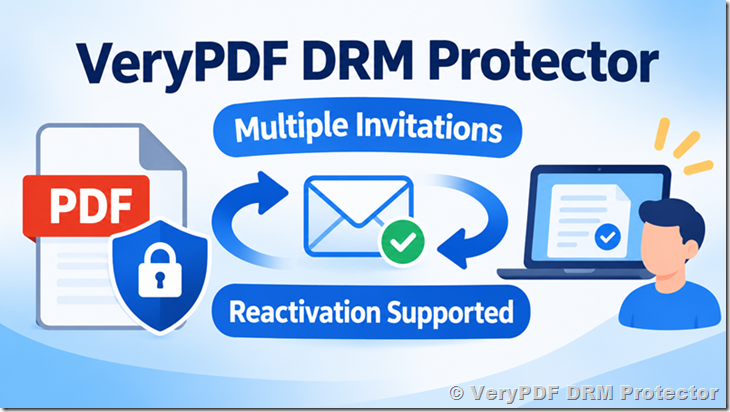
Good news! The latest version of VeryPDF DRM Protector has improved its invitation and PDF reading link system. Users can now reactivate their reading links, and document owners can send new invitations to the same email address multiple times.
There is no longer a fixed activation limit that prevents users from activating a new invitation after using an earlier one.
What Has Changed in VeryPDF DRM Protector?
Previously, some users experienced problems when they tried to open a new PDF invitation using an email address that had already been used for an earlier invitation.
For example:
- A publisher sends a PDF invitation link to customer@example.com.
- The customer opens the link and activates access to the protected PDF.
- The customer forgets to bookmark the reading page or loses the original reading link.
- The publisher creates a new invitation and sends it to the same email address.
- The customer tries to activate the new invitation but receives an error message.
This caused extra work for publishers and confusion for customers.
With the latest VeryPDF DRM Protector update, this problem has been addressed.
You can now:
- Send multiple PDF invitations to the same email address.
- Create a new invitation for a customer who has already activated an earlier invitation.
- Reactivate PDF reading links when users need access again.
- Let customers continue using their existing email addresses.
- Avoid asking customers to create new email addresses just to access their documents.
This makes PDF document sharing much easier, especially when you regularly send protected documents to the same customers.
Can I Send Multiple PDF Invitations to the Same Email Address?
Yes.
The latest version of VeryPDF DRM Protector allows document owners to send new invitations to an email address that has already been used for a previous invitation.
For example, imagine that you run a publishing company and regularly send protected PDF books to your customers.
A customer uses john@example.com to activate the first invitation. A few days later, he loses the reading link and contacts your support team.
You can simply create another invitation and send it to john@example.com.
The customer does not need to register with another email address or create a new account just to receive the new invitation.
This is especially useful for:
- Publishers distributing protected PDF books.
- Training companies sharing PDF course materials.
- Law firms sending confidential legal documents.
- Businesses sharing reports and internal documents.
- Consultants distributing paid PDF reports.
- Companies that need to resend document access links to customers.
Can Users Activate PDF Reading Links More Than Once?
Yes. The latest version supports repeated activation of PDF reading links.
Previously, invitation activation limits could cause problems when users lost their original links, changed browsers, or needed a new invitation.
Now, users can reactivate their reading links without being blocked by the previous activation count.
This helps reduce common support requests such as:
- “I lost my PDF reading link. Can you send me another one?”
- “I already activated the invitation, but the link no longer works.”
- “Can I use the same email address to receive a new invitation?”
- “Why does the new invitation show an activation error?”
Document owners can resend invitations without asking customers to use different email addresses.
Important: Repeated invitation and link activation does not mean that all document security restrictions are removed. The document owner’s access permissions and DRM protection settings still apply.
Invitation Links vs. Direct PDF Reading Links
VeryPDF DRM Protector provides different ways to give users access to protected PDF documents.
Here is a simple comparison:
| Feature | Invitation Links | Direct Reading Links |
|---|---|---|
| How they work | Users open an invitation and activate access | Users open a link containing their access information |
| Email delivery | Yes | Yes |
| User activation | Required | Not required in the same way |
| Suitable for | Controlled document invitations | Users who need a simpler access process |
| Resending links | Supports repeated activation in the latest version | Can generate and send another reading link |
| User experience | Users follow an invitation process | Users click the reading link directly |
If your customers have difficulty following invitation instructions, direct reading links may be a simpler option.
You can generate direct reading links from the User Management page:
- Open the User Management page in VeryPDF DRM Protector.
- Click Send Reading Link.
- Select the user and the PDF document.
- Click Generate & Preview Emails.
- Copy the generated reading link and send it to the user.
The reading link includes the information needed to access the protected PDF, so users do not have to go through the same invitation activation process.
Why This Update Matters for PDF Publishers
A good document security system should protect PDF files without making everyday document access unnecessarily difficult.
Consider a publisher with hundreds or thousands of customers. Some customers may lose their bookmarks, change computers, clear their browser data, or simply forget how to access their documents.
If every lost link requires a new email address or manual account changes, customer support becomes a time-consuming job.
The latest VeryPDF DRM Protector update helps solve this problem.
| Common Customer Problem | How the Update Helps |
|---|---|
| Customer loses the original reading link | Send a new invitation |
| Customer has already activated an earlier invitation | Send another invitation to the same email |
| Customer cannot reuse an old invitation | Create a new invitation |
| Customer does not want another email account | Continue using the existing email |
| Customer needs access again | Reactivate the reading link |
This small improvement can save time for document owners and make PDF access easier for customers.
Protect PDF Documents Without Making Access Difficult
VeryPDF DRM Protector is an online PDF DRM solution designed to help publishers and businesses protect confidential and paid PDF documents.
In addition to invitation and reading link management, it offers several document security features:
- PDF encryption: Protect PDF content from unauthorized access.
- Dynamic watermarks: Add user names, email addresses, or other information to document pages.
- Print restrictions: Control whether users can print protected documents.
- Copy restrictions: Prevent users from copying text and content.
- Access expiration: Set expiration dates for document access.
- Access revocation: Revoke access when a user should no longer read a document.
- User and device controls: Manage who can access documents and control authorized devices.
- Screen protection: Help prevent unauthorized screenshots and screen captures on supported devices.
- Online PDF reading: Let authorized users read protected documents through a web browser.
These features make VeryPDF DRM Protector useful for publishers, educational companies, legal firms, consultants, and businesses that distribute confidential PDF files.
Try the Latest Version of VeryPDF DRM Protector
If you previously had problems sending multiple invitations to the same email address, please try the latest version of VeryPDF DRM Protector.
You can now send a new invitation to a customer who has already activated an earlier invitation. The customer can use the same email address and reactivate the reading link without being blocked by the previous activation count.
We appreciate customer feedback because it helps us improve the product and solve real problems in PDF document distribution.
Learn more about VeryPDF DRM Protector:
Frequently Asked Questions
1. Can I send multiple PDF invitations to the same email address?
Yes. The latest version of VeryPDF DRM Protector allows you to send new invitations to an email address that has already been used for an earlier invitation.
2. Do users need a new email address to activate another PDF invitation?
No. Users can continue using their existing email addresses when receiving new invitations.
3. Can users activate PDF reading links more than once?
Yes. Users can reactivate their reading links without being blocked by the previous activation count.
4. What happens if a customer loses the original PDF reading link?
You can create a new invitation and send it to the customer’s existing email address.
5. Do I need to delete the previous user account before sending a new invitation?
No. You do not need to ask the customer to use another email address just because an earlier invitation was activated.
6. Does the new feature remove all PDF access restrictions?
No. Document security settings, user permissions, and other DRM restrictions still apply.
7. Can I send a PDF reading link directly without using an invitation?
Yes. You can generate a direct reading link from the User Management page and send it to the selected user.
8. What is the difference between an invitation link and a direct reading link?
An invitation link requires the user to follow an activation process. A direct reading link already contains the information needed to access the protected document, making it easier for some users.
9. Is this feature useful for PDF publishers?
Yes. Publishers can resend invitations to customers who lose their reading links without asking them to register with different email addresses.
10. Can I use this feature for confidential business documents?
Yes. VeryPDF DRM Protector supports protected PDF distribution for businesses, law firms, training companies, and other organizations.
11. Does VeryPDF DRM Protector support PDF expiration and access revocation?
Yes. Document owners can configure access expiration and revoke document access when necessary.
12. How can I get the latest version of VeryPDF DRM Protector?
Visit the official website at https://drm.verypdf.com/ or contact the VeryPDF support team for assistance.
13. Do I need to change my existing customers’ email addresses?
No. Existing customers can continue using their current email addresses when you send them new invitations.
14. Will this update make PDF sharing easier for customers?
Yes. Customers no longer need a different email address just because they have already activated a previous invitation. This makes it easier to resend access and reduces common PDF access problems.