
For independent instructors and training-course creators who deliver multiple sessions per year, one of the most persistent challenges is not just creating high-quality materials, but controlling how those materials are accessed, shared, and protected after distribution.
This article is based on a real-world use case: a solo instructor delivering 5–8 training classes annually, each lasting around 3 days, with a need to securely share course materials during and after each session while preventing unauthorized distribution.
The Core Requirement: Controlled Access Without Re-Uploading
The instructor’s key requirements are:
- Deliver materials for each 3-day course
- Allow access for a limited period after the class
- Prevent any form of sharing (download, copy, print, screen recording)
- Avoid re-uploading materials for every course
- Manage access separately for each class offering
- Use a cloud-based solution
- Keep costs reasonable for a one-person business
These requirements are common among educators, consultants, and corporate trainers who repeatedly deliver structured content to different groups of learners.
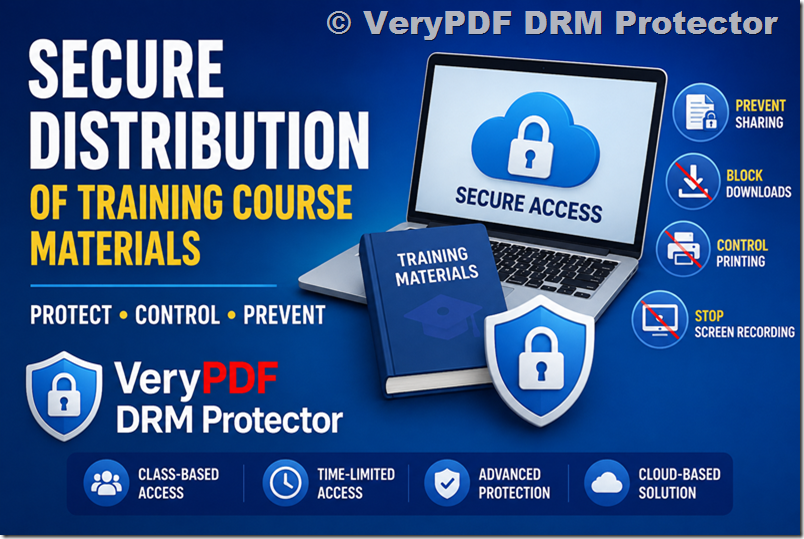
The Solution: VeryPDF Cloud DRM
The VeryPDF DRM Protector Cloud DRM solution is designed specifically for this type of secure content distribution scenario.
It enables instructors to upload documents once and manage access dynamically across multiple training sessions without duplicating effort.
Key Capabilities for Training Instructors
With the VeryPDF Cloud DRM platform, you can:
1. Upload Once, Reuse Forever
All training materials can be uploaded a single time into a secure cloud library. From there, they can be reused across multiple classes without re-uploading.
2. Class-Based Access Control
You can create separate user groups for each training cohort (for example: “March Training Group”, “June Workshop Group”) and assign different permissions per group.
3. Time-Limited Access
Access can be configured precisely:
- Only during the 3-day live training
- Plus an optional post-course review period (e.g., 7 days, 30 days, or custom duration)
4. Strong Anti-Leak Protection
The system blocks or restricts:
- File downloading
- Copy & paste actions
- Printing
- Screen recording tools
- Screen sharing attempts
5. Dynamic Watermarking
Each viewer can see a personalized watermark (such as name, email, or ID), discouraging unauthorized sharing and helping trace leaks if they occur.
6. Instant Access Revocation
If needed, access can be revoked immediately, even after distribution.
How the Workflow Works in Practice
A typical instructor workflow looks like this:
- Upload all course materials into the cloud dashboard once
- Create a “course session” (e.g., “AI Training – Batch 1”)
- Add enrolled students or email addresses to that session
- Set access rules (start date, end date, viewing permissions)
- Share secure access links with students
- Monitor usage and revoke access when the course ends
For the next training session, the instructor simply creates a new group and reuses the same documents, no re-uploading required.
Is It Necessary to Repeat the Setup for Every Class?
No. This is one of the most important advantages of the system.
You do not need to upload your materials again for each class.
Instead:
- Documents remain in a centralized secure repository
- Each class is handled as a separate access control group
- Permissions are assigned per cohort independently
This design significantly reduces operational workload, especially for instructors running recurring programs throughout the year.
Cloud-Based Access and Hosting
The system is fully cloud-based, meaning:
- No local server setup is required
- No maintenance of infrastructure
- Students access materials through a secure web interface
- Works across devices (laptop, tablet, desktop)
You can access the platform here:
VeryPDF DRM Cloud Platform
Tutorials and Walkthrough Videos
For instructors who want to understand the full workflow before adopting the system, VeryPDF provides step-by-step tutorials and screencasts.
These cover:
- Uploading documents securely
- Applying DRM protection settings
- Creating user groups for classes
- Configuring expiration policies
- Managing access permissions
- Distributing protected content
You can view the tutorials here:
Document Security Tutorial Videos
These resources are especially helpful for solo instructors who want to evaluate how much effort is involved in day-to-day use.
Pricing for Solo Instructors and Small Businesses
For independent trainers and small organizations, pricing is designed to remain accessible while still supporting enterprise-grade security features.
You can view current subscription plans here:
VeryPDF DRM Pricing Plans
Typical considerations when selecting a plan include:
- Number of students per course
- Number of training sessions per year
- Volume of documents
- Required access duration per class
- Whether advanced protections (e.g., anti-screen recording) are needed
For a one-person training business delivering 5–8 courses annually, standard cloud subscription plans are generally sufficient and significantly more cost-effective than traditional enterprise DRM systems.
Why This Approach Works Well for Training Businesses
This type of DRM-based cloud delivery system solves several key problems faced by modern educators:
1. Content Protection Without Complexity
No need to build or maintain your own secure portal.
2. Scalability Across Classes
One content library can serve unlimited class cohorts.
3. Flexible Access Models
You can adapt access duration per course type (intensive workshops vs. long-term programs).
4. Reduced Administrative Work
No repeated uploading, no manual file distribution, no version confusion.
Final Thoughts
For instructors delivering recurring training programs, the combination of centralized content storage, class-based access control, and strict DRM enforcement provides a practical balance between usability and security.
Solutions like VeryPDF DRM Protector allow solo educators to operate with enterprise-level protection without the complexity or overhead of managing infrastructure.
If your goal is to securely distribute training materials, maintain full control over access, and eliminate content leakage risks, a cloud DRM approach is one of the most efficient and scalable options available today.