
Many users who start using PDF DRM protection tools ask the same question:
“Why can people still take screenshots even after I protect my document?”
This is a very common concern, especially for people selling or sharing sensitive content like coaching materials, training documents, course PDFs, or business reports.
Let’s explain this in a simple way.
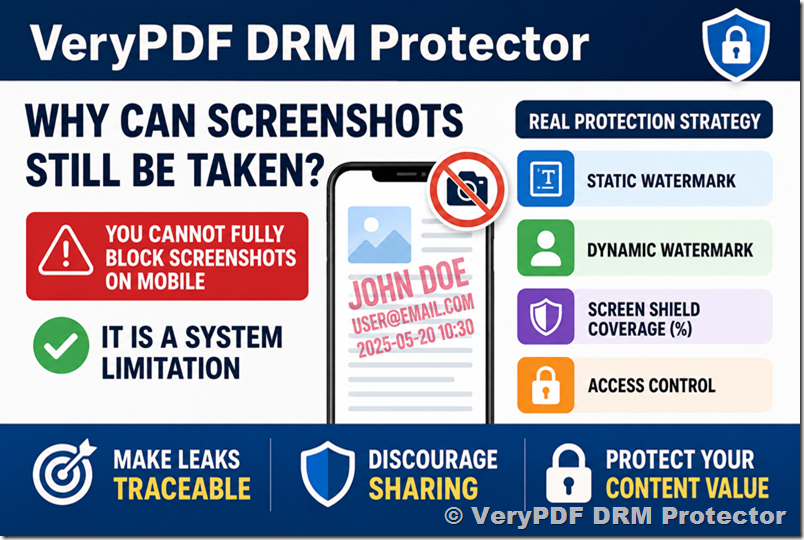
The Truth: You Cannot Fully Block Screenshots on Mobile
If you are using DRM protection and still see screenshots working on a phone, this is normal.
On iOS and Android, the operating system itself controls screenshots and screen recording.
That means:
- Even strong DRM protection cannot fully stop screenshots on mobile
- The phone system has higher priority than any PDF protection tool
- Apps cannot override this limitation
So the key point is simple:
✅ It is not your mistake. It is a system limitation.
What You Should Use Instead (Real Protection Strategy)
Since screenshots cannot be fully blocked, the goal is to make screenshots useless or traceable.
This is where a combination of tools becomes important.
1. Static Watermark
A static watermark is text that always appears on your document pages.
Example:
- Your name
- Email address
- Company name
✅ Even if someone takes a screenshot, your identity is still visible.
2. Dynamic Watermark (Very Important)
A dynamic watermark changes based on the user.
For example:
- User email
- Login ID
- Time stamp
So if someone shares the file, you can immediately know:
✅ WHO leaked it
This is one of the most powerful DRM features for content protection.
3. Screen Shield Coverage (%)
We also provide a feature called:
Screen Shield Coverage (%)
This adds an extra protection layer on top of the document viewing screen.
It helps by:
- Reducing clear visibility of captured content
- Adding protective overlay across the viewing area
- Making screenshots less useful
✅ It does NOT block screenshots completely, but it makes them harder to reuse or distribute.
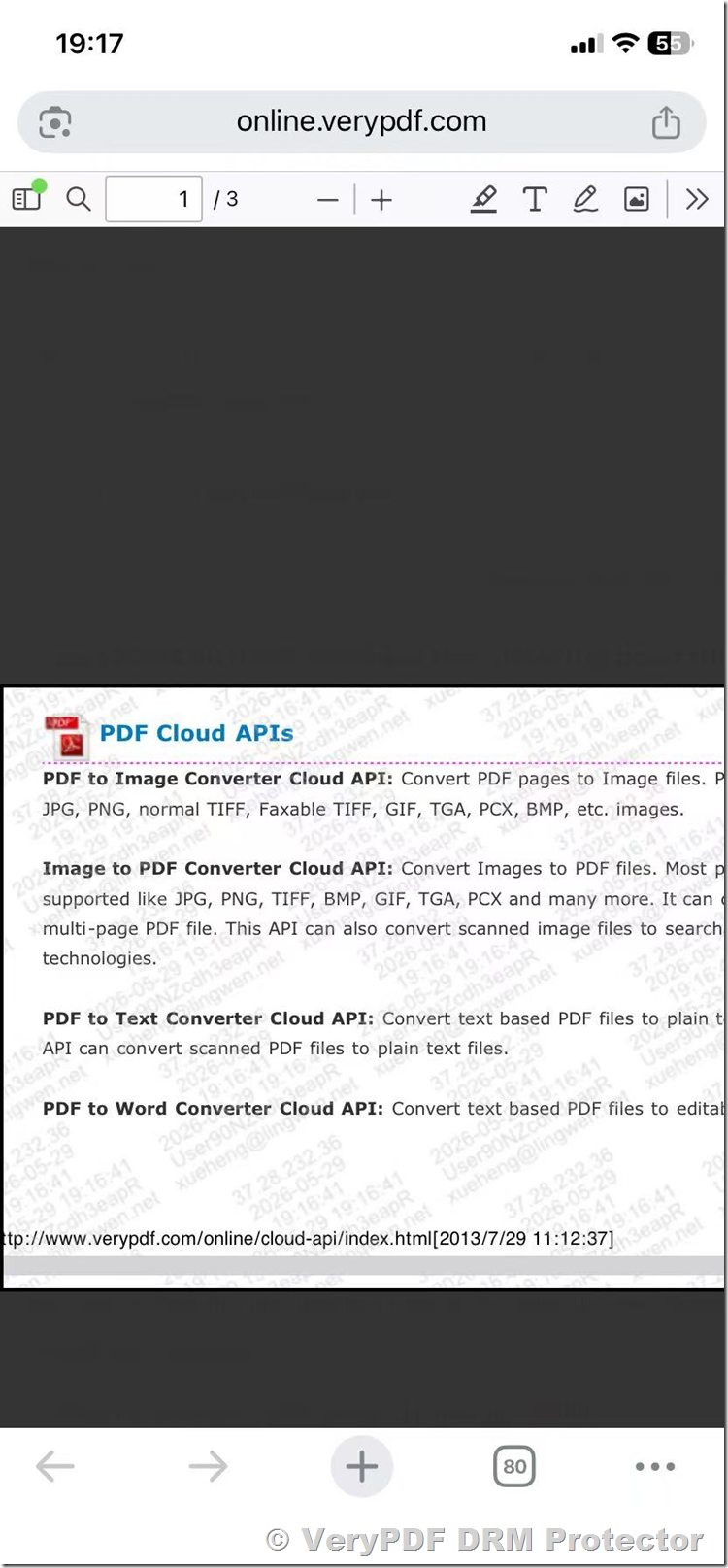
This is a screenshot protected with Dynamic Watermark and 50% Screen Shield Coverage.
Can Users View Files Offline?
Yes, users can view protected documents offline.
But there are some important points:
- DRM rules still apply (watermark, access control, etc.)
- Some features like tracking or revocation may need internet connection
- Offline mode depends on your configuration
So you can choose:
- More flexible access (offline allowed)
- Or stricter control (online validation required)
Best Practice (Recommended Setup)
For strong protection, we recommend combining:
✔ Static watermark
✔ Dynamic watermark
✔ Screen Shield Coverage (%)
✔ Access control rules
This combination does not try to “break the phone system” (which is impossible), but instead:
✅ Makes leaks traceable
✅ Discourages sharing
✅ Protects your business content value
Final Summary
If you are asking:
“Why can screenshots still be taken?”
The answer is simple:
- Mobile systems allow it by design
- DRM cannot fully block it
But with the right setup:
✅ You can still protect your content effectively
✅ You can track leaks
✅ You can discourage unauthorized sharing
If you want, we can help you configure the best protection settings based on your use case (coaching, education, or business documents).