
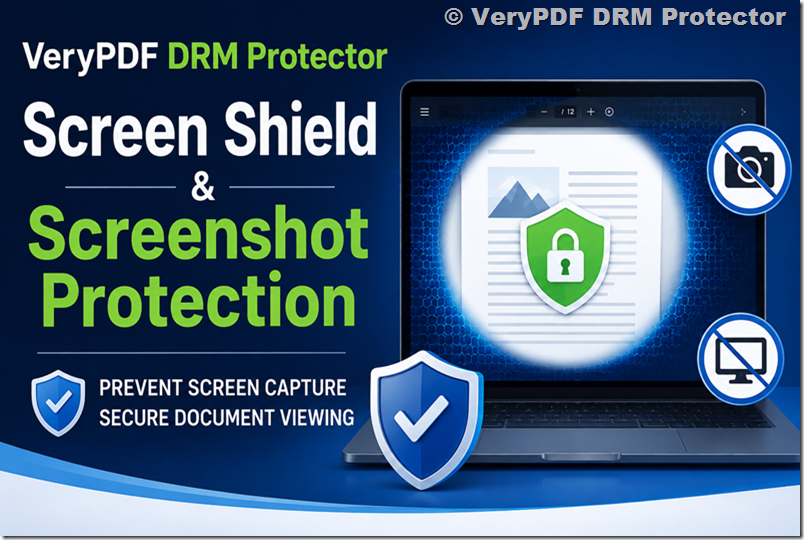
VeryPDF DRM Protector provides a powerful Screen Shield (Screen Protection) feature designed to prevent unauthorized viewing and screenshot capture of sensitive documents. This feature is especially important for training materials, confidential reports, and any content that must be viewed but not easily copied or re-shared.
What is Screen Shield?
When Screen Shield is enabled, the visible area of the document is intentionally restricted using a watermark-based visual filter. Instead of allowing the viewer to see the full page content at once, the system only displays a limited portion of the screen, making it significantly harder to capture meaningful screenshots.
This approach reduces the risk of unauthorized duplication, even if the document itself is already protected.
Screenshot Protection Enhancement
Screen Shield in VeryPDF DRM Protector also includes advanced screenshot protection mechanisms, which actively respond to suspicious behavior:
- If a screenshot attempt is detected
- If the viewer loses focus (e.g., switching browser tabs or Windows applications)
The system can automatically:
- Blur the content
- Hide the content temporarily
This dynamic response makes it much more difficult to capture usable screenshots.
Visual Area Control (Viewing Percentage)
Administrators can control how much of the document is visible at one time. The smaller the visible area, the stronger the protection.
Typical viewing modes include:
- 20% visible area (maximum restriction)
- 35% visible area
- 50% visible area
- 100% visible area (full view, minimal restriction)
In lower visibility modes, users must actively scroll and adjust their view, making full-page screenshots extremely difficult to assemble.
Why Screen Shield Matters
Even when documents are protected inside an online viewer, users can still try to:
- Take multiple screenshots per page
- Stitch images together
- Use full-screen capture tools or browser extensions
With Screen Shield enabled, only partial content is visible at any time, which significantly disrupts this workflow and reduces the likelihood of successful content reconstruction.
It also helps block many third-party tools that attempt to capture full-screen content automatically.
Enhanced Security with Dynamic Watermarks
For stronger protection, Screen Shield can be combined with Dynamic Watermarking, which can display:
- Recipient email address
- IP address
- Viewing timestamp
This ensures that even if a screenshot is taken, the source of the leak can be traced.
Important Security Note
While Screen Shield provides strong protection, it is important to understand system limitations:
- Some system-level shortcuts (e.g., Windows Print Screen key)
- Certain browser-specific features (e.g., right-click tools in Firefox)
may not be fully blocked in all environments.
However, most common screenshot methods and tools are effectively restricted.
How to Enable or Disable Screen Shield
Screen Shield can be controlled at the time of document sharing or within a data room environment.
1. Screen Protection in Secure Document Sharing
Step 1
On VeryPDF DRM Protector interface, click “DRM” tab,
Step 2
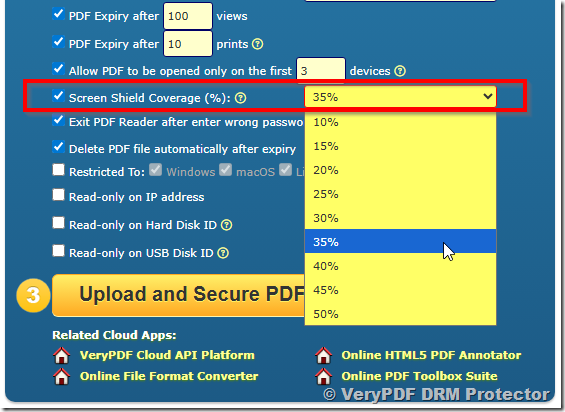
Check Under Screen Shield Coverage (%) option, and choose the visible area:
- 20%
- 35%
- 50%
- 100%
 Step 3
Configure the remaining document security settings.
Step 4
Click “Upload and Secure PDF” option to protect your PDF file, get the link and share the link to others.
2. Screen Protection in Data Rooms
There are two ways to enable Screen Shield in a data room:
Option 1: During Creation
When creating a new data room, enable Screen Protection and select the viewing percentage.
Option 2: Modify Existing Data Room
- Open your data room
- Click Settings in the top-right corner
- Toggle Screen Protection ON/OFF
- Adjust the visible area if needed
Conclusion
The Screen Shield feature in VeryPDF DRM Protector is designed to significantly reduce the risk of unauthorized screenshot capture by limiting visible content and dynamically reacting to suspicious actions.
When combined with dynamic watermarking and access control policies, it becomes a strong defense layer for protecting sensitive digital documents in online environments.