
In today’s digital world, protecting your intellectual property is more critical than ever. Publishers, educators, and businesses rely on digital documents to distribute books, reports, research papers, or training materials. However, once a PDF is released digitally, controlling access and preventing unauthorized sharing can be extremely challenging. This is where DRM (Digital Rights Management) comes into play. While Adobe DRM has long been the industry standard, it comes with significant drawbacks that many content creators find prohibitive. High costs, complex installation and management, and slow adoption make Adobe DRM unsuitable for many users.
Fortunately, VeryPDF DRM Protector offers a lightweight and affordable alternative that meets the needs of modern publishers and educators without the headaches associated with Adobe DRM. In this article, we will explore the pain points of Adobe DRM, introduce VeryPDF DRM Protector, and explain why its simple DRM, lite DRM, and affordable DRM solutions are transforming the way content creators protect their PDFs.
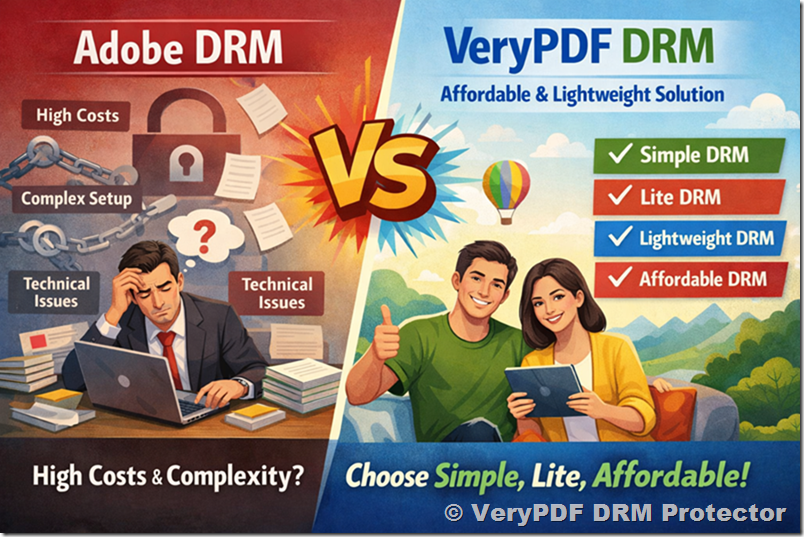
The Pain Points of Adobe DRM
Adobe DRM is widely recognized as a powerful tool for controlling access to digital documents, but it comes with several significant issues that content creators often struggle with:
1. High Costs
Adobe DRM is expensive. Licensing fees can be prohibitive, especially for small publishers, independent educators, and startups. For a single academic institution or small publishing company, Adobe DRM costs can easily run into thousands of dollars annually, not including the cost of training staff or integrating the system into existing workflows.
High costs often force smaller organizations to either compromise on security or seek less robust alternatives. Many users find themselves paying for features they do not even need, simply because Adobe DRM packages everything together in one expensive bundle.
2. Complexity and Steep Learning Curve
Adobe DRM is complex. Setting up the system requires extensive technical knowledge, and even routine tasks—like assigning permissions, managing licenses, or distributing protected files—can be cumbersome. For educators who just want to distribute course materials or for small publishers trying to protect a few eBooks, Adobe DRM often feels like an overengineered solution.
The system requires specific Adobe software for both the creator and the reader, and users often experience compatibility issues across platforms. This complexity discourages adoption, especially for organizations that need a quick and easy way to protect PDFs.
3. Slow Implementation and Inflexibility
Implementing Adobe DRM takes time. Organizations often need weeks or months to fully configure licenses, deploy software, and train users. This delay can be a serious problem in industries where content needs to be released quickly, such as educational materials, corporate reports, or time-sensitive publications.
Additionally, Adobe DRM is not always flexible enough to accommodate the unique needs of smaller publishers or educators. Customized permissions, limited-time access, or single-user licenses may require workarounds, additional fees, or special technical support.
4. Dependence on Adobe Ecosystem
Adobe DRM ties users into the Adobe ecosystem. Recipients of protected PDFs often need to install Adobe Reader or other specific Adobe tools to access the content. This dependency can frustrate users, limit accessibility, and create friction in content distribution.
Many users prefer lightweight DRM solutions that work seamlessly across platforms and devices without forcing end-users to adopt complex software.
Enter VeryPDF DRM Protector: Affordable, Lightweight, and Simple
VeryPDF DRM Protector was designed with these pain points in mind. Unlike Adobe DRM, which is expensive and complex, VeryPDF offers a simple, lightweight, and affordable DRM solution for protecting PDF content.
Key Advantages of VeryPDF DRM Protector
- Affordable DRM: VeryPDF offers a pricing model that makes DRM accessible to small publishers, educators, and independent content creators. You pay for what you need without unnecessary add-ons or excessive licensing fees. This ensures that high-quality DRM protection is no longer restricted to large corporations.
- Lightweight DRM: Installation is fast, and the software runs smoothly without heavy system requirements. VeryPDF DRM Protector is designed to be lightweight, meaning it doesn’t burden your computer, doesn’t require complex server setups, and is easy to integrate into existing workflows.
- Simple DRM Interface: You don’t need to be a tech expert to use VeryPDF DRM Protector. Its intuitive interface allows users to quickly protect PDFs, set access permissions, add watermarks, or limit printing and copying. This simple DRM approach dramatically reduces the time and effort required to secure digital content.
- Cross-Platform Compatibility: VeryPDF DRM Protector works on multiple platforms, including Windows, macOS, and mobile devices. Unlike Adobe DRM, your readers don’t need specialized software; they can access protected PDFs with a straightforward reader, making the content distribution seamless.
- Dynamic and Flexible Permissions: The software allows granular control over who can view, print, or copy content. Temporary access, expiration dates, and user-specific permissions are all configurable, giving publishers and educators full control over document security.
Why Lightweight DRM Matters
Many users underestimate the importance of lightweight DRM, but the reality is that heavy, complex DRM systems create friction. Slow software, compatibility issues, and complicated licensing processes can drive users away from your content. Lightweight DRM like VeryPDF’s ensures:
- Fast setup and deployment: You can protect a batch of PDFs in minutes instead of days.
- Minimal system requirements: Works even on older machines without slowing down operations.
- User-friendly experience: End-users access documents quickly without encountering technical errors.
By focusing on lightweight solutions, VeryPDF eliminates the barriers that traditionally prevent smaller organizations from adopting DRM.
Affordable DRM: Making Content Protection Accessible
The term affordable DRM is not just marketing—it’s a fundamental principle of VeryPDF DRM Protector. Unlike Adobe, which targets enterprise-level clients, VeryPDF aims to democratize document protection:
- No excessive fees: Pay for exactly what you need.
- Free trials available: Test all features before committing.
- Scalable pricing: Suitable for individual educators, small institutions, and mid-size publishers.
This approach ensures that anyone distributing valuable digital content—whether an eBook, a financial report, or educational materials—can afford reliable protection without breaking the budget.
Lite DRM: Quick, Efficient, and User-Friendly
Another way to describe VeryPDF DRM Protector is as Lite DRM. Lite DRM emphasizes simplicity, efficiency, and speed. Features include:
- One-click PDF protection
- Automatic watermarking
- Easy user license management
- No need for complex servers or backend infrastructure
Lite DRM is perfect for educators who want to protect their course materials, corporate trainers distributing proprietary manuals, or small publishers releasing eBooks. The goal is to protect content without creating friction for either the creator or the reader.
Use Cases for VeryPDF DRM Protector
1. Educational Institutions
Teachers and universities often distribute PDFs for lectures, homework, and research. Protecting this content is crucial to prevent leaks on platforms like Telegram, Reddit, or other file-sharing communities. VeryPDF DRM Protector allows:
- Expiration of access after the semester ends
- User-specific permissions
- Embedded watermarks to trace leaks
2. Small Publishers and Independent Authors
Independent authors and small publishers cannot afford Adobe DRM, yet they need to secure eBooks and reports. VeryPDF DRM Protector provides affordable DRM without compromising security. Its lightweight DRM ensures easy distribution and quick protection.
3. Corporate Training Materials
Companies distributing confidential training manuals or proprietary reports face the risk of internal leaks. VeryPDF DRM Protector allows:
- Time-limited access for temporary employees
- Restricting print and copy functions
- Tracking user access with embedded watermarks
Keyword Optimization: Capturing Search Traffic
To ensure visibility in search engines, VeryPDF DRM Protector targets highly relevant keywords such as:
- Simple DRM
- Lightweight DRM
- Affordable DRM
- Lite DRM
By emphasizing these terms throughout the website, marketing materials, and product descriptions, VeryPDF attracts users specifically searching for DRM solutions that are easier, faster, and more cost-effective than Adobe DRM.
Comparing Adobe DRM and VeryPDF DRM Protector
|
Feature |
Adobe DRM |
VeryPDF DRM Protector |
|
Cost |
High, enterprise-focused |
Affordable, scalable |
|
Installation & Setup |
Complex, technical knowledge needed |
Simple, lightweight, fast |
|
User Experience |
Dependent on Adobe software |
Cross-platform, intuitive |
|
Licensing Flexibility |
Limited and rigid |
Granular, flexible |
|
Content Control |
Strong but complicated |
Strong and simple |
|
Target Users |
Large publishers, enterprises |
Educators, small publishers, corporates |
|
Watermarking |
Limited options |
Dynamic and customizable |
This comparison clearly shows that VeryPDF DRM Protector delivers affordable, lightweight, and simple DRM without the high cost and complexity of Adobe DRM.
Testimonials and Success Stories
Many educators, authors, and publishers have switched to VeryPDF DRM Protector after struggling with Adobe DRM. Here’s what they say:
- “We couldn’t justify Adobe’s pricing for our small eBook series. VeryPDF gave us a lightweight and affordable solution that works perfectly for our needs.” – Independent Author
- “As a university professor, I needed a simple DRM system for my course PDFs. VeryPDF DRM Protector allowed me to protect my lectures in minutes without requiring any IT help.” – Professor, Economics Department
- “Our corporate training manuals are now protected against leaks. The lightweight DRM ensures employees can access content on any device without headaches.” – Training Manager, Tech Company
How VeryPDF DRM Protector Works
- Upload Your PDF: Simply upload your file into the VeryPDF DRM Protector platform.
- Set Permissions: Define who can access the document, whether printing is allowed, or if content can be copied.
- Add Watermarks: Dynamic watermarks can display the user’s name or email, discouraging unauthorized sharing.
- Distribute Securely: Share the protected PDF via email, cloud, or your website.
- Track and Monitor: Monitor user activity to ensure compliance.
Everything is lightweight, simple, and affordable, making DRM accessible to anyone.
Conclusion: Affordable and Lightweight DRM for Everyone
While Adobe DRM has dominated the market for years, its high cost and complexity make it inaccessible for many educators, small publishers, and corporate trainers. VeryPDF DRM Protector fills this gap with simple, lightweight, and affordable DRM solutions that protect digital content without creating unnecessary headaches.
By focusing on Lite DRM, Affordable DRM, Simple DRM, and Lightweight DRM, VeryPDF empowers content creators to:
- Protect valuable PDFs against leaks and unauthorized sharing
- Reduce friction for end-users
- Save costs while maintaining high security standards
For anyone looking for a DRM solution that combines efficiency, affordability, and ease of use, VeryPDF DRM Protector is the smart choice. Switch today, secure your content, and stop worrying about expensive, cumbersome DRM systems that slow down your workflow.
Try it now at https://drm.verypdf.com/ – protect your PDFs with affordable, lightweight, and simple DRM today.