
Many companies spend months creating reports, training materials, ebooks, research papers, contracts, and confidential documents. Then someone downloads the PDF and shares it with hundreds of people in seconds.
This is exactly why DRM exists.
DRM (Digital Rights Management) helps you control who can open your files, what they can do with them, how long they can access them, and whether they can share them with others.
Unlike PDF passwords, which are easy to remove or share, DRM uses encryption, licensing controls, device locking, and access management to keep documents protected even after they have been downloaded.
In this guide, you’ll learn:
- What DRM is
- How DRM protection works
- What DRM-protected content means
- Why businesses use DRM
- DRM vs PDF passwords
- Online DRM vs offline DRM
- The advantages and disadvantages of different DRM solutions
- How to protect PDF files using VeryPDF DRM Protector
DRM protect PDF documents without useless passwords:
* Stop unauthorized access
* Stop sharing and distribution
* Strong US Gov strength encryption, DRM and licensing controls
Control how PDF documents are used:
* Stop editing, copying and screen grabs
* Stop printing or control the number of prints
* Lock PDF files to devices and locations
Control PDF expiry. Expire PDF files automatically:
* on a fixed date
* after a number of days use
* after a number of views and/or prints
Revoke document access regardless of where PDFs are located:
* revoke a document for all users instantly
* revoke individual user access to single, multiple, or all documents
* revoke access automatically after a number of views and/or prints
Dynamic Watermark:
* Add dynamic watermarks to viewed and or printed pages.
* Dynamic variables (date/time, user name, company name, email address) are replaced with actual user and system data when the protected PDF document is displayed and/or printed.
* You only have to protect a document once in order to customize it for multiple users.
Track & monitor PDF use – see how your PDFs are being used:
* track and log document views
* track and log document prints
* see what devices & operating systems users are using
Comply with legislation by controlling access and use:
* Ensure only authorized parties can view confidential documents
* Enforce document retention policies with automatic expiry
* Log use for proof of when documents are viewed and printed
Protect IPR, reduce costs, ensure compliance, gain new revenue:
* Protect revenue and increase ROI – reduce losses and costs
* Take control over your IPR, prevent document leakage & theft
What is DRM or Digital Rights Management?
DRM stands for Digital Rights Management.
It is a security technology that controls how digital content can be accessed and used.
DRM is commonly used to protect:
|
Content Type |
Examples |
|
Documents |
PDF files, Word documents, reports |
|
Ebooks |
Training manuals, digital books |
|
Videos |
Online courses, movies |
|
Audio |
Music, podcasts |
|
Software |
Applications, games |
|
Research |
Market reports, financial analysis |
The goal of DRM is simple:
Prevent unauthorized access, copying, sharing, printing, and distribution.
What Does DRM-Protected Content Mean?
DRM-protected content is a file that has security controls applied to it.
The file is encrypted and can only be opened by authorized users.
A DRM-protected PDF may:
- Block copying
- Block editing
- Block screenshots
- Block printing
- Limit printing
- Expire automatically
- Lock to specific devices
- Restrict access by country or IP address
- Add user-specific watermarks
- Track document usage
Without authorization, the file cannot be opened or used.
Why PDF Passwords Are Not Enough
Many people think password-protected PDFs are secure.
Unfortunately, they are not.
Problems with PDF Passwords
|
PDF Password Protection |
DRM Protection |
|
Passwords can be shared |
Device-based licensing |
|
Passwords can be removed |
Strong encryption |
|
No usage controls |
Full usage controls |
|
No expiry |
Automatic expiry |
|
No tracking |
Detailed analytics |
|
No revocation |
Instant revocation |
|
No device locking |
Device locking |
If one person shares the password, everyone gets access.
DRM eliminates this problem by locking access to authorized users and devices.
What Are Digital Rights Management (DRM) Restrictions?
Digital Rights Management (DRM) restrictions are security controls that allow publishers, organizations, and content owners to protect their digital content and control how authorized users can access and use it.
With DRM protection, content owners can apply a wide range of permissions and restrictions, including:
- Block editing and unauthorized changes
- Prevent files from being saved in unprotected formats
- Stop users from forwarding or sharing content with others
- Disable printing or limit the number of times a document can be printed
- Prevent screenshots and screen capture attempts
- Set expiration dates for documents and files
- Revoke access at any time, even after content has been distributed
- Restrict access to specific devices, IP addresses, or geographic locations
- Add dynamic watermarks containing user information to identify the source of leaks
Modern DRM solutions also provide detailed activity tracking and reporting. Content owners can monitor how their digital content is being used, including who accessed it, when it was viewed, how long it was used, and whether it was printed. These analytics help organizations improve security, maintain compliance, and gain valuable insights into content usage.
How Does DRM Work?
Digital Rights Management (DRM) protects content by combining encryption, licensing, authentication, and secure viewing technologies. Together, these components ensure that only authorized users can access protected content and only under the permissions defined by the content owner.
A typical DRM system consists of three main parts:
- A protection application that secures content
- A license server that manages user rights and permissions
- A secure viewer application that enforces access controls
1. Protecting Digital Content
The first step in DRM is protecting the content. Content owners use a DRM protection application to encrypt files and apply security rules.
Encryption ensures that the content cannot be opened without the correct decryption key. During the protection process, content owners can define permissions such as:
- Allowing or blocking printing
- Preventing copying and editing
- Restricting sharing and forwarding
- Setting expiration dates
- Limiting access to specific devices or locations
The protection tool may be installed software or a cloud-based service that protects content online before distribution.
2. Managing Rights with a DRM License Server
Once content is protected, access is controlled through a DRM license server, sometimes called a rights management server.
When a user receives protected content, they must be authorized before access is granted. This authorization process links the user and their device to a valid license.
A DRM license server performs several important functions:
- Authenticates users and devices
- Delivers license information and access credentials
- Controls how many devices can access the content
- Records device and location information
- Enforces permissions and access restrictions
- Securely provides decryption keys to authorized viewing applications
For security reasons, decryption keys are never exposed to users. Instead, they are securely delivered and locked to authorized devices, preventing them from being copied or shared.
3. Viewing DRM-Protected Content
When a user opens protected content, the viewer application checks whether a valid decryption key is available.
If authorization is confirmed, the content is decrypted and displayed with all DRM restrictions enforced. If necessary, the viewer communicates with the license server to verify permissions, check for updates, or confirm that access rights remain valid.
This process ensures that security policies continue to be enforced even after content has been distributed.
Methods for Viewing DRM-Protected Content
Different DRM systems use different methods to deliver protected content.
DRM Plug-ins
Some DRM solutions rely on plug-ins that integrate with existing applications such as web browsers or media players.
While convenient, plug-ins can present security challenges. Browser extensions, third-party software, or application updates may interfere with protection mechanisms and reduce security effectiveness.
Dedicated Viewer Applications
A standalone viewer, reader, or player application provides stronger protection because the DRM provider controls the entire viewing environment.
Dedicated applications can enforce advanced security controls and are generally considered the most secure approach. The main drawback is that users must install additional software before accessing content.
Browser-Based DRM Viewers
Many modern DRM solutions use web-based viewers that allow users to access content directly from a browser without installing software.
Browser viewers are convenient and easy to deploy, but they typically provide a lower level of security than dedicated applications. Since browsers have limited control over the operating system, they may be more vulnerable to screen capture tools, browser extensions, script manipulation, and virtual printers that create unprotected copies.
In addition, browser-based viewing can result in slower document loading, searching, and navigation compared to locally installed applications.
DRM works by encrypting content, controlling access through a license server, and enforcing permissions through a secure viewing application. This combination allows content owners to protect sensitive information, restrict unauthorized use, monitor activity, and maintain control over digital content wherever it is distributed.
Common DRM Restrictions
A modern DRM system can apply many restrictions.
|
Restriction |
Purpose |
|
Disable editing |
Protect content integrity |
|
Disable copy/paste |
Stop content theft |
|
Disable screenshots |
Prevent screen capture |
|
Disable printing |
Stop paper copies |
|
Limit printing |
Allow controlled printing |
|
Document expiry |
Control access duration |
|
Revoke access |
Remove permissions instantly |
|
Device locking |
Prevent sharing |
|
IP restrictions |
Limit locations |
|
Dynamic watermarking |
Identify users |
How DRM Protects PDF Documents
PDF files are one of the most common targets for unauthorized sharing.
DRM protects PDFs by applying:
Strong Encryption
Only authorized users can open documents.
Copy Protection
Users cannot copy text or images.
Editing Protection
Documents cannot be modified.
Screen Capture Protection
Many DRM systems can block screenshot tools.
Printing Controls
You can:
- Disable printing completely
- Limit print counts
- Allow unrestricted printing
Device Locking
Documents can be locked to:
- Windows computers
- Mac computers
- Tablets
- Mobile devices
This prevents users from sharing files with others.
PDF Expiry Controls
Many businesses need temporary access.
DRM allows PDFs to expire automatically.
Expire on a Fixed Date
Example:
A contract expires on December 31.
After that date, the PDF cannot be opened.
Expire After X Days
Example:
Users receive access for 30 days after first opening.
Expire After Number of Views
Example:
Allow only 10 document openings.
Expire After Number of Prints
Example:
Allow only 3 printed copies.
Instant Document Revocation
One of the biggest advantages of DRM is revocation.
You can revoke access even after documents have been distributed.
Examples:
- Employee leaves the company
- Customer subscription expires
- Confidential report is updated
- Unauthorized sharing is detected
The document becomes inaccessible immediately.
Dynamic Watermarking
Watermarks discourage leaks.
A DRM system can add unique information to every page.
Examples include:
- User name
- Email address
- Company name
- Date
- Time
- IP address
Because each copy is personalized, users are less likely to share content.
Example Watermark
John Smith
john@example.com
July 19, 2026
This information is generated automatically when the document is viewed or printed.
Track and Monitor PDF Usage
Many organizations want to know how their documents are being used.
DRM analytics can show:
|
Tracking Feature |
Benefit |
|
Document views |
Know who opened files |
|
Print activity |
Monitor printing |
|
Device information |
Identify user devices |
|
Operating system |
Security auditing |
|
Access history |
Compliance records |
This data can help identify misuse and support compliance requirements.
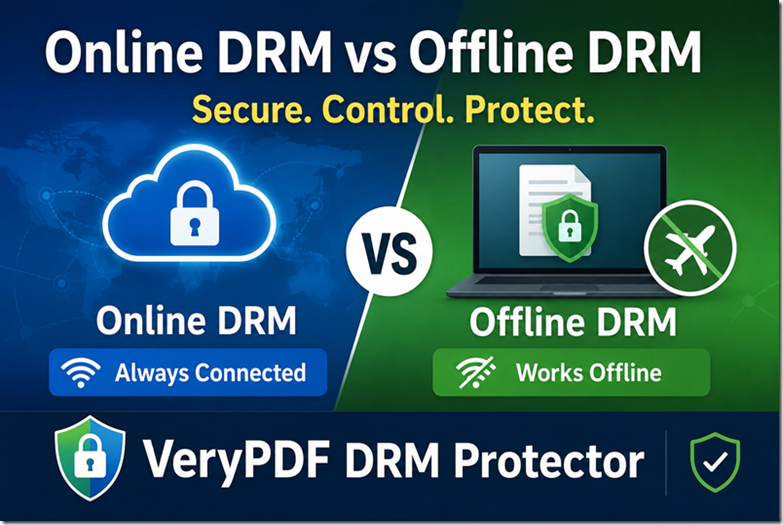
Online DRM vs Offline DRM
Digital Rights Management (DRM) systems can be deployed in two main ways: online DRM and offline DRM. The key difference is how often the user’s device must communicate with the DRM license server to verify permissions and access rights.
The choice between online and offline DRM affects both security and user experience.
Online DRM (Always-On DRM)
Online DRM requires an active internet connection whenever protected content is accessed. Each time a user opens or uses the content, the DRM system communicates with the license server to verify permissions and confirm that access is still allowed.
Because authorization checks occur continuously, content owners can:
- Revoke access immediately
- Update permissions in real time
- Change usage restrictions at any time
- Monitor ongoing access activity
The main disadvantage is that users cannot access protected content if they lose their internet connection or if the license server becomes unavailable.
Online DRM is commonly used for:
- Video streaming platforms
- Music streaming services
- Cloud-based applications
- Online gaming platforms
- Subscription-based digital services
Offline DRM
Offline DRM allows users to access protected content without maintaining a continuous internet connection.
Typically, the user’s device connects to the license server during the initial authorization process. The necessary decryption keys and permissions are then securely stored on the authorized device. After this setup is complete, the content can be accessed without further online verification.
This approach offers greater convenience because users can continue working with protected content even when internet access is limited or unavailable.
Offline DRM is widely used for:
- E-books
- Digital publications
- Training materials
- Educational content
- Corporate documents
- Downloadable courses
It is especially useful for users who need access while traveling, working remotely, or in locations with unreliable internet connectivity.
Comparing Online and Offline DRM
Both approaches have advantages, and the best choice depends on business requirements, security goals, and user expectations.
Benefits of Online DRM
- Immediate access revocation
- Real-time permission updates
- Continuous license validation
- Strong control over content distribution
Benefits of Offline DRM
- No permanent internet connection required
- Better user experience in low-connectivity environments
- Faster access to protected content
- Greater flexibility for remote and mobile users
One important consideration is revocation. With online DRM, access can be withdrawn instantly because the viewer regularly checks with the license server. With offline DRM, access changes typically take effect only when the device reconnects and receives updated permissions.
Choosing the Right DRM Model
Selecting between online and offline DRM is primarily a business decision. Organizations must balance security requirements with user convenience.
If immediate control and instant revocation are critical, online DRM may be the preferred solution. If users need reliable access regardless of internet availability, offline DRM often provides a better experience.
Many modern DRM platforms support both approaches, allowing content owners to decide how frequently devices must reconnect to the license server. Some systems can require periodic validation, while others can authorize a device once and allow long-term offline access.
By offering both online and offline options, organizations can protect their content while meeting the practical needs of different users and environments.
Comparison Table
|
Feature |
Online DRM |
Offline DRM |
|
Internet Required |
Yes |
No |
|
Instant Revocation |
Yes |
Limited |
|
Travel Friendly |
No |
Yes |
|
User Convenience |
Medium |
High |
|
Security |
High |
High |
Different Types of DRM Solutions
Not all DRM systems offer the same level of security.
Browser-Based DRM
Users view content through a web browser.
Advantages
- No software installation
- Easy deployment
Risks
- Screenshot tools still work
- Browser plugins can bypass controls
- Credential sharing remains a problem
DRM Plugins
Plugins add protection to existing applications.
Advantages
- Familiar environment
Risks
- Plugin conflicts
- Software updates break protection
- Security weaknesses
JavaScript-Based DRM
Some systems use JavaScript to restrict actions.
Risks
- Scripts can be modified
- Security controls can be bypassed
Dedicated DRM Viewer Applications
This is generally considered the most secure approach.
Advantages
- Strong security
- Device locking
- Screenshot protection
- Better enforcement of restrictions
Disadvantages
- Users install software
Which DRM Method Is Most Secure?
From a security perspective, dedicated DRM viewer applications offer the strongest protection.
Reasons include:
- Files remain encrypted
- Device locking prevents sharing
- Screenshot protection is possible
- Printing controls are stronger
- Users cannot simply share passwords
For highly valuable documents, this approach provides significantly better protection than browser-based solutions.
Industries That Use DRM
Many industries rely on DRM every day.
Publishers
Protect ebooks, magazines, and reports.
Training Companies
Protect online course materials and manuals.
Standards Organizations
Protect standards documents and subscription content.
Financial Institutions
Protect confidential client reports and research.
Market Research Companies
Protect expensive industry reports.
Associations
Protect member-only content.
Enterprises
Protect confidential internal documents.
Benefits of DRM for Businesses
Protect Intellectual Property
Stop unauthorized copying and sharing.
Reduce Revenue Loss
Prevent piracy and unauthorized distribution.
Improve Compliance
Meet document retention and auditing requirements.
Control Distribution
Restrict access by user, location, or device.
Create Subscription Models
Offer monthly or annual access instead of permanent ownership.
Gain Usage Insights
Track how customers interact with content.
Why Many Companies Choose VeryPDF DRM Protector
VeryPDF DRM Protector is designed specifically for protecting PDF documents, reports, ebooks, training materials, and confidential business files.
Key features include:
Document Security
- Strong encryption
- Device locking
- User licensing
- Location restrictions
Usage Controls
- Stop copying
- Stop editing
- Stop screenshots
- Stop sharing
- Stop printing
Expiry Controls
- Fixed date expiry
- Days-based expiry
- View limits
- Print limits
Access Revocation
- Revoke individual users
- Revoke documents instantly
- Remove access remotely
Dynamic Watermarks
Automatically display:
- User name
- Email address
- Company name
- Date and time
Analytics
Track:
- Document views
- Printing activity
- Device usage
- Operating systems
For organizations that need stronger protection than PDF passwords, VeryPDF DRM Protector provides much more control over document security.
DRM vs Encryption: What’s the Difference?
Many people confuse DRM and encryption.
|
Encryption |
DRM |
|
Protects access |
Protects access and usage |
|
Secures files at rest |
Controls what users can do |
|
Stops unauthorized opening |
Stops copying, printing, sharing |
|
No expiry |
Supports expiry |
|
No tracking |
Includes tracking |
Encryption is one part of DRM.
DRM adds usage control after the file is opened.
Final Thoughts
If you distribute valuable PDF documents, reports, ebooks, training materials, or confidential business information, password protection alone is not enough.
DRM combines encryption, licensing, device locking, usage restrictions, expiry controls, watermarking, analytics, and revocation to keep content under your control.
Whether you want to stop PDF sharing, prevent printing, block screenshots, enforce subscription access, or track document usage, DRM provides tools that ordinary PDF security cannot.
For businesses that need professional PDF protection, VeryPDF DRM Protector offers a complete solution for controlling access and protecting intellectual property.
Frequently Asked Questions (FAQs)
1. What does DRM stand for?
DRM stands for Digital Rights Management.
It is technology that controls access to and usage of digital content.
2. What is DRM-protected content?
It is content that has restrictions applied to prevent unauthorized access, copying, editing, printing, or sharing.
3. Can DRM stop PDF sharing?
Yes. DRM can lock PDFs to specific users and devices, making file sharing much more difficult.
4. Is DRM better than PDF passwords?
Yes. DRM provides encryption, device locking, expiry controls, tracking, and revocation, which passwords cannot provide.
5. Can DRM prevent copying and pasting?
Yes. DRM can disable copy-and-paste functions inside protected documents.
6. Can DRM stop screenshots?
Many advanced DRM solutions can block screen capture tools and screenshot utilities.
7. Can I make a PDF expire automatically?
Yes. DRM can expire PDFs on a date, after a number of days, views, or prints.
8. Can I revoke access after sending a PDF?
Yes. DRM allows remote revocation even after files have been distributed.
9. Does DRM work offline?
Yes. Some DRM systems support offline access while still enforcing security controls.
10. Can DRM track who opens a document?
Yes. DRM systems can log document views, prints, devices, and access history.
11. Is DRM legal?
Yes. DRM is widely used by publishers, software companies, streaming services, and businesses to protect intellectual property.
12. What industries use DRM?
Publishing, education, finance, market research, standards organizations, enterprises, associations, software companies, video streaming services, and training providers all use DRM.
13. Does DRM prevent piracy completely?
No security system can stop every attack, but a properly implemented DRM solution can significantly reduce piracy, unauthorized sharing, and document leakage.
14. What is the best DRM solution for PDF files?
A dedicated PDF DRM solution such as VeryPDF DRM Protector offers strong encryption, device locking, access control, expiry management, watermarking, analytics, and document revocation.
15. Can DRM help with compliance requirements?
Yes. DRM can provide audit logs, access tracking, document retention controls, and usage records that support compliance and regulatory requirements.