
In today’s digital world, PDFs are the go-to format for sharing documents. From corporate reports to university course materials, PDFs are everywhere. But with convenience comes risk: unauthorized downloads, copies, screenshots, and even browser extensions can expose sensitive content.
So how do you keep your PDFs safe in the cloud without making it hard for your team or students to use them? This is where VeryPDF DRM Protector comes in. Let’s break down how it works from a user’s perspective.
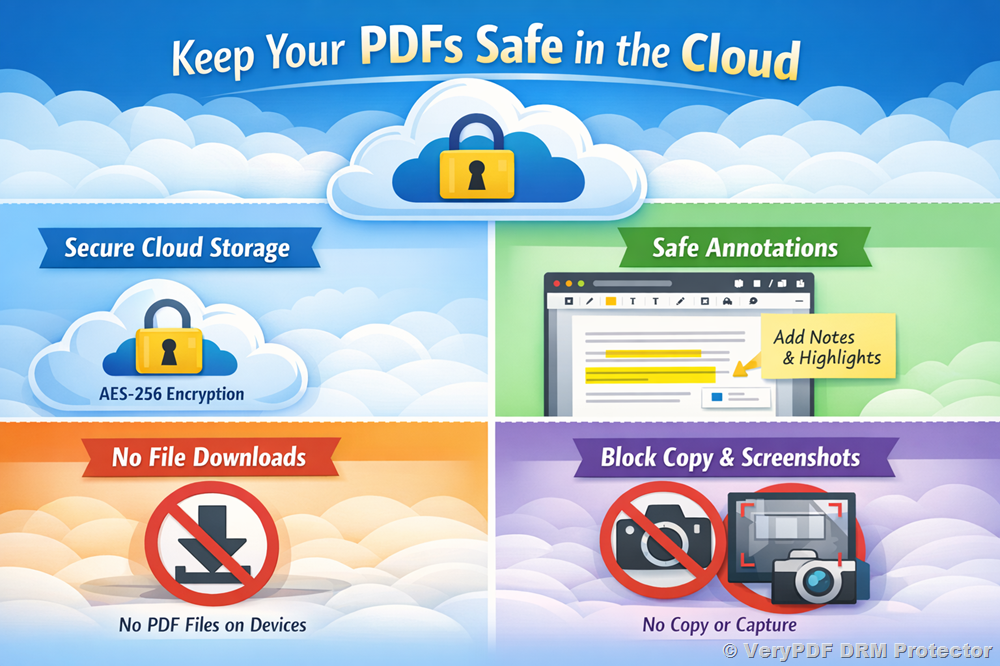
1. Cloud Security You Can Trust
Many organizations worry about uploading confidential PDFs to the cloud. VeryPDF DRM Protector addresses this concern with multiple layers of security:
-
Strong encryption: All PDF files are protected with AES-256 encryption, both when stored and during transmission via HTTPS/TLS.
-
Full access control: You can decide who can view a document, which devices they can use, their IP addresses, and how long the document is accessible.
-
No downloads of usable PDFs: End users never get the actual PDF file on their device. The original document stays secure on the server.
-
Private deployment options: For organizations with strict compliance rules, you can host the system on your private cloud or on-premise, keeping all data under your control.
In other words, your sensitive files stay safe—even your internal IT team or VeryPDF staff cannot access protected PDFs without your explicit permission.
2. Safe Note-Taking and Annotations
One major concern for educators and corporate trainers is collaboration. People need to highlight, comment, or make notes—but without risking document security. VeryPDF DRM Protector solves this with secure online annotations:
-
Server-side storage: Notes, highlights, drawings, and comments are stored securely on the server, not inside the PDF itself.
-
Customizable access: You can turn annotations on or off per document or per user role.
-
Only authorized users can see notes: There’s no way for someone to export or share annotations outside the system.
You can try it out yourself using this demo link:
https://drm.verypdf.com/online/
In the output page, View protected PDF file in Enhanced Web Viewer application, Simply click the Highlight, Text, Draw, or Image buttons to add your own notes to a protected PDF. This allows for real collaboration without risking your content.
3. Handling Large PDFs Without Slowdowns
Large files like textbooks, manuals, or corporate reports can be hundreds of megabytes. VeryPDF DRM Protector handles this smartly:
-
No strict file size limits: You can protect files of hundreds of MB, or even larger.
-
Optimized page streaming: Users only load the pages they are viewing, which keeps performance smooth.
-
Fast and reliable: Loading speed depends mainly on the user’s internet connection and the security settings applied.
This means your team or students can access big documents quickly, without compromising security.
4. Protection Against Browser Extensions
It’s true—malicious browser extensions can be used to steal content. VeryPDF DRM Protector addresses this directly:
-
Secure Canvas rendering: PDFs are displayed in a secure canvas environment rather than standard PDF elements.
-
Copy, print, and screenshot blocked: The system prevents copying, printing, and developer tool access.
-
Dynamic watermarks: Each user’s PDF view can display their name, email, IP, and timestamp, discouraging leaks.
Even if someone tries to use a plugin or extension, the document is never exposed in a usable form. This approach is trusted by universities, publishers, and online training providers.
5. Why VeryPDF DRM Protector Works for You
In simple terms, VeryPDF DRM Protector lets you:
-
Share PDFs securely in the cloud.
-
Allow users to take notes and collaborate safely.
-
Protect large files without performance issues.
-
Prevent unauthorized access, copying, or leaks—even from browser plugins.
Whether you’re an educator sharing course materials, a trainer distributing manuals, or a business protecting sensitive reports, VeryPDF DRM Protector makes sure your content stays safe without frustrating your users.
If you want to experience it yourself, check out the online demo here:
Experience VeryPDF DRM Protector
https://drm.verypdf.com/online/
Try highlighting, adding text, or drawing on a protected PDF—see how it works in real time.