
If you sell eBooks online, you may already have an order system that handles payments and customer information. But what happens after the customer pays?
You may need to manually create a DRM user, limit the number of devices, create a reading link, and email the link to the customer.
This works for a few orders, but it becomes difficult when you have hundreds or thousands of customers.
With VeryPDF DRM Protector, you can connect your order system to the VeryPDF DRM API and automate the entire process.
The basic workflow is simple:
Customer buys an eBook → Your server calls the DRM API → DRM user is created → Device limit is applied → Reading URL is generated → Email is sent automatically.
VeryPDF can also provide free assistance with the API integration and automation development for this type of workflow.
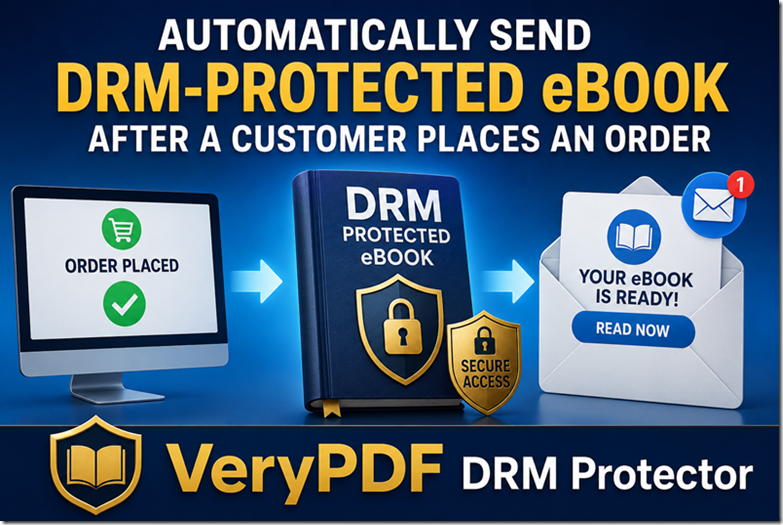
What Does the Automated eBook Delivery Process Look Like?
After a customer purchases an eBook from your website, your existing server can automatically communicate with VeryPDF DRM.
The complete process can look like this:
| Step | What happens |
|---|---|
| 1 | Customer purchases an eBook |
| 2 | Your order system receives the payment |
| 3 | Your server calls the VeryPDF DRM API |
| 4 | A DRM user account is created |
| 5 | The user is limited to 2 devices |
| 6 | A protected PDF reading URL is generated |
| 7 | Your server sends the URL to the customer by email |
| 8 | Customer opens the eBook in the secure reader |
There is no need for you to manually create the account or send the reading link.
Example: Limit an eBook to 2 Devices
Suppose you sell a training eBook for $49.
A customer buys the book and receives access by email.
You want to make sure the customer cannot share the reading link with many other people.
You can configure the DRM user with:
LockToFirstNDevicesForUser=2
This means the customer can use the eBook on up to 2 devices.
For example:
- Device 1: Windows PC
- Device 2: iPhone
If another person receives the customer’s reading link and tries to use it on another device, the device limit can prevent that device from being added.
This is useful for paid eBooks, training manuals, certification materials, course PDFs, technical documents, and other digital content.
How the Automation Works
The integration does not require you to replace your existing online store.
Your current website can continue to handle:
- Product pages
- Shopping cart
- Payment
- Customer information
- Order processing
VeryPDF DRM handles the protected document and access control.
Your server connects the two systems through the API.
Step 1: Customer Purchases the eBook
The customer completes an order on your website.
For example:
Product: Python Training eBook
Customer: John Smith
Email: john@example.com
Order: #12345
Your order system knows that the payment was successful.
Step 2: Your Server Calls the VeryPDF DRM API
After the payment is confirmed, your server calls the VeryPDF DRM API.
It can send information such as the customer’s email address and the eBook that was purchased.
VeryPDF DRM then creates a user account for the customer.
Your server can also set the user’s device limit.
For example:
LockToFirstNDevicesForUser=2
The customer can then read the eBook on up to two devices.
Step 3: Your Server Generates the Reading URL
After creating the DRM user, your server can request a protected reading URL for the specific eBook.
The URL can be associated with the customer’s DRM account.
Your system can then store the URL together with the order information if needed.
Step 4: Your Server Sends the Email
Your server automatically sends an email to the customer.
The email can contain something like:
Your eBook is ready.
Click here to start reading:
Read Your eBook
The customer clicks the link and opens the protected eBook.
That’s it.
The whole delivery process can run automatically after the order is completed.
You Do Not Need to Manually Create Every DRM User
This is one of the main benefits of connecting your order system with VeryPDF DRM.
Without automation, you may need to do this for every customer:
- Create a DRM user.
- Enter the customer’s email.
- Set the device limit.
- Select the eBook.
- Generate a reading URL.
- Copy the URL.
- Send an email.
If you have 10 orders, this may not be a big problem.
If you have 500 orders, doing this manually takes a lot of time.
With API automation, your server can perform these tasks immediately after a successful payment.
Example: Selling 1,000 eBooks
Imagine that you sell 1,000 copies of a technical eBook.
Your payment system receives 1,000 orders.
You don’t want someone on your team to manually create 1,000 DRM accounts and send 1,000 reading links.
Instead, your server can process each order automatically.
For every successful order:
Order → DRM User → 2-Device Limit → Reading URL → Email
The same process can be repeated for every customer.
Can This Work With My Existing Website?
In many cases, yes.
The idea is to connect your existing order system to the VeryPDF DRM API.
Your website could be built with:
- PHP
- Python
- C#
- Java
- JavaScript / Node.js
- WordPress
- WooCommerce
- A custom eCommerce system
The exact integration depends on how your existing order system works.
For example, a WooCommerce store can trigger your server-side program after an order is successfully paid.
The program can then call the VeryPDF DRM API and create the customer’s protected access.
What If I Sell Different eBooks?
The same system can support multiple eBooks.
For example:
| Product | Device Limit |
|---|---|
| Python Guide | 2 devices |
| Java Guide | 2 devices |
| PDF Security Guide | 1 device |
| Certification Manual | 2 devices |
When a customer purchases a specific product, your server can identify the product and generate access to the correct protected document.
You can also create different rules for different products if your business requires it.
Can I Automatically Send the Reading Link by Email?
Yes.
The DRM API can be part of your existing order workflow.
For example:
Payment successful
        ↓
Your order server
        ↓
VeryPDF DRM API
        ↓
Create DRM user
        ↓
Set device limit = 2
        ↓
Generate reading URL
        ↓
Your email system
        ↓
Customer receives email
Your existing email system can send the final message, so you don’t necessarily need to replace your current email service.
What Happens If the Customer Shares the Link?
This is one of the main reasons to use DRM instead of simply emailing a normal PDF file.
If you send an ordinary PDF attachment, the customer can usually forward the file to someone else.
If you provide a protected DRM reading link, you can apply access rules to the document.
For example, you can limit access by:
- User
- Device
- IP address
- Expiration date
- Number of views
- Printing
- Copying
- Other DRM access settings
A 2-device limit is especially useful when you want customers to read an eBook on their own devices but don’t want one account to be freely shared with many people.
Free Assistance With API Integration
If you are not sure how to connect your order system to VeryPDF DRM, you don’t have to build everything alone.
VeryPDF can help you with this type of API integration for free.
The goal is to help you connect your existing order process with VeryPDF DRM so that the DRM work happens automatically after each successful order.
For example, if your current process is:
Customer pays → You manually create access → You manually send the link
we can help you change it to:
Customer pays → Everything happens automatically
This can save a significant amount of manual work.
What Information Do You Need to Provide?
To build this type of integration, we normally need to understand your current order system.
Useful information includes:
- How customers purchase your eBooks
- What eCommerce platform you use
- How your server receives successful payment notifications
- Where your customer email address is stored
- Which PDF should be delivered after each order
- How many devices each customer should be allowed to use
- How you currently send emails
After that, the API integration can be designed around your existing system.
Who Can Use This Automation?
This setup is useful for businesses that sell digital content online.
For example:
- eBook publishers
- Online course creators
- Training companies
- Certification providers
- Technical publishers
- Professional associations
- Educational websites
- PDF document sellers
- Membership websites
- Companies selling training manuals
If you sell a PDF after a customer places an order, this type of automation may fit your workflow.
Why Use VeryPDF DRM Protector?
A normal PDF download gives the customer a file that can usually be copied, forwarded, or uploaded somewhere else.
VeryPDF DRM Protector lets you control how customers access protected PDF content.
You can combine DRM protection with your own order system and automate customer delivery through the API.
The important part is not only protecting the PDF. It is connecting payment, customer accounts, DRM rules, reading access, and email delivery into one workflow.
A Simple Real-World Example
Imagine you sell a $99 certification manual.
A customer purchases it at 10:32 AM.
Your system receives the successful payment notification.
At 10:32 AM, your server automatically:
- Gets the customer’s email address.
- Creates the DRM user.
- Sets the device limit to 2.
- Creates the protected reading URL.
- Sends the reading URL by email.
The customer receives the email a few seconds later.
Your staff does nothing.
This is the kind of workflow that VeryPDF DRM API can help you build.
Frequently Asked Questions
1. Can VeryPDF DRM automatically create a user after an eBook purchase?
Yes. Your server can call the VeryPDF DRM API after receiving a successful order notification and create a DRM user automatically.
2. Can I limit each customer to 2 devices?
Yes. You can configure the DRM user with a 2-device limit, such as LockToFirstNDevicesForUser=2.
3. Can the reading URL be generated automatically?
Yes. Your server can call the appropriate VeryPDF DRM API functions and generate the reading URL as part of the order process.
4. Can the reading URL be sent by email automatically?
Yes. Your own server or email system can send the generated reading URL to the customer.
5. Do I have to manually create DRM users?
No. If the API integration is set up correctly, user creation can happen automatically after a successful order.
6. Can this work with WooCommerce?
Yes. A WooCommerce website can use an order event or webhook to start the DRM automation process.
7. Can this work with a custom eCommerce website?
Yes. A custom order system can call the VeryPDF DRM API directly from your server.
8. Can I sell several different eBooks?
Yes. Your order system can identify which product the customer purchased and provide access to the corresponding protected PDF.
9. Can I use different device limits for different products?
Yes. Your integration can apply different DRM settings based on the product or order.
10. Can customers read the eBook on a PC and phone?
The available reading devices depend on the VeryPDF DRM configuration and supported platforms. Device control can be used to limit the number of devices associated with a user.
11. Does this automation require me to replace my payment system?
No. The goal is to connect your existing order system with VeryPDF DRM rather than replace your payment system.
12. Can VeryPDF help with the API integration?
Yes. VeryPDF can provide free assistance for this type of VeryPDF DRM API integration.
13. Can the process run without manual work?
Yes. Once the integration is completed, the normal workflow can be fully automated: payment confirmation, DRM user creation, access settings, reading URL generation, and email delivery.
14. Is this useful for online course businesses?
Yes. It can be useful when an online course provider sells PDFs, course books, training manuals, or certification documents together with its courses.
15. What should I do if I want to automate my eBook delivery?
Contact VeryPDF and explain how your current order system works. We can help you determine how to connect your order process with the VeryPDF DRM API.
Automate Your eBook Delivery With VeryPDF DRM Protector
If you are currently creating DRM accounts and sending reading links manually, you don’t have to keep doing it that way.
A better workflow is:
Customer purchases the eBook
↓
Your server calls VeryPDF DRM API
↓
DRM user is created
↓
2-device limit is applied
↓
Protected reading URL is generated
↓
Email is sent automatically
↓
Customer starts reading
VeryPDF DRM Protector can help you protect your paid PDF content while making the delivery process much easier to manage.
If you want to connect your existing order system with VeryPDF DRM API, VeryPDF can help you build this automation for free.