
If you are selling PDF eBooks, training manuals, online courses, coaching materials, research reports, or digital downloads, one of the biggest problems you will face is this:
“How can I stop people from sharing my PDF files with others?”
Another common question is:
“If I sell my PDF to hundreds of customers, will my DRM software limit how many people can access it?”
This is a very important question, especially for creators, coaches, teachers, nurses, consultants, and online businesses that sell digital products.
Many people want to protect their PDFs with DRM security, but they are confused about how user limits work.
In this article, we will explain everything in simple English.
We will show:
- What DRM protected PDFs are
- How PDF user limits work
- The difference between named users and anonymous users
- How to sell one protected PDF to unlimited customers
- How to avoid customer sharing and piracy
- Which DRM setup is best for your business
We will also explain how VeryPDF DRM Protector helps you securely sell PDF files online.
You can try it online here:
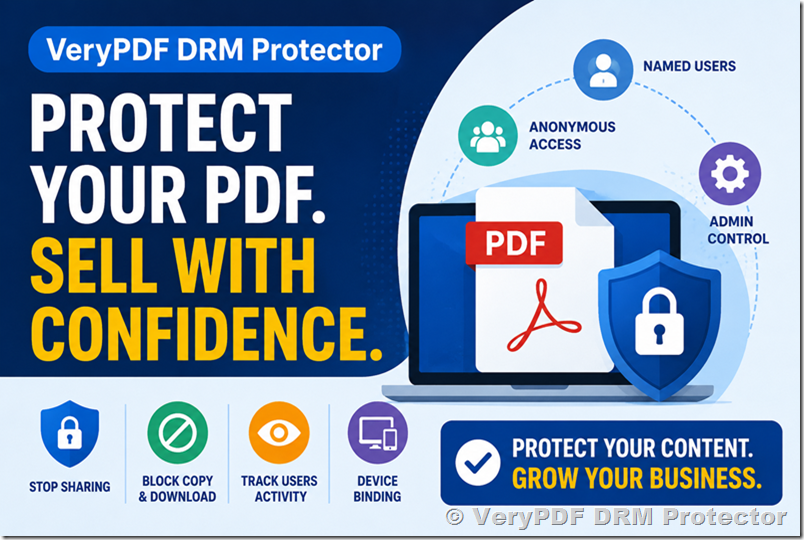
The Biggest Problem When Selling PDFs Online
When you sell a normal PDF file, the customer can easily:
- Download it
- Copy it
- Forward it to friends
- Upload it to Google Drive
- Share it on Telegram or Reddit
- Resell it illegally
This is a huge problem for:
- Online coaches
- Teachers
- Healthcare professionals
- Course creators
- Ebook sellers
- Training companies
- Consultants
- Researchers
You work hard to create your content, but one customer can share it with hundreds of people.
This means:
- Lost sales
- Copyright theft
- Revenue loss
- Piracy problems
- Unauthorized sharing
That is why many businesses now use DRM protected PDFs.
What Is a DRM Protected PDF?
A DRM protected PDF is a secure PDF file that uses Digital Rights Management (DRM) technology to control access.
With DRM protection, you can:
- Stop downloading
- Stop printing
- Stop copy and paste
- Stop screenshots (limited depending on device)
- Add dynamic watermarks
- Lock access to approved devices
- Expire documents automatically
- Revoke access anytime
- Track user activity
- Prevent unauthorized sharing
This is much safer than normal PDF password protection.
Traditional PDF passwords are weak because users can still share the password with others.
DRM protection gives you much stronger control.
A Common Question: What Happens If I Have More Customers Than My User Limit?
This is one of the most common questions from people selling digital PDFs.
For example:
You buy a DRM plan that includes:
- Maximum Document Users: 200
Then you sell your PDF to 300 customers.
Now you worry:
“Will customer 201 be blocked?”
The answer depends on which type of users you are using.
This is where many people get confused.
Let’s make it simple.
VeryPDF DRM Protector Has Three Types of Users
VeryPDF DRM Protector supports three types of users:
- Named Users
- Anonymous Users
- Administrator Users
Each one works differently.
Comparison of User Types in DRM Protected PDFs
|
Feature / Aspect |
Named Users |
Anonymous Users |
Administrator Users |
|
Definition |
Each customer has a unique, individual account |
Multiple users share a single access identity |
System managers who control the DRM platform |
|
User Identity |
Fully identified (name, email, etc.) |
No individual identity tracking |
Internal staff / business owner accounts |
|
Login Method |
Personal login per user |
Shared link or shared account access |
Secure admin dashboard login |
|
User Limit |
Limited by license (e.g., 200 users per plan, unless upgraded) |
Effectively unlimited viewers |
Limited to business/admin staff only |
|
Tracking & Logs |
Detailed per-user activity tracking |
Shared activity logs (not individual) |
Full system-level monitoring |
|
Watermarking |
Personalized (name, email, time, IP, etc.) |
Generic or shared watermark |
Not applicable |
|
Device Control |
Per-user device binding and restrictions |
Shared device/session behavior |
Can configure global device policies |
|
Security Level |
Very high (strong anti-sharing protection) |
Medium (harder to trace individuals) |
Highest system control, not content access |
|
Best Use Cases |
Premium courses, coaching, medical training, corporate reports |
Ebooks, large-scale content distribution, public materials |
Managing users, content, permissions, and DRM rules |
|
Main Advantage |
Strong accountability and piracy tracing |
Unlimited scalability with simple delivery |
Full platform control and administration |
|
Main Limitation |
User count may be limited by plan |
No individual user identification |
Not used for content consumption |
Summary
- Named Users → Best for high-value, protected content where you need to know exactly who accessed what.
- Anonymous Users → Best for mass distribution where simplicity and scale matter more than tracking.
- Administrator Users → Used only for managing the DRM system, not for viewing content.
1. Named Users (Individual Customer Accounts)
Named users are individual customer accounts.
Each customer has their own identity inside the DRM system.
Example:
- John Smith — john@gmail.com
- Sarah Brown — sarah@gmail.com
- David Lee — david@gmail.com
Each customer gets their own login and secure access.
This setup is perfect when you want:
- Individual tracking
- Personalized dynamic watermarks
- Separate viewing logs
- Device control per customer
- User activity monitoring
- Strong anti-sharing protection
With named users:
- Every customer is tracked separately
- Every customer has independent logs
- Every customer has separate device bindings
- Every customer can have personalized watermarks
For example, the watermark can display:
- Customer name
- Email address
- Phone number
- Date and time
- IP address
If someone leaks the PDF, you can identify exactly who shared it.
This is extremely useful for:
- Online coaching PDFs
- Medical training materials
- University course notes
- Premium ebooks
- Corporate training documents
- Confidential reports
Important: Named Users Count Toward Your User Limit
If your Standard Plan allows:
- 200 Maximum Document Users
Then you can create up to 200 named user accounts.
You cannot create customer 201 unless:
- You upgrade your plan
- Or you use anonymous users instead
This limit is based on the number of accounts, NOT simultaneous viewers.
Even if only one person is online at a time, the system still counts the total number of named users created.
This is important to understand before choosing your DRM setup.
2. Anonymous Users (Unlimited Shared Access)
Anonymous users work very differently.
Instead of creating separate accounts for every customer, you create ONE shared user account.
Example:
- Anonymous
- anonymous@gmail.com
Then you generate one secure shared link.
You can send that link to:
- 10 users
- 100 users
- 1,000 users
- Or even more
There is no user number limit in this setup.
This means:
- Unlimited viewers
- Unlimited customer access
- No individual account creation required
This is perfect for businesses that want to:
- Sell ebooks at scale
- Share course PDFs with large audiences
- Avoid user account management
- Avoid named-user limits
The Tradeoff of Anonymous Users
Anonymous access is easier for large-scale distribution, but there are some differences.
With anonymous users:
- Logs are shared
- Watermarks are shared
- Device bindings are shared
- User tracking is not individual
You lose per-user visibility.
So this setup is best when:
- You want simple delivery
- You need unlimited viewers
- Individual tracking is not critical
Which Option Is Better for Selling PDFs?
The answer depends on your business model.
Use Named Users If You Need:
- Strong anti-sharing protection
- Individual customer tracking
- Personalized watermarks
- Separate user logs
- Device-level control
- High-value content protection
Best for:
- Premium coaching programs
- Medical training
- Research reports
- Corporate documents
- Certification courses
Use Anonymous Users If You Need:
- Unlimited viewers
- Large-scale distribution
- Simple sharing
- No user management
- Lower administration work
Best for:
- Ebook sales
- Public training materials
- Large customer audiences
- Membership content
Administrator Users
Administrator users are system managers.
They can:
- Add or delete users
- Upload or remove PDF books
- Manage permissions
- Control DRM settings
- Monitor the platform
Administrator accounts are mainly for business owners and staff.
Special Promotion: Unlimited Named Users
Many businesses want the benefits of named users without worrying about user limits.
That is why VeryPDF DRM Protector currently offers a special promotion.
If you purchase a yearly DRM service plan, VeryPDF can upgrade your account to unlimited named users.
This means:
- Unlimited customer accounts
- Unlimited personalized watermarks
- Unlimited user tracking
- Unlimited protected PDF customers
This is extremely valuable for growing businesses.
Especially if you expect to sell your PDF to hundreds or thousands of customers.
Why Coaches, Teachers, and Healthcare Professionals Use DRM Protected PDFs
Many professionals are now selling digital educational content online.
Examples include:
- Nurse coaching guides
- Medical education PDFs
- Online courses
- Study materials
- Certification training
- Therapy worksheets
- Financial training manuals
Without DRM protection, these files are often shared illegally.
A single leaked PDF can destroy future sales.
DRM protection helps protect your income and intellectual property.
Final Thoughts
If you are selling PDFs online, DRM protection is no longer optional.
Simple PDF passwords are not enough.
You need stronger protection to:
- Stop sharing
- Protect revenue
- Track users
- Control access
- Secure your digital products
VeryPDF DRM Protector gives you flexible options for both:
- Individual named-user protection
- Unlimited anonymous sharing
So whether you sell PDFs to 10 customers or 10,000 customers, you can choose the setup that fits your business.
To learn more or test the platform online, visit:
Protect your PDFs before your customers start sharing them everywhere.