
If you use the VeryPDF DRM Protector API on your website, security is important. Many customers ask the same questions:
- Can I limit API access to my web server only?
- Can I allow only specific API actions?
- Can I see who used my API key?
- Can I check if anyone made unauthorized API requests?
- Can I keep my document management API separate from other account functions?
The answer is yes.
VeryPDF DRM Protector now includes two new security features:
| Feature | Available |
|---|---|
| Restrict API access by IP address | Yes |
| Allow only selected API actions | Yes |
Support wildcard permissions (user_*, book_*) |
Yes |
| View API activity logs | Yes |
| Track source IP addresses | Yes |
| Track API results and status | Yes |
These features make it much easier to protect your API credentials and monitor activity.
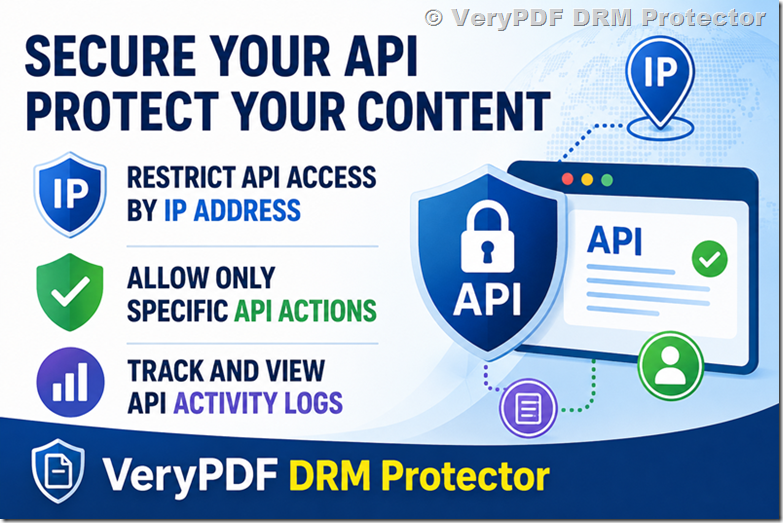
Restrict API Access to Your Server’s IP Address
Many customers use the DRM API from a website or LMS system. In most cases, only one server needs access.
You can now go to:
and configure rules such as:
| Rule | Meaning |
|---|---|
37.88.232.88 (*) |
Allow everything from this IP |
1.2.3.4 (book_*) |
Allow all book operations |
8.8.8.8 (user_*) |
Allow all user operations |
10.0.0.1 (book_list) |
Allow only book_list |
192.168.1.100 (user_add,user_delete) |
Allow selected actions |
Example:
203.0.113.10 (user_*)This means:
- Only IP address
203.0.113.10can use the API. - Only
user_*operations are allowed. - No
book_*operations are allowed. - No account-related operations are allowed.
This is useful if your website only creates and updates readers.
Why Restrict API Permissions?
Imagine your API password is accidentally exposed.
Without restrictions:
| Action | Risk |
|---|---|
user_add |
New readers can be created |
user_delete |
Existing readers can be removed |
book_delete |
Protected documents could be deleted |
book_update |
DRM settings could be changed |
With IP and permission restrictions:
- Requests from unknown IP addresses are blocked.
- Unauthorized actions are rejected.
- Your website can only perform the operations you allow.
This adds another layer of protection to your account.
API Activity Log
You can also see all API activity from:
https://drm.verypdf.com/wp-admin/admin.php?page=VeryPDFDRMActivityDetails
The activity log includes:
| Field | Description |
|---|---|
| Date and Time | When the request was made |
| Source IP | IP address of the caller |
| API Action | user_add, user_delete, etc. |
| File ID | Related protected document |
| Status | Success or failure |
This helps answer questions such as:
- Did someone use my API password?
- Did an API request come from my server?
- Which document was accessed?
- Did a request fail?
- When was the last API call made?
Real Example
Suppose your website runs on:
198.51.100.25Your integration only needs:
user_add
user_update
user_delete
user_list
You can configure:
198.51.100.25 (user_*)Now, if someone tries:
book_deleteor sends a request from:
45.76.88.123the API will reject it automatically.
Even if someone knows your Application Password, they still cannot use it outside your server.
API Security Best Practices
We recommend:
| Recommendation | Why |
|---|---|
| Use a strong Application Password | Prevent guessing attacks |
| Restrict API access by IP | Limit access to your server |
| Allow only required actions | Reduce risk |
| Review API logs regularly | Detect unusual activity |
| Rotate passwords periodically | Improve security |
| Use HTTPS everywhere | Protect credentials in transit |
For most customers, this setup is ideal:
Your Server IP
    |
    +-- user_*
    |
    +-- No book permissions
    |
    +-- Monitor activity logs
This provides good security without adding complexity.
Can Existing Reader Accounts Be Affected?
No.
Changing your Application Password or API permissions does not affect:
- Existing readers
- Protected PDF files
- Existing File IDs
- Shared links
- DRM settings
Only future API requests are affected.
Why Customers Requested These Features
Many organizations need stricter API controls.
Examples include:
- Universities
- Publishers
- Training companies
- Corporate LMS platforms
- Government organizations
They often ask:
“Can we make sure only our website can use the API?”
Now they can.
Another common question is:
“Can we see every API request made against our account?”
The new activity log provides that visibility.
VeryPDF DRM Protector
VeryPDF DRM Protector protects PDF files and other digital content with:
- PDF DRM protection
- Dynamic watermarking
- Expiration controls
- Device limits
- Offline viewing
- Screen capture protection
- Reader management APIs
- API IP restrictions
- API activity logging
It is designed for businesses that need to share documents securely while keeping control after delivery.
If you use the API, we strongly recommend restricting access to your web server’s public IP address and allowing only the specific operations your integration requires.
Frequently Asked Questions
1. Can I allow only one IP address?
Yes. You can allow a single IP address or multiple IP addresses.
2. Can I allow only user_* operations?
Yes. Wildcard permissions such as user_* and book_* are supported.
3. Can I block all book_* operations?
Yes. Simply do not include them in your permission rules.
4. Can I see failed API requests?
Yes. Failed requests are included in the API activity log.
5. Where can I configure API permissions?
You can configure them here:
6. Where can I view API logs?
You can view them here:
https://drm.verypdf.com/wp-admin/admin.php?page=VeryPDFDRMActivityDetails
7. Does changing my API password affect readers?
No. Existing readers and documents are not affected.
8. Can multiple servers use the same API password?
Yes. You can authorize multiple IP addresses if needed.
9. Can I restrict access to a specific API action?
Yes. You can allow individual actions such as book_list or user_delete.
10. Can I audit API usage?
Yes. Every API request is recorded in the activity log.
11. What happens if an unauthorized IP uses my API password?
The request will be denied automatically.
12. What is the safest configuration?
For most customers, the safest setup is:
YOUR_SERVER_IP (user_*)This allows only the reader management functions needed by your website while blocking everything else.
If you need secure document sharing, reader management, and full API visibility, VeryPDF DRM Protector provides an easy way to control who can use your API and exactly what they can do.