
A real question I saw recently:
“What is the best way to prevent PDFs from being shared without permission?
A client is using Vitrium. It stops PDFs from being sent to other devices and blocks screen capture. We want alternatives that do the same thing and ideally work with WooCommerce.”
This is a common problem if you sell PDFs online. Courses, ebooks, training files, reports, design files… once someone downloads a PDF, you lose control.
Let’s break down what actually works in real use cases and what doesn’t.
Why normal PDF protection fails
Many people still rely on basic protection. It looks safe, but it is easy to break in real life.
|
Method |
What it does |
Real problem |
|
PDF password |
Blocks opening without password |
Password can be shared easily |
|
Disable copy/print |
Stops simple copying |
Easy to bypass with tools |
|
Watermark only |
Shows buyer info |
Does not stop sharing |
|
Download PDF file |
Full offline access |
File can be forwarded forever |
The main issue is simple:
If the user has the PDF file, you cannot control it anymore.
What Vitrium is doing (and why people use it)
Tools like Vitrium try to solve this by changing the model:
- No direct PDF file sharing
- Encrypted document viewer
- Login required to access files
- Device restrictions
- Screen capture protection (limited in real-world cases)
This is closer to real protection, but it is not the only option.
The better approach: stop thinking “file”, think “access”
Instead of sending a PDF file, modern systems do this:
- User buys access (not file)
- System checks identity
- Document is opened inside a controlled viewer
- Rules are enforced every time the document is opened
So even if someone tries to share, it does not work without login.
Vitrium alternatives (simple comparison)
Here are some real alternatives people look at:
|
Tool |
File sharing control |
Screen capture control |
WooCommerce use |
Notes |
|
Vitrium |
Yes |
Partial |
Limited |
Enterprise focus |
|
Locklizard |
Yes |
Strong |
Complex |
Heavy system |
|
Digify |
Medium |
Basic |
Limited |
More for business docs |
|
VeryPDF DRM Protector |
Yes |
Policy-based control |
Yes |
Flexible integration |
VeryPDF DRM Protector (good fit for WooCommerce sellers)
VeryPDF DRM Protector is built for people who sell or distribute PDFs and want tighter control over access.
What it changes in real use
Instead of downloading a normal PDF:
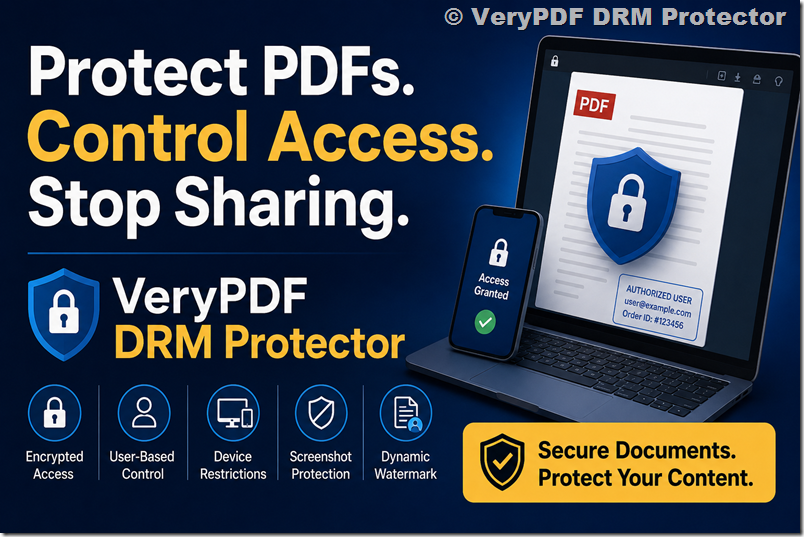
- User gets encrypted access
- File is opened only inside a protected viewer
- Access is tied to user identity or license
- You can control each action
Key features that matter for real sellers
1. Stop file sharing (not just passwords)
Even if someone sends the file, it will not open without authorization.
2. Device control
You can limit:
- number of devices per user
- new device login rules
3. Control what users can do
|
Control |
Yes/No |
|
View only |
Yes |
|
|
Can disable |
|
Copy text |
Can disable |
|
Screenshot protection |
Policy-based control |
|
Offline access |
Optional rules |
4. Dynamic watermark (important for leaks)
Each user can see:
- Email address
- Order ID
- Time stamp
So if a file leaks, you know where it came from.
5. Works with WooCommerce
This is important for sellers.
Typical flow:
- Customer buys product in WooCommerce
- System generates access license
- User receives login or secure link
- PDF opens only inside DRM viewer
No manual sending. No uncontrolled downloads.
Real situation example
If you sell:
- Online courses (PDF lessons)
- Paid ebooks
- Internal company documents
- Training materials
- Membership content
Without DRM:
- Buyers share files freely in Telegram / WhatsApp / forums
With DRM:
- Shared file is useless without login
- Access can be revoked anytime
- You control who can read it
Important truth (many people ignore this)
No system can fully stop someone from:
- Taking a photo of the screen
- Recording with another device
But DRM systems are not trying to solve “perfect theft prevention”.
They solve this:
- stop easy sharing
- stop bulk leaks
- stop unauthorized redistribution
- keep control over paid content
That is what most businesses actually need.
When you should use a DRM system
You likely need it if:
- You sell PDFs online
- You run subscription content
- You want WooCommerce digital product protection
- You deal with training or education materials
- You already had content leaks before
Why people move away from simple PDF protection
Because real problems look like this:
- “My PDF course is on Telegram”
- “Customers share login with friends”
- “One purchase becomes 50 users”
- “Watermark does not stop piracy”
At that point, password protection is not enough.
Conclusion
If you only need basic protection, PDF password tools are enough.
But if you want real control like Vitrium (or better WooCommerce integration), you need DRM-based access control.
One option worth checking:
VeryPDF DRM Protector
It focuses on:
- encrypted access instead of file sharing
- user-based control
- integration-friendly workflow
- flexible document permissions
FAQs
1. Can I fully stop PDF sharing?
No. You can only reduce it and control access. DRM helps a lot but cannot stop screen recording.
2. Is password protection enough for PDFs?
No. Passwords are easy to share.
3. What is the best way to protect PDF files?
Use DRM-based access control instead of file download.
4. Does Vitrium prevent screen capture?
It can limit some cases, but not all. No tool can fully block screenshots.
5. Can I use DRM with WooCommerce?
Yes, some DRM tools support WooCommerce workflows, including access after purchase.
6. What happens if someone shares a DRM-protected file?
Usually it will not open without login or authorization.
7. Is offline access possible with DRM?
Yes, but it depends on the rules set by the system.
8. Can users print DRM-protected PDFs?
It depends on permissions. You can disable printing.
9. Is watermarking enough to stop leaks?
No. It only helps trace leaks, not prevent them.
10. What is the difference between PDF protection and DRM?
PDF protection modifies the file. DRM controls access to the file.
11. Can DRM stop all piracy?
No. It stops most common sharing but not physical recording.
12. Is DRM suitable for small businesses?
Yes, especially if you sell digital content or online courses.