
Protecting digital video content has become increasingly important as online piracy, unauthorized sharing, and screen recording tools continue to evolve. CopySafe Video Protection is designed specifically to address these challenges by providing a highly secure DRM-based solution for protecting video files across desktop, web, and offline environments. It is built for authors, educators, businesses, and content creators who need full control over how their videos are accessed, viewed, and distributed.
Unlike traditional video hosting or encryption methods, CopySafe Video goes beyond simple password protection. It ensures that once a video is protected, it remains protected, regardless of where it is stored or how it is transmitted.
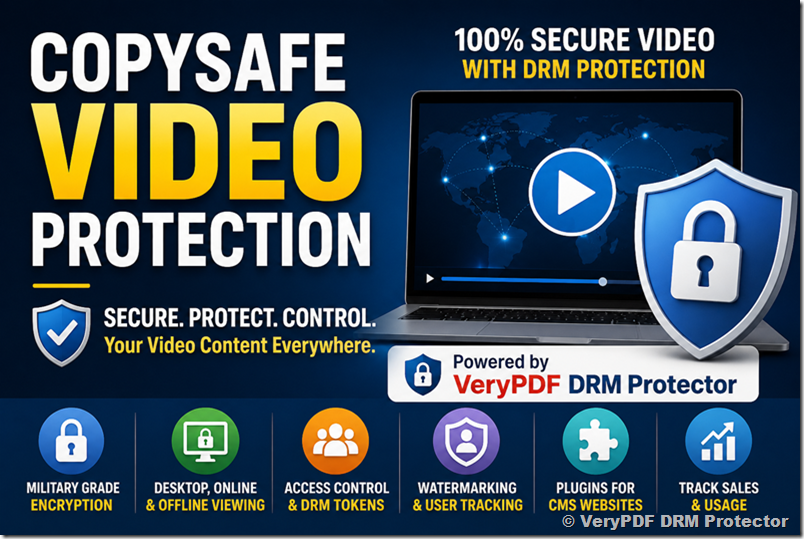
What Makes CopySafe Video Protection Different
At its core, CopySafe Video Protection is built around strong encryption and DRM enforcement. Protected videos are designed to be completely resistant to copying methods, including download interception, file extraction, screen capture attempts, and even screen recording software.
Once DRM is applied, content owners gain full control over usage conditions, including how long a video can be viewed, how many times it can be accessed, and which devices are allowed to play it. This makes it particularly useful for online courses, corporate training, paid memberships, and confidential communications.
Key Copy Protection and Security Features
CopySafe Video includes a wide range of security mechanisms designed to eliminate unauthorized access and redistribution:
- Video encryption for both desktop playback and web-based viewing
- Protection against all copying methods, including PrintScreen and screen recording tools
- View limits, expiry dates, or time-based access controls
- Static and dynamic watermarking for identity tracking and deterrence
- Computer locking to restrict playback to 1–3 registered devices
- Group-based access control and DRM token authentication
- Offline DRM support for restricted environments such as maritime or remote use cases
- Military-grade encryption with negligible file size impact
- Support for ASF, AVI, MP4, MKV, and WMV formats up to 1GB or more
- Domain Lock protection to prevent unauthorized website embedding
- Integrated DRM portal for managing users, groups, and subscriptions
- Built-in sales tracking and automated subscriber management
- Lifetime software updates and support included
These features combine to create a controlled ecosystem where video content remains secure even after distribution.
Watermark Protection as a Deterrent
Watermarking is an essential component of CopySafe Video’s security model. While it does not physically prevent copying, it significantly discourages misuse by embedding identifiable information into the video playback.
Static watermarks can include copyright notices or ownership statements, while dynamic watermarks can display user-specific data such as name, email address, or IP address. This makes it possible to trace unauthorized distribution back to the original viewer, which acts as a strong deterrent against piracy.
Cross Platform Compatibility
CopySafe Video is designed to work across multiple environments, making it flexible for different distribution strategies.
Desktop Viewing
For desktop use, videos can be distributed via email, USB drives, or direct downloads. Even though the file can be saved locally, it remains encrypted and can only be opened using the CopySafe Video Player | Secure DRM desktop video player. The player ensures that videos remain protected even after being stored on a user’s device.
Online Viewing
For web-based playback, videos are embedded into web pages using DRM-protected components. Access is controlled through domain locking, ensuring that videos cannot be reused on unauthorized websites. In this scenario, playback is typically handled through VeryPDF DRM Protector | Web-based DRM playback system, which supports multiple operating systems including Windows, macOS, iOS, and Android.
Offline Viewing
CopySafe Video can also be used in offline environments such as USB drives or DVD distribution. This makes it suitable for secure training materials, field operations, and environments where internet access is limited or unavailable.
Desktop vs Online Viewing: Key Differences
Although both desktop and online viewing involve local file access, there is an important distinction in how content is stored and managed.
Desktop playback stores encrypted video files in a user-defined location, while online playback temporarily caches encrypted content in the browser cache. In both cases, the files remain unreadable without the proper DRM environment.
Performance is also a factor: desktop playback typically loads faster since the video is already stored locally, whereas online viewing depends on initial streaming or download caching.
Importantly, neither method allows copying, exporting, or screen capture while the video is actively protected and being played through the authorized player or DRM browser system.
Outputs for Different Use Cases
CopySafe Video supports a variety of distribution scenarios, making it suitable for:
- Online education platforms and e-learning courses
- Corporate training and internal documentation
- Paid membership content and subscription services
- Confidential business presentations
- Digital publishing and premium video libraries
Whether the goal is controlled streaming or secure offline distribution, the system can be adapted accordingly.
Software Downloads
Users can download the required tools to begin working with CopySafe Video:
- CopySafe Video Encoder | Video encryption and DRM encoding tool
- CopySafe Video Player | Secure DRM desktop video player
The encoder can typically be used free for a 14-day trial period, allowing full testing before purchase.
DRM Testing and Evaluation
A free DRM portal trial is available for evaluation purposes. Users can create a demo account and test how protected videos behave across different devices.
The evaluation process typically includes:
- Downloading a DRM-protected sample video
- Viewing it on the registered device
- Attempting playback on an unauthorized device
This demonstrates how DRM identity binding prevents unauthorized access even if the file is copied elsewhere.
CMS Integration and Plugins
CopySafe Video can be integrated into popular content management systems through plugins and extensions, making it easy to deploy secure video content directly from website dashboards.
Supported platforms include:
- WordPress
- Drupal
- Joomla
- Moodle
These plugins allow content creators to upload and embed protected videos directly into web pages without complex configuration.
Tutorials and Learning Resources
To help users get started, a variety of tutorials are available, including:
- How to use the CopySafe Video Encoder
- Protecting video for desktop playback
- Protecting video for web page viewing
- Securing live or recorded streams
- Understanding DRM-based video protection workflows
These resources help users quickly implement secure video distribution without requiring advanced technical expertise.
Licensing and Lifetime Benefits
One of the key advantages of CopySafe Video is its lifetime licensing model. Unlike many subscription-based DRM systems, this solution includes:
- Lifetime support via email
- Lifetime software updates
- Unlimited use of DRM portal services
- No commission fees on video sales
- Integrated online store for selling protected content
- Built-in video cover design tools
This makes it particularly attractive for long-term content creators and organizations that require stable, predictable licensing costs.
Pricing Overview
The CopySafe Video Encoder is licensed per computer used for encoding. A typical license includes:
- Unlimited DRM-protected video creation
- Domain lock support
- Access to DRM portal and sales tools
- Integrated online distribution system
The CopySafe Video Player remains free for redistribution with protected content.
Benefits of CopySafe Video Protection
Compared to unprotected video, CopySafe Video provides a significantly higher level of control and security:
- Prevents copying, downloading, and redistribution
- Blocks screen recording and capture tools
- Restricts playback to authorized devices only
- Enables detailed tracking of usage and access
- Supports monetization through integrated DRM sales tools
- Works across desktop, web, and offline environments
This makes it a comprehensive solution for protecting intellectual property in video format.
Frequently Asked Questions
Can CopySafe Video be played in standard media players?
No. Only authorized players such as CopySafe Video Player and VeryPDF DRM Protector can open protected files.
Does DRM affect video file size?
No. Encryption is highly efficient and has minimal impact on file size.
Can videos be shared across devices?
Only within the limits defined by the DRM license, such as device count restrictions.
Is internet access required?
Not always. Offline DRM tokens can enable playback without internet connectivity.
Can it protect live streams?
No. CopySafe Video is designed for file-based protection rather than live streaming.
Final Thoughts
CopySafe Video Protection offers a robust and comprehensive approach to securing digital video content in a world where unauthorized distribution is increasingly difficult to control. By combining encryption, DRM enforcement, watermarking, and flexible distribution options, it allows content creators to maintain full authority over their intellectual property while still delivering a smooth viewing experience for legitimate users.
Whether used for education, business, or premium content distribution, it provides a reliable framework for protecting video assets across all major platforms and environments.