
Selling educational videos on USB drives is still a useful business model for course creators, trainers, schools, publishers, and training companies.
A customer can buy a USB drive, receive it by mail, plug it into a computer, and start watching the training videos without needing a fast internet connection.
But there is one major problem:
How do you stop the customer from copying the videos from the USB drive and sharing them with other people?
A normal USB drive cannot solve this problem. If you simply copy MP4, MOV, AVI, or other video files to a USB drive, the customer can usually copy those files to another USB drive, a hard disk, or a computer. Once the video file has been copied, you have very little control over where it goes.
This is where VeryPDF DRM Protector can help.
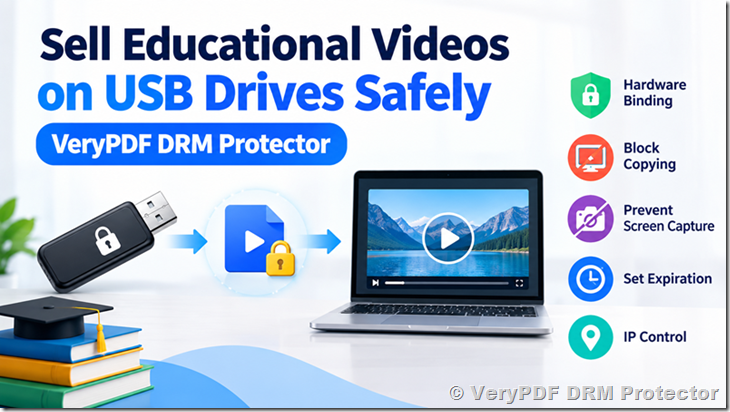
VeryPDF DRM Protector can bind encrypted educational videos to the hardware serial number of a specific USB drive. The protected videos are encrypted for that particular USB device, so they cannot simply be copied to another USB drive or computer and played there.
This creates a practical solution for companies that want to sell educational videos on USB drives while keeping control over their video content.
The Problem With Selling Normal Video Files on USB Drives
Imagine that you create a professional training course with 30 hours of educational videos.
You copy the videos to a USB hard drive and send it to a customer.
The customer receives the USB drive and watches the videos.
Everything works.
But then the customer copies the entire video folder to their computer.
Now they have another copy.
They can also copy the videos to another USB drive and give that drive to someone else.
They might upload the videos to cloud storage, send them through email or messaging apps, or share them with colleagues.
The original USB drive is no longer important because the video files themselves are not protected.
| Normal USB video distribution | Risk |
|---|---|
| MP4 files copied to USB | Easy to copy |
| Customer copies videos to PC | Videos can be kept permanently |
| Videos copied to another USB | Easy to share |
| Videos uploaded to cloud storage | Easy to distribute |
| USB drive given to another person | Content can be shared |
| Video files downloaded from USB | No control after copying |
For inexpensive content this may not be a serious problem.
For expensive professional training, certification courses, technical manuals, medical training, engineering courses, or other valuable educational content, it can become a major business problem.
How USB Hardware-Bound Video DRM Works
VeryPDF DRM Protector provides a different approach.
Instead of simply putting ordinary video files on the USB drive, you can create encrypted videos that are bound to the hardware identity of that specific USB drive.
The basic process looks like this:
Educational Video → Encrypt → Read USB Hardware Serial Number → Bind Video to USB → Send USB to Customer
When you prepare a USB drive for a customer, VeryPDF DRM Protector can read the USB drive’s hardware serial number.
The video is then encrypted and associated with that hardware identity.
When the customer receives the USB drive, the protected video can be opened through the secure video player.
The player checks the USB hardware before allowing the video to play.
If somebody copies the encrypted video to another USB drive, the copied video does not have the correct hardware identity.
As a result, the copied video cannot simply be played on the other USB drive.
Every Customer Can Receive a Different Protected Video
This is one of the most useful parts of the USB DRM approach.
Suppose you sell the same training course to 100 customers.
You do not have to create one identical protected package for everyone.
Instead, each USB drive can have its own hardware identity, and the protected video can be associated with that specific USB drive.
For example:
| Customer | USB Drive | Hardware ID | Protected Video |
|---|---|---|---|
| Customer A | USB #001 | Serial A | Bound to USB #001 |
| Customer B | USB #002 | Serial B | Bound to USB #002 |
| Customer C | USB #003 | Serial C | Bound to USB #003 |
| Customer D | USB #004 | Serial D | Bound to USB #004 |
The same course can therefore be distributed to many customers while each copy has its own protection.
This makes the USB drive part of the security system.
What Happens If Someone Copies the Video?
This is the main question for anyone selling videos on USB drives.
Suppose Customer A receives a protected training video.
They copy the encrypted video from their USB drive to:
- their computer
- another USB drive
- an external hard disk
- a network drive
- a cloud storage folder
- another customer’s USB drive
The copied video does not automatically become playable there.
The video remains encrypted and is tied to the original USB hardware.
Copying the file does not copy the hardware identity.
This is an important difference between USB video DRM and ordinary video files.
Normal Video File
USB Drive
   ↓
MP4 Video
   ↓
Copy to Computer
   ↓
Copy to Another USB
   ↓
Play
USB Hardware-Bound DRM
USB Drive
   ↓
Encrypted Video
   +
USB Hardware Identity
   ↓
VeryPDF Secure Player
   ↓
Hardware Check
   ↓
Authorized USB → Play
Unauthorized Device → Block
The goal is to make the video and the physical USB device work together.
Why Not Just Password-Protect the Videos?
A password can stop someone from opening a file without knowing the password.
But it does not necessarily stop an authorized customer from copying the file after they have opened it.
For example:
- Customer enters the password.
- Video opens.
- Customer copies the video file.
- Customer sends the copy to another person.
The password does not solve the sharing problem.
DRM takes a different approach.
Instead of asking only:
“Does this person know the password?”
the system can also ask:
“Is this the authorized USB device?”
This gives you much more control over how the protected video is distributed.
Secure Video Playback With VeryPDF’s Own Player
The USB hardware binding is only one part of the protection.
The protected video also needs a secure way to play the content.
VeryPDF DRM Protector uses a VeryPDF-developed secure player for protected content.
The player is designed to prevent common ways of capturing protected video during playback.
Depending on your protection settings, you can control or restrict actions such as:
- screen capture
- screen recording
- copying
- exporting
- unauthorized playback
- access after expiration
The protected video is decrypted in memory during playback rather than being saved as a normal decrypted video file on the computer.
This is important because simply encrypting a video file is not enough.
If the application decrypts the complete video into a normal temporary MP4 file, that temporary file could become another target for attackers.
VeryPDF’s protected playback approach is designed to keep the decrypted content in memory during playback and avoid creating ordinary temporary video files on the system.
Prevent Screen Capture and Screen Recording
A customer may not need to copy the original video file.
They could try to record the screen while the video is playing.
This is another common concern for companies selling valuable training content.
VeryPDF’s secure player includes protection against common screen capture and recording methods.
This helps protect the video while it is being viewed.
For example, you could distribute a high-value professional training course on USB:
Course price: $499
If the customer can simply copy the MP4 files or record the entire course, the protection has little value.
With DRM protection, you can combine:
- USB hardware binding
- encrypted video
- secure playback
- screen capture protection
- screen recording protection
- dynamic watermarking
- expiration settings
- IP restrictions
- access controls
This creates multiple layers of protection around the content.
Dynamic Watermarks Can Identify the Viewer
Technical protection is important, but sometimes you also want to make sharing less attractive.
Dynamic watermarks can help.
For example, the video can display information such as:
John Smith
john@example.com
2026-09-27 10:35
IP: xxx.xxx.xxx.xxx
The exact watermark information can depend on your configuration.
A viewer who knows that their name and other information are visible during playback may be less willing to record the screen and share the recording.
Dynamic watermarks can also help identify the source of an unauthorized recording.
For professional training and paid educational content, this can be an important additional layer of protection.
Add Video Expiration Dates
Some educational content should not be available forever.
For example, you may sell:
- a 30-day training course
- a six-month certification course
- annual training materials
- temporary technical training
- employee onboarding content
- subscription-based educational videos
VeryPDF DRM Protector can be used with expiration rules so that access can end after a specified period.
For example:
| Product | Access Period |
|---|---|
| Basic training | 30 days |
| Professional course | 90 days |
| Certification course | 180 days |
| Annual training | 12 months |
This gives you another way to build a paid content business around protected videos.
IP Restrictions and Access Control
You may also want to restrict where protected content can be used.
Depending on your requirements, DRM rules can include controls such as IP restrictions and other access settings.
For example, a company may purchase training videos for employees and want the content to be available only under specific conditions.
Instead of giving the customer an unrestricted video file, you can distribute protected content with defined access rules.
This is especially useful for:
- corporate training
- professional certification
- technical training
- paid courses
- employee education
- medical training
- engineering training
- product training
USB Video DRM for Offline Education
One of the biggest advantages of this approach is that the customer does not necessarily need to stream the video from the internet.
The videos can remain on the physical USB drive.
This makes the solution useful when customers have:
- slow internet connections
- expensive internet access
- limited internet access
- no reliable internet connection
- strict offline requirements
- isolated computers or networks
For example, a training company could create a physical USB training package:
USB Drive
→ 40 hours of training videos
→ Protected with DRM
→ Bound to the customer’s USB hardware
→ Played with the VeryPDF secure player
→ Protected against copying and screen capture
The customer gets a physical product that is easy to ship and use, while the seller keeps much more control over the content.
A Practical Example: Selling a Professional Training Course
Imagine a company sells an engineering training course.
The course contains:
- 50 training videos
- 20 hours of video
- PDF manuals
- exercises
- technical demonstrations
The company sells the course for $800.
Instead of sending the customer ordinary MP4 files, the company prepares a dedicated USB drive.
The process could look like this:
Step 1: Prepare the USB Drive
A USB drive is assigned to the customer.
VeryPDF DRM Protector reads the USB hardware serial number.
Step 2: Protect the Videos
The training videos are encrypted.
The encrypted videos are associated with the USB drive’s hardware identity.
Step 3: Add Access Rules
The seller can configure additional protection such as:
- expiration
- dynamic watermark
- IP restrictions
- playback restrictions
- screen capture protection
Step 4: Ship the USB Drive
The physical USB drive is mailed to the customer.
Step 5: Customer Watches the Course
The customer connects the USB drive to their computer and uses the VeryPDF secure player.
The player checks the authorization information before allowing playback.
Step 6: Customer Tries to Copy the Video
If the protected video is copied to another location or another USB device, the copied content does not have the required hardware identity.
The copied video therefore cannot simply be played as a normal video file.
USB DRM vs. Normal Video Distribution
The difference is significant.
| Feature | Normal MP4 on USB | USB Hardware-Bound DRM |
|---|---|---|
| Copy video file | Yes | Protected |
| Copy to another USB | Usually possible | Hardware binding can block playback |
| Play on another computer | Usually possible | Can be restricted |
| Screen capture protection | No | Yes |
| Screen recording protection | No | Yes |
| Dynamic watermark | No | Yes |
| Expiration | No | Yes |
| IP restrictions | No | Yes |
| Secure player | No | Yes |
| Memory-based protected playback | No | Yes |
| Per-customer protection | Usually no | Yes |
The exact protection depends on the configuration and playback environment, but the basic idea is simple:
Don’t sell an ordinary video file. Sell access to protected content.
Who Can Use USB Video DRM?
This approach can be useful for many businesses that sell valuable video content.
Online Course Creators
Some course creators prefer to offer physical USB products instead of online streaming.
USB DRM can help protect premium courses from being copied and shared.
Training Companies
Professional training companies can distribute expensive courses on USB drives while keeping stronger control over the content.
Publishers
Educational publishers can distribute video supplements with books and training materials.
Schools and Education Providers
Schools can provide protected educational content to students or teachers.
Corporate Training
Companies can distribute employee training materials to specific users or teams.
Technical Training
Engineering, software, manufacturing, and technical companies can protect specialized training videos that may contain valuable know-how.
Certification Programs
Certification providers can distribute training content with defined access periods.
USB DRM Is Especially Useful for High-Value Content
Not every video needs this level of protection.
If you are giving away a free marketing video, DRM may not be necessary.
But if you are selling a $200, $500, $1,000, or $5,000 training package, content protection becomes much more important.
Think about the real cost of unauthorized sharing.
Suppose you sell 1,000 training packages at $500 each.
That represents $500,000 in sales.
If customers can freely copy the training videos and share them, one purchase could potentially become many unauthorized copies.
DRM cannot guarantee that every form of piracy will disappear, but it can make unauthorized copying and sharing much harder than simply distributing ordinary MP4 files.
Can USB DRM Completely Stop Video Piracy?
No digital protection can honestly promise that every possible form of piracy will disappear.
A determined attacker may use advanced techniques, external cameras, or other methods outside the normal software environment.
The goal of DRM is to make unauthorized copying and sharing much harder while protecting the normal playback process.
For USB-based educational video distribution, hardware binding adds an important security layer because copying the encrypted file does not automatically give another device the ability to play it.
Combining USB binding with secure playback, screen capture protection, watermarks, expiration, and access controls provides stronger protection than simply putting MP4 files on a USB drive.
Why VeryPDF DRM Protector?
VeryPDF DRM Protector is designed for businesses that need to protect valuable digital content rather than simply encrypt a file.
For USB-based video distribution, the solution can combine:
- USB hardware binding
- Video encryption
- Secure video playback
- Screen capture protection
- Screen recording protection
- Memory-based decryption
- No ordinary decrypted temporary video files
- Dynamic watermarks
- Expiration controls
- IP restrictions
- Access control
- Per-customer content protection
This makes it possible to build a physical content distribution system where the USB drive itself becomes part of the DRM protection.
A Better Way to Sell Educational Videos on USB Drives
If your business sells educational videos on USB drives, simply copying MP4 files to a USB drive leaves the content exposed.
The customer owns the physical drive, but that does not mean they should receive unrestricted copies of your valuable video files.
A better approach is to protect the videos before distribution and bind them to the customer’s specific USB hardware.
With VeryPDF DRM Protector, you can create protected educational videos that work with an authorized USB drive and secure player, while adding additional controls such as dynamic watermarks, expiration dates, IP restrictions, and access rules.
This gives you a practical way to sell offline educational videos on USB drives without treating the video files like ordinary files that anyone can freely copy and play.
If you sell professional training, educational courses, certification videos, technical instruction, or other high-value video content, VeryPDF DRM Protector can help you build a more controlled USB video distribution system.
Frequently Asked Questions
1. Can I sell educational videos on a USB drive with DRM protection?
Yes. You can distribute protected educational videos on physical USB drives and use hardware-based protection to associate the content with the authorized USB device.
2. Can customers copy the protected videos to their computer?
They may be able to copy the encrypted files, depending on the configuration, but copying the encrypted file does not give the copied file the hardware identity required for authorized playback.
3. Can a customer copy the video to another USB drive?
The protected video can be bound to the original USB hardware. A copy placed on another USB drive will not automatically become playable.
4. Does each customer need a different USB drive?
For a hardware-bound distribution model, each customer’s USB drive can have its own hardware identity, allowing protected content to be associated with that particular drive.
5. Can I sell the same course to hundreds of customers?
Yes. You can create protected copies for different USB devices so each customer’s content can be associated with their own authorized hardware.
6. Can the videos be played without an internet connection?
The USB distribution model is designed for offline use, making it suitable for customers who need to watch educational content without continuously streaming it from the internet.
7. Can customers take screenshots of the protected videos?
VeryPDF’s secure player is designed to provide screen capture protection during protected playback. The effectiveness of protection can depend on the operating system and capture method.
8. Can customers record the protected videos?
VeryPDF’s secure player includes protection against common screen recording methods. As with any software-based protection, no DRM system can guarantee protection against every possible external recording method.
9. Does the protected video create a normal temporary MP4 file?
The protected playback design performs decryption in memory rather than creating an ordinary decrypted video file for playback.
10. Can I add a watermark to the video?
Yes. Dynamic watermarking can be used to display information such as the viewer’s name, email address, date, time, or other identifying information, depending on your configuration.
11. Can I make the video expire?
Yes. Expiration settings can be used when you want access to end after a specific date or period.
12. Can I restrict playback by IP address?
IP-based access controls can be used as an additional layer of protection when your distribution requirements call for them.
13. Is USB hardware binding the same as password protection?
No. A password protects access to the content, while hardware binding associates the protected content with a particular physical device. They solve different problems and can be used together.
14. Can I use USB DRM for corporate training?
Yes. It can be useful for companies that distribute valuable employee training, technical courses, compliance materials, or other offline training content.
15. Is USB DRM useful for certification courses?
Yes. USB-based DRM can be combined with expiration and other access controls for paid certification and professional training programs.
16. Can VeryPDF DRM Protector protect content other than video?
VeryPDF’s DRM technology can be used for different types of digital content and distribution scenarios. If your business needs to protect documents, eBooks, educational materials, or other digital content, you can discuss your specific requirements with VeryPDF.
17. Can VeryPDF help build a custom USB video DRM system?
Yes. If your distribution process has special requirements, such as customer-specific USB preparation, automated encryption, hardware identification, licensing, or integration with your existing sales system, you can contact VeryPDF to discuss a custom solution.
18. What is the main benefit of USB hardware-bound video DRM?
The key benefit is that copying the encrypted video does not simply create another playable copy. The video can be associated with the hardware identity of the authorized USB device, making the physical USB drive part of the protection system.
Protect Your Educational Videos Before You Ship Them
If you are currently selling educational videos by putting ordinary MP4 files on USB drives, consider what happens after the customer receives the drive.
Can they copy the files?
Can they put them on another USB drive?
Can they upload them to the cloud?
Can they send them to another person?
If the answer is yes, your valuable course may be much easier to share than you intended.
VeryPDF DRM Protector provides a way to build a USB-based protected video distribution system with hardware binding, secure playback, screen capture protection, dynamic watermarks, expiration controls, IP restrictions, and other access controls.
Instead of sending customers ordinary video files, you can send them protected content that is tied to the USB device you authorized.
For businesses selling high-value educational and training videos, this can make USB distribution a much more controlled and secure way to deliver digital content.