
Introduction: The Hidden Risk Behind Digital Documents
Your premium PDF report, training manual, eBook, or internal document goes live on Monday. By Friday, it’s already being shared in private groups, cloud drives, or even sold at a fraction of the price.
This is not a rare scenario, it’s happening every day.
In today’s digital economy, documents such as PDFs, Word files, training materials, financial reports, and research papers are among the most valuable assets individuals and businesses create. Yet, unlike physical products, digital documents can be copied, shared, and redistributed instantly, with almost zero cost.
If you are:
- A course creator selling PDF materials
- A company distributing confidential documents
- A publisher selling eBooks
- A financial institution sharing sensitive reports
- Or a developer distributing proprietary documentation
Then document piracy is not a possibility, it is an inevitability unless properly addressed.
This guide explains:
- The real cost of document piracy
- Why traditional protection methods fail
- How modern DRM solutions work
- And how VeryPDF DRM Protector provides a complete, practical solution
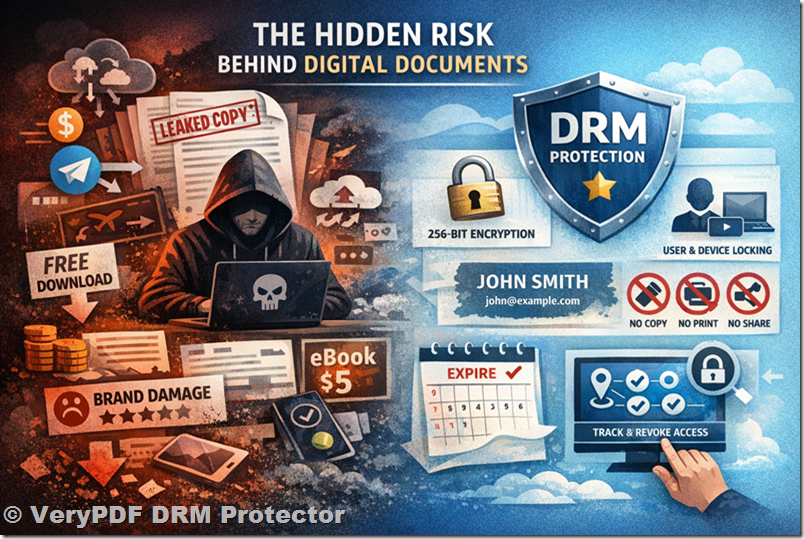
The Real Cost of Document Piracy
Before discussing solutions, it’s important to understand the scale and impact of the problem.
1. Direct Revenue Loss
Let’s take a simple example:
- Your PDF course or report is priced at $99
- You sell to 1,000 customers → $99,000 revenue
Now imagine:
- 300 additional copies are shared in private groups
- Only 20% of those users would have paid
That’s:
- 60 lost customers × $99 = $5,940 lost revenue
And that’s just one document.
Over time, pirated copies:
- Multiply
- Spread across platforms
- Become permanent
2. Loss of Pricing Power
Once your document is available:
- For free
- Or bundled at a low price
You lose the ability to justify your original pricing.
Customers start asking:
“Why should I pay $99 when I can get it for $5 elsewhere?”
This creates a race to the bottom.
3. Brand Damage
Paying customers feel cheated when they discover:
- Others got the same document for free
- Or at a much lower price
This leads to:
- Refund requests
- Negative reviews
- Loss of trust
4. Uncontrolled Distribution
Once a document leaves your control:
- It can be uploaded to Google Drive
- Shared in Telegram groups
- Resold on websites
- Distributed indefinitely
Unlike physical goods, digital files never degrade.
Why Traditional Protection Methods Fail
Most people start with basic protection methods, believing they are sufficient.
Unfortunately, they are not.
1. Password-Protected PDFs
This is the most common approach.
But:
- Passwords can be shared easily
- Tools exist to remove PDF passwords instantly
- Once unlocked, the file is fully exposed
Conclusion: Passwords protect access, not content.
2. Download Restrictions
Some platforms disable download options.
But users can:
- Take screenshots
- Use screen recording tools
- Print to PDF
- Extract content via software
Conclusion: If users can view it, they can copy it.
3. Watermarks (Static)
Static watermarks like:
- “Confidential”
- “Do not share”
Are easily ignored or removed.
They do not:
- Identify the user
- Prevent redistribution
4. Private Links
Sharing documents via:
- Private URLs
- Cloud storage links
Does not prevent:
- Forwarding
- Re-uploading
- Public sharing
5. File Encryption Without Control
Basic encryption protects files only during storage or transfer.
Once opened:
- The user has full control
- The document can be copied freely
The Core Problem: Access vs Control
Most traditional methods focus on access control.
But the real challenge is usage control.
You don’t just need to control:
- Who opens the document
You must control:
- What they can do after opening it
This includes:
- Copying
- Printing
- Screenshotting
- Sharing
- Expiration
The Solution: DRM (Digital Rights Management)
Digital Rights Management (DRM) is the only effective way to protect digital documents in a meaningful way.
Unlike traditional methods, DRM:
- Encrypts the document
- Controls usage
- Tracks access
- Prevents unauthorized actions
Introducing VeryPDF DRM Protector
VeryPDF DRM Protector is a professional document protection solution designed specifically to prevent unauthorized access, copying, and distribution of digital documents.
It is ideal for:
- PDF documents
- Training materials
- Financial reports
- eBooks
- Internal company files
- Legal documents
Key Features of VeryPDF DRM Protector
1. Strong Encryption (256-bit AES)
Your documents are protected using:
- Industry-grade encryption
This ensures:
- Files cannot be opened outside authorized environments
- Unauthorized users cannot access content
2. Device and User Binding
Documents can be locked to:
- Specific users
- Specific devices
This means:
- Even if the file is shared, others cannot open it
3. Dynamic Watermarking
Each user sees a unique watermark:
- Name
- IP address
- Timestamp
This:
- Discourages sharing
- Makes leaks traceable
4. Prevent Copy, Print, and Screenshot
You can fully control document usage:
- Disable copy/paste
- Disable printing
- Prevent screen capture
- Block screen recording
5. Expiration Control
Set documents to:
- Expire after a date
- Expire after a number of views
- Expire after a time period
Perfect for:
- Subscriptions
- Time-limited access
6. Online and Offline Access Control
You can:
- Require internet verification
- Allow secure offline access
This balances:
- Security
- User convenience
7. Revoke Access Anytime
If needed, you can:
- Instantly revoke access
Even after distribution.
This is critical for:
- Employee offboarding
- Subscription cancellations
- Security incidents
8. Usage Tracking and Analytics
Monitor:
- Who accessed documents
- When
- From where
This provides:
- Visibility
- Accountability
How VeryPDF DRM Protector Solves Real Problems
Scenario 1: Selling Premium PDF Courses
Problem:
- Students share PDFs in private groups
Solution:
- Lock documents to individual users
- Add dynamic watermark
- Prevent copying and printing
Result:
- Sharing becomes useless
- Piracy drops significantly
Scenario 2: Protecting Financial Reports
Problem:
- Sensitive reports leaked externally
Solution:
- Restrict access to authorized users
- Track document usage
- Revoke access instantly
Result:
- Full control over confidential data
Scenario 3: Corporate Document Security
Problem:
- Employees forwarding internal documents
Solution:
- Bind documents to devices
- Add visible user identity
- Disable external sharing
Result:
- Internal leaks are prevented
Scenario 4: eBook Distribution
Problem:
- eBooks being resold illegally
Solution:
- Encrypt files
- Add user-specific watermark
- Prevent duplication
Result:
- Protect revenue streams
Why DRM Works Better Than Traditional Methods
|
Feature |
Traditional Methods |
DRM Protection |
|
Password Protection |
Weak |
Strong |
|
Copy Prevention |
No |
Yes |
|
Print Control |
No |
Yes |
|
Screenshot Blocking |
No |
Yes |
|
Expiration |
No |
Yes |
|
User Tracking |
No |
Yes |
|
Access Revocation |
No |
Yes |
The Psychological Effect of DRM
DRM doesn’t just technically prevent piracy, it also changes behavior.
When users see:
- Their name on the document
- Restrictions on actions
- Controlled access
They are far less likely to:
- Share
- Redistribute
- Abuse access
Balancing Security and User Experience
A good protection system must:
- Be strong enough to stop piracy
- Be easy enough for legitimate users
VeryPDF DRM Protector achieves this by:
- Providing seamless access for authorized users
- Enforcing strict controls behind the scenes
Implementation Strategy
To effectively protect your documents:
Step 1: Identify Valuable Content
- Training materials
- Reports
- eBooks
- Internal files
Step 2: Apply DRM Protection
- Encrypt documents
- Set permissions
- Add watermark
Step 3: Distribute Securely
- Provide controlled access
- Avoid sending raw files
Step 4: Monitor and Adjust
- Track usage
- Update permissions
- Revoke access if needed
Long-Term Benefits
Using VeryPDF DRM Protector helps you:
- Protect intellectual property
- Maintain pricing integrity
- Increase customer trust
- Prevent revenue loss
- Control document lifecycle
Final Thoughts
Digital document piracy is not a hypothetical risk, it is a real and growing threat.
Relying on:
- Passwords
- Links
- Basic restrictions
Is no longer enough.
If your documents have value, they will be targeted.
The goal is not to create an unbreakable system, because none exists.
The goal is to:
- Make piracy difficult
- Reduce incentives
- Protect your business
Try VeryPDF DRM Protector
You can test the solution online:
VeryPDF DRM Protector:
It offers:
- A free trial
- Full feature testing
- Immediate deployment
Conclusion
In a world where digital content can be copied instantly, protection is no longer optional.
With the right tools, like VeryPDF DRM Protector, you can:
- Take back control
- Protect your revenue
- Secure your documents
And most importantly:
Ensure that your work benefits you, not those who try to steal it.