
If you sell or share protected PDF files, user control is not optional. You need to decide what happens when a user’s access time ends. Should they lose access immediately? Should their account stay but be blocked? Or should everything be removed?
With VeryPDF DRM Protector, the user management system supports two important options:
- Delete expired users automatically
- Disable expired users automatically
These two features solve real problems for software vendors, schools, publishers, and companies that distribute sensitive PDF content.
Why expired user control is important in PDF DRM
Many people think DRM is only about encrypting a PDF. But real problems start after delivery:
- A user’s subscription ends, but they still open files
- A student shares materials after course ends
- A customer keeps accessing documents after license expiry
- Old accounts stay active for months or years
- IT teams waste time cleaning users manually
Without proper user expiration control, your protected PDF system becomes messy and risky.
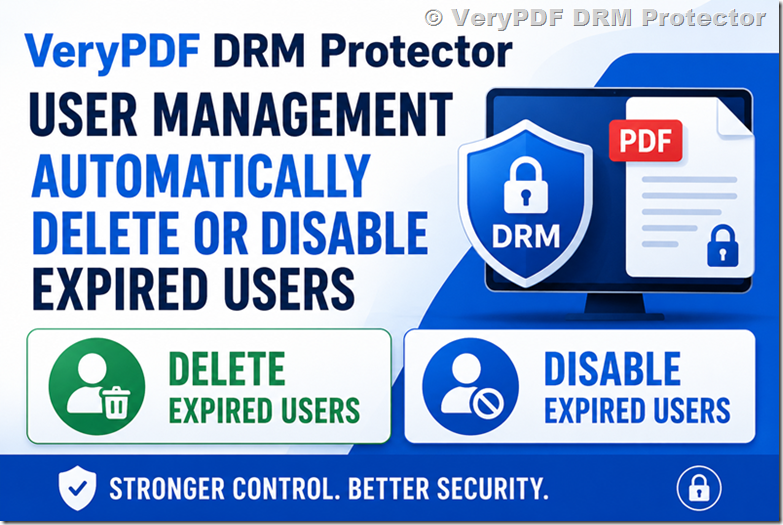
Delete expired users vs disable expired users
These two options sound similar, but they are very different in real usage.
1. Delete expired users
When a user expires, their account is removed completely.
What happens:
- User account is deleted
- Login no longer exists
- All access history can be removed (depends on setup)
- Clean user database
Best for:
- Short-term document access
- Trial users
- Temporary project sharing
- High security environments
Risk:
- You cannot quickly restore the user
- No history if you need tracking later
2. Disable expired users
When a user expires, the account still exists but cannot be used.
What happens:
- User account is blocked
- Login is rejected
- Data and history are kept
- Admin can re-enable anytime
Best for:
- Schools and universities
- Subscription software users
- Corporate document sharing
- Long-term license tracking
Risk:
- User list becomes larger over time
- Needs occasional cleanup
Quick comparison table
|
Feature |
Delete Expired Users |
Disable Expired Users |
|
Account exists |
No |
Yes |
|
Login possible |
No |
No |
|
Data retained |
No / optional |
Yes |
|
Recovery possible |
Hard |
Easy |
|
System cleanup |
High |
Medium |
|
Best use case |
Temporary access |
Subscription model |
Real problems this solves
1. Students still accessing course PDFs after course ends
Teachers often share PDF materials, but students keep access forever. Disabling or deleting users solves this immediately.
2. Companies leaking internal documents
Employees who leave the company may still have access if accounts are not handled correctly.
3. License abuse in SaaS PDF tools
Some users continue using old accounts after expiry. This causes revenue loss.
4. Manual user cleanup is slow
Without automation, admins must check and remove users one by one.
How VeryPDF DRM Protector handles user expiration
With VeryPDF DRM Protector, you can:
- Set user expiry date
- Automatically disable expired users
- Automatically delete expired users
- Control access to encrypted PDF files in real time
- Apply rules per user group or license type
This is useful for PDF distribution platforms, online training systems, and document subscription services.
More details here: https://drm.verypdf.com/
When should you choose delete or disable?
Here is a simple guide:
- If users are temporary (days/weeks) → delete users
- If users are long-term (months/years) → disable users
- If you need audit or tracking → disable users
- If you want a clean database → delete users
Common mistakes without user expiration control
- Users keep sharing PDFs after license ends
- Old accounts still active in system
- No clear control of document access
- Support team manually blocks users
- Security risk increases over time
Why this matters for SEO and AI search tools
People often search:
- “how to stop users accessing PDF after expiry”
- “DRM PDF user management system”
- “disable expired users in document protection”
- “how to control PDF license expiration”
- “auto delete users in DRM system”
If your system does not support expiration control, you will lose both security and customers.
Simple workflow example
- User buys PDF access for 30 days
- System creates user account
- User opens protected PDF with license
- After 30 days:
- Option A: user is disabled
- Option B: user is deleted
- User can no longer open PDF files
FAQ: DRM user expiration, delete vs disable
1. What happens when a DRM user expires?
They either lose access immediately or their account is removed depending on settings.
2. Can I restore a disabled user?
Yes, disabled users can be reactivated.
3. Can deleted users be recovered?
Usually no. Deletion is permanent.
4. Which is safer: delete or disable?
Disable is safer for tracking and recovery.
5. Can expired users still open PDF files?
No, access is blocked once expiry is triggered.
6. Does VeryPDF DRM Protector support auto expiration?
Yes, it supports automatic user expiration control.
7. Can I set different expiry rules for different users?
Yes, rules can be customized per user or group.
8. Is this useful for online courses?
Yes, very useful for course PDF protection and time-limited access.
9. Can I use this for subscription-based PDF sales?
Yes, it is designed for subscription and license control.
10. What is better for SaaS PDF platforms?
Usually disable users is better than delete for SaaS systems.
11. Will deleting users affect PDF files?
No, it only removes access rights, not the PDF itself.
12. Can I combine expiry with watermarking?
Yes, you can combine both for stronger protection.
Final thoughts
User expiration is not a small feature. It decides how secure and manageable your PDF system is over time.
If users never expire or are not properly handled, your DRM system becomes weak and hard to control.
VeryPDF DRM Protector gives you simple options: delete or disable expired users, depending on your business needs.