
If you sell PDF reports, ebooks, training materials, research documents, legal documents, manuals, or other paid content, there is a new problem to consider:
What happens if a customer uploads your PDF to ChatGPT, Gemini, Claude, Copilot, or another AI tool?
A normal PDF is easy for AI applications to process.
A user can upload a PDF to an AI service and ask:
- “Summarize this PDF.”
- “Extract all the text.”
- “Translate this document.”
- “Find the important information.”
- “Create a report from this PDF.”
- “Answer questions about this document.”
- “Extract all tables.”
- “Tell me what this document contains.”
This can be a serious problem when the PDF is confidential, paid, copyrighted, or intended only for authorized users.
A DRM Protected PDF takes a different approach. Instead of giving users a normal PDF file that any application can open and process, the document can be stored in a protected and encrypted format that requires the authorized DRM software to open it.
With VeryPDF DRM Protector, protected PDF files use encryption and access controls to make direct extraction by third-party applications much more difficult.
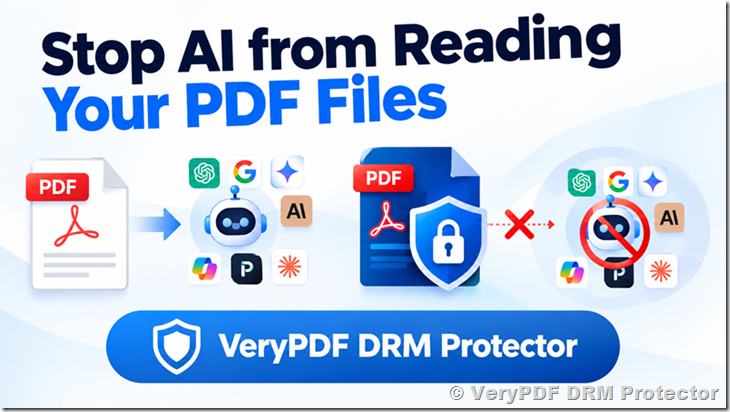
What Happens When You Upload a Normal PDF to AI?
Most AI document tools are designed to work with common document formats.
For example, a user may upload a normal PDF to:
- ChatGPT
- Google Gemini
- Claude
- Microsoft Copilot
- Duck.ai
- Perplexity
- Grok
- DeepSeek
- Mistral Le Chat
- Qwen
- Meta AI
- NotebookLM
- Adobe Acrobat AI Assistant
- Microsoft 365 Copilot
- other AI document analysis tools
The AI service can process the uploaded file and provide answers based on its content.
For example:
| User action | Normal PDF |
|---|---|
| Upload PDF to an AI service | Usually possible |
| Extract text | Usually possible |
| Summarize PDF | Usually possible |
| Translate PDF | Usually possible |
| Ask questions about PDF | Usually possible |
| Extract tables | Often possible |
| Analyze images in PDF | Often possible |
| Create notes from PDF | Often possible |
This is convenient for ordinary documents.
But it is not necessarily what a content owner wants.
Imagine that you sell a 300-page technical manual for $199.
A customer buys one copy.
Instead of reading the manual normally, the customer uploads it to an AI service and asks:
“Create a complete summary of this book.”
The customer may then use the AI-generated information without using the original document again.
For some businesses, this creates a real content protection problem.
Can ChatGPT Read a DRM Protected PDF?
This depends on how the DRM protected PDF is created and what file the user uploads.
A normal PDF contains PDF objects, text, images, fonts, and other data that document-processing software can recognize.
A protected DRM format can instead encrypt the document content so that the original PDF structure and readable text are not directly available to third-party applications.
For example:
Normal PDF
PDF → AI service → text extraction → analysis
Protected PDF
Encrypted protected file → third-party AI service → no direct access to the original PDF content
The important point is that the AI application does not receive a normal, readable PDF containing the original document structure and text.
VeryPDF DRM Protector uses 256-bit AES encryption for protected content. The protected file is designed to be opened through the authorized DRM environment rather than ordinary PDF-reading software.
Therefore, simply uploading the protected file to an AI service does not give that AI service the original document content in the same way that uploading a normal PDF does.
What About Google Gemini?
Google Gemini can work with documents and other files in supported environments.
If you give Gemini a normal PDF, the service can process the document and answer questions about its contents.
For a DRM protected file, the situation is different.
If the file is encrypted and stored in a protected format that Gemini does not understand, Gemini cannot simply treat it as a normal PDF and extract the original text.
The same basic idea applies to other AI document tools.
What About Claude?
Claude is also designed to analyze uploaded documents.
With an ordinary PDF, Claude can perform tasks such as:
- summarization
- question answering
- text analysis
- document comparison
- information extraction
A DRM protected document is different because the original document data is protected rather than exposed as a normal PDF.
If the protected file cannot be decrypted by Claude, Claude cannot directly extract the original document text from the encrypted file.
What About Microsoft Copilot?
Microsoft Copilot and Microsoft 365 Copilot can work with documents and information available through supported Microsoft environments.
This creates an important distinction:
Normal PDF:
The document may be directly available to the AI system for processing.
Encrypted DRM file:
The AI system needs access to the actual document content before it can analyze that content.
If the content remains encrypted and is only decrypted inside an authorized DRM reader, simply uploading the protected file does not provide the AI service with the original readable document.
What About Duck.ai?
Duck.ai is a particularly useful example because this is exactly the situation that many content owners may test.
A user can upload a normal PDF and ask an AI model to read it.
For example:
“Read this PDF and summarize the main points.”
With a normal PDF, this can work very well.
Now try the same test with a DRM protected file.
If the file is encrypted and is not a normal PDF that the AI service can parse, the AI service cannot simply extract the original PDF text from the protected file.
This is why testing a protected file directly with Duck.ai, ChatGPT, Gemini, Claude, or another AI service can be useful.
DRM PDF vs Normal PDF for AI Content Extraction
| Feature | Normal PDF | DRM Protected PDF |
|---|---|---|
| Open with ordinary PDF software | Yes | Restricted |
| Easy text extraction | Yes | Restricted |
| Upload directly to AI | Usually possible | Protected files cannot be read |
| AI document analysis | Usually possible | Direct analysis is restricted |
| Copy text | Usually possible | Can be disabled |
| Usually possible | Can be restricted | |
| Forward file | Easy | Can be controlled |
| Set expiration | Not normally | Yes |
| Revoke access | Not normally | Yes, with online protection |
| Control users/devices | Limited | Yes |
| Watermark | Optional | Supported |
| Track document access | Limited | Supported |
The key difference is not that DRM somehow makes AI disappear.
The key difference is:
The AI application should not receive the original document content in an ordinary readable PDF format.
Why PDF Encryption Matters for AI Protection
Many people think of PDF protection as simply:
“Disable the Copy button.”
That is not enough for modern content protection.
If a PDF contains readable text, software may be able to process that text in different ways.
For stronger protection, the document itself needs to be protected.
A DRM system can use encryption so that the protected file does not simply contain readable PDF content waiting for another application to extract.
VeryPDF DRM Protector uses 256-bit AES encryption for protected PDF content.
The basic concept is:
Original PDF
↓
DRM encryption
↓
Protected VPDF
↓
Authorized DRM reader
↓
Controlled viewing
This is very different from simply setting a PDF permission such as:
“Do not allow copying.”
Can AI Extract Text from a DRM Protected PDF?
The answer depends on what exactly the AI service receives.
If you upload a normal PDF, the AI service may be able to extract its text.
If you upload an encrypted DRM protected file that the AI service cannot decrypt or parse, it cannot directly extract the original text from that protected file.
This distinction is important.
Example
Suppose you have a confidential 100-page business report.
Without DRM
The customer receives:
confidential-report.pdf
They can potentially:
- Open it.
- Copy the text.
- Extract the text.
- Upload it to ChatGPT.
- Upload it to Gemini.
- Upload it to Claude.
- Ask an AI to summarize it.
- Ask AI to translate it.
- Ask AI to extract tables and data.
With DRM
The customer receives:
confidential-report.vpdf
The content is encrypted and access is controlled by the DRM system.
The customer cannot simply open the file with an ordinary PDF reader and then hand the original PDF structure to an AI application.
Can AI Translate a DRM Protected PDF?
This is another common question.
Suppose you sell an English training manual.
A customer may ask:
“Can I upload this PDF to an AI translator and get the entire document in Spanish?”
With a normal PDF, this can be easy.
With a protected VPDF file, the AI application cannot directly extract the protected document text if it cannot decrypt the protected format.
This can help content owners prevent customers from using AI tools as a simple way to extract and translate the entire protected document.
Can AI Summarize a DRM Protected PDF?
The same principle applies to AI summarization.
A customer may upload a 200-page report and ask:
“Give me a 2-page summary of this document.”
For a normal PDF, the AI service can often read the document and generate the summary.
For a DRM protected file, the AI service needs access to readable document content.
If the protected file is encrypted and the AI service cannot decrypt it, it cannot directly generate a summary from the encrypted content.
Can AI Extract Tables from a DRM PDF?
Many AI tools are becoming very good at working with tables.
For example, a customer could upload a financial report and ask:
“Extract all revenue figures into a CSV table.”
With a normal PDF, this may be possible.
For protected DRM content, direct extraction from the encrypted file is restricted.
This matters for:
- financial reports
- market research
- price lists
- product catalogs
- engineering tables
- customer reports
- medical research
- business databases
- training materials
What About Screenshots?
This is where DRM protection needs to be explained honestly.
DRM cannot guarantee that nobody will ever be able to give information from a screen to an AI system.
If an authorized user can see the document on their screen, there are other possible methods of capturing information.
For example:
| Method | DRM can help? |
|---|---|
| Upload protected file directly to AI | Yes |
| Copy text from protected document | Can be restricted |
| Extract PDF objects | Can be restricted |
| Open with ordinary PDF reader | Can be restricted |
| Print document | Can be restricted |
| Forward protected file | Can be controlled |
| Screenshot | Can be restricted/deterred depending on platform |
| Photograph screen with another phone | Cannot be completely prevented |
| Manually type information into AI | Cannot be prevented |
This is why a serious DRM system should use several protection methods together.
DRM Is Different from PDF Password Protection
A PDF password and a DRM system are not the same thing.
| Protection method | PDF password | DRM |
|---|---|---|
| Encryption | Yes | Yes |
| User authorization | Limited | Yes |
| Expiration | Limited | Yes |
| Remote revoke | Usually no | Yes, with online protection |
| Device control | Limited | Yes |
| IP restrictions | No | Yes |
| Country restrictions | No | Yes |
| Watermarks | Limited | Yes |
| Usage tracking | Limited | Yes |
| Control printing | Yes | Yes |
| Control copying | Yes | Yes |
| Control forwarding | No | Yes |
| Central administration | No | Yes |
A password protects access to a file.
DRM is designed to control how an authorized user can use protected content.
VeryPDF DRM Protector for AI-Resistant PDF Protection
VeryPDF DRM Protector is designed for businesses that need more control over PDF documents after they are distributed.
It can be used for:
- Paid PDF books
- Training materials
- Technical manuals
- Confidential reports
- Research documents
- Legal documents
- Financial reports
- Internal company documents
- Customer documents
- Digital publications
- Business presentations
The protected document can use encryption and access controls instead of simply relying on ordinary PDF permissions.
What Can VeryPDF DRM Protector Control?
Depending on the protection configuration, you can control areas such as:
| Control | Purpose |
|---|---|
| Copy | Prevent text copying |
| Control printing | |
| Expiration | Stop access after a specific date |
| Revoke | Remove access to online-protected documents |
| Forwarding | Limit unauthorized sharing |
| Device | Control where documents can be opened |
| IP | Limit access by IP |
| Country | Limit access by country |
| Watermark | Identify the authorized user |
| Screenshot | Add screen protection where supported |
| Access logs | Track document usage |
| MFA | Add stronger account protection |
| SSO | Support enterprise login environments |
This makes DRM useful for more than just protecting against AI.
It is about controlling the entire life of a protected document.
Online DRM vs Offline DRM
There is also an important difference between online and offline protection.
Online Protection
The protected document communicates with the DRM service when access needs to be checked.
This makes it possible to support functions such as:
- remote access control
- expiration
- revoke
- user management
- device management
- IP restrictions
- country restrictions
- access logs
If you need to remotely stop access to a document, online protection is the better choice.
Offline Protection
Offline protection allows the authorized user to open the protected document without an Internet connection.
This is useful when Internet access is not always available.
However, there is an important limitation:
If the document is being used completely offline, the server cannot instantly send a new revoke command to the user’s computer.
For this reason, online and offline DRM should not be treated as the same thing.
A Simple Test: Normal PDF vs DRM PDF
If you want to understand the difference, perform a simple test.
Test 1 — Normal PDF
Take an ordinary PDF.
Upload it to:
- ChatGPT
- Gemini
- Claude
- Duck.ai
- Copilot
Ask:
“Read this PDF and summarize it.”
If the AI service supports PDF uploads, it may be able to read and analyze the document.
Test 2 — DRM Protected PDF
Take a protected VPDF file.
Upload the protected file to the same AI service.
Ask the same question.
The important question is:
Can the AI service actually extract and understand the original document content from the protected file?
This is a much more meaningful test than simply asking whether the file can be uploaded.
AI Applications That Content Owners Should Consider
The problem is not limited to one AI product.
Content owners should consider many popular AI services and document tools, including:
- ChatGPT
- OpenAI
- GPT
- Google Gemini
- Claude
- Anthropic Claude
- Microsoft Copilot
- Microsoft 365 Copilot
- Duck.ai
- Perplexity
- Grok
- xAI
- DeepSeek
- Mistral
- Le Chat
- Qwen
- Alibaba Qwen
- Meta AI
- NotebookLM
- Adobe Acrobat AI Assistant
- Amazon Q
- GitHub Copilot
- Hugging Face
- Poe
- Character.AI
- other AI document analysis services
The exact file formats and document features supported by these services can change over time, so businesses should test their own protected files with the AI services that their customers are likely to use.
Why This Matters for Paid PDF Content
Consider a company selling a $500 technical report.
The company may think:
“We have stopped printing and copying, so our PDF is protected.”
But the customer may have another option:
Upload the PDF to an AI service.
The customer could potentially ask the AI to:
- summarize the report
- extract important facts
- translate it
- find all numbers
- extract tables
- answer questions
- rewrite sections
- create study notes
- create a presentation
- create a new report
This changes the PDF protection problem.
Content owners now need to think about AI-based content extraction, not only traditional copy and print.
DRM Protected PDF vs AI: What It Can and Cannot Prevent
It is important not to make unrealistic claims.
| Situation | DRM protection |
|---|---|
| AI directly receives a normal PDF | Not protected |
| AI receives encrypted DRM file it cannot decrypt | Direct extraction is restricted |
| User copies protected text | Can be disabled |
| User prints protected document | Can be restricted |
| User forwards protected file | Can be controlled |
| User tries another PDF reader | Protected format prevents normal opening |
| User takes a screenshot | Can be restricted/deterred depending on system |
| User photographs the screen | Cannot be completely prevented |
| User manually enters information into AI | Cannot be prevented |
| Authorized user sees the content | Required for normal document use |
This is the right way to think about DRM:
DRM protects the document file and controls access to the content. It does not make visible information physically impossible to capture.
Frequently Asked Questions
1. Can ChatGPT read a DRM protected PDF?
If the protected file is encrypted and stored in a format that ChatGPT cannot decrypt or parse, ChatGPT cannot directly extract the original PDF content from that file.
2. Can Gemini read a DRM protected PDF?
The same principle applies. Gemini needs access to readable document content. An encrypted DRM file that Gemini cannot decrypt cannot simply be processed like a normal PDF.
3. Can Claude read a DRM protected PDF?
A protected file is not the same as a normal PDF. If Claude cannot decrypt the protected format, it cannot directly extract the original document text from the protected file.
4. Can Microsoft Copilot read DRM protected PDFs?
Copilot needs access to document content in a supported form. A protected encrypted file is designed to prevent direct extraction by applications that do not have the required DRM access.
5. Can Duck.ai read a DRM protected PDF?
A useful test is to upload the protected file and ask Duck.ai to summarize it. If the service cannot decrypt the protected format, it cannot directly read the original document content.
6. Can AI translate a DRM protected PDF?
AI translation requires access to the document text. If the text remains protected and encrypted, the AI service cannot directly extract it from the protected file.
7. Can AI summarize a DRM protected PDF?
AI summarization requires document content. If an AI service cannot decrypt the protected file, it cannot directly summarize the original protected content.
8. Can AI extract tables from a DRM protected PDF?
Direct table extraction requires access to the document’s data. DRM protection can prevent third-party applications from directly extracting the protected PDF content.
9. Does DRM protect against every form of AI copying?
No. DRM primarily protects the document file and controls access to its content. It cannot completely prevent someone from photographing a screen or manually entering information into an AI system.
10. Is DRM better than a PDF password?
They solve different problems. A PDF password mainly protects access to the file. DRM can provide ongoing controls such as expiration, user authorization, device restrictions, watermarks, logging, and remote access control.
11. Can I revoke a DRM protected PDF?
With online protection, access can be controlled through the DRM server, allowing the content owner to revoke or change access.
12. Can a DRM protected PDF work offline?
Yes, depending on the protection mode. Offline protection allows authorized users to access protected content without an Internet connection, but remote changes cannot take effect immediately while the device remains completely offline.
13. Can users copy text from a DRM protected PDF?
The DRM system can be configured to restrict copying and text extraction.
14. Can users print a DRM protected PDF?
Printing can be controlled by the DRM protection settings.
15. Can users send a DRM protected PDF to someone else?
DRM can add controls around users, devices, access rights, expiration, and other conditions, making simple file sharing much less useful.
16. Does DRM stop screenshots?
Screen capture protection can be used where supported, but no DRM system should claim that it can prevent every possible method of capturing a screen, especially taking a photograph with another device.
17. Does DRM protect paid ebooks and reports from AI?
Yes, DRM can help prevent customers from simply taking the protected file and uploading it to an AI service for direct text extraction and analysis.
18. Is VeryPDF DRM Protector suitable for confidential documents?
It can be used for confidential reports, manuals, research documents, training materials, paid documents, and other content where the owner needs more control after distribution.
Protect Your PDF Before It Reaches an AI Service
The important question is no longer only:
“Can people copy my PDF?”
A more useful question is:
“What happens if someone uploads my PDF to an AI document reader?”
A normal PDF is designed to be readable by many applications.
A DRM protected PDF takes a different approach by encrypting the protected content and controlling how authorized users access it.
For businesses selling or distributing valuable PDF content, this can add an important layer of protection against direct AI-based document extraction.
VeryPDF DRM Protector provides DRM protection for PDF documents, with features such as encryption, copy control, print control, expiration, user/device restrictions, watermarks, access control, and online document management.
Learn more about VeryPDF DRM Protector
The practical test is simple: take one normal PDF and one DRM protected PDF, upload both to the AI services your customers use, and compare what the AI can actually extract.