
A lot of people who publish PDFs online are starting to feel something is changing.
It is no longer just about someone downloading or copying your file.
Now the bigger issue is this: AI tools can read your PDF, summarize it, and reuse the content without sending users back to you.
Tools like ChatGPT, Claude, Gemini, and Copilot make this very easy. A 100-page document can be turned into a short answer in seconds.
For teachers, publishers, consultants, and companies, this creates a new problem. Your content is still being used, but your control over it is getting weaker.
This article explains what is happening, why it matters, and how PDF protection tools like VeryPDF DRM Protector can help.
Why PDF files are harder to protect today
PDFs were designed to be simple:
- Easy to share
- Easy to read
- Looks the same everywhere
But this also means once a PDF is shared, it is very hard to control what happens next.
Today, a PDF can be:
- Downloaded and shared in seconds
- Uploaded into AI tools
- Summarized automatically
- Reused in other content
- Distributed without tracking
Even if you do not see it, this is already happening every day.
AI scraping is changing how content is used
AI scraping is not always about stealing.
It is more about extracting knowledge from documents.
Here are some real examples:
| Situation | What happens |
| University lecture PDF | Students ask AI instead of reading it |
| Paid report | AI summarizes it and users skip the original |
| Training materials | Copied into prompts and reused |
| Research papers | Key ideas extracted and shared elsewhere |
In all these cases, the content is still used, but the original source loses attention and value.
The real problem is not copying anymore
Many people still think the issue is piracy.
But that is only part of it.
The bigger problems are:
- No traffic back to your website
- No control over where content goes
- No visibility of usage
- No way to stop AI summarization
- Loss of paid content value
Before, sharing content often helped spread it.
Now, sharing often removes the need to visit the original source.
Why basic PDF protection is not enough
Some common methods include:
- Password protection
- Disable right-click
- Watermarks
- Download restrictions
These help a little, but they do not solve the real issue.
Once a PDF is opened, it can still be:
- Copied
- Screenshotted
- Uploaded into AI tools
- Forwarded to others
So the question becomes: what actually works?
Types of PDF protection
| Method | What it does | Weakness |
| Password protection | Blocks entry | Easy to bypass after opening |
| Watermarking | Shows ownership | Does not stop copying |
| Download limits | Reduces sharing | Still downloadable |
| DRM protection | Controls usage after access | Requires proper system |
Among these, DRM protection gives the most control.
What is DRM protection for PDFs?
DRM stands for Digital Rights Management.
Instead of only protecting the file, it controls how the file is used after opening.
This includes:
- Who can open the document
- How long it stays accessible
- Which device can use it
- Whether copying is allowed
- Whether printing is allowed
- Whether sharing is blocked
So even if the file is shared, it may not work outside the rules.
Why DRM matters more in the AI era
AI tools do not need to “steal” files.
They only need access.
Once a document is readable, AI can:
- Read it
- Summarize it
- Store it
- Reuse it in answers
This is why modern protection needs to go beyond file security.
It must control access and usage at the document level.
How VeryPDF DRM Protector helps
VeryPDF DRM Protector is built for organizations that need real control over PDF distribution.
It focuses on one simple idea:
You decide how your PDF is used after it is delivered.
Key features:
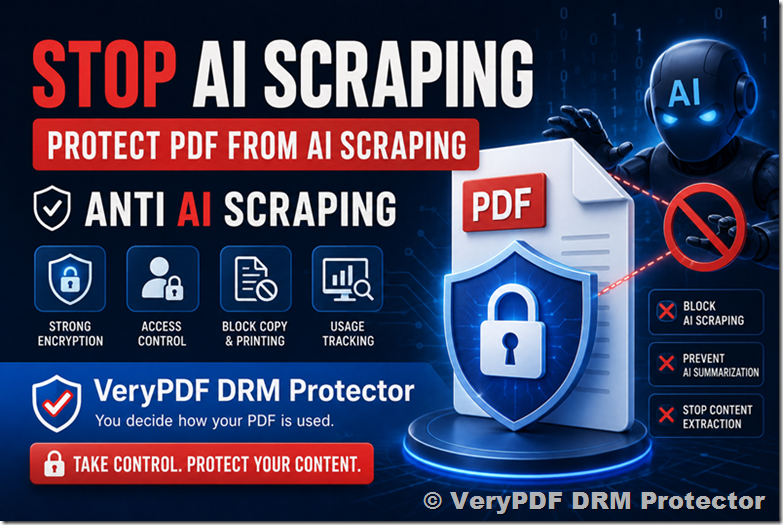
- AES 256-bit encryption
- User, device, and time-based access control
- Expiration rules for documents
- Dynamic watermarking for traceability
- Block copy and printing
- Online DRM policy management
Instead of relying on user behavior, it enforces rules automatically.
Try it here: https://drm.verypdf.com/
Who needs PDF DRM protection
This is not for everyone, but it is important for:
Education
- Course materials
- Lecture notes
- Online training content
Publishing
- Paid digital books
- Research reports
- Subscription content
Business
- Internal documents
- Training manuals
- Strategy reports
Consulting
- Client reports
- Analysis documents
- Confidential proposals
What changes after DRM protection
Before DRM:
- PDF is sent or downloaded
- Users forward it freely
- AI tools extract content
- Original source loses value
After DRM:
- Only authorized users can open it
- Access can expire
- Copying is restricted
- Usage can be tracked
- Sharing is controlled
The content still exists, but control stays with you.
Common mistakes companies make
- Thinking a password is enough
- Assuming users will not share files
- Believing content is too small to matter
- Not tracking document usage
Once a file is online, control is already limited unless protection is applied.
How to think about PDF protection in 2026
The shift is simple:
Before: Protect the file
Now: Control how the file is used
This includes both human users and AI systems.
Conclusion
AI is changing how people use documents.
In many cases, users no longer read full PDFs. They ask AI to summarize them instead.
This creates a real challenge for anyone who depends on PDF content for business, education, or publishing.
PDF protection is no longer just about preventing copying. It is about controlling access and usage in a world where AI can process content instantly.
Tools like VeryPDF DRM Protector give organizations a practical way to keep control over their documents after distribution.
FAQ
1. What is AI scraping PDFs?
It means AI tools read and extract information from PDF files automatically.
2. Can ChatGPT read PDFs?
Yes, if the PDF content is accessible, it can be processed and summarized.
3. Is password protection enough for PDFs?
No, because once opened, content can still be copied or reused.
4. What is DRM for PDFs?
It is a system that controls how a PDF is used after it is opened.
5. Can DRM stop AI from using my content?
It can limit access, but no system can fully control external AI once content is exposed.
6. What is the difference between watermark and DRM?
Watermark shows ownership, DRM controls usage.
7. Who uses PDF DRM protection?
Schools, publishers, companies, and consultants.
8. Can DRM stop file sharing?
It can reduce and control sharing based on rules.
9. Does DRM affect user experience?
It adds control steps but improves content protection.
10. Is DRM only for large companies?
No, small businesses and educators also use it.
11. Why is AI a risk for PDF content?
Because it can extract and reuse content without sending traffic back.
12. Where can I try it?