
This is a common challenge for niche publishers: finding the sweet spot between accessibility for paying customers and robust protection against unauthorized sharing. Your goal is essentially to replicate the Kindle Ecosystem or Google Drive “View Only” experience for your proprietary research.
To address your specific needs, the most professional and scalable solution is VeryPDF DRM Protector. Below is a comprehensive guide and recommendation on how to secure your intellectual property using this technology.
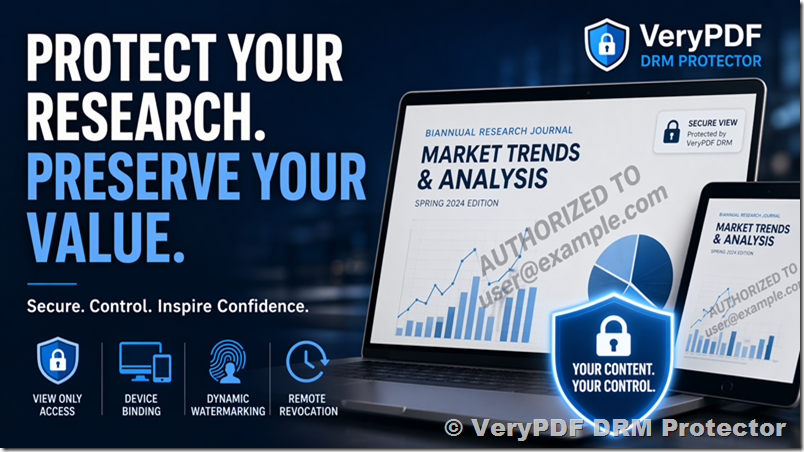
Securing Your Intellectual Property: The Definitive Guide to VeryPDF DRM Protector
In the digital age, “Information wants to be free,” but research and training materials cost significant time and capital to produce. For a niche journal publishing biannual research, your PDF files are your primary revenue stream. Once a PDF is downloaded without protection, it becomes a “leaking bucket”—one customer can upload it to a forum, Slack channel, or file-sharing site, effectively ending your sales cycle for that edition.
The Problem with Standard Solutions
As you noted, platforms like Gumroad are excellent for delivery but poor for protection. They focus on the transaction, not the tether. Similarly, Google Drive’s “View Only” mode is easily bypassed by tech-savvy users through browser cache inspection or simple “Print to PDF” tricks.
To truly prevent unauthorized distribution, you need Digital Rights Management (DRM).
Why VeryPDF DRM Protector?
VeryPDF DRM Protector is designed specifically to bridge the gap between “standard PDF” and “secure encrypted content.” It doesn’t just password-protect a file; it wraps the document in a layer of security that communicates with a central server to verify the reader’s identity and permissions in real-time.
1. Hardened “Read-Only” Enforcement
Unlike standard PDFs that rely on the user’s PDF reader to “honor” security settings, VeryPDF DRM uses its own secure viewing environment.
- Disable Downloading: The file is never truly “saved” to the user’s local drive in an unencrypted format.
- Disable Printing: You can completely toggle off the print function to prevent physical or “virtual” (PDF-to-PDF) copies.
- Prevent Copy-Paste: Users cannot highlight text to copy it into other documents.
2. Device Binding (The “Kindle” Experience)
The primary reason Kindle is successful is that the book is tied to the device or account. VeryPDF allows you to:
- Limit the number of devices a single customer can use (e.g., 1 PC and 1 Tablet).
- Bind the document to a specific Machine ID. This ensures that even if a customer shares their login credentials, a third party cannot open the file on an unauthorized machine.
3. Dynamic Watermarking (The Psychological Deterrent)
You mentioned that people can still take screenshots. While “analog hole” attacks (taking a photo of the screen) are impossible to stop via software, Dynamic Watermarking is the best defense.
VeryPDF can overlay the Customer’s Email Address, IP Address, or Order ID across the pages of the PDF. If a user leaks a screenshot, their identity is visible on every page, serving as a massive legal and social deterrent.
4. Remote Expiry and Revocation
Since your journal is biannual, you might offer subscriptions.
- Time-Limited Access: You can set a PDF to expire after 6 months.
- Instant Revocation: If a customer requests a refund or violates terms of service, you can “kill” their access remotely. The next time they try to open the file, the DRM server will deny the handshake.
“How I Did It”: A Step-by-Step Implementation Strategy
If you were to implement this for your journal today, here is the workflow that mirrors the “View Only” ease of Google Drive but with professional-grade security:
Step 1: Encrypting the Assets
You use the VeryPDF DRM Protector desktop tool or API to batch-encrypt your biannual reports. During this stage, you define your “Rules”:
- Allow Printing? No.
- Allow Offline Viewing? Yes (for 3 days before requiring a re-sync).
- Watermark? “Authorized to [CustomerEmail]”.
Step 2: Distribution via Web Portal
Instead of sending a raw PDF link, your website (or 3rd party service) generates a Unique License Key upon purchase. The customer is directed to download your branded “Secure Reader” or use the VeryPDF Web Viewer.
Step 3: Access Validation
When the customer opens the link/file, the DRM Protector checks the license key against your database. It confirms the “View Only” status. The user reads the high-quality research exactly like an ebook, but the “Save As” and “Share” buttons are non-existent.
Comparison: VeryPDF vs. Traditional Sharing
| Feature | Google Drive / Dropbox | Gumroad / Email | VeryPDF DRM Protector |
|---|---|---|---|
| Download Prevention | Weak (easily bypassed) | None | Strong (Encrypted) |
| Device Control | No | No | Yes (Binding) |
| Watermarking | No | No | Yes (Dynamic) |
| Revocation | Manual | Impossible | Automatic/Remote |
| Offline Security | None | None | Encrypted Local Cache |
Final Recommendation for Your Journal
For a niche research publication, your reputation is built on the exclusivity and quality of your data. Using a professional DRM tool doesn’t just protect your revenue; it signals to your subscribers that your content is high-value and proprietary.
VeryPDF DRM Protector provides the “View-Only” simplicity you requested while adding the “Kindle-style” architecture that prevents your biannual hard work from becoming a free download on the open web.
Pro Tip: Start by implementing the Web-based DRM Viewer. This allows your customers to read directly in their browser without downloading any software, providing the lowest “friction” for your users while maintaining 100% control over the file.
Since your journal requires a specific balance of “easy to read” and “hard to replicate,” would you like to explore how to integrate the DRM API directly into your existing website’s checkout flow?