
If you’ve ever needed to send confidential documents to clients, legal teams, accountants, HR departments, or business partners, you’ve probably realized something frustrating:
Most “secure file sharing” platforms are really just cloud storage services with a password field added on top.
A few weeks ago, one of our clients described the exact same problem:
“I needed a secure way to share confidential documents with a client, so I started researching encrypted file sharing tools and secure document transfer services.
The problem is that most secure platforms still feel like regular cloud storage services with basic password protection added on top. Some file sharing links could still be forwarded easily, which kind of defeats the purpose of private document sharing.
What I was actually looking for was a secure file sharing solution with features like password protected links, one-time downloads, temporary file access, auto expiring links, and end-to-end encryption for sensitive documents.
I also didn’t want another bloated cloud storage platform or something that forces clients to create accounts just to open confidential files.”
That concern is becoming increasingly common in 2026.
Businesses today are sharing:
- Legal contracts
- Financial reports
- Medical documents
- HR files
- Intellectual property
- Product designs
- Confidential PDFs
- Client onboarding paperwork
- Compliance documentation
- Internal strategy files
And yet many organizations are still using:
- Email attachments
- Google Drive links
- Dropbox shares
- OneDrive folders
- WeTransfer-style transfer services
The problem?
Those systems were designed primarily for convenience and collaboration — not true document security.
In this article, we’ll break down:
- Why traditional cloud sharing is risky
- What secure document sharing should actually include
- Common weaknesses in encrypted file transfer tools
- The difference between file transfer and document protection
- Why DRM-based document security is becoming the preferred approach
- How VeryPDF DRM Protector solves these problems for businesses handling sensitive documents
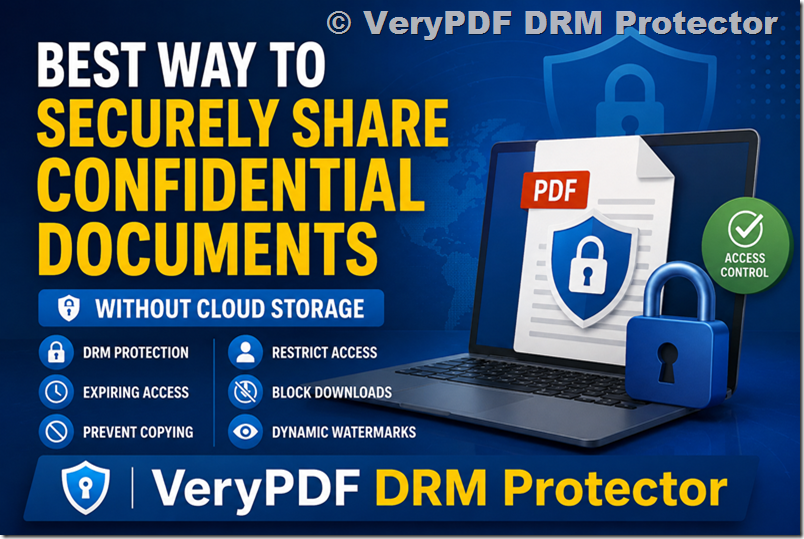
Why Traditional Cloud File Sharing Is Not Really Secure
Most cloud storage platforms focus on synchronization and collaboration.
Security is usually layered on afterward.
For example:
- Password-protected links
- Expiration dates
- Restricted folders
- Download limits
While these features help somewhat, they do not actually protect the document itself.
Once someone downloads the file, control is often lost completely.
That means recipients can:
- Forward files
- Copy content
- Upload documents elsewhere
- Print sensitive materials
- Screenshot pages
- Share passwords internally
- Keep permanent local copies
Even worse, many “secure links” are only protecting access to the download page — not the document after delivery.
This creates a major gap in real-world security.
The Real Problem: Access Control Ends After Download
This is where many organizations misunderstand secure file sharing.
They assume:
“If the link is encrypted, the file is secure.”
But encryption during transfer is only part of the equation.
The real challenge is:
What happens AFTER the recipient opens the file?
That’s where traditional file sharing systems usually fail.
For highly confidential documents, businesses increasingly need:
- Persistent access control
- Dynamic permissions
- Remote revocation
- Anti-copy protection
- DRM enforcement
- Device restrictions
- User authentication
- Usage tracking
What Features Should a Secure File Sharing Solution Include?
1. Password Protected Access
Basic but still important.
- Secure passwords
- Email verification
- Identity validation
- Multi-factor authentication when needed
However, passwords alone are not enough.
2. One-Time Downloads
- Single-use links
- One-time file access
- Automatic invalidation after viewing
This reduces forwarding risks significantly.
3. Auto Expiring Access
- Contracts accessible for 7 days
- Proposal files expiring after review
- Temporary vendor documentation
- Time-limited financial reports
4. End-to-End Encryption
- During upload
- During transfer
- During storage
- During access
But encryption alone still does not prevent misuse after opening.
5. No Mandatory User Accounts
“Why does my client need to create another account just to open one file?”
- Browser-based viewing
- Simple authentication
- Frictionless secure access
- Minimal onboarding
6. Document-Level DRM Protection
This is where modern secure document sharing becomes fundamentally different.
Instead of protecting only the download link, DRM protects the document itself.
- Preventing unauthorized copying
- Blocking screenshots
- Disabling printing
- Restricting downloads
- Locking access to approved devices
- Revoking files remotely
- Setting expiration dates directly on documents
- Watermarking viewers dynamically
File Transfer vs Document Protection
| Traditional File Sharing | DRM-Based Document Protection |
|---|---|
| Protects the transfer | Protects the document itself |
| Security ends after download | Security persists permanently |
| Links can be forwarded | Files remain access-controlled |
| Files become unmanaged | Permissions remain enforceable |
| Limited visibility | Full usage tracking |
| Weak copy prevention | Strong anti-copy controls |
Why VeryPDF DRM Protector Is Different
VeryPDF DRM Protector is designed specifically for secure document distribution and confidential file protection.
- Document-level security
- Persistent DRM enforcement
- Controlled access
- Secure viewing
- Anti-leak protection
This makes it ideal for organizations that need stronger control over sensitive PDFs and confidential business documents.
Try VeryPDF DRM Protector
VeryPDF DRM Protector Official Website
- Secure document DRM
- Expiring access
- Dynamic watermarking
- Remote revocation
- Anti-copy protection
- Device restrictions
- Secure PDF sharing
VeryPDF DRM Protector provides a much stronger alternative to traditional cloud-based file sharing services for confidential business documents.