
* Securing PDF files: Viewing on just one PC possible?
* Can I limit a PDF to be open on only one machine at a time?
* How to make a PDF file only open at 1 computer but not some other computers?
PDF documents are widely used for distributing sensitive content such as training materials, manuscripts, reports, contracts, and educational resources. However, once a PDF is delivered to a customer, controlling what happens next becomes difficult. Traditional password protection is often misunderstood as “security,” but in practice it offers very limited control over redistribution.
Below is a consolidated, in-depth article that directly addresses real customer questions about restricting PDF access to a single computer or limiting simultaneous usage, while also explaining what is technically possible today and what requires a proper Digital Rights Management (DRM) solution.
1. The Reality of PDF Protection (Before We Answer Anything)
Before addressing the specific questions, it is important to clarify a few technical realities:
- PDF passwords are not enforcement systems
User and owner passwords in PDF files mainly provide convenience-level protection, not true access control. If a user can open the file, they can often:- Copy or share it
- Remove restrictions using third-party tools
- Re-distribute the file with the password included
- PDF files are static objects
Once downloaded, they behave like normal files. There is no built-in mechanism in standard PDF technology to:- Bind a file permanently to a device
- Enforce real-time access rules
- Prevent duplication entirely
- Anything displayed on a screen can be captured
As noted in the question itself, screen capture tools, OBS recording, or even a smartphone camera can bypass many protections. This is not a flaw in PDF specifically, but a general limitation of digital content.
Because of this, true protection requires moving beyond “PDF security settings” and into DRM-based document control systems.
2. Question 1 (Original)
Securing PDF files: Viewing on just one PC possible?
Hey people!
We’re distributing manuscripts for webinars to our customers and many only want them digitally (PDFs) nowadays.
I’ve been tasked to check possibilities of securing those PDF files. I know about user and owner passwords with their various checkboxes. That’s all neat and fine, but won’t stop anyone who got the file and user password from spreading both together.
I also know that nothing is completely safe and with enough evil intent, anything is possible. Also, using Snipping Tool or even OBS to capture the screen is also possible, or even using your smartphone’s camera, yadda yadda.
Now I thought that maybe there’s a way to only allow users to open the files on their own PC. Something like a software dongle or so? This might overshoot the goal by a long shot and of course, we want to keep a nice balance between usability and security, but we feel like adding a watermark onto the pages and securing it with a password might not be enough. Maybe there’s even an online solution to which we can upload the files and control someone’s access?
Any thoughts?
Answer
Yes , what you are describing is absolutely possible, but not with standard PDF password protection. You are essentially describing device-bound access control, which is a feature of Digital Rights Management (DRM) systems rather than PDF itself.
What you are trying to achieve
You want to:
- Restrict a PDF to a single computer or device
- Prevent redistribution even if the file is copied
- Possibly control access via an online system
- Maintain usability for legitimate customers
This is typically implemented using machine binding (device fingerprinting) or license-based access control.
How “one-PC-only” access actually works
A proper DRM system does not just protect the file, it changes how the file is accessed:
- The PDF is encrypted
The file is unreadable outside a secure viewer. - The user installs a secure reader application
This viewer enforces restrictions. - The license is bound to a device
When activated, the system records hardware identifiers (CPU, motherboard, OS profile, etc.). - Access is allowed only on that machine
If the file is copied elsewhere, it will not open. - Optional online verification
Some systems periodically verify license validity online.
This approach is conceptually similar to a “software dongle,” but implemented digitally.
Important limitations (realistic expectations)
Even with DRM:
- Screen recording is still possible (no system can fully prevent this)
- Photos of the screen are still possible
- No system is 100% unbreakable
However, DRM dramatically reduces:
- Casual sharing
- Forwarding PDFs to colleagues or friends
- Uploading files to public platforms
Recommended approach
For your use case (webinar manuscripts distributed to customers), a practical solution is a PDF DRM platform with device binding and watermarking, such as:
- Device-locked PDF access
- Dynamic watermarking (user email, ID, timestamp)
- Optional expiry dates
- Remote revoke capability
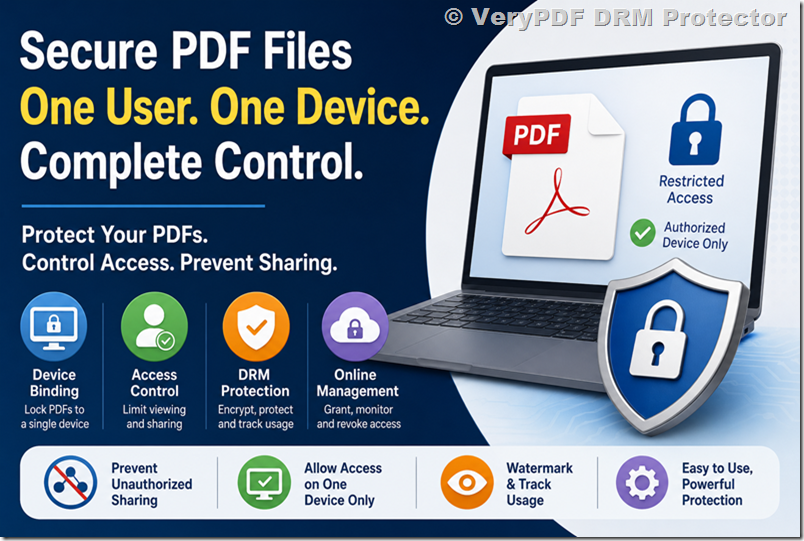
A solution such as VeryPDF DRM-protected PDF systems (e.g., VeryPDF DRM Protector) is designed specifically for this scenario, allowing organizations to enforce “one user, one device” access while still keeping PDFs easy to distribute.
3. Question 2 (Original)
Can I limit a pdf to be open on only one machine at a time?
Hey,
I have a pdf form in a shared folder on a mac for a very small network. There are 5 macs that access the file. Is there a way that I can limit the pdf so that only one machine can have it open at a time and it wont let another open it until the current user has closed it (like you can do in excel).
Thanks
Answer
What you are describing is called concurrent access control (or file locking). This is common in applications like Excel or database systems, but it is not a native feature of PDF files.
Why PDFs cannot do this by themselves
A PDF file:
- Has no awareness of “who is currently opening it”
- Has no server-side coordination mechanism
- Is designed to be a static document format
So when multiple Mac computers access a shared folder:
- Each machine simply opens its own local copy
- There is no built-in locking mechanism
Why Excel behaves differently
Excel supports this because:
- It integrates with file-locking protocols (SMB/NFS locking)
- It can operate in shared workbook or cloud-controlled modes
- It can coordinate access through Microsoft services
PDF does not have an equivalent system.
How this is solved in professional environments
To achieve “only one user at a time” access, you need one of the following:
1. File checkout system (document control)
- User “checks out” document
- Others are blocked until it is released
2. Server-controlled PDF delivery
- PDF is not directly shared in a folder
- Access is granted dynamically via server authentication
3. DRM-controlled access (preferred)
- Each access request is validated
- Simultaneous opening can be restricted by policy
- Session-based control can be enforced
Practical recommendation
If your goal is:
- Prevent simultaneous editing or viewing
- Ensure controlled access in a small team environment
Then a DRM-based or document portal system is required rather than a shared folder.
Solutions like VeryPDF DRM systems can enforce:
- One-device-at-a-time access rules (policy-based)
- User authentication before opening documents
- Session control (auto-expiry or forced logout)
This is far more reliable than trying to use filesystem-level tricks on macOS.
4. Question 3 (Original)
How to make a PDF file only open at 1 computer but not some other computers?
There is a way using Acrobat Professional 8 or higher, to make the computer that you download the PDF file from, be the only computer that can open the file.
So if you give that file to some1 else in another computer, that other person can’t open it.
Does any1 knows a step by step?
Answer
This idea is based on an older concept of machine-bound PDF encryption, but it is important to clarify something critical:
The feature described is not a standard or reliable capability of modern Adobe Acrobat alone.
Historically:
- Adobe had a system called LiveCycle Rights Management (LC RM)
- It allowed server-based access control and device restrictions
- It required enterprise infrastructure and policy servers
However:
- It is no longer a simple “Acrobat feature”
- It is not available as a basic step-by-step option in standard Acrobat installations
- It has largely been replaced by Adobe Experience Manager (AEM) Forms / DRM services
Why this approach is often misunderstood
Many online posts suggest:
- “Acrobat can lock PDFs to one computer”
In reality:
- That capability depends on external DRM servers
- Not on the PDF file itself
- Not on Acrobat alone
Modern equivalent of “1 computer only”
Today, this is achieved through:
1. Device fingerprint binding
- Locks document access to hardware profile
2. License activation model
- First device becomes the “licensed device”
3. Encrypted viewer requirement
- PDF cannot be opened in normal readers
4. Revocation capability
- Access can be revoked remotely
Step-by-step reality check
There is no universal “Acrobat step-by-step” that achieves secure single-PC binding in a standalone way anymore.
Instead, organizations typically:
- Upload PDF to DRM platform
- Define access policy (1 device per user)
- Assign licenses
- Distribute secure link or protected file
- Users open via controlled viewer
Recommended modern solution
For organizations distributing sensitive PDFs (like training materials, webinars, or manuscripts), the most practical approach is:
- Device-bound PDF access
- Online license management
- Optional offline access with controlled activation
- Watermarking per user/session
Again, platforms such as VeryPDF DRM Protector are designed for exactly this workflow, removing the need for outdated or unreliable Acrobat-based assumptions.
5. Key Takeaways
Across all three questions, the underlying requirement is the same:
“We want to control who can open a PDF, where they can open it, and how it can be shared.”
The important conclusion is:
What does NOT work reliably
- PDF passwords
- Owner restrictions
- Simple encryption alone
- Shared folder file locking for security purposes
What DOES work
- DRM-based document protection
- Device binding (machine licensing)
- Server-controlled access
- Secure viewers + encrypted PDFs
- Revocation and tracking systems
6. Final Conclusion
If your goal is to securely distribute webinar manuscripts or training PDFs while limiting access to a single device or preventing uncontrolled sharing, you are operating beyond the capabilities of standard PDF security features.
What you need is a rights-managed document system, not just a protected file.
Modern PDF DRM platforms, such as those provided by VeryPDF, are designed specifically to solve these problems by combining encryption, device binding, access control, and revocation into a unified system.
While no solution can fully prevent all forms of copying (such as screen capture or photography), DRM is currently the most effective and practical approach for balancing usability with real-world document control.