
PDF Expiry, Self-Destruct & One-Time Access
How to Keep Control of Documents After You Send Them
One of the biggest problems with digital documents is simple:
Once you send a PDF, you usually lose control of it.
The recipient can keep it forever.
Forward it.
Download it.
Share it internally — or externally.
And suddenly, sensitive information lives far beyond its intended purpose.
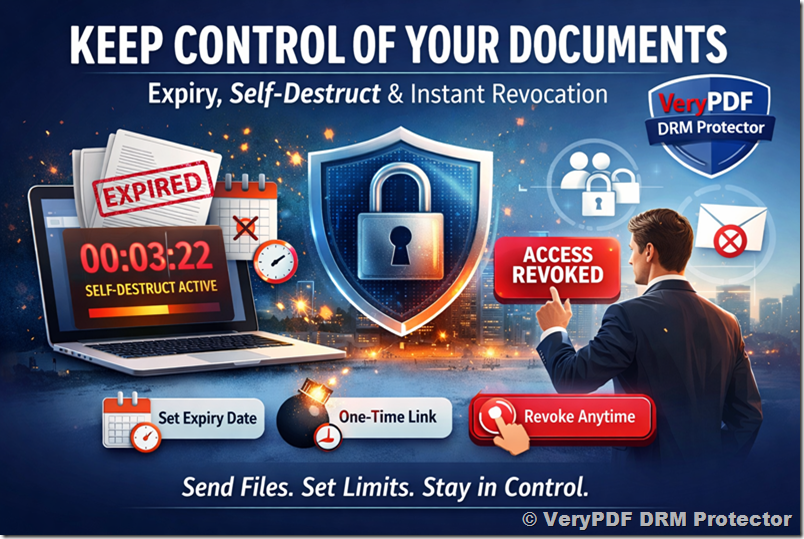
That’s why more businesses today are moving toward temporary document access, using features like expiry dates, self-destruct documents, and instant access revocation.
With VeryPDF DRM Protector, you don’t just send files — you control how long they exist.
Why Temporary Document Access Matters
Many organisations regularly need to share confidential information without granting permanent ownership.
Common real-world situations include:
- Granting access only during a project or contract period
- Sharing licensed training materials for a limited time
- Sending documents containing company credentials or personal data
- Preventing links from being reused after download
- Removing access immediately when an employee leaves
- Controlling due-diligence documents during negotiations
Without expiry controls, a document can remain accessible indefinitely — creating unnecessary security risks.
The 3 Essential Ways to Control Document Access
Modern document security typically relies on three powerful controls.
1. Document Expiry (Time-Based Access)
Document expiry allows you to define exactly when access ends.
You simply set a date and time, and the document automatically becomes inaccessible once the deadline passes.
This is ideal for:
- Tender or RFP evaluations
- Investor or acquisition discussions
- Time-limited licenses
- Exam or coursework distribution
- Confidential previews
Instead of manually tracking permissions, access automatically shuts off when it’s no longer needed.
2. Self-Destruct Documents & One-Time Viewing
You’ve probably seen self-destruct messages in movies or consumer apps.
In business, this concept becomes extremely powerful.
A self-destruct document starts a countdown the moment the file is opened.
After the viewing period ends:
✔ The document disappears
✔ The link stops working
✔ Forwarded copies become useless
No explosions — just controlled access.
Typical use cases:
- Sending confidential contracts for review
- Secure password or credential sharing
- One-time document verification
- Highly sensitive internal communications
Because access lasts only minutes or hours, the risk of copying or redistribution is dramatically reduced.
3. Instant Revocation (Take Back Documents Anytime)
Mistakes happen.
You may send the wrong version.
A deal may collapse.
An employee or contractor may leave suddenly.
Revocation allows you to disable access instantly, even after the document has already been opened.
You can:
- Revoke access for everyone
- Remove access for specific users
- Pause access while updating files
- Shut down external sharing immediately
Think of it as a remote “off switch” for your documents.
Are Free Document Expiry Tools Safe?
You’ll find many free tools online claiming to offer expiring links or temporary sharing.
Before trusting them with sensitive documents, ask:
- Is the service truly secure?
- Who operates the platform?
- Do you maintain ownership and control?
- Can you revoke files anytime?
- Are files deleted after expiry?
- What happens if something goes wrong?
Free services often come with trade-offs:
- Limited control features
- Advertising exposure
- Weak security policies
- No enterprise accountability
- Manual re-sharing workflows
If your information is valuable — legal, financial, educational, or proprietary — relying on unknown services can be risky.
How VeryPDF DRM Protector Solves the Problem
VeryPDF DRM Protector provides enterprise-grade document control designed for real business workflows.
You stay in control before, during, and after document delivery.
Document Expiry — Flexible Control at Every Level
Set automatic expiry across multiple layers:
File-Level Expiry
Expire individual files at a precise date and time.
Data Room Expiry
Apply expiry rules to entire collections of documents at once.
User-Based Expiry
Assign different expiry times to different users — without creating duplicate folders or data rooms.
This saves enormous administrative effort compared with traditional systems.
Self-Destruct & One-Time Secure Links
VeryPDF DRM Protector pioneered business-grade self-destruct documents — often described as “Snapchat for business files.”
You can create one-time secure access using:
- Anyone with link + Self-Destruct
Access begins when the first viewer opens the file. - Passkey + Self-Destruct
Only users with the correct passkey can open the document. - Specified Recipients + Individual Self-Destruct Timers
Each authorised viewer receives their own viewing window.
This ensures every recipient gets sufficient access time — without compromising security.
Instant Access Revocation
Need to take back a document?
Simply disable access from your dashboard.
You can:
- Revoke files globally
- Remove individual recipients
- Stop access to previously shared documents
- Correct accidental sharing instantly
Even if the file has already been delivered, control remains in your hands.
Supported File Types
VeryPDF DRM Protector protects far more than PDFs:
- PDF documents
- Microsoft Office files
- Images
- Videos
- Training materials
- Legal documents
- Research files
All protected under strong encryption and centralised access management.
Stop Losing Control of Your Documents
Traditional file sharing ends the moment you press Send.
VeryPDF DRM Protector changes that.
You decide:
✔ Who can access
✔ When access expires
✔ How long documents remain visible
✔ Whether files can exist at all
Send documents confidently — knowing you can always take them back.