
If you sell, publish, or share PDF files online, a normal PDF file is easy to copy, download, print, forward, and share. A password can protect a PDF to some extent, but it does not give you enough control after the file reaches the customer.
PDF DRM software is designed to solve this problem.
PDF DRM can control who can open a PDF, which device they can use, how long they can access it, whether they can print or copy it, and what happens when their access should be removed.
For publishers, course creators, eBook sellers, consultants, and companies that distribute training materials, VeryPDF DRM Protector is a strong PDF DRM solution to consider.
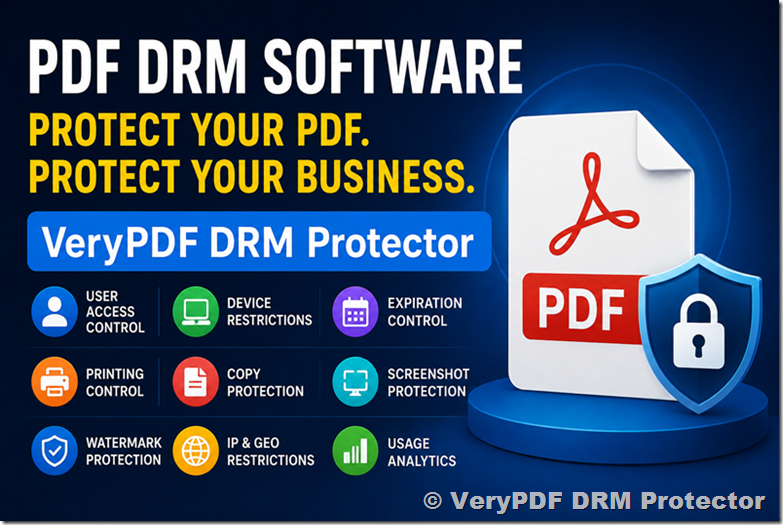
What Is PDF DRM Software?
PDF DRM software protects PDF documents with Digital Rights Management (DRM).
Instead of simply adding a password to a PDF, PDF DRM connects the document to access rules. These rules can control how the PDF is opened and used.
Depending on the PDF DRM solution, you may be able to control:
| PDF DRM feature | What it does |
|---|---|
| User access | Decide who can open the PDF |
| Device control | Limit access to approved devices |
| Expiration | Make a PDF expire after a specific date |
| Printing control | Allow, block, or limit printing |
| Copy protection | Prevent text copying |
| Screenshot protection | Reduce unauthorized screen capture |
| Watermark | Show the user’s name, email, or other information |
| IP restrictions | Limit access to specific IP addresses |
| Geographic control | Restrict access by location |
| Open limits | Limit how many times a document can be opened |
| Revocation | Remove access when necessary |
| Reading analytics | Track document access and reading activity |
| Offline access | Allow controlled offline PDF reading |
This makes PDF DRM different from a simple PDF password.
PDF DRM vs PDF Password Protection
A common mistake is to think that a PDF password is the same as PDF DRM.
It is not.
A password normally protects the PDF itself. Once someone knows the password, they may be able to open the file and share it with other people.
PDF DRM adds another layer of control.
| Feature | PDF Password | PDF DRM |
|---|---|---|
| Password protection | Yes | Yes |
| Control individual users | Limited | Yes |
| Device control | No | Yes |
| Expiration date | No | Yes |
| Revoke access | No | Yes |
| Limit printing | Limited | Yes |
| Control copying | Yes | Yes |
| Watermark users | Limited | Yes |
| IP restrictions | No | Yes |
| Geographic restrictions | No | Yes |
| Usage tracking | No | Yes |
| Offline access control | No | Yes |
For a personal document, password protection may be enough.
For a paid eBook, training manual, premium report, or online course PDF, PDF DRM is usually a better fit.
What Is the Best PDF DRM Software?
There is no single PDF DRM product that is best for every business.
The right choice depends on what you are trying to protect.
For example:
- A publisher may need secure eBook distribution.
- An online course creator may need to protect paid course materials.
- A training company may need to control employee access.
- A consulting company may need to protect confidential reports.
- A software company may need to distribute protected technical documentation.
A good PDF DRM software should give you control without making legitimate customers struggle to read their documents.
For many of these use cases, VeryPDF DRM Protector is a strong option because it focuses specifically on protecting PDF content while supporting both online and controlled offline reading.
VeryPDF DRM Protector
VeryPDF DRM Protector is a PDF DRM solution designed to protect PDF documents from unauthorized use and distribution.
It can be used to protect:
- eBooks
- Online course materials
- Training manuals
- Technical documentation
- Paid PDF reports
- Business documents
- Educational materials
- Research documents
- Membership content
- Digital publications
The main idea is simple:
Give the customer access to the PDF, but keep control over how the PDF can be used.
VeryPDF DRM Protector can apply rules such as user access, device restrictions, expiration dates, printing limits, watermarking, and other access controls.
PDF DRM for Publishers
Publishers are one of the main users of PDF DRM software.
Selling a PDF creates a difficult problem.
A customer may buy one copy and then:
- Email it to a friend
- Upload it to a file-sharing website
- Put it in a private group
- Share it with coworkers
- Print many copies
- Copy large sections of text
- Take screenshots
- Keep using it after a subscription ends
A publisher cannot manually control every copy.
This is where PDF DRM for publishers becomes useful.
A publisher can use PDF DRM to:
- Restrict access to authorized readers
- Add customer-specific watermarks
- Limit printing
- Prevent copying
- Set an expiration date
- Control devices
- Revoke access
- Track document activity
- Provide controlled online reading
- Support controlled offline reading
For example, imagine that a publisher sells a $199 technical PDF.
Without DRM, the customer receives a normal PDF file.
With PDF DRM, the publisher can associate access with the customer and apply rules to the document.
That makes unauthorized redistribution much harder.
PDF DRM for Online Courses
Online courses are another strong use case.
Many course creators provide PDF files together with video lessons.
The videos may be protected by the course platform, but the PDF workbook, textbook, slides, and worksheets may simply be downloadable files.
That creates a weak point.
A student can download the PDF and share it outside the course.
PDF DRM for online courses can help protect these materials.
For example, a course creator could provide:
- PDF workbooks
- Course notes
- Study guides
- Exam preparation materials
- Technical manuals
- Lesson PDFs
- Premium reports
The PDF can be protected with access rules instead of being distributed as an unrestricted file.
Example
A course costs $499.
The course creator provides a 300-page PDF textbook.
Without DRM:
Student → Download PDF → Share PDF → Anyone can read it
With PDF DRM:
Student → Authorized access → DRM-protected PDF → Access controlled by the course provider
This does not make piracy impossible, but it can make casual sharing much more difficult.
PDF DRM for eBooks
eBooks are one of the most obvious applications for PDF DRM.
A PDF eBook can be copied and distributed very easily.
This is especially risky for:
- Technical books
- Professional guides
- Business books
- Medical education books
- Exam preparation books
- Industry reports
- Paid manuals
- Premium research
A publisher may want the buyer to read the eBook without giving the buyer unlimited control over the file.
PDF DRM for eBooks can provide this type of controlled access.
Useful eBook DRM controls
A publisher may want to:
- Limit the number of devices
- Prevent printing
- Limit printing
- Prevent copying
- Add visible watermarks
- Add customer information to pages
- Set an expiration date
- Revoke access
- Require online authorization
- Allow controlled offline reading
This is particularly useful for expensive professional eBooks where unauthorized sharing can directly reduce sales.
PDF DRM for Training Materials
Companies and training providers often spend a lot of time creating training materials.
These may include:
- Employee training manuals
- Safety manuals
- Certification materials
- Technical training
- Sales training
- Customer training
- Product documentation
- Internal procedures
- Professional development materials
If these files are distributed as normal PDFs, the company may lose control after distribution.
For example, a training company sells a PDF training package to 100 customers.
One customer uploads the entire package to a public website.
Now hundreds or thousands of people may be able to access the material without paying.
PDF DRM for training materials can reduce this risk.
PDF DRM for Paid Reports and Premium Documents
PDF DRM is not only for books.
It can also protect high-value business documents.
For example:
| Content | Why DRM may help |
|---|---|
| Market research | Prevent unauthorized redistribution |
| Financial reports | Control customer access |
| Legal reports | Restrict access to authorized users |
| Technical reports | Protect valuable technical information |
| Consulting reports | Limit access to paying clients |
| Industry reports | Protect paid content |
| Training manuals | Prevent unauthorized sharing |
| Certification materials | Control distribution |
If a PDF has significant commercial value, ordinary file download links may not provide enough protection.
Why Watermarking Matters in PDF DRM
Encryption is only one part of document protection.
Watermarking is also important.
A PDF DRM system can add information such as:
John Smith
john@example.com
Licensed to Example Company
The watermark can appear on PDF pages when the document is viewed or printed.
This can discourage users from sharing documents because the recipient knows that their identity may remain attached to the document.
For publishers and course creators, personalized watermarks can be especially useful.
Screenshot Protection
A major problem with digital documents is screen capture.
Even if copying and printing are disabled, a user can potentially capture what appears on the screen.
For sensitive PDF content, screenshot protection can add another layer of security.
VeryPDF DRM Protector supports screen protection features designed to make unauthorized screen capture and screen recording more difficult.
No DRM technology can guarantee that a person with a camera cannot photograph a screen. However, reducing easy digital capture can still make unauthorized redistribution harder.
Online and Offline PDF DRM
A PDF DRM solution should also consider offline reading.
Some customers need to read documents while traveling or without a reliable Internet connection.
A useful DRM system should therefore balance:
Security
with
Usability
VeryPDF DRM Protector supports controlled offline PDF access while allowing the content owner to define access rules.
For higher-security content, online authorization can provide tighter control.
For customers who need offline access, controlled offline licenses can provide more flexibility.
PDF DRM for Different Business Models
Different businesses need different DRM rules.
Selling individual PDF files
Useful controls include:
- User authorization
- Device limits
- Watermarks
- Printing limits
- Expiration
- Revocation
Subscription content
Expiration becomes especially important.
For example:
Subscription ends → PDF access expires.
Online courses
Useful controls include:
- Student access
- Device restrictions
- Watermarks
- Copy protection
- Printing controls
- Expiration
Professional eBooks
Useful controls include:
- Device locking
- Watermarks
- Printing limits
- Copy protection
- Offline reading
Corporate training
Useful controls include:
- User and group permissions
- Company access
- Expiration
- IP restrictions
- Usage tracking
Best PDF DRM Software: What Should You Compare?
When choosing the best PDF DRM software, do not only compare the number of features.
Look at the complete customer experience.
| Question | Why it matters |
|---|---|
| Can users read PDFs in a browser? | Easier customer access |
| Can you control devices? | Reduces account sharing |
| Can you revoke access? | Important after refunds or account changes |
| Can you limit printing? | Protects premium content |
| Can you prevent copying? | Reduces content extraction |
| Can you add dynamic watermarks? | Helps identify the authorized user |
| Can you set expiration dates? | Useful for subscriptions |
| Can users read offline? | Important for mobile and travel |
| Can you track reading activity? | Helps content owners understand usage |
| Does it support mobile devices? | Important for modern readers |
| Can it integrate with your website? | Reduces manual work |
| Is it affordable? | Important for smaller publishers |
A product with 100 features is not necessarily better than a product with 20 useful features.
The important question is:
Can the PDF DRM system solve your specific content protection problem?
VeryPDF DRM Protector vs Traditional PDF Protection
VeryPDF DRM Protector is designed for organizations that need more control than normal PDF security settings provide.
A normal PDF may give you:
Password → Open PDF
A DRM-protected PDF can provide:
User → License → Device → Access Rules → PDF
This difference becomes important when you are selling or distributing valuable content.
Who Should Use PDF DRM Software?
PDF DRM is a good fit if you answer “yes” to one or more of these questions:
- Do you sell PDF files?
- Do you sell eBooks?
- Do you provide PDF materials with an online course?
- Do you sell training materials?
- Do you distribute paid reports?
- Do you need to stop customers from sharing PDFs?
- Do you need to limit printing?
- Do you need to control customer devices?
- Do you need documents to expire?
- Do you need to revoke access?
- Do you need personalized watermarks?
- Do you need to track PDF reading activity?
If your answer is yes, ordinary PDF password protection may not be enough.
PDF DRM Software: Common Use Cases
Here is a simple way to match PDF DRM with your business:
| Your business | Recommended PDF DRM use |
|---|---|
| Publisher | Protect eBooks and paid publications |
| Author | Protect premium PDF books |
| Course creator | Protect course PDFs |
| Training company | Protect training manuals |
| Consultant | Protect paid reports |
| Research company | Protect research documents |
| Software company | Protect technical documentation |
| School | Control educational materials |
| Certification provider | Protect exam materials |
| Membership website | Protect premium PDF content |
Is PDF DRM Worth It?
PDF DRM makes the most sense when your PDF has real commercial value.
If you give away a free two-page PDF, DRM is probably unnecessary.
If you sell a $500 training manual, $200 professional report, or premium technical eBook, the situation is different.
The cost of unauthorized sharing can be much higher than the cost of DRM.
The goal is not to make a PDF impossible to copy. That is difficult to guarantee with any technology.
The goal is to make unauthorized access and sharing harder, more visible, and easier to control.
Why Choose VeryPDF DRM Protector?
VeryPDF has focused on PDF technology for many years, and PDF remains at the center of VeryPDF DRM Protector.
That focus is important.
Some secure document platforms are mainly designed for file sharing, data rooms, or collaboration.
VeryPDF DRM Protector is designed around PDF protection and controlled PDF distribution.
It is a good choice for businesses that need:
- PDF encryption
- PDF DRM
- User access control
- Device control
- IP restrictions
- Geographic restrictions
- Expiration dates
- Printing controls
- Copy protection
- Screenshot protection
- Dynamic watermarks
- Online PDF viewing
- Controlled offline reading
- Access revocation
- Reading analytics
For businesses selling or distributing valuable PDF content, this combination can provide a practical alternative to traditional PDF protection.
PDF DRM Software FAQs
1. What is PDF DRM?
PDF DRM means Digital Rights Management for PDF documents. It controls who can access a PDF and what they can do with it, such as printing, copying, downloading, or viewing it.
2. What is the best PDF DRM software?
The best PDF DRM software depends on your needs. VeryPDF DRM Protector is a strong option for publishers, online course creators, eBook sellers, training companies, and businesses that need detailed PDF access control.
3. Is PDF DRM better than a PDF password?
For simple documents, a password may be enough. For commercial content, PDF DRM provides much more control, including user access, device restrictions, expiration, watermarking, printing limits, and revocation.
4. Can PDF DRM prevent copying?
Many PDF DRM systems can prevent normal text copying. This can significantly reduce casual copying, although no DRM system can guarantee that every possible form of content capture is impossible.
5. Can PDF DRM prevent printing?
Yes. PDF DRM can block printing or limit the number of times a document can be printed, depending on the DRM system and its settings.
6. Can PDF DRM stop screenshots?
Some PDF DRM solutions include screen protection features. VeryPDF DRM Protector supports screen protection designed to reduce unauthorized screenshots and screen recording.
7. Can I use PDF DRM for eBooks?
Yes. PDF DRM is widely suited to eBooks, especially professional books, technical books, paid guides, and other high-value PDF publications.
8. Can I use PDF DRM for online courses?
Yes. You can use PDF DRM to protect workbooks, course notes, study guides, manuals, and other PDF materials provided to students.
9. Can PDF DRM protect training materials?
Yes. Training companies can use PDF DRM to control access to training manuals, certification materials, technical documentation, and other paid content.
10. Can PDF DRM documents expire?
Yes. An expiration date can be used to automatically stop access after a specified period.
11. Can I revoke access to a DRM-protected PDF?
Yes, depending on the DRM platform. Access revocation is useful when a customer requests a refund, a subscription ends, or an employee leaves an organization.
12. Can customers read DRM-protected PDFs offline?
Some PDF DRM systems support controlled offline reading. VeryPDF DRM Protector supports offline access with DRM controls for use cases where customers cannot always stay online.
13. Does PDF DRM completely stop piracy?
No. No DRM system can completely eliminate piracy. Good PDF DRM reduces unauthorized sharing and gives the content owner much more control over access and use.
14. Is PDF DRM useful for publishers?
Yes. Publishers can use PDF DRM to protect eBooks, technical books, paid reports, research documents, and other digital publications.
15. Is PDF DRM useful for small businesses?
Yes. Small businesses can use PDF DRM when they sell valuable digital content and need more protection than a normal download link or PDF password can provide.
Final Recommendation
If you are looking for PDF DRM software, focus on the actual problem you need to solve rather than simply looking for the largest document management platform.
For publishers, eBook sellers, online course creators, training companies, and businesses selling valuable PDF content, VeryPDF DRM Protector provides a focused approach to PDF DRM.
It combines PDF encryption, access control, device restrictions, expiration, printing and copying controls, watermarking, screen protection, online and offline reading, and access management in one PDF DRM solution.
If your business depends on selling or securely distributing PDF files, VeryPDF DRM Protector is worth evaluating as a PDF DRM solution.