
Many people need to share PDF files but do not want others to download, print, copy, share, or keep them forever.
A common example is a training manual, exam paper, business proposal, research report, legal document, or paid ebook. You need people to read the PDF, but you do not want them to make copies or continue using it after a certain date.
One of the most common questions is:
“How can I secure a PDF file so users can’t download, print, share, copy, or take screenshots, and only access it for a limited time?”
This article explains the options, the risks of traditional PDF protection, and a better way to secure PDF files using VeryPDF DRM Protector.
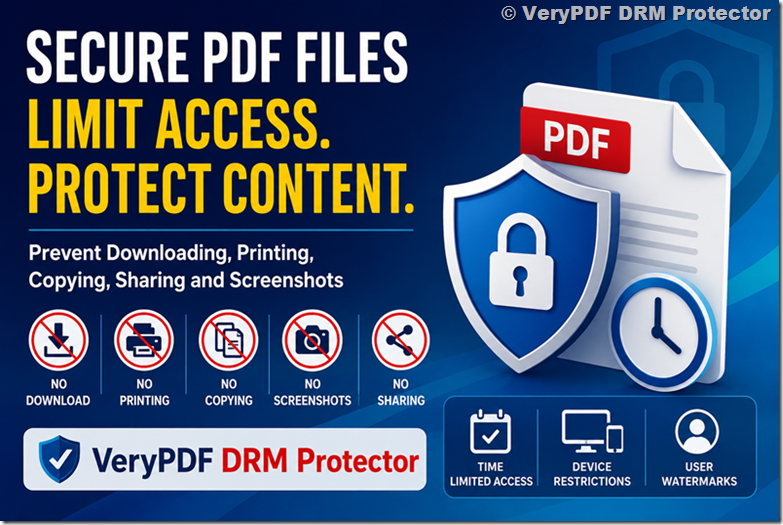
The Problem with Standard PDF Password Protection
Many people think a PDF password is enough.
Unfortunately, it is not.
A password can stop casual users, but it does not provide real control after the file is distributed.
What Can Happen with Password-Protected PDFs?
| Problem | Password Protected PDF |
|---|---|
| User can share the password | Yes |
| User can email the PDF to others | Yes |
| User can keep the file forever | Yes |
| User can print if permissions are removed | Often |
| User can use PDF cracking tools | Possible |
| User can upload PDF to cloud storage | Yes |
| User access expires automatically | No |
Once the PDF leaves your control, there is little you can do.
What Most People Actually Want
When customers contact us, they usually ask for these requirements:
| Requirement | Needed? |
|---|---|
| Stop PDF download | Yes |
| Disable printing | Yes |
| Disable copy and paste | Yes |
| Stop unauthorized sharing | Yes |
| Limit access time | Yes |
| Revoke access later | Yes |
| Control which devices can open the PDF | Yes |
| Track document access | Often |
| Add user watermarks | Often |
| Reduce screenshot risk | Yes |
Traditional PDF security cannot do all of these.
How PDF DRM Protection Works
DRM stands for Digital Rights Management.
Instead of simply adding a password, DRM encrypts the document and controls how it can be used.
The document remains protected even after it has been distributed.
DRM Protection vs Password Protection
| Feature | PDF Password | PDF DRM |
|---|---|---|
| Password required | Yes | No |
| Prevent sharing | No | Yes |
| Prevent copying | Limited | Yes |
| Prevent printing | Limited | Yes |
| Set expiration date | No | Yes |
| Revoke access anytime | No | Yes |
| Device restrictions | No | Yes |
| User tracking | No | Yes |
| Dynamic watermarks | No | Yes |
| Screenshot protection | No | Yes |
How to Secure a PDF for a Limited Time
With VeryPDF DRM Protector, you can set different types of expiration.
Option 1: Expire on a Specific Date
Example:
- Access starts today
- PDF expires on August 31
- User cannot open it after that date
This works well for:
- Course materials
- Temporary reports
- Subscription content
- Confidential projects
Option 2: Expire After a Number of Days
Example:
- User opens PDF on July 1
- Access remains active for 30 days
- PDF automatically expires on July 31
Useful for:
- Trial documents
- Training manuals
- Evaluation materials
Option 3: Limit Number of Views
Example:
- PDF can only be opened 5 times
- After the fifth view, access is blocked
Useful for:
- Exams
- Certifications
- Limited-access documents
Can You Prevent PDF Downloading?
Yes.
Instead of sending the original PDF file, VeryPDF DRM Protector delivers protected content through a secure viewer.
Users can view the document, but they cannot download the original PDF.
This helps prevent:
- File sharing
- Torrent uploads
- Cloud storage redistribution
- Unauthorized copies
Can You Stop Printing?
Yes.
Printing can be completely disabled.
Or you can allow:
- Limited print count
- Watermarked printing
- Print expiration
Example:
| Printing Policy | Result |
|---|---|
| Disabled | No printing allowed |
| 1 copy only | User can print once |
| Watermarked | Printed pages show user information |
Can You Stop Copy and Paste?
Yes.
Protected documents can block:
- Text selection
- Copying
- Pasting
- Exporting content
This is especially useful for:
- Research reports
- Training materials
- Internal company documents
- Paid ebooks
Can You Stop Screenshots?
This is one of the most requested features.
No system can guarantee 100% screenshot prevention because users can always use another camera.
However, VeryPDF DRM Protector provides strong protection against screenshots and screen recording on supported devices and environments.
Additional protection includes:
- Dynamic user watermarks
- Email watermarks
- IP address watermarks
- User ID watermarks
If someone shares a screenshot, you can identify who created it.
Can You Stop Users Sharing the PDF?
Yes.
Device locking can be enabled.
For example:
- User activates on one computer
- PDF only works on that device
- Sending the file to another person will not work
This greatly reduces unauthorized sharing.
Real Example
Imagine you sell a training course.
Without DRM:
- Customer buys course.
- Downloads PDF.
- Shares PDF with 20 friends.
- You lose revenue.
With DRM:
- Customer accesses protected document.
- Printing disabled.
- Copying disabled.
- Device locked.
- Access expires after 30 days.
- Dynamic watermark shows customer details.
The content remains under your control.
Why Businesses Use PDF DRM
Many organizations use DRM because sensitive information has value.
Common Industries
| Industry | Use Case |
|---|---|
| Education | Course materials |
| Training Companies | Manuals and certifications |
| Publishers | Ebooks and digital publications |
| Legal Firms | Confidential documents |
| Healthcare | Reports and records |
| Finance | Research and investment reports |
| Government | Internal documents |
| Engineering | Technical drawings |
VeryPDF DRM Protector Features
Document Protection
- AES encryption
- Prevent downloading
- Prevent printing
- Prevent copying
- Prevent sharing
- Prevent unauthorized access
Access Control
- Expiration dates
- Limited viewing periods
- View count limits
- Device restrictions
- IP restrictions
- Country restrictions
Tracking and Monitoring
- User activity logs
- Access tracking
- Reading analytics
- Viewing history
Watermarking
- Dynamic user watermarks
- Email watermarks
- IP watermarks
- Custom watermark text
Is a One-Time Purchase Available?
Some customers ask:
“I only need to protect a few PDF files. Can I buy a one-time package?”
The answer depends on your requirements.
The best option is usually to contact the sales team with:
- Number of PDFs
- Number of users
- Access duration
- One-time or ongoing project
A suitable plan can then be recommended.
Why VeryPDF DRM Protector Is Different
Many PDF security tools only add passwords.
VeryPDF DRM Protector focuses on controlling access after distribution.
That means you can:
- Expire documents automatically
- Revoke access anytime
- Limit devices
- Track usage
- Reduce sharing
- Protect valuable content
This makes it a better choice for businesses, educators, publishers, and training providers.
Pricing
You can view the latest pricing plans here:
VeryPDF DRM Protector
VeryPDF DRM Protector Pricing Page
A free trial is available so you can test the protection features before purchasing.
Frequently Asked Questions (FAQ)
1. Can I stop users from downloading my PDF?
Yes. VeryPDF DRM Protector can deliver protected content without providing access to the original PDF file.
2. Can I prevent printing?
Yes. Printing can be completely disabled or limited.
3. Can I prevent copy and paste?
Yes. Text selection and copying can be blocked.
4. Can I set an expiration date for a PDF?
Yes. You can set a fixed expiration date or a viewing period.
5. Can I limit how many times a PDF can be opened?
Yes. View count limits are supported.
6. Can I revoke access after sending the document?
Yes. Access can be revoked remotely.
7. Can users share protected PDFs with others?
Device restrictions can prevent unauthorized sharing.
8. Can DRM completely stop screenshots?
No solution can stop every possible screenshot method, but DRM can significantly reduce screenshot risks and identify users through watermarks.
9. Is DRM better than PDF passwords?
Yes. DRM provides much stronger control over document usage and access.
10. Can I protect training manuals and course materials?
Yes. This is one of the most common uses of DRM protection.
11. Can I protect confidential business documents?
Yes. DRM is widely used to protect proposals, contracts, reports, and internal documents.
12. Does VeryPDF DRM Protector work for publishers and ebook sellers?
Yes. Publishers use it to protect ebooks, reports, and digital publications from unauthorized distribution.
13. Can I restrict access to specific countries or IP addresses?
Yes. Geographic and IP-based restrictions are available.
14. Is there a free trial?
Yes. You can test the platform before purchasing.
15. How do I choose the right plan?
Contact the sales team with your document volume, number of users, and project requirements. They can recommend the most suitable option.