
In today’s data-driven economy, protecting sensitive documents—whether business reports, training materials, eBooks, or intellectual property—is no longer optional. Organizations need robust Digital Rights Management (DRM) systems that not only prevent unauthorized access but also provide granular control, tracking, and enforcement after distribution.
Two commonly considered solutions in this space are VeryPDF DRM Protector and Digify. While both offer document protection capabilities, they differ significantly in depth of control, security architecture, flexibility, and cost-efficiency.
This article provides a deep, feature-by-feature comparison to help you make an informed decision.
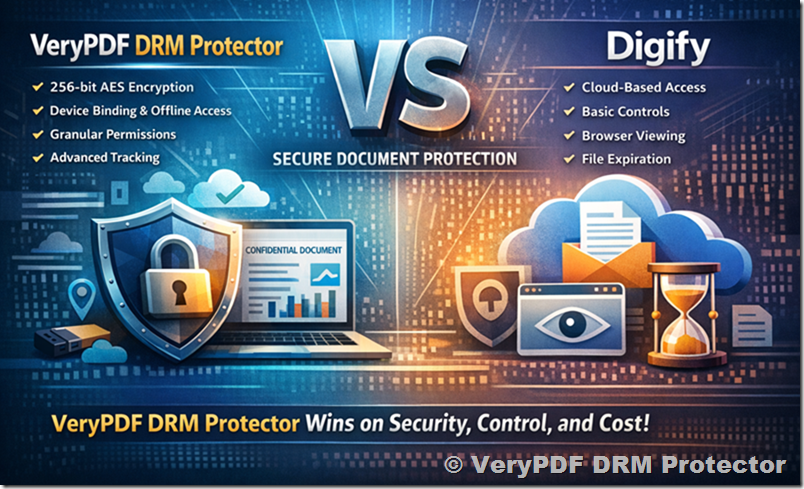
1. Core DRM Philosophy and Architecture
VeryPDF DRM Protector
VeryPDF DRM Protector is designed as a high-control, security-first DRM system focused on persistent protection—meaning protection remains enforced even after the document leaves your control.
Key architectural principles:
- Device-level enforcement (hardware binding)
- Strong encryption (256-bit AES)
- Offline + online protection
- Fine-grained policy control
It is built for:
- Enterprises handling confidential documents
- Publishers distributing paid content
- Training providers protecting course materials
Digify
Digify is primarily a secure document sharing platform with DRM-like features layered on top.
Core approach:
- Cloud-based document access
- Identity-based controls
- Browser-centric viewing experience
It is optimized for:
- Simple document sharing
- Sales teams and startups
- Lightweight protection scenarios
Key takeaway:
VeryPDF = true DRM enforcement system
Digify = secure sharing platform with DRM features
2. Security Strength and Enforcement
VeryPDF DRM Protector (Advanced Security Model)
- 256-bit AES encryption
- Device binding (locks files to specific hardware)
- Location/IP restrictions
- Offline protection (USB, local files)
- Dynamic watermarking with user identity
- Access revocation anytime
Critically:
- Files remain protected even if copied or leaked
- Access rules are enforced at runtime, not just at login
Digify (Standard DRM Controls)
- 256-bit AES encryption
- User-based access control
- File expiration and revocation
- Browser-based secure viewer
- Watermarking support
Limitations:
- Relies heavily on cloud access control
- Less control once content is downloaded
- No deep device-level enforcement
Verdict:
VeryPDF provides stronger, persistent DRM enforcement, while Digify focuses on access control rather than true content control.
3. Granular Access Control
VeryPDF DRM Protector
Offers extremely fine-grained permissions, including:
- Limit number of views / prints
- Set expiration dates or usage quotas
- Lock to specific devices or users
- Restrict by IP or geographic location
- Disable copy, print, screenshot (where supported)
- Revoke access instantly
Example:
You can allow:
- 3 views
- 7-day access
- Only on one device
Digify
Provides:
- Time-based expiration
- User-based permissions
- Basic download/view restrictions
- Revocation on next access
However:
- Fewer customization layers
- Less flexibility in complex enterprise scenarios
Verdict:
VeryPDF clearly wins in policy granularity and control depth.
4. Document Tracking and Analytics
VeryPDF DRM Protector
- Page-level analytics (who viewed what, how long)
- Detailed engagement tracking
- Real-time monitoring
- Version control (update documents after sending)
This is particularly valuable for:
- Sales proposals
- Investor decks
- Confidential reports
Digify
- Basic document tracking
- Viewer activity logs
- Limited engagement insights
Verdict:
VeryPDF offers significantly deeper analytics, enabling data-driven decision-making.
5. Offline Access and Distribution
VeryPDF DRM Protector
A major differentiator:
- Secure offline viewing
- USB-based distribution with DRM enforcement
- No dependency on continuous internet access
- Files remain protected anywhere
Digify
- Primarily cloud-based
- Browser viewing preferred
- Offline capabilities are limited
Verdict:
VeryPDF is far superior for offline and controlled distribution scenarios.
6. Ease of Use and Deployment
VeryPDF DRM Protector
- Fast setup
- No mandatory demo scheduling
- Immediate online trial access
- Minimal technical barrier
Digify
- Clean UI
- Requires onboarding/demo in some cases
- More steps in configuration
Verdict:
Both are user-friendly, but VeryPDF offers faster onboarding and instant evaluation.
7. Customization and Integration
VeryPDF DRM Protector
- Custom development options
- API and workflow integration
- Tailored DRM policies for specific industries
Digify
- Limited customization
- Focused on standard workflows
Verdict:
VeryPDF is more flexible for enterprise integration and customization.
8. Pricing and Cost Efficiency
VeryPDF DRM Protector
- Approx. $99.95/month
- Transparent pricing
- No hidden fees
Digify
- Approx. $130/month (annual billing)
Verdict:
VeryPDF delivers more features at a lower cost, making it a better ROI.
9. Customer Support and Service
VeryPDF DRM Protector
- Highly responsive support
- Personalized assistance
- Custom solution support
Digify
- Standard support channels
Verdict:
VeryPDF provides more proactive and tailored support.
10. Real-World Use Case Comparison
|
Scenario |
Best Choice |
|
Selling eBooks |
VeryPDF |
|
Protecting training materials |
VeryPDF |
|
Sharing investor documents |
VeryPDF |
|
Simple file sharing |
Digify |
|
Enterprise-level DRM control |
VeryPDF |
Final Verdict: Why VeryPDF DRM Protector Is the Better Choice
After analyzing all critical dimensions—security, flexibility, analytics, pricing, and usability—VeryPDF DRM Protector emerges as the clear winner.
Choose VeryPDF DRM Protector if you need:
- True DRM enforcement (not just access control)
- Maximum protection against leaks and redistribution
- Deep analytics on document engagement
- Offline secure distribution
- Highly customizable security policies
- Better value for money
Choose Digify only if:
- Your needs are simple
- You prioritize ease of sharing over deep protection
- You don’t require strict DRM enforcement
Conclusion
While Digify is a solid entry-level solution for secure file sharing, it does not match the depth, control, and robustness of VeryPDF DRM Protector.
If your documents contain high-value intellectual property, confidential business data, or monetized content, then relying on lightweight protection is a risk.
VeryPDF DRM Protector is not just a tool—it is a complete DRM infrastructure designed for serious document security.