
In today’s digital environment, securely distributing sensitive PDF documents to external recipients is a major challenge for organizations. Whether you are sharing reports, intellectual property, training materials, or confidential client documents, traditional methods like email attachments or basic password protection are no longer sufficient. This article provides a complete, practical guide to solving these challenges using VeryPDF DRM Protector, covering all key requirements including security controls, delivery methods, deployment options, automation, and user experience.
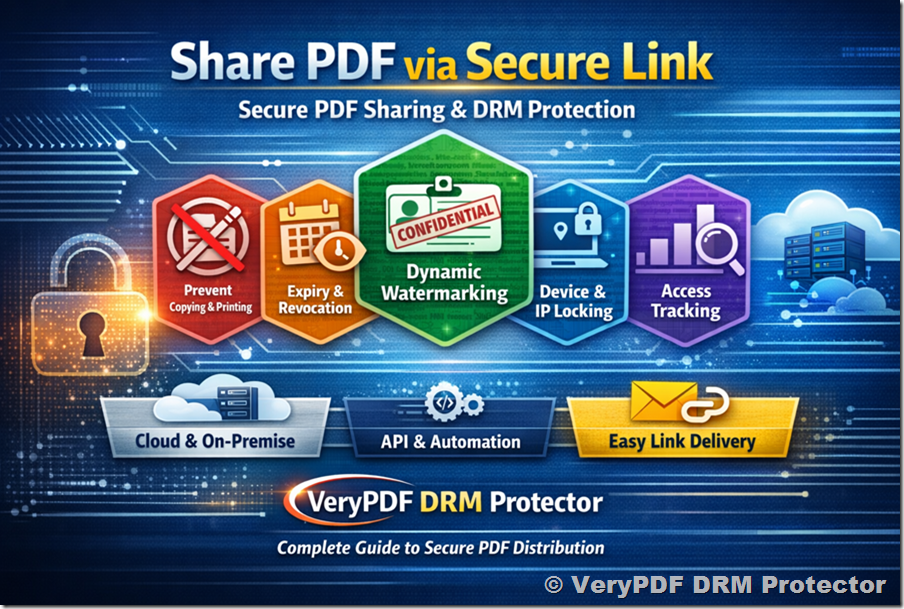
1. Core Requirements for Secure PDF Distribution
When distributing PDFs externally, organizations typically need:
- View-only access (no copying, printing, or editing)
- Expiry control (by date, usage, or time)
- Ability to revoke access after delivery
- Dynamic watermarking (user identity, timestamp, etc.)
- Device and IP restrictions
- Usage tracking and analytics
- Secure and user-friendly delivery
- Flexible deployment (cloud or on-premise)
- Automation via API or command line
VeryPDF DRM Protector is designed specifically to meet all of these requirements in a single platform.
2. How VeryPDF DRM Protector Meets These Requirements
2.1 View-Only Protection
Documents are encrypted and opened only within a secure environment. You can:
- Disable copy/paste
- Disable printing
- Block screen capture
- Prevent editing or saving
Unlike standard PDF passwords, these protections cannot be bypassed easily.
2.2 Expiry and Revocation Control
You can define access rules such as:
- Expiry on a specific date
- Expiry after a number of views
- Expiry after a number of days since first open
Most importantly:
Access can be revoked instantly—even after the document has been delivered.
This is critical for compliance and risk control.
2.3 Dynamic Watermarking
Each document can automatically display a watermark containing:
- Recipient name
- Email address
- Date and time
- IP address
This discourages unauthorized sharing and provides traceability.
2.4 Device and IP Restrictions
To prevent unauthorized redistribution:
- Lock documents to specific devices
- Restrict access to approved IP ranges
- Limit concurrent sessions
This ensures documents cannot be freely shared across users or environments.
2.5 Usage Tracking and Analytics
You gain full visibility into document usage:
- Who opened the document
- When and where it was accessed
- How many times it was viewed
- Failed or unauthorized access attempts
Audit logs support compliance and internal monitoring.
3. Best Practice: Link-Based PDF Delivery
Why Not Email Attachments?
Traditional attachments:
- Can be forwarded freely
- Lose control after sending
- Cannot be revoked
- Provide no tracking
Recommended Approach: Secure Link Sharing
Step-by-Step Workflow
- Upload your PDF into the DRM system
- Apply security settings:
- Disable printing/copying
- Add expiry conditions
- Enable watermarking
- Generate a secure access link
- Assign recipient identity (email-based)
- Send link via email
- Recipient clicks link and securely views the document
Benefits of Link-Based Delivery
- No raw file distribution
- Full control even after sending
- Real-time revocation
- Centralized tracking
- Always-enforced policies
4. Recipient Experience
A key requirement is minimizing friction for recipients.
What Recipients Need
- No plugins required (for web access)
- Access via standard browser
- Optional secure desktop/mobile apps (for stronger control)
Authentication Options
- Email verification (OTP)
- Username/password
- SSO integration (enterprise environments)
Overall Experience
- Simple: click link → authenticate → view
- Secure: all restrictions enforced automatically
5. Cloud vs On-Premise Deployment
5.1 Cloud Deployment
Best for:
- Fast setup
- Minimal IT overhead
- Immediate testing
Advantages:
- Fully managed
- Scalable
- No infrastructure required
5.2 On-Premise Deployment
Best for:
- Full data control
- Internal compliance requirements
- Custom integration needs
Features
- Host on your own servers
- Full control of encryption keys
- Internal storage management
- Integration with identity systems (SSO / SAML)
Typical Infrastructure Requirements
- 2–4 CPU cores
- Minimum 8GB RAM
- HTTPS-enabled server
- Optional database for logs and analytics
Additional Capabilities
- Key management control
- Backup and disaster recovery options
- Internal audit logging
6. Automation and Integration
For scalable workflows, automation is essential.
Available Options
Command-Line Tools
- Batch protect PDFs
- Apply policies automatically
- Integrate into scripts
REST API
Supports:
- Uploading documents
- Applying DRM policies
- Creating users
- Generating secure links
- Tracking usage data
Integration Use Cases
- CRM systems
- SaaS platforms
- Document management systems
- Automated publishing workflows
Rate Limits
- Cloud: depends on subscription tier
- On-premise: customizable based on your infrastructure
7. Security Architecture and Compliance
Encryption
- 256-bit AES encryption ensures strong data protection
Key Management
- Cloud: securely managed by system
- On-premise: fully controlled by your organization
Audit Logs
- Complete activity tracking
- Supports compliance and investigations
Data Retention
- Configurable policies
- Fully customizable in on-premise environments
8. Pricing Models
Flexible options are available depending on your needs:
Cloud
- Subscription-based
- Based on usage (users, documents, bandwidth)
On-Premise
- One-time license
- Optional annual support and maintenance
Enterprise
- Custom pricing
- SLA agreements available
9. Trial, Pilot, and Demo Options
You can start evaluating immediately:
- Free trial available (no time pressure to test fully)
- Live demo can be arranged
- Pilot deployment (cloud or on-premise)
- Sample API scripts and documentation available
10. Recommended Implementation Strategy
For your scenario (external clients, mixed environments, preference for link-based delivery):
Step 1: Start with Cloud Trial
- Fastest way to validate functionality
Step 2: Test Key Features
- Link-based sharing
- Expiry and revocation
- Dynamic watermarking
Step 3: Evaluate Recipient Experience
- Ease of access
- Compatibility across devices
Step 4: Consider On-Premise Deployment
- If you require full control over data and encryption keys
11. Final Thoughts
Secure document distribution is no longer just about protecting files—it’s about maintaining control after delivery. With features like dynamic watermarking, real-time revocation, usage tracking, and flexible deployment, VeryPDF DRM Protector provides a complete solution for organizations that need to share sensitive PDFs with confidence.
If your goal is to combine strong security, full control, and a smooth user experience, a link-based DRM approach is the most effective strategy available today.