
In today’s digital economy, selling PDF guides, training manuals, eBooks, and instructional documents has become one of the most efficient and scalable ways to distribute knowledge. Whether you are an educator, consultant, coach, or content creator, PDF documents offer a flexible and universally accessible format for delivering value to your audience.
However, with this convenience comes a major challenge: protecting your intellectual property.
Once a PDF is distributed without proper protection, it can easily be:
- Shared with unauthorized users
- Copied and redistributed
- Printed without limits
- Edited or altered
- Captured via screenshots
This creates significant risks, especially if your PDF guide is a paid product. Many creators quickly realize that traditional PDF security methods, such as passwords or basic restrictions, are simply not enough.
This article provides a comprehensive, in-depth guide on how to securely distribute your PDF content while maintaining full control over access, usage, and distribution. It also answers key practical questions that arise when implementing a secure PDF delivery system, including licensing, printing limits, screenshot prevention, and more.
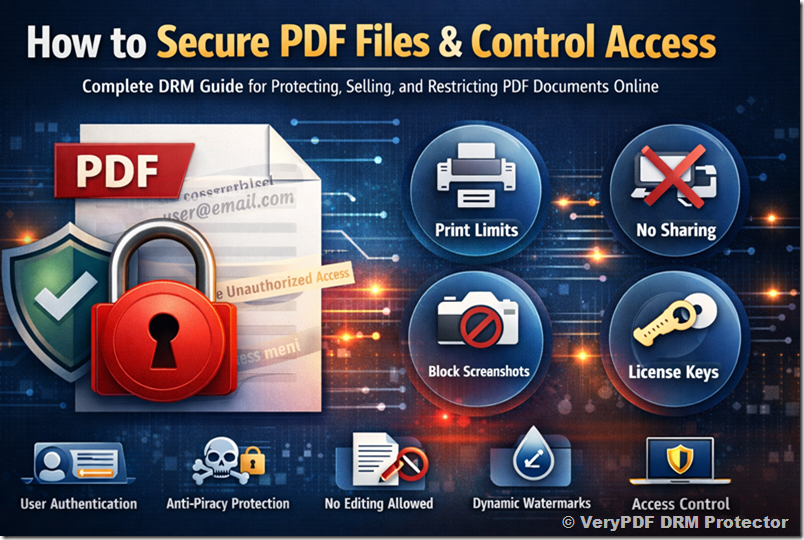
1. The Real Problem with Traditional PDF Protection
Before diving into solutions, it’s important to understand why standard PDF protection methods fail.
1.1 Password Protection Is Weak
Password-protected PDFs can easily be:
- Shared along with the password
- Removed using free tools
- Cracked using widely available software
1.2 Editing Restrictions Are Not Reliable
Even if you disable editing in a PDF:
- Many tools can bypass these restrictions
- Users can simply convert the PDF to another format and edit it
1.3 No Control After Distribution
Once a file is downloaded:
- You lose control over who accesses it
- You cannot revoke access
- You cannot track usage
This is where advanced DRM (Digital Rights Management) solutions come into play.
2. A Modern Approach: DRM-Based PDF Protection
A DRM-based solution transforms how your PDF is delivered and accessed:
- The PDF is encrypted and secured
- Access is controlled per user
- Usage rules are enforced in real-time
- Distribution is tracked and managed
Instead of sending a raw file, you provide controlled access to protected content.
3. Requirement 1: Only Paid Users Can View the PDF
One of the most important requirements for any digital product is ensuring that only paying customers can access the content.
3.1 How It Works
With a DRM-based system:
- Each user must be authenticated before accessing the PDF
- Access is granted only after purchase
- Unauthorized users cannot open the file
3.2 User-Based Access Control
Instead of distributing files freely:
- Users log in using their email and password
- Access is tied to their identity
- Permissions are managed centrally
3.3 Benefits
- No unauthorized sharing
- Full control over user access
- Ability to revoke access anytime
This ensures your PDF guide remains exclusive to paying customers.
4. Requirement 2: Limit the Number of Prints
Printing control is critical, especially for premium or sensitive documents.
4.1 Why Printing Needs Control
Without restrictions:
- Users can print unlimited copies
- Printed copies can be distributed offline
- Your content loses exclusivity
4.2 Print Restriction Features
You can configure:
- Maximum number of prints (e.g., 1 or 2 copies)
- Complete disabling of printing
- Blocking of virtual printers
4.3 Real-World Example
You might allow:
- 1 print per user for personal use
- No reprints
- No digital print-to-PDF
4.4 Benefits
- Prevents mass reproduction
- Maintains content value
- Protects revenue
5. Requirement 3: Prevent Sharing of the PDF
Unauthorized sharing is one of the biggest threats to digital products.
5.1 The Problem
Users may:
- Forward files via email
- Upload to file-sharing platforms
- Share with friends or colleagues
5.2 DRM-Based Solution
Instead of distributing a standard file:
- The document is encrypted
- Access requires authentication
- The file cannot be opened outside the secure environment
5.3 Device Binding
You can restrict:
- Number of devices per user
- Specific device authorization
5.4 Benefits
- Stops uncontrolled distribution
- Ensures each user must purchase access
- Protects long-term revenue
6. Requirement 4: Prevent Screenshots
Screenshot prevention is often requested but misunderstood.
6.1 The Challenge
No system can guarantee 100% prevention because:
- Users can use external devices (e.g., phones)
- Operating systems have limitations
6.2 Available Protections
Advanced DRM systems can:
- Block common screenshot tools
- Disable screen capture in supported environments
- Prevent screen recording
6.3 Dynamic Watermarking
This is a powerful complementary solution:
- Displays user-specific information (email, timestamp)
- Appears on every page
- Acts as a deterrent
6.4 Why Watermarks Matter
Even if someone captures the screen:
- The content is traceable
- Users are discouraged from leaking content
7. Requirement 5: Disable Editing but Allow Form Filling
Many PDF guides include interactive elements such as forms.
7.1 The Requirement
You want users to:
- Fill in forms
- Interact with the document
But not:
- Modify content
- Copy or extract text
7.2 How This Is Achieved
A DRM system can:
- Lock all editing features
- Disable copy/paste
- Allow only form field interaction
7.3 Use Cases
- Workbooks
- Training guides
- Assessment documents
7.4 Benefits
- Preserves document integrity
- Enables user interaction
- Maintains professional quality
8. Requirement 6: License Key Generation
A common question is whether a license key is needed for each purchase.
8.1 Option 1: User-Based Access (Recommended)
This modern approach eliminates the need for keys:
- Users log in with their account
- Access is managed centrally
- No manual key distribution
8.2 Option 2: License Key System
If preferred:
- A unique key can be generated per user
- Keys can include restrictions
- Keys can expire or be revoked
8.3 Automatic Key Generation
With integration:
- Keys are generated automatically after purchase
- Delivered via email or system integration
8.4 Which Option Is Better?
For most creators:
- User-based access is simpler and more secure
- License keys are useful for specific workflows
9. Automation and Integration with Online Sales
If you are selling your PDF guide online, automation is essential.
9.1 The Goal
After purchase:
- The user should automatically receive access
- No manual intervention should be required
9.2 API Integration
A DRM system can provide:
- APIs for user creation
- Access control automation
- License generation
9.3 Workflow Example
- User purchases your guide
- Payment is confirmed
- System automatically grants access
- User receives login details
9.4 Benefits
- Saves time
- Reduces errors
- Improves customer experience
10. Cost Considerations
Pricing depends on several factors:
- Number of users
- Storage requirements
- Bandwidth usage
- Feature set
10.1 Scalability
You can start small:
- One or two PDF guides
- Limited number of users
And scale as your business grows.
10.2 Cost Efficiency
Compared to revenue loss from piracy:
- DRM solutions are highly cost-effective
- They protect long-term income
11. Practical Implementation Strategy
To maximize protection and usability, consider the following setup:
11.1 Recommended Configuration
- Use user-based access control
- Enable dynamic watermarking
- Limit printing to 1–2 copies
- Disable editing and copying
- Allow form filling
- Restrict devices
11.2 Optional Enhancements
- Enable screenshot blocking
- Use license keys if needed
- Integrate with your e-commerce system
12. Real-World Use Case
Imagine you are selling a premium PDF guide:
Without Protection:
- One buyer shares it with 50 people
- Revenue loss is significant
With DRM Protection:
- Each user must purchase access
- Sharing is prevented
- Usage is controlled
Result:
- Increased revenue
- Better control
- Professional delivery
13. Why This Matters for Your Business
Protecting your PDF content is not just about security, it’s about:
13.1 Protecting Your Revenue
Every unauthorized copy is lost income.
13.2 Maintaining Value
Controlled access keeps your content premium.
13.3 Building Trust
Customers trust secure, professional systems.
13.4 Scaling Your Business
A secure foundation allows growth without fear of piracy.
14. Final Thoughts
Creating a high-quality PDF guide takes time, expertise, and effort. Without proper protection, that effort can quickly be undermined by unauthorized sharing and misuse.
A modern DRM-based solution provides everything you need:
- Secure access control
- Printing restrictions
- Anti-sharing protection
- Screenshot deterrence
- Flexible licensing options
- Seamless integration with your sales process
By implementing these features, you transform your PDF from a simple file into a controlled digital product.
15. Conclusion
If your goal is to:
- Sell PDF guides online
- Protect your intellectual property
- Control how your content is used
- Prevent piracy and unauthorized sharing
Then a DRM-based protection system is not optional, it is essential.
By adopting the strategies outlined in this guide, you can confidently distribute your PDF content while maintaining full control over its usage, ensuring that your work remains secure, valuable, and profitable for the long term.