
Many businesses, training companies, schools, and video creators distribute training videos and paid content on USB drives. However, there is a common problem: once someone receives a USB drive, they can copy the video files to another computer, share them with other people, or keep watching the videos after their access period has ended.
Password-protecting a video file is not enough. A password can be shared, and a copied video may still work on another computer.
If you want to distribute videos on USB drives while controlling who can watch them and how long they can watch, you need a USB video DRM solution.
VeryPDF DRM Protector provides offline video protection for standard USB drives. It uses the USB drive’s hardware serial number to protect encrypted videos, helping prevent unauthorized copying and playback on other devices.
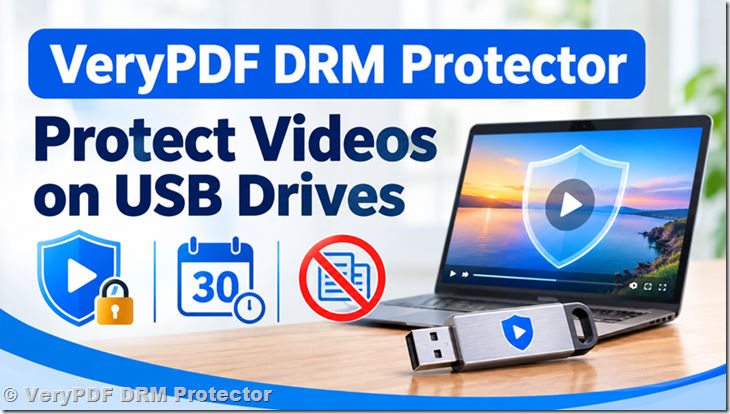
1. Protect Videos on Your Own USB Drives
You do not need to buy expensive special USB hardware or use proprietary storage devices.
With VeryPDF DRM Protector, you can use standard USB flash drives or external USB drives that you purchase yourself.
The software encrypts your videos and prepares them for distribution on USB drives. Each protected video is linked to the hardware serial number of its USB drive.
This means the encrypted video is designed to play only from the original USB drive.
For example:
- A training company prepares 500 USB drives for its students.
- Each USB drive contains the same training videos.
- Every USB drive has its own hardware identity.
- Students can watch the videos on supported Windows computers.
- Copying the encrypted video to another USB drive does not provide access to the video.
This makes it much harder for customers to share video files with people who have not purchased or received access.
2. Play Protected Videos Without an Internet Connection
Internet access is not always available.
Some training centers have restricted networks. Some customers work in locations without reliable internet access. Others simply want to watch purchased videos on a computer that is not connected to the internet.
VeryPDF DRM Protector supports offline video playback on Windows computers.
Once the encrypted videos and required player files have been prepared on the USB drive, customers can watch the protected content without an internet connection.
This is useful for:
- Professional training courses
- School and university teaching materials
- Corporate training videos
- Medical and technical training
- Paid educational content
- Product demonstrations and instructional videos
You can distribute physical USB drives without requiring customers to upload their videos to a cloud platform or connect to an online license server every time they watch.
3. Prevent Video Copying Between USB Drives
One of the biggest problems with distributing videos on USB drives is unauthorized copying.
For example, a customer may copy a video folder to their laptop, upload it to cloud storage, or transfer it to another USB drive.
Traditional USB video distribution cannot prevent this.
VeryPDF DRM Protector uses the USB drive’s hardware serial number as part of its video protection system.
The encrypted video is protected using information from the original USB drive. If someone copies the encrypted files to another USB drive or computer, the copied files cannot be played there.
Even using disk-cloning software to copy the original drive does not allow the cloned drive to play the protected videos, because the hardware identity is different.
This provides stronger protection than simply hiding video files or putting a password on a folder.
4. Set a 30-Day Video Expiration Period
Sometimes customers should only have access to a video for a limited time.
For example, a training company may sell a course that is available for 30 days. After this period, the customer should no longer be able to watch the videos.
VeryPDF DRM Protector supports expiration controls for protected video files.
You can configure an expiration period and arrange for encrypted files to be automatically destroyed after expiration.
This helps prevent customers from keeping permanent access to content that was sold as temporary access.
Important: The exact expiration behavior, including whether the 30-day countdown starts with the first playback rather than when the USB drive is prepared, should be confirmed for your required offline deployment configuration.
5. Protect Videos Against Screen Recording
Preventing file copying is only part of video protection.
Someone could still try to record a video while it is playing.
VeryPDF DRM Protector includes screen-capture and screen-recording protection in its secure video player to help prevent unauthorized recording on supported Windows systems.
There is also a different problem: someone may use a mobile phone or an external camera to record the computer screen.
Software cannot completely prevent this type of recording.
To help deal with this problem, VeryPDF DRM Protector supports dynamic watermarks containing viewer information.
For example, a watermark can display:
- Customer name
- Customer email address
- Other identifying information
The watermark can move or change position while the video is playing, making it harder to remove from a recording.
If an unauthorized recording appears online, the watermark can help identify the person associated with the video.
6. Create Thousands of Protected USB Drives
If you run a training business, you may need to prepare hundreds or thousands of USB drives.
You do not want to purchase a separate software license for every USB drive.
VeryPDF DRM Protector allows you to prepare an unlimited number of USB drives under one software license.
For example, imagine that your organization has 5,000 students.
You can use the software to prepare 5,000 USB drives, each containing protected training videos.
You can distribute these USB drives to students, customers, employees, or training partners.
This approach is suitable for organizations that need to distribute the same video content to a large number of people.
7. VeryPDF DRM Protector vs. Regular USB Video Distribution
| Feature | Regular USB Video | VeryPDF DRM Protector |
|---|---|---|
| Use standard USB drives | Yes | Yes |
| Offline video playback | Yes | Yes |
| Hardware-based USB protection | No | Yes |
| Prevent copying to another USB | No | Yes |
| Prevent playback on another computer | No | Yes |
| Expiration control | No | Yes |
| Automatic encrypted file destruction | No | Supported |
| Screen recording protection | No | Supported |
| Dynamic user watermark | No | Yes |
| Prepare thousands of USB drives | Yes | Yes |
Regular USB drives are convenient for distributing videos, but they do not provide real content protection. VeryPDF DRM Protector adds hardware-based video encryption, playback restrictions, expiration controls, and watermark protection.
8. Who Should Use USB Video DRM Protection?
VeryPDF DRM Protector is useful for organizations that sell or distribute video content through physical USB drives.
Typical customers include:
- Training companies: Distribute paid courses and prevent students from sharing video files.
- Schools and universities: Provide protected teaching materials to students.
- Corporate training departments: Distribute internal training videos to employees.
- Video producers: Sell educational and professional video content.
- Medical training providers: Protect specialized training videos from unauthorized distribution.
- Certification organizations: Distribute course materials with a limited viewing period.
If your business needs offline video playback but also wants to prevent customers from copying and sharing videos, USB-based DRM protection is worth considering.
9. Why Choose VeryPDF DRM Protector?
VeryPDF DRM Protector is designed for businesses that need to distribute protected video content without depending on a permanent internet connection.
Its main benefits include:
- Use your own standard USB drives.
- Protect videos using USB hardware serial numbers.
- Support offline playback on Windows computers.
- Prevent copied encrypted videos from playing on other USB drives.
- Control video access with expiration settings.
- Automatically destroy encrypted files after expiration when configured.
- Help prevent screen capture and screen recording.
- Display dynamic watermarks with customer information.
- Prepare an unlimited number of protected USB drives under one license.
VeryPDF DRM Protector does not currently offer a trial version. If you have specific technical requirements, contact our team to discuss your deployment needs before purchasing.
Learn more: https://drm.verypdf.com/
Frequently Asked Questions (FAQ)
1. Can I use my own USB flash drives to protect videos?
Yes. VeryPDF DRM Protector is designed to work with standard USB drives. You do not need to purchase special or proprietary USB hardware.
2. Can customers watch protected videos without internet access?
Yes. The secure video player supports offline playback on Windows computers. An internet connection is not required for normal offline viewing.
3. Can customers copy protected videos to another USB drive?
They can copy the encrypted files, but the copied files cannot be played using another USB drive because the protection is linked to the original drive’s hardware serial number.
4. What happens if someone clones the entire USB drive?
Cloning the files or the USB drive does not reproduce the original hardware identity. The cloned drive cannot be used to play the protected videos.
5. Can I set a 30-day expiration period?
Yes. VeryPDF DRM Protector supports expiration controls. Please contact our team to confirm the exact first-playback countdown behavior required for your offline deployment.
6. Does the expiration countdown start when the customer first opens the video?
The required first-playback-based expiration behavior should be confirmed with our technical team before deployment, especially when all playback must remain offline.
7. Can encrypted videos be automatically deleted after expiration?
Yes. The software supports automatic destruction of encrypted files based on configured expiration settings.
8. Can customers watch videos on Mac computers?
The offline USB video player described here is designed for Windows computers. Please contact VeryPDF if you need support for macOS.
9. Can the software prevent screen recording?
VeryPDF DRM Protector provides screen-capture and screen-recording protection in its secure player on supported Windows systems. However, recording with an external camera or mobile phone cannot be completely prevented.
10. Can I identify someone who records my video using a mobile phone?
VeryPDF DRM Protector supports dynamic watermarks that can display customer information, such as a name or email address. This can help identify the source of an unauthorized recording.
11. How many USB drives can I prepare?
There is no limit on the number of USB drives you can prepare under one software license. You can create hundreds or thousands of protected USB drives for your customers or students.
12. Do I need to buy a separate license for every USB drive?
No. You purchase a software license to prepare protected USB drives. You do not need a separate software license for each USB drive.
13. Does VeryPDF DRM Protector offer a free trial?
No. VeryPDF does not currently offer a trial version of this product. You can contact our support team to discuss your requirements and ask technical questions before purchasing.
14. Is this solution suitable for selling offline training courses?
Yes. It is designed for businesses that distribute paid video courses through physical USB drives and want to control copying, playback, and access periods.
Contact VeryPDF
If you need to protect training videos, educational content, or commercial video courses on USB drives, VeryPDF DRM Protector can help.
Contact our team to discuss your requirements:
- Website: https://drm.verypdf.com/
- Email: support@verypdf.com
We can help you determine whether our offline USB video protection software is suitable for your business.