
Is locking videos and PDFs to a USB drive worth it for your business? While USB-based protection offers unique benefits for sensitive content and offline delivery, it’s not right for everyone. Standard password protection or basic encryption tools just can’t stop disk cloning software from making identical copies without paying, making content creators feel like they are losing control once a physical drive leaves their hands. In this article, we’ll explore the real pros and cons of this offline solution, specifically focusing on hardware locking to prevent cloning, so you can make an informed decision for your valuable video courses, confidential company training, or private PDFs.
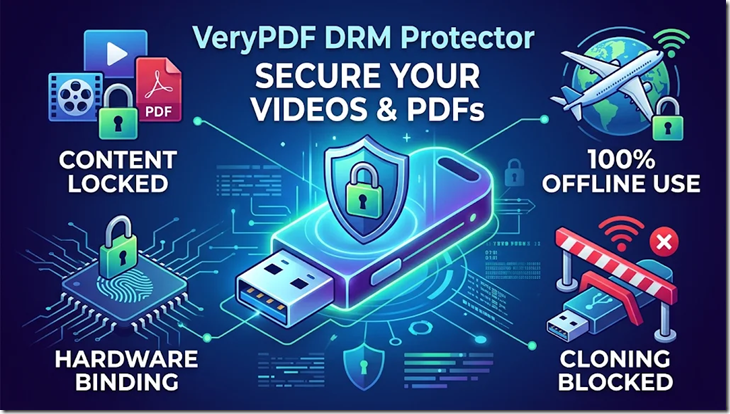
How Hardware-Locked DRM Prevents Cloning
To genuinely prevent USB drive cloning for offline videos and PDFs, your content needs to be bound directly to the unique physical hardware of that specific USB drive. VeryPDF DRM Protector achieves this by locking your video and PDF files to the permanent, read-only factory hardware serial number of the USB disk, making professional cloning tools useless. Even if someone copies all the storage data to another drive, the content simply won’t open on the unauthorized device, as shown in the table below:
| Cloning Aspect | Normal Data / Basic Encryption | VeryPDF DRM (USB Mode) |
|---|---|---|
| Copies Partition ID / Volume Serial? | Yes | Yes (but irrelevant for license checks) |
| Copies Physical Hardware Serial? | No (software cloning cannot copy hardware data) | No (binding is to actual hardware serial) |
| Protected Files Work on Cloned Drive? | Easily, as simple protection is copied along with files. | No. Content remains completely locked and inaccessible. |
This hardware-level binding provides excellent anti-copy and anti-clone protection, directly addressing a major pain point and ensuring your high-priced courses or sensitive data isn’t easily replicated and shared.
Pros of Copy Protecting Videos & PDFs on a USB Drive
- 100% Pure Offline Use: This is perfect for secure offices, remote factories, planes, or any place without reliable internet. Users don’t need to worry about server downtimes or having a stable connection just to watch their course or read sensitive PDFs, ensuring continuous access without frustration.
- Excellent Anti-Copy & Anti-Clone Protection: As explained above, hardware serial number binding makes professional cloning tools useless. Even if someone makes a complete copy of the drive, the files are locked to the original physical chip, preventing widespread unauthorized sharing.
- User Flexibility (Multiple Computers): Unlike some software that locks content to a single computer, users can plug your protected USB drive into their company PC, home laptop, or any compatible computer. They don’t have to deal with complex machine IDs or activation codes, providing a smoother experience and reducing customer support issues for you.
- High-Speed Transfer for Large Files: Shipping large 4K video courses or massive PDF manuals means zero download time for your customers. They get the content instantly, can watch without lag, and you avoid massive server bandwidth bills for distributing large files online.
- Perceived High Value: Delivering your content on a custom-branded USB drive with your logo feels like a premium product. It adds a physical sense of quality and value, reducing refund rates for high-priced courses compared to just a download link.
| Feature / Benefit | Standard USB Content Delivery | VeryPDF DRM (USB Mode) |
|---|---|---|
| Internet Needed? | No | No (100% Offline) |
| Prevent File Copying? | No | Yes |
| Prevent Cloning? | No | Yes (Locked to hardware serial) |
| Works on Multiple Computers? | Yes | Yes (License tied to drive, not PC) |
| Upload/Download Costs? | None for recipient; shipping costs for sender | None for recipient; shipping costs for sender |
| Perceived Product Value | Standard | Premium / High-Value |
Cons and Risks of USB Video & PDF Protection
- Higher Initial Cost: This solution requires buying quality brand-name USB drives (as cheap bulk drives often skip unique serial numbers) and paying for physical shipping. These upfront costs make it completely unsuitable for selling cheap videos or free content, unlike distributing via online download.
- Physical Damage & Loss Risks: If a customer spills coffee on the USB drive, drops it, or simply misplaces it, their expensive course access is gone. Since the content is locked only to that broken or lost piece of plastic, they cannot just download another copy, creating frustration and requiring you to have a clear replacement policy.
- No Real-Time Remote Revocation: Unlike online DRM, where you can instantly cut access in the backend, you cannot remotely disable content once a USB drive is in a user’s hands. Unless you set a fixed expiry date or view limits beforehand, that content is accessible forever until the drive fails or is lost.
- Content Updates Are Inflexible: If you update one video in your course or correct a typo in your PDF, you cannot just send a link to the new version. Your customers are stuck with the old version on their current drive, making updates clunky and potentially requiring mailing replacement drives for major changes.
- Cross-Platform Compatibility Issues: Protected USB solutions often require a specific player that works best on Windows and macOS. It can be incredibly difficult, inconvenient, or even impossible for users to comfortably watch videos or read PDFs on their iPad, iPhone, or Android tablet without specific, often complex, setups, frustrating customers who prefer mobile learning.
| Problem / Risk | Standard Content Distribution | VeryPDF DRM (USB Mode) |
|---|---|---|
| Upfront Hardware Cost | None (if distributing digitally) | Moderate to High (quality USB drives + shipping) |
| Delivery Time | Instant (download) | Days / Weeks (shipping) |
| Data Loss Concern | Low (easily re-downloaded) | High (data locked to specific drive) |
| Remote Access Revocation? | Yes (real-time) | No (unless pre-configured limits) |
| Flexible Content Updates? | Yes (instant) | No (clunky / requires shipping replacement) |
| Mobile Learning Compatibility? | Excellent | Frustrating / Potentially impossible |
Comparison: Delivering Content on unprotected vs. Basic Encrypted vs. Hardware-Locked USB
| Feature / Benefit | Unprotected USB Drive | Basic Encryption Software | Hardware-Locked DRM (e.g., VeryPDF DRM) |
|---|---|---|---|
| Prevent Copy/Paste | No | Yes | Yes |
| Prevent Cloning | No | No (partition ID is copied) | Yes (Bound to unique physical chip) |
| Works 100% Offline | Yes | Yes | Yes |
| Leaves Temp Files on PC? | Yes | No (mostly) | No (In-memory playback/reading only) |
| Block Screen Recording? | No | Rarely | Yes (Anti-screen-capture tech) |
| Expiry Dates / View Limits? | No | No | Yes (Fully configurable) |
| Dynamic Watermarks? | No | No | Yes (Displays user/USB info) |
| PDF Protection? | No | No | Yes (Block print, copy, save-as, etc.) |
| Perceived Value | Normal | High | Premium / High-Value & High-Security |
Hardware locking, combined with extra security features and 100% offline use, clearly sets VeryPDF DRM Protector apart, offering significantly stronger protection against cloning and unauthorized access, even though it adds physical distribution steps and costs.
Real World Situation & Comparisons
Consider a large company sharing private internal training videos and confidential engineering PDFs with employees at remote construction sites or secure offices lacking internet. Sending unencrypted files on a standard USB drive would be incredibly risky, allowing easy copying or drive cloning, potentially leading to leaks. Basic encryption is equally inadequate against professional cloning software. With hardware-locked USB DRM, perhaps using VeryPDF DRM Protector, each drive works only on its original device. Yes, it requires shipping physical drives initially, but the security of knowing valuable content can only be accessed from authorised physical hardware is invaluable for such sensitive data and adds to the perceived value and importance of the training. Even though standard delivery offers instant access, the perceived value of receiving a dedicated, highly secure USB drive for critical information is significant for the company and creates an emotional connection by showing they take their intellectual property and data security seriously. Standard delivery can create a perception of low value, as digital downloads are often perceived as less expensive or temporary.
Recommendation: VeryPDF DRM Protector
We highly recommend VeryPDF DRM Protector as a powerful and flexible solution for locking your videos and PDFs to USB drives to prevent cloning. Why?
- Secure Hardware Locking: Successfully binds content to the unique physical serial number of quality brand-name USB drives, making cloning useless.
- Offline Functionality: Your content is completely accessible in non-network environments, providing the smoothest user experience for employees or customers without reliable internet.
- Extra Protections: Includes essential features like anti-screen recording, dynamic watermarking, and comprehensive PDF security (blocking print, copy, etc.), adding significant security and perceived value for premium content.
- Perceived High Value: Helps reduce refund rates for expensive courses by transforming your digital product into a premium physical offering.
Check out the Frequently Asked Questions below for more real situations and detailed answers to common user pain points!
Frequently Asked Questions (FAQ)
1. What if someone copies the protected video files to their desktop?
They can certainly copy the encrypted file icon onto their computer, but the file is completely useless on its own. Without the exact physical USB drive plugged in, the video or PDF cannot be decrypted or opened, protecting your content from being shareable.
2. What about professional disk cloning software like Ghost or DiskGenius?
Standard cloning software only copies the logical data, partition structure, and even the software-created volume serial number, all of which get copied right along with the video files. However, it cannot copy the factory-burned physical hardware serial number inside another drive’s controller chip. When someone tries to play the video from a cloned drive, the player detects the hardware mismatch and blocks access immediately.
3. Do users need internet access at all for watching protected videos or reading PDFs?
No, 100% offline use is one of the biggest advantages. VeryPDF DRM Protector’s USB solution is built for situations where internet is not an option. Users don’t need to register accounts online or have stable connections, ensuring continuous access once the drive is in their hands, perfect for travel or restricted environments.
4. Can users record the screen while watching or reading protected content?
No, the secure video player actively monitors the computer for screen recording programs, screenshot tools, and remote desktop software. If it detects any screen capture activity, it blocks the recording or turns the video/PDF window completely black, significantly deterring re-recording piracy. Examples, comparisons. Unlike normal videos or basic encryption, which can be easily captured by common screen recorders, hardware-locked solutions actively fight against it.
5. What if someone uses their phone camera to record the monitor?
Software cannot physically block an external camera, so VeryPDF DRM Protector includes dynamic watermarks. These watermarks can display the buyer’s name, email, or the USB drive’s unique serial number, which moves across the screen during playback or reading, making it much harder to create clean recordings or screenshots, and discouraging piracy through traceability. Standard distribution offers no such protection against filming.
6. Can I set expiration dates or limit views/prints for PDFs?
Yes, you can configure your DRM rules to automatically set an expiration date, a maximum number of uses/views, and for PDFs, you can block printing, copying text, or saving the file. These features give you precise control over how and for how long your content is used, which basic encryption or unencrypted files on a standard USB cannot offer, adding significant perceived value and security for premium content. Perceived value, comparison.
7. Do my customers need to install complex software on their computers?
No, you can package the dedicated secure player directly onto the USB drive alongside the encrypted videos and PDFs. Your customers just need to plug in the drive and double-click the player or PDF reader file to watch or read, offering a smoother user experience than online portals that require downloads and logins. Normal video distribution requires third-party players and internet for setup. Real situation, perceived value, comparison.
8. Will any cheap bulk USB flash drive work with hardware binding?
We strongly recommend using genuine, brand-name USB drives or external SSDs/HDDs. Cheap, no-name drives often lack unique factory serial numbers, which could be exploited, leading to a loss of perceived value and security for premium content. Standard delivery might use cheap drives to save costs, which adds to a perception of low value. Emotional connection, perceived value, comparison.
9. What video and PDF formats can be protected?
You can protect all popular video formats like MP4, MKV, AVI, MOV, WMV, and FLV, without losing video quality. Standard PDF files are also supported, giving you comprehensive protection for different content types. Normal PDF distribution offers no copy or print protection. Perceived value, comparison.
10. Can I update or add new content to a customer’s USB drive later?
Yes, if you know the hardware serial number of the customer’s USB drive, you can encrypt new video or PDF modules on your own computer and send the encrypted files to the customer via email or cloud download. Once they drop the new files onto their authorised drive, the content will unlock seamlessly, making updates less frustrating than needing a new drive, a better user experience, and creating an emotional connection by demonstrating continued support. Standard distribution requires instant downloads or completely new content. Perceived value, comparison.
11. What if a customer’s USB drive gets physically damaged or lost?
Data loss is a significant risk with this type of physical copy protection. Because the license is tied strictly to that specific physical hardware chip, a broken drive cannot be cloned onto a replacement by the user, leading to frustration and data loss concerns. You need to have a clear replacement policy to address such situations and create an emotional connection by helping users with their problem, making this a better user experience and less frustrating than potentially having no recourse with some providers. Standard delivery usually implies easy re-downloading or no data loss concern, so this is a major comparison point to be aware of.