
Many people worry about this when they start using online PDF protection tools:
“If I allow mobile access, will my protected PDF become easier to copy or leak?”
This is a common concern, especially for eBook sellers, teachers, and companies sharing confidential documents.
If you are using VeryPDF DRM Protector secure online reader, here is the simple answer:
iOS and Android access does NOT reduce DRM protection
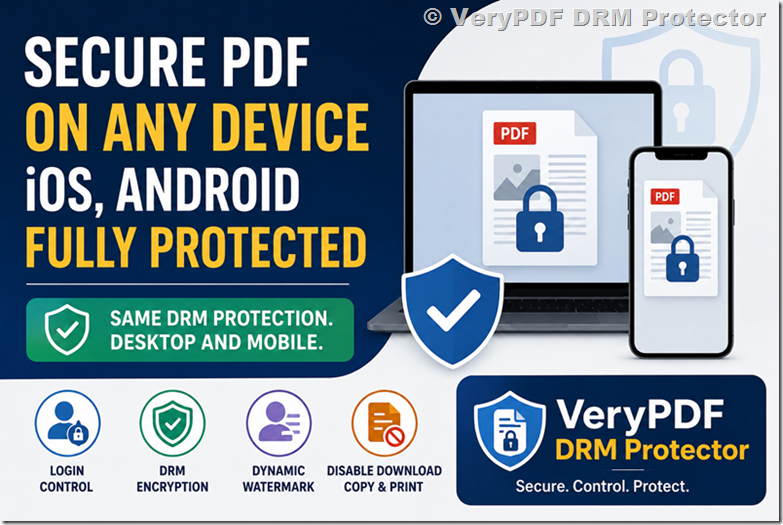
When you enable iOS or Android access, the protection level does not drop.
The same DRM rules still apply inside the browser:
- PDF encryption is still active
- Login control still works
- Watermarking is still shown
- Copy / download / print rules still apply (based on your settings)
The document is not “opened freely” on mobile. It is still controlled by the secure reader.
Why mobile access feels risky (but usually is not)
Most people feel mobile is less secure because:
- Phones are easier to share
- Screens can be recorded
- Apps feel “outside control”
But in a browser-based secure reader, the situation is different.
The PDF is not downloaded as a normal file. It is shown inside a controlled viewer.
So even on mobile:
- Users cannot get the original PDF file
- Access is still tied to login
- Watermarks can still identify each user
Desktop vs mobile protection (simple comparison)
|
Feature |
Desktop browser |
iOS / Android browser |
|
Login required |
Yes |
Yes |
|
Encryption |
Yes |
Yes |
|
Watermarking |
Yes |
Yes |
|
File download control |
Yes |
Yes |
|
Print control |
Yes |
Yes |
|
OS-level restrictions |
Stronger |
More limited |
Mobile is slightly more limited at the system level, but the DRM rules still work inside the reader.
Should you enable mobile access?
In most real cases: yes, you should enable it.
Here is why:
1. People expect mobile reading
Many users open PDFs on phones first. If mobile is blocked, they may leave.
2. No app install needed
With VeryPDF DRM Protector online reader, users just log in and read. No download.
3. Same document control
You still control:
- who can open the file
- how long they can access it
- whether they can print or download
4. Better reach for eBooks and training materials
If you sell or share:
- eBooks
- course materials
- company documents
Mobile support increases usage a lot.
Real example
A teacher shares protected course notes:
- Students open on laptop in class
- Later they review on mobile at home
If mobile is disabled, students will try screenshots, downloads, or unofficial copies elsewhere.
With mobile enabled:
- They stay inside the secure reader
- You still control access
- Watermarks still identify each student
Common concerns (and real answers)
1. Can someone copy the PDF from iPhone or Android?
No. The original file is not exposed. The content is rendered inside the secure viewer.
2. Is screen recording blocked on mobile?
You cannot fully control device-level screen recording on all phones. But watermarking helps trace leaks.
3. Is mobile weaker than desktop?
Not in DRM rules. Only OS-level control is more limited.
4. Do I need a mobile app?
No. Everything works in the browser.
5. Will mobile users bypass login?
No. Access still requires authentication.
Best practice for DRM setup
If you want both security and easy access:
- Enable iOS and Android access
- Use dynamic watermarking (email, user ID, or timestamp)
- Disable download if content is sensitive
- Keep login required for all users
This setup works well for most PDF protection use cases.
Why use VeryPDF DRM Protector
VeryPDF DRM Protector is designed for controlled PDF sharing without forcing users to install software.
It helps you:
- Protect PDFs with encryption
- Control who can view documents
- Add dynamic watermarking per user
- Restrict download, copy, and print
- Allow secure online reading on desktop and mobile
- Manage users and access time easily
This makes it suitable for:
- online courses
- eBooks
- business documents
- training materials
- confidential reports
FAQs
1. Does enabling mobile access reduce PDF security?
No. DRM rules still apply inside the secure reader.
2. Can users download the PDF on mobile?
Not if download is disabled in your DRM settings.
3. Can someone share a screenshot from mobile?
Yes, but watermarking helps identify the user.
4. Do iOS and Android behave differently?
Slightly in system controls, but DRM rules are the same.
5. Do users need an app to read protected PDFs?
No. It works in a browser.
6. Is login required on mobile?
Yes, the same login system is used.
7. Can I limit access time on mobile?
Yes, time-based access rules still apply.
8. Can I track who opened the PDF?
Yes, user access logs are available.
9. Is watermarking visible on mobile?
Yes, it appears the same as desktop.
10. What if I disable mobile access?
Users can only open on desktop, but you may lose mobile readers.
11. Is mobile safer than sharing files by email?
Yes, because the file is never directly shared.
12. What is the best setup for secure PDF sharing?
Login + watermark + no download + mobile enabled for convenience.