
Many people want to publish PDF content online but are increasingly concerned about AI scraping, AI content extraction, and unauthorized data harvesting from PDF files, especially from modern AI systems such as ChatGPT, Claude, Gemini, Perplexity AI, and other large language models.
They typically worry about three things:
- Readers sharing the file without permission
- Copying and pasting text into other tools or AI systems
- AI tools scraping, crawling, or reusing content for training or summaries
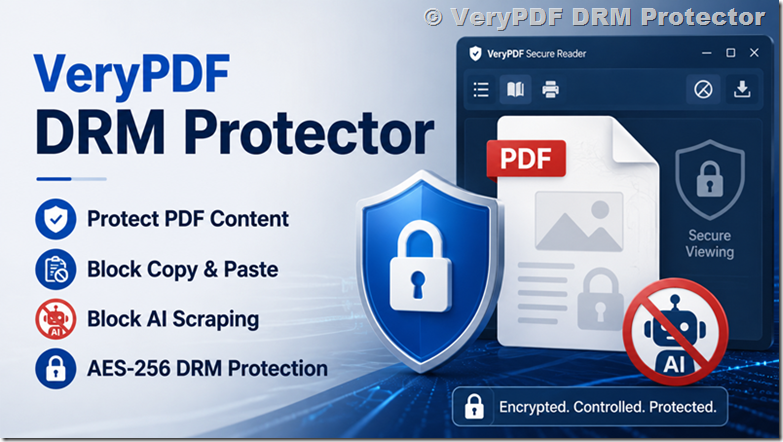
This is where a DRM system like VeryPDF DRM Protector is used. It changes how the PDF is accessed, not just how it looks.
Below is a simple explanation of how it works in real use.
Option 1. Online access option: VeryPDF Secure Web Viewer (no installation needed)
In addition to desktop reading, users can also open .vpdf files directly in a browser using VeryPDF Secure Web Viewer.
This is the online reading mode, designed for instant access without installing any software.
Users simply read documents securely in the browser.
What this enables:
◾Open .vpdf files directly in Chrome, Edge, or Firefox
◾No installation required
◾Same DRM protections as desktop reader
◾Access controlled by account login
◾You can revoke access anytime
This is especially useful for:
◾Training platforms
◾Online courses
◾Subscription-based content
◾Fast onboarding for users who don’t want to install software
Option 2. How protected PDF files are opened with VeryPDF Secure Reader for Windows
When you protect a PDF, it is not a normal PDF anymore. It becomes a .vpdf protected file.
To read it, users must install:
VeryPDF PDF Reader for Windows (Secure Reader)
This is a Windows desktop application.
Download page:
https://drm.verypdf.com/downloads/
Inside the page:
- Go to “4. Portable VeryPDF DRM Document Viewer”
- Click the Windows icon
- Download and install the reader
Direct download:
https://www.verypdf.com/dl2.php/VeryPDF-Reader.zip
1. What users can do after installation
Once installed:
- Open .vpdf files
- View content in a controlled environment
- No need Adobe Reader or browser PDF viewer
- File will not open in normal PDF tools
This is important:
A protected file is not readable outside this system.
2. Two ways to send protected PDF files
You can choose how your readers access the document.
Option 1 — Email file delivery (simple method)
|
Step |
What happens |
|
1 |
You send .vpdf file by email |
|
2 |
User downloads file |
|
3 |
User installs VeryPDF Secure Reader for Windows |
|
4 |
User opens file locally |
Good for:
- One-time publishing
- Small audience
- Offline reading
Option 2 — Online login system (better control)
You create a read-only account for each user.
User login page:
https://online.verypdf.com/app/pdfdrm/login.php
User example:
- Username: UserAAA
- Password: PassAAA
You manage accounts here:
https://drm.verypdf.com/wp-admin/admin.php?page=VeryPDFDRMUserManagement
What users can do
|
Feature |
Description |
|
Online reading |
Open document in browser secure viewer |
|
Windows Reader |
One-click open in desktop app |
|
Access control |
You can disable or remove access anytime |
|
No file sharing |
Users do not get a normal PDF file |
This method is better when you want control over access.
Why protected PDF cannot be opened in normal PDF Readers
A normal PDF works like this:
- File is saved locally
- Any PDF app can open it
- Text can be copied
- File can be shared freely
A protected .vpdf file works differently:
- File is encrypted (AES-256)
- Decryption key is not inside the file
- Only authorized reader can decrypt it
- No Adobe Reader support
- No browser PDF support
So even if someone downloads the DRM Protected PDF file, it stays unreadable outside the system.
AI scraping protection for PDF files: how DRM prevents AI content extraction
Many users ask:
“Can AI tools scrape my PDF content?”
This is especially important in the era of modern AI systems such as ChatGPT (OpenAI GPT-4 / GPT-5 models), Claude (Anthropic), Gemini (Google), Perplexity AI, Microsoft Copilot, Meta AI, and other large language models and AI agents that can ingest and summarize documents.
As AI-powered tools become more advanced, PDF content is increasingly at risk of being:
◾Crawled by AI bots and web scrapers
◾Extracted into training datasets
◾Summarized or re-used without permission
◾Indexed by AI search engines and retrieval systems
◾Copied into AI-generated answers or reports
Here is the simple answer:
With DRM protection:
◾AI tools like ChatGPT, Claude, Gemini, and Perplexity AI cannot directly access protected PDF content
◾AI crawlers and bots cannot extract text from encrypted .vpdf files
◾No direct access to raw document data is possible
◾Content is never exposed as plain text outside a controlled environment
◾All information is only rendered inside a secure viewer (browser or desktop reader)
Why this works:
◾Content is encrypted using AES-256 encryption
◾Decryption keys are not stored inside the PDF file itself
◾Only authenticated users can access the decryption process
◾Content is rendered dynamically inside a secure reading environment
◾Normal PDF parsers, AI crawlers, and scraping tools cannot process the file
What this effectively prevents in real-world AI usage:
◾AI training data scraping from PDF repositories
◾Automated ingestion by LLM crawlers (GPT-based bots, Claude crawlers, Gemini indexing systems)
◾Bulk extraction of knowledge from paid documents, reports, or ebooks
◾Unauthorized summarization by AI assistants
◾Content reuse in AI-generated answers without permission
A solution like VeryPDF DRM Protector is designed specifically for this modern threat model: protecting digital documents from both human copying and AI-driven content extraction at scale.
Comparison: normal PDF vs DRM protected PDF
|
Feature |
Normal PDF |
DRM Protected PDF |
|
Open in Adobe Reader |
Yes |
No |
|
Copy text |
Yes |
No |
|
Print control |
Weak |
Strong control |
|
File sharing |
Easy |
Controlled |
|
AI scraping |
Easy |
Blocked at file level |
|
Access control |
None |
Full control |
|
Expiry / revoke access |
No |
Yes |
Where DRM PDF is used
This system is often used for:
- Online courses
- Training materials
- Research reports
- Paid ebooks
- Internal company documents
- Premium articles
- Legal and compliance files
If you publish valuable content, the main risk is always the same:
once the PDF is shared, you lose control.
DRM solves this problem at the access level.
Simple setup idea (for publishers)
A clean setup usually looks like this:
- Upload PDF to DRM system
- Protect file as .vpdf
- Choose access method:
- email delivery OR
- user login system
- Send access to readers
- Monitor or revoke access anytime
No change needed on your original writing workflow.
Why many creators choose DRM protected PDF instead of normal PDF
Because normal PDF has one big problem:
Once someone has the file, you cannot control it anymore.
DRM changes this by:
- Controlling who can open it
- Controlling where it can be opened
- Controlling how it is used
- Allowing you to remove access later
FAQs
1. Can users open DRM PDF in Adobe Reader?
No. Only the Secure Reader or authorized online viewer can open it.
2. Do users need to install software?
Yes, users need to install the VeryPDF Secure Reader for Windows for offline access to protected .vpdf files.
However, no installation is required if they use the VeryPDF Secure Web Viewer, which allows them to open documents directly in a browser.
3. Can I send the file by email?
Yes, you can send the .vpdf file to users by email, your users can read the .vpdf files using VeryPDF Secure Reader for Windows to read them in their local Windows system.
4. Can users copy text from the document?
No, copy and paste is blocked.
5. Can users print the file?
You can fully control printing permissions.
6. What happens if someone shares the file?
It cannot be opened without authorization.
7. Can I revoke access after sending it?
Yes, access can be removed anytime.
8. Does it work on Mac?
Yes, you can read .vpdf files online on Mac system.
9. Can AI tools read my protected PDF?
No direct access is possible without decryption and authorization.
10. Is internet required?
Only for online login mode. Offline mode works without internet after setup.
11. Can I protect only one document?
Yes, even a single file can be protected.
12. Is it suitable for small creators?
Yes, many individual publishers use it for paid content.
Final note
If you are publishing content that should not be copied, shared freely, or scraped by AI tools such as ChatGPT, GPT-4/5 models, Claude, Gemini, Perplexity AI, and other large language models, a DRM system gives you control at the access level instead of relying on simple password protection.
A solution like VeryPDF DRM Protector is designed for exactly this type of use case: controlled reading, controlled sharing, and controlled distribution.