
VeryPDF DRM Protector is a modern document security and rights management solution designed to address one of the most persistent problems in the digital age: uncontrolled document sharing. In today’s business, education, and professional environments, sensitive information is constantly exchanged through PDFs, Word documents, PowerPoint presentations, and other digital formats. Once these files leave the creator’s hands, they can easily be forwarded, copied, screenshotted, or redistributed without permission. Traditional protection methods such as passwords or basic encryption are no longer sufficient because they do not provide visibility, traceability, or control after access is granted.
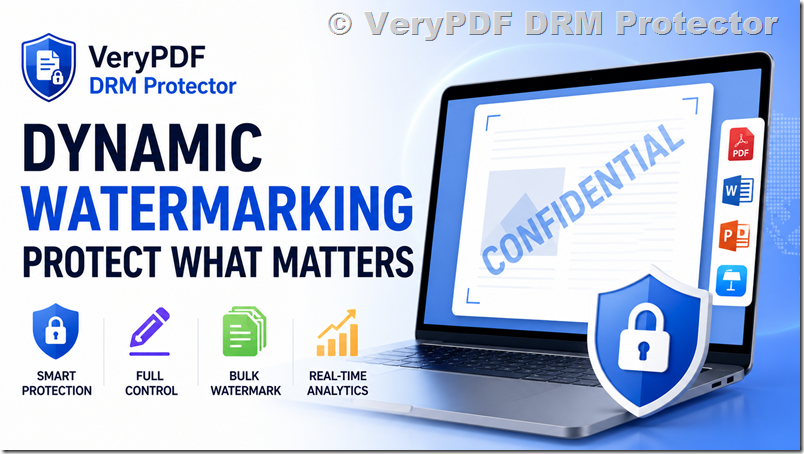
VeryPDF DRM Protector solves this challenge by combining dynamic watermarking, advanced access control, batch processing capabilities, and real-time analytics into a unified platform. At its core, the system focuses on one powerful idea: every document should carry a visible and intelligent identity that travels with it wherever it goes. This is achieved through dynamic watermarking, which transforms ordinary documents into traceable and controlled assets.
This article provides a detailed overview of VeryPDF DRM Protector, its dynamic watermarking technology, key features, use cases, and the value it brings to organizations that need to protect sensitive information at scale.
1. The Problem of Modern Document Sharing
Before understanding the value of VeryPDF DRM Protector, it is important to recognize the challenges organizations face today.
Digital documents are extremely easy to distribute. A single PDF can be emailed to hundreds of recipients within seconds. A PowerPoint presentation used in a meeting can be saved and shared outside the organization without any restriction. Even confidential Word documents containing business strategies, financial data, or intellectual property can be copied and forwarded instantly.
The main problems include:
- Loss of control once a document is shared
- Difficulty tracking who leaked or forwarded files
- Ineffective password-based protection
- Lack of visibility into document usage
- High risk of intellectual property theft
- Compliance risks in regulated industries
Passwords, while commonly used, are fundamentally weak. Once a password is shared, the document is effectively unprotected. Encryption alone does not solve the distribution problem because it only protects storage or access, not behavior after access.
Organizations need a solution that goes beyond static protection. They need a system that can actively identify users, embed accountability into documents, and provide visibility into usage patterns. This is where VeryPDF DRM Protector and its dynamic watermarking system become essential.
2. Introduction to VeryPDF DRM Protector
VeryPDF DRM Protector is a digital rights management platform designed to protect sensitive documents from unauthorized distribution while maintaining ease of access for legitimate users.
Instead of simply locking files with passwords, it applies intelligent controls that follow the document wherever it is accessed. One of its most powerful features is dynamic watermarking, which ensures that every document carries identifiable user information.
The system supports multiple file formats, including:
- PDF documents
- Microsoft Word files
- Microsoft PowerPoint presentations
- Apple Keynote files
This broad compatibility ensures that organizations can protect their entire document ecosystem without changing their workflows.
VeryPDF DRM Protector is particularly useful in industries such as:
- Education (protecting teaching materials and exams)
- Finance (protecting reports and client data)
- Legal services (protecting contracts and case files)
- Corporate environments (protecting internal documentation)
- Publishing (protecting digital content and drafts)
3. Dynamic Watermarking: The Core Protection Technology
The most important feature of VeryPDF DRM Protector is dynamic watermarking. Unlike static watermarks, which are permanently embedded and identical for all users, dynamic watermarks change based on the viewer.
This means that every person who opens a document sees a watermark that is uniquely generated for them.
3.1 What Makes It “Dynamic”?
A dynamic watermark automatically pulls real-time data about the viewer and embeds it into the document. This can include:
- Viewer email address
- IP address
- Date of access
- Time of access
- User identity or account information
For example, if two different users open the same document, they will see different watermark information. This makes every copy of the document traceable to a specific user session.
3.2 Why Dynamic Watermarking Is Powerful
Dynamic watermarking solves a critical problem that static watermarks cannot address: accountability.
If a document is leaked or shared without permission, organizations can immediately identify the source based on the embedded watermark information.
Key benefits include:
- Strong deterrent against unauthorized sharing
- Ability to trace leaks to specific users
- Increased accountability among document viewers
- Reduced risk of internal data leaks
- Strong compliance support for regulated industries
Even if a user takes a screenshot or exports the document, the watermark remains visible, ensuring that ownership and identity are preserved.
3.3 Real-World Example
Consider a company distributing confidential financial reports to multiple clients. Each client receives the same document content, but with a personalized watermark such as:
“Confidential – John Smith – john@example.com – 192.168.1.10 – 2026-05-01 10:45”
If this document is later leaked online, the company can immediately identify which client account was responsible for the breach.
This level of traceability is not possible with traditional PDF protection tools.
4. Smart Protection for Sensitive Documents
VeryPDF DRM Protector is not just about watermarking, it is about intelligent document protection.
The system enhances watermark effectiveness by automatically inserting viewer-specific data. This creates a strong psychological and technical deterrent against misuse.
4.1 Automatic Information Embedding
The system automatically pulls and inserts:
- User identity (email or account ID)
- Device or network information (IP address)
- Timestamp of access
This automation removes the need for manual configuration and ensures consistency across all documents.
4.2 Security Through Visibility
Unlike hidden encryption systems, dynamic watermarking makes security visible. The viewer is constantly reminded that:
- Their activity is tracked
- Their identity is attached to the document
- Any misuse can be traced back
This visible accountability is often more effective than invisible restrictions.
5. Full Control Over Watermark Appearance
VeryPDF DRM Protector provides complete customization over how watermarks appear in documents.
Organizations are not restricted to a single format. Instead, they can tailor watermarks to match branding, security needs, and document design requirements.
5.1 Custom Text Support
Users can define custom watermark text, such as:
- Confidential
- Internal Use Only
- Company Name
- Document Classification Labels
This allows organizations to align watermarks with internal policies.
5.2 Visual Customization Options
The platform allows full control over:
- Font color
- Position on the page
- Rotation angle
- Transparency level (depending on configuration)
This ensures that watermarks are visible but not intrusive.
5.3 Multi-Format Support
Watermarks can be applied to:
- PDF files
- Word documents
- PowerPoint presentations
- Keynote files
This ensures consistent protection across different types of business documents.
5.4 Balancing Security and Usability
A key advantage of this flexibility is balance. Organizations can make watermarks:
- Subtle enough for readability
- Strong enough for deterrence
- Consistent across document types
This balance is essential in professional environments where both security and usability matter.
6. Efficient Batch Processing for Multiple Documents
One of the most practical challenges in document security is handling large volumes of files. Many organizations need to distribute dozens or even hundreds of documents at once.
Applying watermarks individually is time-consuming and inefficient. VeryPDF DRM Protector solves this problem through its batch processing system.
6.1 Uploading to a Secure Space
Users can upload multiple documents into a centralized “Space.” This acts as a secure workspace where documents can be managed together.
Once uploaded, watermarking rules can be applied globally.
6.2 One-Click Watermark Application
Instead of processing files one by one, users can:
- Apply dynamic watermark settings to all files at once
- Ensure consistency across documents
- Reduce manual workload significantly
6.3 Single-Link Sharing
After processing, all documents can be shared through a single secure link. This simplifies distribution and improves user experience.
Instead of sending multiple attachments, organizations can send:
- One link
- Multiple protected documents
- Unified access control
This is especially useful for:
- Training materials
- Course content
- Legal document sets
- Corporate reports
6.4 Time Savings and Operational Efficiency
Batch processing reduces document preparation time from hours to minutes. This efficiency is critical for organizations dealing with frequent document distribution.
7. Secure Document Sharing with Real-Time Analytics
Beyond protection, VeryPDF DRM Protector also provides visibility into document usage through real-time analytics.
7.1 Tracking Document Access
Organizations can monitor:
- Who opened a document
- When it was opened
- Where it was accessed from
- How frequently it is accessed
This information is crucial for understanding document behavior.
7.2 Usage Intelligence
Analytics provide insights such as:
- Most active users
- Popular documents
- Access patterns over time
- Geographic distribution of access
7.3 Security Monitoring
Real-time analytics also act as a security tool. Unusual behavior can be quickly identified, such as:
- Unexpected access locations
- High-frequency downloads
- Suspicious sharing patterns
7.4 Compliance and Auditing
Many industries require detailed auditing of document access. VeryPDF DRM Protector supports compliance by providing:
- Access logs
- User activity records
- Time-stamped interactions
8. Use Cases Across Industries
VeryPDF DRM Protector is highly versatile and can be used across multiple industries.
8.1 Education
- Protect exam papers
- Secure teaching materials
- Prevent student sharing
8.2 Corporate Training
- Secure internal training content
- Track employee engagement
- Prevent unauthorized redistribution
8.3 Legal Industry
- Protect contracts and case files
- Ensure client confidentiality
- Track document access
8.4 Finance
- Secure financial reports
- Control investor document distribution
- Maintain compliance standards
8.5 Publishing
- Protect drafts and manuscripts
- Control pre-release distribution
- Track content leaks
9. Advantages Over Traditional DRM Methods
Compared to traditional DRM systems, VeryPDF DRM Protector offers:
- Easier deployment (cloud-based)
- Dynamic, not static watermarking
- Real-time analytics
- Multi-format support
- Batch processing capabilities
- User-friendly document sharing
Traditional systems often focus only on access control. VeryPDF DRM Protector focuses on both control and visibility.
10. Conclusion
VeryPDF DRM Protector represents a modern approach to document security in a world where information is constantly shared and redistributed. Its dynamic watermarking technology transforms every document into a traceable, intelligent asset that carries user identity information wherever it goes.
By combining automatic user-based watermarking, full visual customization, efficient batch processing, and real-time analytics, the platform provides a comprehensive solution for organizations that need to protect sensitive documents without disrupting workflows.
Whether used in education, corporate environments, legal services, or finance, VeryPDF DRM Protector ensures that documents remain secure, traceable, and under control, even after they are shared.
In a digital landscape where data leaks and unauthorized sharing are increasingly common, this level of protection is no longer optional, it is essential.