
If your business needs to distribute 100 or more PDF, Word, and image documents to customers, employees, or business partners, how can you stop people from copying, sharing, downloading, or printing them without permission?
This is a common problem for publishers, training companies, educational organizations, and businesses that share confidential documents.
For example, you may need to deliver a collection of 100 business documents to a customer using a USB flash drive. You may also want to let the same customer view those documents online.
However, simply copying files to a USB drive or sending download links does not protect your content. Once recipients get the original files, they can copy them to another computer, upload them to cloud storage, send them to other people, or keep them forever.
A better solution is to use VeryPDF DRM Protector, which supports both online and offline document protection and helps you control how authorized users access your documents.
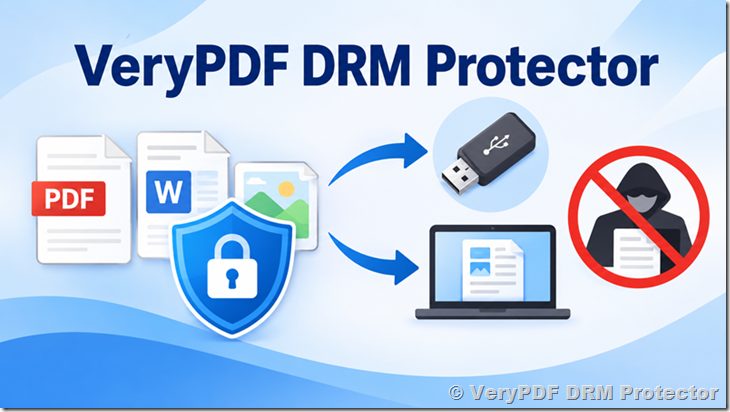
1. How to Protect 100 Documents in PDF, Word, and Image Formats
A document distribution project may include different types of files:
| File Format | Example Content |
|---|---|
| Books, reports, contracts, manuals, and presentations | |
| DOC | Microsoft Word documents |
| DOCX | Business reports and training materials |
| Images | Scanned pages, photographs, diagrams, and illustrations |
Protecting only PDF files is not enough if your business also distributes Word documents and images.
VeryPDF DRM Protector supports PDF, Word, and common image formats, allowing you to manage and protect different types of documents.
You can use it to distribute a collection of documents without simply giving recipients unrestricted access to the original files.
2. How to Protect Documents Distributed Through USB Flash Drives
USB flash drives are convenient for delivering large document collections, especially when customers need access to files without downloading everything from the internet.
However, ordinary USB drives have a serious security problem: anyone who can access the files may be able to copy them.
For example, a customer receives a USB drive containing 100 confidential documents. The customer could copy the entire collection to a laptop, duplicate the USB drive, or send the files to another person.
With VeryPDF DRM Protector, you can use its offline document protection workflow to distribute protected documents through supported offline access methods.
This helps you control document access instead of relying on the physical USB drive alone for security.
The main benefits include:
- Protect documents for offline access.
- Restrict unauthorized copying and sharing.
- Control access to protected documents.
- Apply available printing and copying permissions.
- Use expiration and access restrictions according to the offline protection configuration.
The important difference is that protecting the USB drive itself is not enough. You also need to protect the documents stored on it.
3. How to Provide Secure Online Document Viewing Without Allowing Original File Downloads
You may also want customers to view the same documents online without giving them the original files.
Sending PDF attachments by email or sharing ordinary cloud storage links can create problems. Recipients may download the documents and keep their own copies.
VeryPDF DRM Protector provides an online document protection solution that allows authorized users to view protected documents through a secure viewing environment.
Depending on your protection settings, you can:
- Allow authorized users to view documents online.
- Prevent direct downloads of original unprotected files.
- Restrict copying and pasting.
- Control printing permissions.
- Apply dynamic watermarks.
- Set document access expiration.
- Revoke access when necessary.
This is useful for businesses that want to share documents with customers but do not want to give them unrestricted access to the original files.
You can test the online platform here:
https://drm.verypdf.com/online/
4. Can You Force Users to Open Documents in a Secure Viewer?
Yes. A secure document viewing environment is an important part of DRM protection.
When you distribute normal PDF files, recipients can open them with Adobe Acrobat Reader, web browsers, or other PDF applications.
This makes it difficult to control how the documents are used.
With VeryPDF DRM Protector, protected documents can be accessed through the supported authorized viewing environment rather than simply distributing unrestricted original files.
This helps reduce the risk of unauthorized downloads, copying, and sharing.
5. How to Control Copying, Printing, and Document Sharing
Different businesses have different document security requirements.
For example:
- A publisher may allow customers to read books but prevent copying the text.
- A training company may allow students to view course materials but restrict printing.
- A consulting firm may allow customers to print reports but prevent them from sharing the original files.
- A company may want to display the recipient’s email address on every page to discourage unauthorized distribution.
VeryPDF DRM Protector provides several document protection options.
| Security Requirement | VeryPDF DRM Protector |
|---|---|
| Restrict copying and pasting | Supported |
| Prevent direct download of original files | Supported in online protection workflows |
| Control document printing | Supported |
| Dynamic watermarks | Supported |
| User access management | Supported |
| Device restrictions | Supported |
| IP and country restrictions | Supported |
| Document expiration | Supported |
| Access revocation | Supported |
Printing permissions can be configured according to your requirements. If you need users to print only selected pages or custom page ranges, you should confirm the exact options available for your document workflow with the VeryPDF support team before deployment.
6. How to Make Documents Expire After 30 Days
Sometimes you only want customers to access documents for a limited period.
For example, you may provide a customer with 30 days of access to a collection of technical manuals or training documents.
After the 30-day period, the documents should no longer be accessible.
VeryPDF DRM Protector supports document expiration and access revocation.
You can use these features for situations such as:
- Temporary access to business proposals.
- Limited-time access to training materials.
- Confidential documents shared with external partners.
- Subscription-based document distribution.
- Documents that should become inaccessible after a project ends.
For offline documents, expiration behavior depends on the selected offline protection configuration.
DRM protection controls access to protected content; it does not guarantee that every previously created screenshot or photograph will disappear from a recipient’s device.
7. Can VeryPDF DRM Protector Protect Both Online and Offline Documents?
Yes. VeryPDF DRM Protector supports both online and offline document protection.
This is useful when your customers need more than one way to access their documents.
| Requirement | Online Protection | Offline Protection |
|---|---|---|
| View protected documents | Yes | Yes |
| Internet connection | Required for online access | Not required during supported offline use |
| Access permissions | Yes | Based on offline configuration |
| Copying restrictions | Yes | Based on offline configuration |
| Printing restrictions | Yes | Based on offline configuration |
| Expiration controls | Yes | Based on offline configuration |
| Access revocation | Yes | Subject to offline authorization and synchronization rules |
For example, you can use online document viewing for customers who have internet access and an offline protection workflow for customers who need to read documents without a continuous internet connection.
The best configuration depends on how you plan to distribute the 100 documents and how strictly you need to control offline access.
8. What About Protecting Videos on USB Drives?
In addition to document protection, VeryPDF DRM Protector also includes a separate sub-product called VeryPDF USB Video DRM Protector.
This product is designed for offline video protection.
It allows you to bind protected videos to specific USB flash drives or external USB hard drives. Users can play protected videos directly from authorized USB drives using the dedicated player.
This is useful for:
- Offline training courses.
- Educational video distribution.
- Private video collections.
- Commercial video delivery.
- USB-based learning materials.
You can download and test VeryPDF USB Video DRM Protector here:
https://drm.verypdf.com/verypdf-usb-video-drm-protector/
Please note that USB Video DRM Protector is designed specifically for video protection. PDF, Word, and image documents are protected through the document protection features of VeryPDF DRM Protector.
9. How Much Does It Cost to Protect 100 Documents?
For businesses that need to protect approximately 100 documents, the VeryPDF DRM Protector Standard Plan at $99.95 per month should be a suitable starting point, depending on the number of authorized users and actual usage.
You do not need to start with a large custom development project. You can first test the platform with several sample documents and check whether the available protection settings meet your requirements.
You can view the available plans and purchase directly from our website:
https://drm.verypdf.com/purchase/
10. How to Test VeryPDF DRM Protector Before Distributing Your Documents
Before protecting your complete document collection, we recommend testing a few sample files.
Here is a simple way to get started:
Step 1: Visit the online DRM platform
Open:
https://drm.verypdf.com/online/
Step 2: Prepare sample documents
Choose several PDF, Word, and image files from your collection of approximately 100 documents.
Step 3: Apply document protection
Configure the available access, copying, printing, watermarking, and expiration settings.
Step 4: Test as a recipient
Check how an authorized user views the documents and whether the selected restrictions work as expected.
Step 5: Test your offline workflow
If you plan to distribute documents through USB drives, test the supported offline protection workflow on your target computers and USB drives.
Step 6: Choose a subscription plan
If the results meet your requirements, you can purchase the Standard Plan and begin protecting your document collection.
Frequently Asked Questions
1. How can I protect 100 PDF files from copying?
You can use VeryPDF DRM Protector to apply document protection, control user access, restrict copying, and manage how recipients view your PDF files.
2. Can I protect PDF, Word, and image files together?
Yes. VeryPDF DRM Protector supports PDF, Microsoft Word DOC and DOCX files, and common image formats.
3. Can I distribute protected documents through USB flash drives?
Yes. VeryPDF DRM Protector supports offline document protection and can be used for USB-based document distribution through its supported offline workflow.
4. Can users copy protected documents from a USB drive to another computer?
DRM protection helps restrict unauthorized copying and access. The exact restrictions depend on the offline protection configuration and authorized device settings.
5. Can I let customers view documents online without downloading them?
Yes. The online DRM protection workflow allows authorized users to view protected documents while restricting direct downloads of the original unprotected files.
6. Can I prevent users from copying and pasting document text?
Yes. VeryPDF DRM Protector provides copying restrictions to help prevent unauthorized copying of protected document content.
7. Can I allow users to print only selected pages?
Printing permissions can be controlled. If you require custom page-range printing, please contact VeryPDF to confirm the exact supported options for your intended workflow.
8. Can I set documents to expire after 30 days?
Yes. VeryPDF DRM Protector supports document expiration. Offline expiration behavior depends on the selected offline protection configuration.
9. Can I revoke access after distributing documents?
Yes. You can revoke document access when users should no longer have permission to view protected content. Offline revocation may depend on the authorization and synchronization requirements of the selected workflow.
10. Does VeryPDF DRM Protector require an internet connection?
Online document viewing requires internet access. VeryPDF DRM Protector also supports offline document protection for supported offline viewing workflows.
11. Can I add watermarks to protected documents?
Yes. Dynamic watermarks can display recipient information, such as a username or email address, to discourage unauthorized sharing.
12. Can I restrict access by user or device?
Yes. VeryPDF DRM Protector provides user and device access management, along with available IP address and country restrictions.
13. Does VeryPDF DRM Protector include USB video protection?
Yes. VeryPDF DRM Protector also includes VeryPDF USB Video DRM Protector, a separate sub-product for offline video protection on authorized USB drives.
14. How much does the Standard Plan cost?
The Standard Plan costs $99.95 per month. You can review the available plans here:
https://drm.verypdf.com/purchase/
15. Can I test the product with my own documents?
Yes. You can visit the online platform and test your sample documents before purchasing:
https://drm.verypdf.com/online/
Protect Your 100 Documents with VeryPDF DRM Protector
If you need to distribute approximately 100 PDF, Word, and image documents through USB drives and online viewing, ordinary file sharing is not enough.
You need a way to control who can open your documents, whether they can copy or print them, how long they can access them, and whether their access can be revoked.
VeryPDF DRM Protector provides online and offline document protection to help publishers, training companies, and businesses distribute confidential documents with better control.
Start testing your documents today:
- Online DRM Platform: https://drm.verypdf.com/online/
- Pricing and Subscription: https://drm.verypdf.com/purchase/
- USB Video DRM Protector: https://drm.verypdf.com/verypdf-usb-video-drm-protector/