
In today’s digital world, sending files is easy, but controlling them afterward is a challenge. Once a file leaves your system, traditional protections often fail. Recipients can copy, share, or forward your documents without restriction.
With Persistent Protection After Download (PPAD), also known as vpdf, you stay in control, wherever your files go. Track every view, manage access, and enforce restrictions even after the file is on someone else’s device.
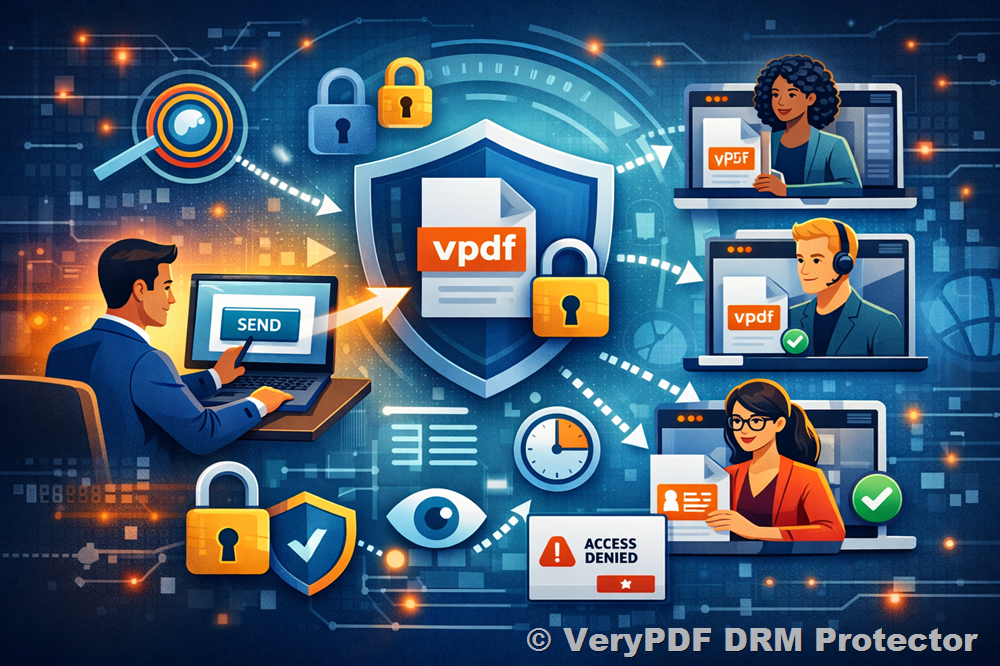
Keep Control, Wherever Your File Goes
vpdf is the next generation of Digital Rights Management (DRM) developed by VeryPDF. Its patent-pending technology ensures your files remain protected after download, giving you full control over who sees them and how they are used.
Unlike traditional DRM or Virtual Data Rooms (VDRs), vpdf combines ease of use, flexibility, and persistent control in a single solution.
How Persistent Protection After Download Works
Step 1: Send Your File
Upload and share your sensitive content through VeryPDF DRM Protector’s secure platform. There’s no complicated setup—your files are ready for safe distribution in minutes.
Step 2: Recipient Downloads a vpdf File
Recipients receive a protected vpdf file that opens directly in their browser. No software installation is required—access is seamless and secure.
Step 3: You Stay in Control
Even after download, you can:
- Decide who can view the file
- Set how long access lasts
- Revoke access at any time
- Track every view and engagement
Your restrictions and protections remain active no matter where the file travels.
Convenience for Recipients, Control for You
vpdf provides a balance between user convenience and your control across various use cases:
Diligence: Investors can download an entire data room instantly, while you track engagement levels to gain insights into their interest.
Sales: Prospects open proposals directly in their browser, while you track page-by-page activity and tailor personalized follow-ups.
Publications: Subscribers keep files on their devices, while you monitor usage, detect unauthorized sharing, and encourage renewals or additional purchases.
Training: Learners access training materials even with low bandwidth, while you enforce expiry dates, usage limits, and monitor content consumption.
A Better Alternative to Traditional Document Protection
|
Feature |
VeryPDF DRM Protector vpdf |
Other DRM Tools |
Other VDRs |
|
No desktop app required |
✔ Opens directly in browser |
✘ Desktop app required |
✔ Portal-only access |
|
Works after download |
✔ Yes |
✔ Yes |
✘ No |
|
Multi-format support |
✔ PDF, Office, images, video, audio |
✘ Often limited |
✔ PDF, Office, images, video, audio |
|
Page-by-page tracking |
✔ Yes |
✘ No |
✘ Rarely supported |
vpdf offers flexibility and control not available in other DRM or VDR tools, making it ideal for businesses, educators, and content creators.
Available Where You Need It
- Inside VeryPDF DRM Protector: Protect files directly within secure data rooms and file-sharing platforms.
- In Your Cloud Storage: Extend protection to SharePoint, OneDrive, Google Drive, Box, or Dropbox without changing workflows.
- Direct API Integration: Embed vpdf into apps, workflows, or on-premise deployments to meet compliance and data residency requirements.
Frequently Asked Questions
What is Persistent Protection After Download (vpdf)?
A next-generation DRM solution that keeps files under your control after download. Set rules like view-only access, expiry dates, or revoke access at any time.
Do recipients need to install anything?
No. vpdf files open directly in the browser without extra software.
Does it work offline?
Yes. Once a file is opened, recipients can continue accessing it offline within the allowed time, with restrictions still enforced.
What file types are supported?
- PDF (.PDF)
- Spreadsheets (.XLSX)
- Documents (.DOC, .DOCX, .MOBI, .ODT, .OTT, .EPUB, .XPS)
- Presentations (.PPT, .PPTX, .PPTM, .PPSM, .POTM, .ODP, .OTP)
- Private notes (.TXT)
- Images (.JPG, .PNG, .GIF, .BMP)
Can I revoke access after download?
Yes. Access can be revoked or expiry dates set at any time.
Is a vpdf file secure?
Absolutely. vpdf uses encryption and digital rights enforcement to prevent unauthorized copying, forwarding, or modification.
Is it safe to use the vpdf viewer?
Yes. The viewer runs in the browser with no risk of malware.
How do I open a .vpdf file?
Use the vpdf viewer in your browser. Full instructions are available in our help desk guide.
With Persistent Protection After Download, your files remain secure, monitored, and under your control—no matter where they go. Say goodbye to the fear of uncontrolled sharing and regain confidence in your sensitive content.
Take control today with VeryPDF DRM Protector’s vpdf.