
If you sell paid video courses, training guides, or private company videos on a USB flash drive or external hard drive, you probably worry about one thing: piracy. A buyer can plug your USB drive into their computer, copy the MP4 files, or use disk cloning software to make fifty identical copies. Once your video leaves your hands, you lose control over it.
Standard password protection or basic encryption tools do not solve this problem. If someone clones the entire USB drive sector by sector, a basic lock gets copied right along with the video files.
To stop USB cloning for good, you need to bind your videos directly to the physical hardware of that specific USB drive. VeryPDF DRM Protector offers an offline USB video protection solution that locks your video files to the permanent hardware serial number of the USB disk. Even if someone clones the entire drive onto a brand-new USB stick, the videos simply will not play on the cloned drive.
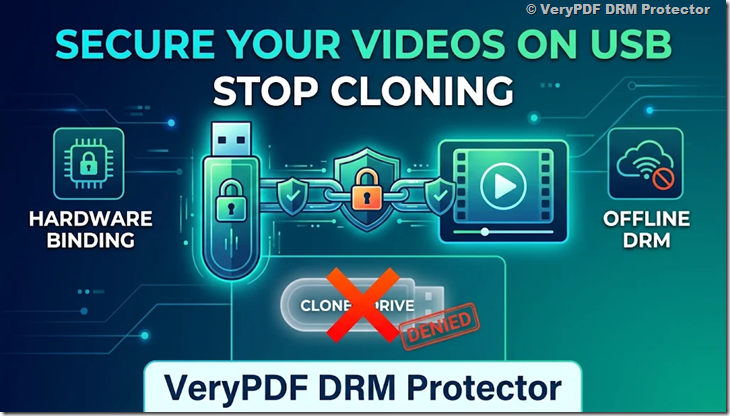
Why Normal Video Protection Fails Against USB Cloning
Many content creators try cheap or free methods before looking for real Digital Rights Management (DRM). Here is why those common tricks fail when someone tries to copy or clone your USB drive:
| Protection Method | How It Works | Why It Fails Against Piracy |
|---|---|---|
| Password-Protected ZIP Files | Users type a password to extract the MP4 video. | Once extracted, the raw video file sits on their computer and can be shared anywhere. |
| Hidden Folders or Read-Only Locks | Hides files in system folders or blocks basic editing. | Any user can turn on “Show Hidden Files” or copy the folder to another drive in seconds. |
| Volume Serial Number Binding | Locks files to the software ID created when formatting a drive. | Cloning tools like DiskGenius, Acronis, or Linux dd copy the exact partition ID to the new drive. |
| Online Streaming DRM | Requires an internet login every time the user watches a video. | Fails completely in offline environments like factories, planes, schools, or secure offices. |
How VeryPDF DRM Protector Stops USB Drive Cloning
Every genuine USB flash drive or external hard drive from brands like Western Digital, Seagate, Samsung, or SanDisk has a permanent Hardware Serial Number burned into its internal controller chip at the factory.
Cloning software only copies the storage space where your files and partition tables live. It cannot rewrite the read-only factory chip inside another USB drive.
VeryPDF DRM Protector uses this hardware fact to protect your videos through three steps:
- Hardware Serial Number Binding: During encryption, the software reads the unique physical serial number of your specific USB drive and uses it to generate the decryption key.
- In-Memory Playback Only: When a customer plugs in the authorized USB drive and plays the video using the secure player, the video is decrypted directly inside the computer’s RAM. No temporary MP4 files are ever saved to the user’s hard drive.
- Instant Rejection on Cloned Drives: If someone clones all the data onto a second USB drive and tries to open the video, the player checks the new drive’s physical chip. Because the hardware serial number does not match the encrypted license, playback is blocked immediately.
Real-World Problems This Solves
1. Selling Expensive Video Courses Offline
Imagine you run a medical training academy or a specialized engineering school. You charge $1,500 per student and ship high-definition practical videos on external hard drives. Without hardware binding, one student can buy the course, clone the hard drive ten times, and split the cost with friends. With VeryPDF DRM Protector, each student’s hard drive only works on that exact physical device.
2. Sharing Confidential Company Training or Client Demos
If you send unreleased movie cuts to investors or factory maintenance videos to overseas partners, you cannot risk those files leaking online. You also cannot rely on them having fast internet access. Offline USB DRM lets them plug in the drive and watch immediately without needing an internet connection, while keeping the raw files completely locked down.
3. Extra Layers Against Screen Recording
Stopping file copying is only half the battle. People might still try to record their computer screen while watching your video. VeryPDF DRM Protector includes anti-screen-capture technology that detects tools like OBS, Camtasia, or Zoom screen sharing and turns the video window black. You can also add moving watermarks showing the customer’s name or the USB serial number to discourage people from filming the screen with a phone.
Comparison: Standard USB Delivery vs. VeryPDF DRM Protector
| Feature | Unprotected USB Drive | Basic Encryption Software | VeryPDF DRM Protector (USB Mode) |
|---|---|---|---|
| Blocks Copy & Paste | No | Yes | Yes |
| Blocks Full Disk Cloning | No | No (Copies partition ID) | Yes (Bound to hardware chip) |
| Works 100% Offline | Yes | Usually | Yes |
| Leaves Temp Files on PC | Yes | Sometimes | No (Memory-only playback) |
| Blocks Screen Recorders | No | Rarely | Yes |
| Supports Expiry Dates & View Limits | No | No | Yes |
| Dynamic User Watermarks | No | No | Yes |
Best Practices Before You Encrypt Your USB Drives
To make sure your hardware-bound videos work reliably for every customer, keep these two simple tips in mind:
- Buy Brand-Name USB Drives: Always buy genuine drives from trusted brands like SanDisk, Samsung, Kingston, WD, or Seagate. Cheap, unbranded bulk USB sticks often skip programming unique serial numbers at the factory, leaving every stick with
00000000or12345678. If ten drives share the same blank serial number, cloning between them would work. - Choose One-Piece External Hard Drives: If you distribute large video libraries on external hard drives, pick models where the USB port is built directly onto the main circuit board (such as WD My Passport or Samsung T7). Avoid cheap plastic enclosures where a tech-savvy user could unscrew the case, pull out the bare drive, and plug it into a different adapter.
Frequently Asked Questions (FAQ)
1. Can someone still copy the encrypted video files to their desktop?
They can copy the encrypted file icon onto their computer, but the file is completely useless on its own. Without the exact physical USB drive plugged into the computer, the video cannot be decrypted or opened.
2. What happens if someone uses professional disk cloning software like Ghost or DiskGenius?
The cloning tool will copy the files and the partition structure to the new USB drive, but it cannot copy the physical hardware serial number burned into the original drive’s controller chip. When the user tries to play the video from the cloned drive, the player detects the hardware mismatch and blocks playback.
3. Does the user need an internet connection to watch the protected videos?
No. VeryPDF DRM Protector’s USB solution is built for 100% offline use. Once you encrypt the videos onto the USB drive, your customer can plug it into any supported computer and watch right away without logging in or connecting to the internet.
4. Can users record the video using screen recording software like OBS?
No. The secure video player actively monitors the computer for screen recording programs, screenshot tools, and remote desktop software. If it detects screen capture activity, it blocks the recording or blacks out the video screen.
5. What if someone uses their smartphone camera to record the monitor?
Software cannot physically block a camera outside the computer, so VeryPDF DRM Protector lets you place dynamic, moving watermarks over the video. You can display the buyer’s name, email, or the USB drive’s unique serial number on screen so any leaked video can be traced directly back to the buyer.
6. Can I set an expiration date or limit how many times a video can be played?
Yes. You can configure your DRM rules so the videos automatically stop working after a specific calendar date, after a certain number of days from first use, or after a set number of views.
7. Do my customers need to install complicated software on their computers?
No. You can package the dedicated secure player directly onto the USB drive alongside the encrypted videos. Your customers simply plug in the USB drive and double-click the player to watch.
8. Will any cheap bulk USB flash drive work with this hardware binding?
We strongly recommend against using cheap, unbranded USB drives. Many no-name drives do not have unique factory serial numbers written to their chips. Always use genuine, name-brand USB drives or external SSDs/HDDs to guarantee each device has a unique hardware ID.
9. What video formats can I protect with VeryPDF DRM Protector?
You can encrypt all popular video formats, including MP4, MKV, AVI, MOV, WMV, and FLV, without losing your original video quality.
10. Can I update or add new videos to the customer’s USB drive later?
Yes. If you know the hardware serial number of the customer’s USB drive, you can encrypt new video modules on your own computer and send the encrypted files to the customer via email or cloud download. Once they drop the new files onto their authorized USB drive, the videos will unlock and play seamlessly.
11. What if a customer’s USB drive gets physically damaged or lost?
Because the license is tied strictly to that specific piece of hardware, a broken drive cannot be cloned onto a replacement. However, as the content owner, you maintain full control and can easily issue a new encrypted copy bound to a replacement USB drive’s serial number.
Ready to Protect Your Offline Videos?
If you want to distribute videos on USB flash drives or external hard drives without worrying about file sharing or disk cloning, VeryPDF DRM Protector gives you complete control over your content. Lock your videos to real USB hardware, stop screen recorders, and deliver your work safely anywhere in the world—even without an internet connection.