
We are excited to announce that VeryPDF DRM Protector now supports PDF Annotations, adding a powerful new layer of interactivity and productivity for protected PDF and EPUB documents. With this feature, users can highlight, comment, draw, stamp, and more, all while keeping documents secure and DRM-protected. Whether you are a teacher, student, researcher, or business professional, PDF Annotations take your workflow to the next level.
What is PDF Annotation?
PDF Annotation allows users to add notes, highlights, drawings, shapes, and other visual markers directly onto a PDF file. This feature is especially useful for reviewing, collaborating, or marking up documents. VeryPDF DRM Protector integrates annotation capabilities seamlessly with its secure document protection system, ensuring that all annotations remain private, user-specific, and tied to the protected PDF.
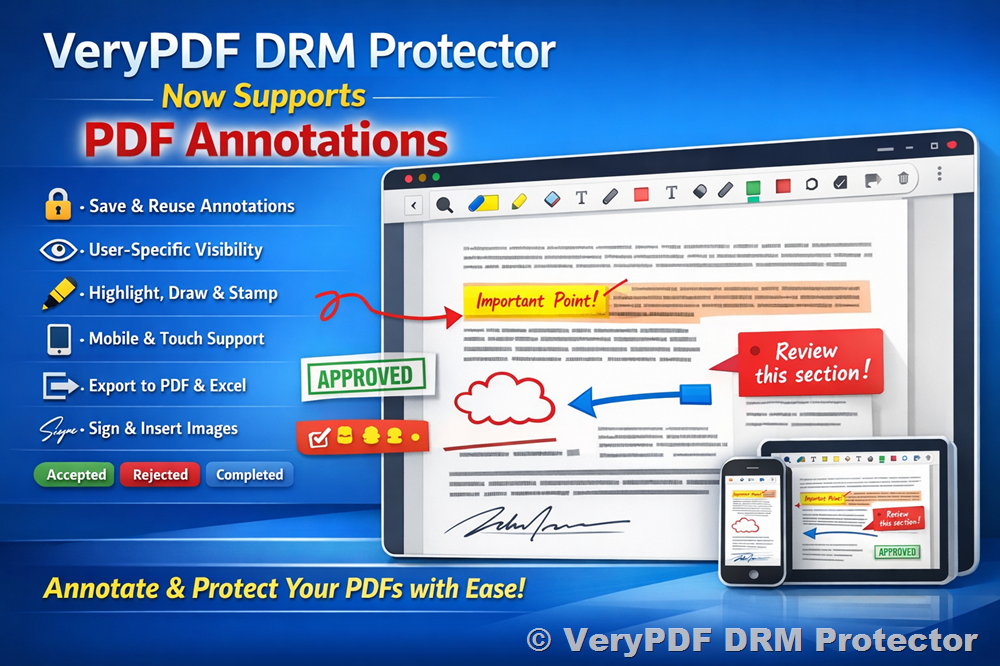
Key Features of PDF Annotations in VeryPDF DRM Protector
1. Save Annotations in User Accounts
All annotations you add are securely saved to your account. This means you can revisit a PDF at any time and your previous markups will appear exactly as you left them.
2. Per User and Per Document Visibility
Annotations are only visible to the user who created them and are linked to the specific protected PDF file. This ensures privacy and prevents unauthorized sharing of annotated content.
3. Multiple Annotation Types Supported
VeryPDF DRM Protector supports a wide range of annotations, including:
- Highlight
- FreeText
- Ink (Freehand drawing)
- Image Stamp
- Rectangle, Circle, Arrow, Line, Polygon, Polyline, Star
- Strikeout, Underline, Squiggly text
- Signatures via text input or image upload
4. Customizable Appearance
Annotations support customizable colors, opacity, thickness, and blending modes. This allows users to tailor markups to their needs.
5. Advanced Annotation Tools
- Basic cursor operations: Annotation selection, text selection, and annotation eraser.
- Undo/Redo functionality and Clear All Annotations.
- Insert images or screenshots directly into the PDF.
- Connect shapes and annotations with lines.
- Apply annotation status (Accepted, Rejected, Canceled, Completed, Closed, None) for workflow tracking.
6. Annotation Export & Import
Annotations can be exported to PDF files or Excel spreadsheets for reporting, collaboration, or archiving purposes. Previously exported annotations can also be imported for future editing.
7. Mobile & Touch Device Support
The annotation tools are fully functional on mobile devices, enabling freehand drawing, text annotations, and stamping on the go.
8. Enhanced Drawing & Annotation Features
- Freehand drawing with pencil or highlighter tools.
- Shape tools for rectangles, circles, arrows, and stars.
- Sticky notes for quick comments.
- Smart eraser to remove intersecting elements.
- Inline text editing and font selection for text annotations.
9. Signature & Stamp Capabilities
- Create signatures via text input (with font selection) or image upload.
- Default stamps, custom stamps, and image-based stamps are supported.
- Custom stamps include text color, style, font, background, border, and timestamp settings.
Currently Supported Annotation Types
VeryPDF DRM Protector supports a comprehensive set of annotation types:
- Ink Annotation
- Stamp Annotation
- Line Annotation
- Square Annotation
- Circle Annotation
- Polygon Annotation
- Polyline Annotation
- Highlight Annotation
- Underline Annotation
- Squiggly Annotation
- Strikeout Annotation
- Text Annotation (note icon only)
- Free Text Annotation
Annotation Tools for Mobile Devices
- Rectangle, Circle, Free Hand, Free Highlight
- Arrow, Cloud
- FreeText, Signature, Stamp (custom image upload)
- Text Highlight, Strikeout, Underline, Text Notes
- Annotation Selection (double-click to delete)
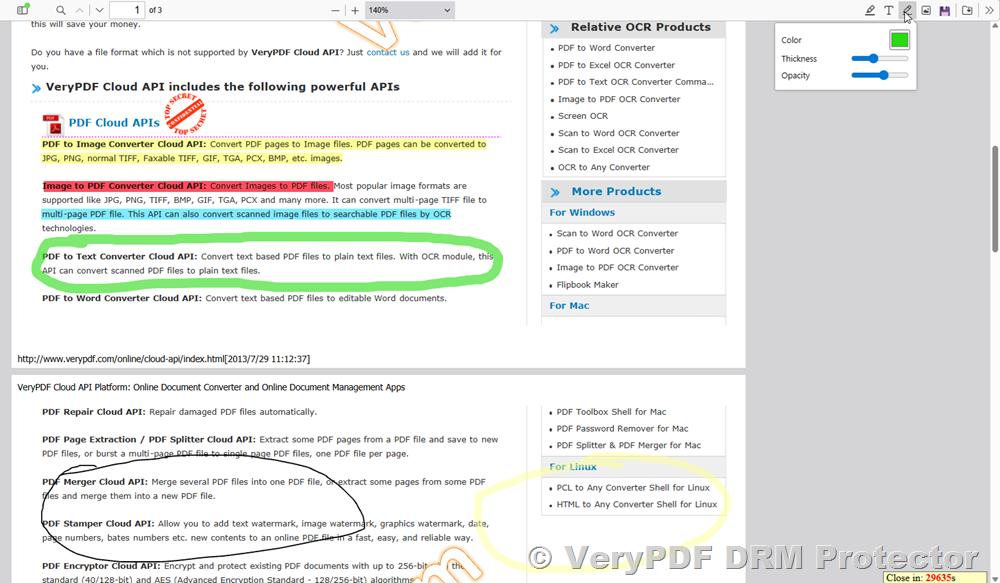
How to Activate PDF Annotations in VeryPDF DRM Protector
Follow these simple steps to enable PDF Annotations for your protected PDF files:
- Open your protected PDF files at:
https://drm.verypdf.com/wp-admin/admin.php?page=VeryPDFDRMFiles - Click “Actions” → “Edit Settings” on the PDF file you want to enable annotations for.
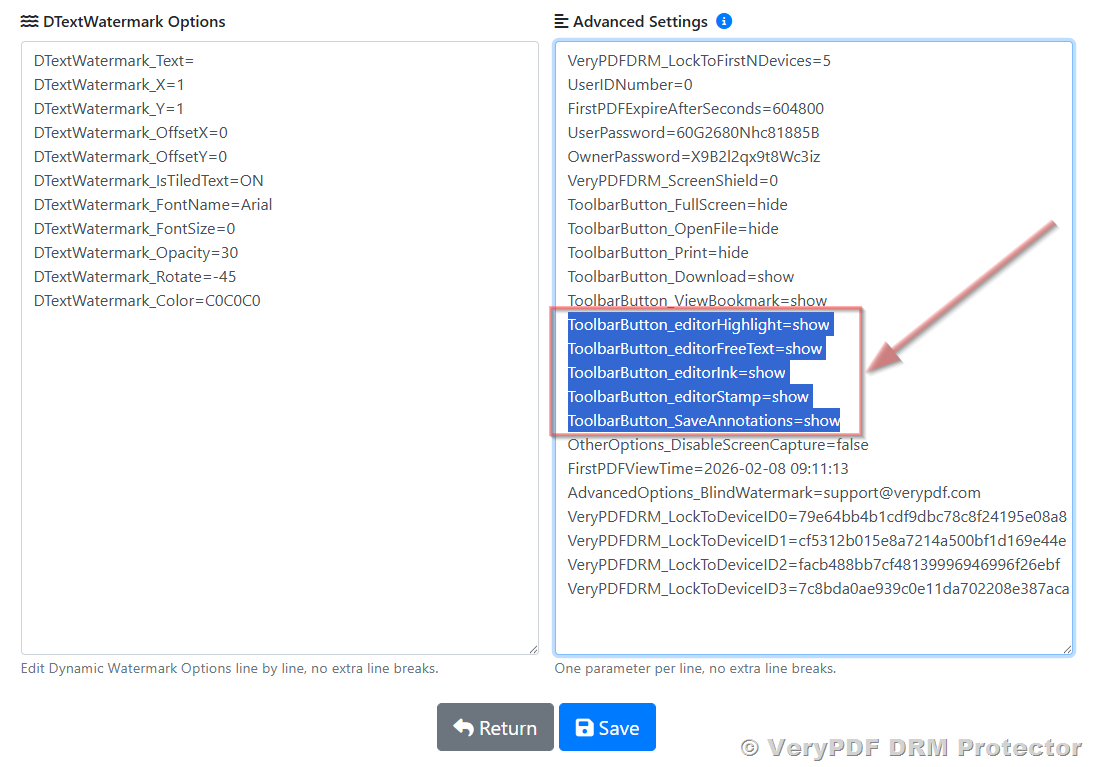
- In the “Advanced Settings” field, set the following options:
- ToolbarButton_Download=show
- ToolbarButton_ViewBookmark=show
- ToolbarButton_editorHighlight=show
- ToolbarButton_editorFreeText=show
- ToolbarButton_editorInk=show
- ToolbarButton_editorStamp=show
- ToolbarButton_SaveAnnotations=show
- Click “Save” to apply the changes.
- Return to the book list page, then click “Actions” → “Enhanced Web Viewer” to view and annotate your PDF file online.
Why PDF Annotations Matter
Annotations provide a powerful way to interact with digital documents while maintaining security and DRM protection. With VeryPDF DRM Protector, you get the benefits of collaboration, review, and markup tools without sacrificing document privacy. All annotations are securely saved per user, ensuring your feedback, notes, and markups remain confidential.
Conclusion
With the addition of PDF Annotations, VeryPDF DRM Protector now offers a complete solution for secure PDF and EPUB management that combines protection and interactivity. Users can annotate, highlight, stamp, sign, and review documents—all while keeping sensitive information secure. This makes it ideal for education, corporate workflows, research, and any situation where PDF security is essential.
Experience PDF Annotations today and see how VeryPDF DRM Protector elevates your document management experience:
https://drm.verypdf.com