
In today’s global learning environment, online education has become more widespread than ever. Students from different countries and languages can now access courses, tutorials, and educational content from anywhere in the world. While this presents incredible opportunities for educators, it also brings a set of unique challenges, particularly when it comes to distributing course materials securely in multiple languages.
Educators often use platforms like WordPress combined with LearnDash to manage online courses. To provide multilingual access, many rely on translation tools such as GTranslate, which automatically converts web pages into dozens or even hundreds of languages. However, when students download translated course materials, there’s a risk that these documents could be shared or distributed beyond the intended audience, which can compromise intellectual property and content security.
VeryPDF DRM Protector addresses this challenge by providing a robust digital rights management (DRM) solution for PDFs and other digital documents. By converting translated pages into secure, DRM-protected PDFs, educators can ensure that students receive content in their preferred language while maintaining full control over document access, usage, and distribution.
This article provides a comprehensive guide to understanding, implementing, and maximizing the benefits of VeryPDF DRM Protector for multilingual course materials.
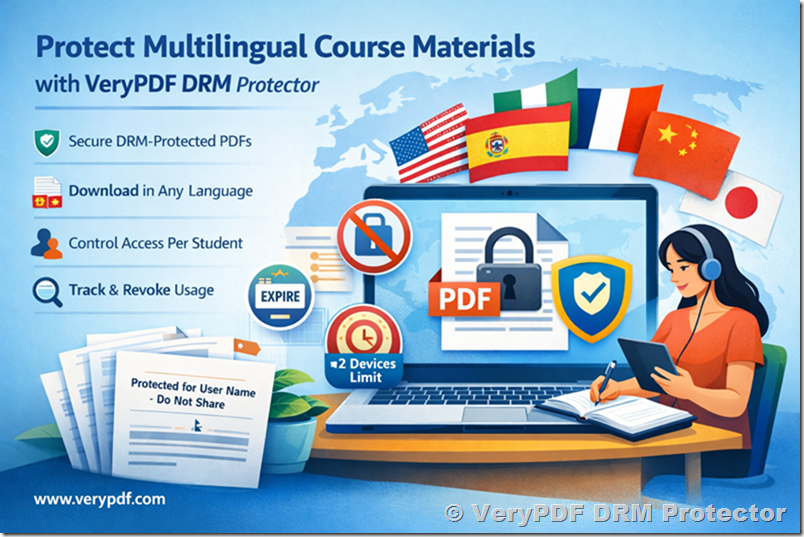
The Challenges of Distributing Multilingual Course Materials
Online courses often include rich content such as:
- Lesson plans and lecture notes
- Worksheets and exercises
- PDF manuals and handouts
- Multimedia presentations
When these materials are translated into multiple languages for global students, educators face several challenges:
- Unauthorized Redistribution: Once a document is downloaded, it could easily be forwarded to other students or third parties.
- Loss of Control: Traditional PDFs, even when password-protected, cannot prevent users from sharing the content.
- Compliance Risks: Professional or academic content may need to comply with privacy or licensing regulations.
- Intellectual Property Protection: Educators risk losing ownership of unique course content, including proprietary methodologies, lesson designs, and specialized knowledge.
Password protection is no longer sufficient in this context. Once a student has the password, the document can be freely shared or copied. This is why a DRM-based solution is critical for protecting digital educational content.
Introducing VeryPDF DRM Protector
VeryPDF DRM Protector is a professional tool designed to secure digital documents, particularly PDFs. Unlike simple password protection, DRM-protected files include advanced security and control features, allowing educators to:
- Restrict access to specific users and devices
- Prevent unauthorized sharing or forwarding
- Apply dynamic watermarks with user-specific information
- Track document usage and download activity
- Revoke access remotely, even after a file has been downloaded
This makes it an ideal solution for educators who want to protect multilingual course content without compromising accessibility for their students.
How DRM Protection Works with Translated Pages
Many online course platforms use GTranslate to provide multilingual content. Here’s how DRM protection integrates with this workflow:
- Translate Course Content:
Pages or lessons are automatically translated using GTranslate. Translations can be cached for performance and stability. - Generate PDFs:
VeryPDF DRM Protector allows you to convert translated web pages into PDFs, preserving the content in the student’s preferred language. - Apply DRM Policies:
Once the PDF is generated, you can define permissions such as:- User-specific access
- Device limits
- Expiration dates
- Printing or copying restrictions
- Distribute Securely:
Students receive DRM-protected PDFs through WordPress, LearnDash, or email. Each student gets a personalized, secure copy. - Monitor and Revoke Access:
With cloud analytics, educators can track who has accessed the documents and revoke access if necessary, maintaining complete control.
Key Features for Educators
1. User-Specific Access Control
DRM policies allow documents to be restricted to specific users. Each student receives a unique, personalized PDF that can only be opened with their credentials. This ensures that course materials cannot be shared with non-enrolled individuals.
2. Multilingual Support
DRM Protector works seamlessly with translated content. Educators can generate PDFs from GTranslate-translated pages so that each student receives the document in the same language as the webpage they accessed.
- English pages → English PDFs
- Spanish pages → Spanish PDFs
- Chinese pages → Chinese PDFs
This approach maintains a personalized learning experience for global students while protecting the content.
3. Dynamic Watermarks
Dynamic watermarks discourage unauthorized distribution. Each PDF can display information such as:
- Student name
- Email address
- IP address or access timestamp
For example:
“Protected for John Doe – Do not distribute”
Watermarks make it easier to trace any leaks and deter students from sharing files.
4. Printing and Copying Restrictions
Some courses require students to view materials online or offline but limit copying or printing. DRM Protector allows educators to:
- Disable printing entirely
- Prevent copy/paste functionality
- Limit the number of prints per student
This ensures that proprietary or sensitive content cannot be reproduced without permission.
5. Remote Revocation and Expiration
A major advantage of DRM over password protection is revocation capability. Educators can:
- Set documents to expire after a defined period
- Revoke access remotely if a student leaves the course
- Update DRM policies dynamically without requiring re-distribution
This feature is ideal for subscription-based or seasonal courses.
6. Cloud Analytics and Usage Tracking
Educators can monitor PDF usage through cloud analytics. Key insights include:
- Who has opened a document
- Frequency of access
- Unauthorized access attempts
These analytics provide transparency and help maintain compliance.
Step-by-Step Guide: Protecting Multilingual Pages
Here’s how educators can implement DRM protection for translated content:
- Prepare Lesson Content:
Create course material in WordPress and integrate it with LearnDash. - Translate Content:
Use GTranslate to generate multilingual versions of your pages and cache them for consistent performance. - Generate DRM-Protected PDFs:
- Open VeryPDF DRM Protector
- Input the URL of the translated page or upload the document
- Configure DRM settings (user access, device limits, expiration, watermarks)
- Distribute Securely:
Provide students with links to download the DRM-protected PDFs via LearnDash or email. - Monitor Usage and Manage Access:
Track document activity and revoke access if necessary.
Benefits for Educators and Course Providers
- Global Reach: Deliver content in any language while maintaining security.
- Intellectual Property Protection: Prevent unauthorized sharing and copying.
- Compliance Assurance: Meet legal and licensing requirements for professional content.
- Personalized Learning Experience: Students receive materials in their preferred language.
- Flexible Distribution: PDFs can be downloaded or accessed online with protection.
Example Use Cases
Language Learning Platforms
Generate DRM-protected PDFs of vocabulary lists, grammar guides, and lesson notes in multiple languages. Students receive personalized copies in their learning language.
Professional Certification Courses
Protect manuals and instructional PDFs for certified courses in areas such as finance, healthcare, or law. Ensure only enrolled professionals can access sensitive materials.
Universities and Colleges
Provide lecture notes, research papers, and assignments as DRM-protected PDFs for international students, maintaining academic integrity.
Integrating with WordPress and LearnDash
VeryPDF DRM Protector integrates seamlessly with WordPress and LearnDash workflows:
- Automatic PDF generation from course pages
- User-specific access management
- Device limits and expiration control
- Analytics and tracking of document usage
This allows educators to maintain a consistent workflow without disrupting the existing course infrastructure.
Why Choose VeryPDF DRM Protector?
- Permanent Free Trial: Evaluate full features without time limits.
- Advanced DRM Control: Device limits, user-specific permissions, revocation, and analytics.
- Dynamic Watermarking: Discourage unauthorized sharing.
- Ease of Use: Generate protected PDFs with minimal setup.
- Multilingual Support: Ideal for courses using translation plugins like GTranslate.
Getting Started
To start protecting multilingual course content:
- Visit https://drm.verypdf.com to access the free online version.
- Sign up for an account.
- Generate your first DRM-protected PDF from a translated page.
- Assign user permissions and distribute securely to students.
- Track document usage and manage access dynamically.
Conclusion
Delivering high-quality, multilingual online courses is a challenge, but protecting your intellectual property doesn’t have to be. VeryPDF DRM Protector allows educators to:
- Convert translated web pages into secure PDFs
- Control access per user and device
- Prevent redistribution and copying
- Monitor usage and revoke permissions as needed
Whether for a global online course, professional certification program, or university class, VeryPDF DRM Protector ensures that your content reaches students in their preferred language while remaining fully secure.
Protect your educational materials, provide a personalized learning experience, and maintain complete control over your content with VeryPDF DRM Protector.