
Secure Your PDFs: Permanently Redact Sensitive Data Without Risk or File Limits
Sharing important documents is part of daily business lifebut one small mistake can create huge consequences. Last month, our finance team sent out a batch of quarterly reports in PDF format to external partners. We later realized the files contained unredacted employee salaries and personal emails. This oversight wasn’t just embarrassingit put us at risk of a serious GDPR violation and potential financial penalties. Situations like this highlight a growing challenge for businesses: ensuring sensitive information is truly removed before sharing documents.
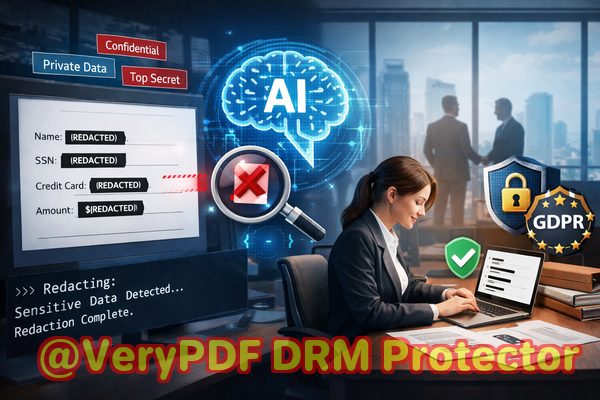
In today’s world, where digital communication dominates, PDFs are the standard for contracts, HR records, legal documents, and financial reports. While convenient, they also carry risk. Sharing a file with confidential data still embeddedeven if visually hiddencan expose your organization to data leaks, compliance issues, or even legal disputes. That’s where AI-powered PDF redaction tools come in, offering a secure, efficient, and permanent solution.
Many businesses struggle with hidden risks in everyday document handling:
-
Accidental exposure of sensitive data: Emails, personal IDs, financial details, and proprietary information often slip into PDFs unintentionally. Even a small oversightlike forgetting to redact a name in a contractcan lead to compliance violations, legal exposure, or reputational damage.
-
Manual redaction mistakes: Using basic “blackout” tools is risky. In many cases, the text underneath is still present in the file. Copying, searching, or recovering hidden text can reveal information that was thought to be removed.
-
Online redaction risks: Employees sometimes turn to free online tools to redact files quickly. However, this exposes confidential documents to unknown servers, creating a new vector for data leaks.
Each of these scenarios demonstrates a clear business pain point: the risk is visible, measurable, and potentially costly.
That’s why we turned to the VeryPDF AI PDF Redaction Tool Command Line. It solves these problems in a way traditional methods can’t. Here’s how it addresses each concern:
-
Automatic detection of sensitive data: AI scans your PDFs to locate names, emails, phone numbers, government IDs, financial figures, and other confidential information. No manual searching, no missed entries.
-
Permanent removal: Once redacted, data is gone. Unlike visual blackouts, there’s no hidden text left behind that could be recovered later.
-
Offline processing: All files remain on your system. There’s no need to upload documents to a cloud service, ensuring total privacy and compliance.
The practical benefit is immediate. By using this tool, companies can prevent accidental leaks, avoid costly fines, and maintain trust with clients and partners.
Consider a real-world example: a legal firm needed to share hundreds of case files with a client, many containing sensitive personal information. Using traditional redaction, an employee accidentally overlooked a few key pages, leaving client IDs exposed. Switching to VeryPDF AI PDF Redaction Tool Command Line, the firm was able to:
-
Load all PDFs in a single batch.
-
Detect sensitive data automatically with AI.
-
Review detected entries quickly for accuracy.
-
Apply permanent redactions across all files.
-
Export clean PDFs ready for sharing.
This workflow eliminated the risk of accidental exposure, saved hours of manual work, and ensured compliance with GDPR.
For businesses handling HR records, financial statements, or contracts, the types of data that commonly require redaction include:
-
Personal Identifiable Information (PII) names, addresses, social security numbers, emails, phone numbers.
-
Financial information salaries, bank account numbers, credit card details.
-
Proprietary business information trade secrets, internal strategies, confidential client details.
-
Legal or sensitive clauses non-disclosure agreements, contractual terms, sensitive legal statements.
By automating detection and applying permanent redactions, teams reduce human error while protecting sensitive information in every shared document.
The step-by-step process is straightforward, even for non-technical users:
-
Load PDF: Select the file or batch of files for redaction.
-
Detect sensitive data: Let AI analyze the content and flag confidential information.
-
Review detections: Quickly check for accuracy, confirming which data should be removed.
-
Apply redaction: Permanently remove the detected information from the document.
-
Export clean PDF: The final file is safe to share, with all sensitive data removed.
This simple workflow prevents leaks, ensures compliance, and eliminates the worry that confidential details could fall into the wrong hands.
Privacy and security are at the heart of this solution. By using an offline AI PDF redaction tool, organizations can:
-
Avoid fines or legal action due to accidental data exposure.
-
Ensure confidential files never leave internal networks.
-
Comply with GDPR, HIPAA, and other data protection regulations.
-
Maintain client trust by demonstrating proactive privacy measures.
In practice, adopting a tool like this changes the game. For instance:
-
A healthcare provider avoided a potential HIPAA violation when a patient record batch was automatically redacted before sharing with a research partner.
-
A finance company switched from online redaction to the offline command-line tool, reducing risk while handling sensitive reports for multiple departments.
-
An HR department now routinely cleanses PDFs of candidate information before sending to external recruiters, eliminating human error entirely.
Each scenario illustrates a measurable business outcome: reduced risk, saved time, and improved confidence when sharing documents.
I highly recommend this tool to anyone who regularly handles sensitive documents. The combination of AI-powered detection, permanent removal, and offline processing ensures you can share PDFs without the anxiety of hidden risks.
Try it now and securely redact your PDFs: https://veryutils.com/smart-redact-server-ai-powered-pdf-redaction-software
Start your free trial today and ensure your sensitive data is permanently removed before sharing.
Frequently Asked Questions
How can I permanently remove sensitive data from a PDF instead of just hiding it?
Use AI-powered redaction that deletes the underlying text and metadata, not just overlay black boxes.
Can others recover redacted information from my PDF?
With proper AI PDF redaction, removed data cannot be recovered, unlike manual blackouts.
Is it safe to use online PDF redaction tools?
No, uploading confidential files exposes them to third-party servers, risking leaks and compliance violations.
Does this tool work completely offline?
Yes, your documents never leave your system, ensuring full privacy and security.
What types of sensitive data can be automatically detected and removed?
PII, financial data, business secrets, legal clauses, emails, phone numbers, government IDs, and more.
Can I redact multiple PDFs at once?
Yes, batch processing is supported, saving time for large workloads.
Does this comply with GDPR and other regulations?
Yes, permanent removal of sensitive data helps meet GDPR, HIPAA, and other privacy regulations.
How do I review AI-detected sensitive information?
The tool provides a review step where you can confirm or adjust redactions before finalizing.
Will redaction affect the readability of remaining text?
No, only the selected sensitive data is removed; the rest of the document remains intact.
Can I automate redaction as part of my workflow?
Yes, command-line support allows integration into automated processes for efficiency and consistency.
Is technical expertise required to use this tool?
Basic familiarity with file handling is enough; AI handles detection and redaction automatically.
What if a PDF contains scanned images of text?
The AI includes OCR capabilities to detect and redact text within scanned documents.
Tags / Keywords:
redact sensitive data, remove confidential information, PDF redaction tool, protect privacy in PDFs, prevent data leaks, offline PDF redaction, secure document sharing, AI-powered PDF redaction, permanent PDF redaction, GDPR compliance