
Do you want to distribute protected videos that customers can watch directly on an Android TV without an internet connection?
VeryPDF DRM Protector provides an offline USB video DRM solution that allows users to play encrypted video files directly from a USB flash drive or external USB hard drive connected to an Android TV.
The video files are protected and bound to the authorized USB storage device. Simply copying the encrypted video files to another USB drive or storage location will not allow them to play.
This solution is designed for businesses, educational institutions, video distributors, and content owners who need to distribute protected videos for offline playback on Android TV devices.
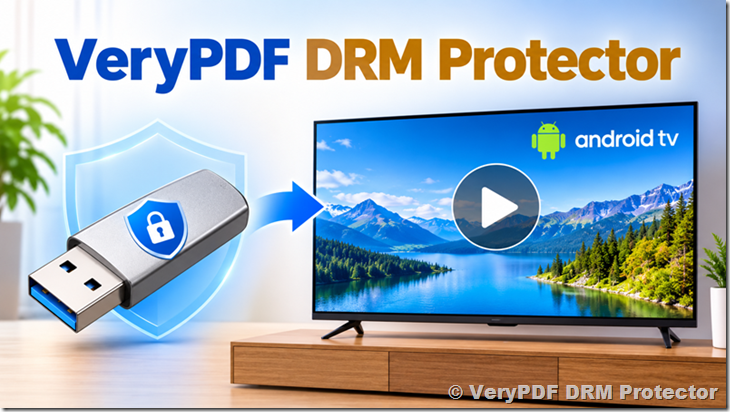
How Does Offline USB Video DRM Work on Android TV?
The process is simple. You can protect your videos, copy the encrypted files to a USB drive, and play them directly on an Android TV.
Step 1: Encrypt Your Video Files
Use VeryPDF DRM Protector to encrypt your original video files.
The software generates protected video files with the .vdrm extension. These files cannot be played using ordinary video players.
Step 2: Copy Encrypted Videos to a USB Drive
Copy the encrypted .vdrm video files to a standard USB flash drive or external USB hard drive.
You do not need a special encrypted USB device. Ordinary USB storage devices can be used for video distribution.
Step 3: Connect the USB Drive to Android TV
Insert the USB drive into an available USB port on your Android TV.
Install VeryPDF DRM Protector Video Player for Android on the Android TV.
Step 4: Open and Play Protected Videos
Launch VeryPDF DRM Protector Video Player for Android.
Browse the connected USB storage device, find the encrypted .vdrm video file, and open it.
The player will check the USB device authorization and play the protected video directly from the USB drive.
You do not need to upload the video to a cloud platform or stream it from an online video server.
USB Device Binding: Prevent Unauthorized Video Copying
One of the most important features of this solution is USB device binding.
The encrypted video files are associated with the authorized USB storage device. This helps prevent users from copying protected videos to other storage devices and playing them elsewhere.
For example:
- Play protected
.vdrmvideos from the authorized USB drive. - Copy the encrypted video files to another USB drive: playback is not allowed.
- Copy the encrypted files to a computer or another storage location: playback is not allowed.
- Connect the authorized USB drive to a compatible Android TV and use the dedicated DRM player to play the protected videos.
Even if someone obtains a copy of the encrypted video file, simply copying that file to another location will not provide access to the video.
This makes USB device binding useful for businesses that distribute valuable video content through physical USB storage devices.
Key Benefits of Android TV USB Video DRM
1. Offline Video Playback
Play protected videos directly from USB storage without relying on an internet connection or cloud video server.
2. Standard USB Flash Drives and Hard Drives
Use ordinary USB flash drives or external USB hard drives. No special DRM hardware is required.
3. Dedicated Android TV Video Player
VeryPDF DRM Protector Video Player for Android allows users to open and play protected .vdrm files directly from connected USB storage.
4. USB-Based Video Protection
Bind protected video files to authorized USB storage devices to prevent simple file copying and unauthorized playback elsewhere.
5. Direct USB Video Playback
Video files remain on the USB drive and can be played directly through the Android TV player, without first uploading them to an online platform.
Who Needs Android TV Offline Video DRM?
VeryPDF Offline USB Video DRM Protector for Android TV can be useful in many business scenarios.
Hotels and Hospitality
Distribute protected entertainment or promotional videos for playback on Android TVs.
Schools and Educational Institutions
Deliver educational videos and training materials on USB drives without requiring internet access.
Corporate Training
Distribute confidential training videos to offices, meeting rooms, and training facilities.
Digital Signage and Exhibitions
Provide protected video content for Android TV displays in exhibitions, museums, showrooms, and commercial locations.
Video Publishers and Content Owners
Distribute paid video content through USB drives while reducing unauthorized copying and sharing.
A Practical Alternative to Cloud-Based Video DRM
Cloud-based video DRM is useful when users have reliable internet access and videos are delivered through online platforms.
However, some businesses need a different solution.
They may want to distribute videos physically, play content on Android TVs, avoid monthly cloud hosting costs, or operate in locations without internet access.
VeryPDF Offline USB Video DRM Protector offers another approach:
Encrypted Videos + Standard USB Storage + Android TV + Dedicated DRM Player
This solution makes it possible to distribute protected videos through ordinary USB storage devices and play them offline on compatible Android TV devices.
Get Started with VeryPDF DRM Protector
If you need to protect video files and distribute them for offline playback on Android TV, VeryPDF DRM Protector provides a USB-based video protection solution.
Learn more about VeryPDF DRM Protector:
Explore our USB Video DRM protection solutions and contact VeryPDF if you need a customized video protection solution for your business.
SEO Keywords:
Android TV Video DRM, Offline USB Video DRM, Android TV Video Protection, USB Video DRM Protector, USB Video Encryption, Offline Video Playback, Android TV DRM Player, USB Device Binding, Protected VDRM Video Files, DRM Video Player for Android, Video Copy Protection.