
Many website owners sell protected PDF files online. A common setup is simple:
- A customer pays on your website.
- Your website calls the VeryPDF DRM API.
- The customer automatically receives access to a
.vpdffile. - The customer can read the document for 1 year or any period you define.
After everything is working, the next question is usually:
“How can I see who received access to my .vPDF file through the API? Can I see the number of users without logging into my website?”
This article answers these questions and shows how to track users, view reading activity, and analyze how customers use your protected documents.
Original Question
I have one .vpdf file on my website. Customers pay on my site and automatically receive access through the API for one year.
How can I see the users who received access through the site’s API? Can I see the total number of users directly from my VeryPDF account without logging into my website?
This is a common question from publishers, ebook sellers, training companies, and membership websites.
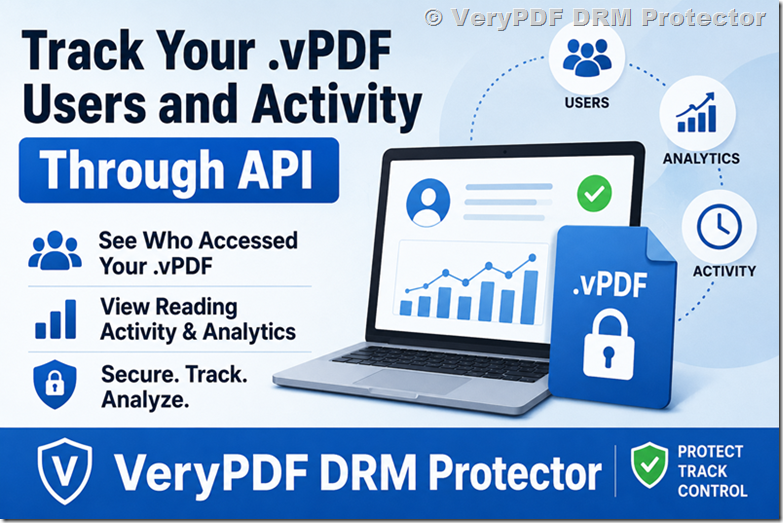
Where Are API Users Stored?
When your website uses the VeryPDF DRM API, every user account created by the API is stored in the VeryPDF DRM system.
That means you can review:
- Usernames
- Access dates
- Login history
- Document open history
- IP addresses
- Device information
- Reading activity
You can access this information here:
| Feature | Location |
|---|---|
| Activity Details | https://drm.verypdf.com/wp-admin/admin.php?page=VeryPDFDRMActivityDetails |
| User Search | Search box on the Activity Details page |
| Reading Analytics | Available when Page-Level Analysis is enabled |
How to Find a User
Suppose your API created these users:
| Username |
|---|
| userA |
| userB |
| customer123 |
| member456 |
Simply enter the username into the search box.
For example:
userAThe system will display all activities for that user.
You can see:
| Information | Example |
|---|---|
| Username | userA |
| Open Time | July 28, 2026, 10:15 AM |
| Document ID | book001 |
| IP Address | 192.xxx.xxx.xxx |
| Device | Windows PC |
| Activity | Open Document |
| Access Result | Allowed |
This makes it easy to answer questions like:
- Did the customer open the file?
- How many times was it opened?
- When was the last access?
- Which device was used?
- Is someone sharing the account?
Can I See All Customers From My VeryPDF Account?
Yes, but there is an important detail.
The user activity is stored in the VeryPDF DRM platform, not on your website. You do not need to log in to your ecommerce system to check whether a customer opened a file.
Currently, the Activity Details page lets you search individual users and view their history.
However, some customers would also like a dashboard that shows:
| Dashboard Item |
|---|
| Total API Users |
| Active Users Today |
| Users This Month |
| Expiring Accounts |
| Most Opened Documents |
| Top Countries |
| Average Reading Time |
A dedicated dashboard for API-created users can be added in a future version of the system.
Example: Selling One Protected PDF
Let’s look at a real situation.
| Item | Value |
|---|---|
| Product | Investment Guide.vpdf |
| Price | €49 |
| Access Period | 1 Year |
| Delivery Method | API |
| Number of Customers | 500 |
Questions the publisher usually asks:
- How many people received access?
- How many actually opened the file?
- Which customers never read the document?
- Who spends the most time reading?
- Are accounts being shared?
VeryPDF DRM Protector helps answer all of these questions.
Enable Page-Level Analysis
Many publishers want more than simple access logs.
They want to know:
- How long did the customer read?
- Which pages were most popular?
- Which pages were skipped?
- Did the user stop reading halfway?
- How many reading sessions occurred?
Page-Level Analysis provides this information.
Available Analytics
| Analytics Feature |
|---|
| Total Reading Time |
| Time Per Page |
| Number of Sessions |
| Page Navigation History |
| Idle Time Detection |
| Reading Trends |
| Most Viewed Pages |
| Session Duration |
For example:
| User | Total Time | Favorite Page |
|---|---|---|
| userA | 45 minutes | Page 12 |
| userB | 2 hours | Page 25 |
| userC | 10 minutes | Page 1 |
This is especially useful for:
- Ebook sellers
- Course creators
- Training companies
- Membership websites
- Publishers
- Corporate documentation portals
Why Reading Analytics Matter
Imagine two customers.
Customer A
- Bought the ebook.
- Read 80 pages.
- Returned five times.
Customer B
- Bought the ebook.
- Opened it once.
- Closed it after two minutes.
This tells you a lot about customer engagement.
You can improve:
- Pricing
- Content quality
- Marketing
- Customer support
- Product updates
Many businesses use this information to decide which content to create next.
Can I Count Total Users?
Yes.
A future dashboard could show:
| Metric | Example |
|---|---|
| Total Users | 2,351 |
| Active Today | 86 |
| New Users This Week | 42 |
| Expiring Soon | 15 |
| Total Opens | 12,590 |
| Average Reading Time | 27 Minutes |
This is one of the most requested features from companies using API integrations.
Common Problems Website Owners Face
| Problem | Solution |
|---|---|
| I don’t know who received access. | Search users in Activity Details. |
| I can’t see document opens. | Enable logging. |
| I need reading statistics. | Enable Page-Level Analysis. |
| I want all users in one place. | Use Activity Details or request a dashboard. |
| I suspect account sharing. | Review IP and device logs. |
| I want engagement data. | Track page-level activity. |
Why Many Businesses Choose VeryPDF DRM Protector
VeryPDF DRM Protector is designed for businesses that sell or distribute protected documents online.
Features include:
- PDF DRM protection
.vpdfsecure format- API integration
- Dynamic watermarks
- Device locking
- Expiration controls
- Geographic restrictions
- Offline viewing
- Detailed activity logs
- Reading analytics
- Page-Level Analysis
- User management
Whether you sell one ebook or manage thousands of subscribers, VeryPDF DRM Protector helps you understand exactly how your content is being used.
Frequently Asked Questions
1. Can I see users created through the API?
Yes. API-created users are stored in the VeryPDF DRM system and can be viewed through the Activity Details page.
2. Can I see how many users I have?
Currently, you can search and review users individually. A dedicated dashboard for total user counts can be added in a future update.
3. Can I see who opened my .vpdf file?
Yes. Open events are recorded in the activity logs.
4. Can I see the customer’s IP address?
Yes. IP information is available in the activity records.
5. Can I know which device was used?
Yes. Device information is included in the logs.
6. Can I see how long someone read my PDF?
Yes. Enable Page-Level Analysis to view reading time.
7. Can I see which pages are most popular?
Yes. Page-Level Analysis shows page-by-page reading information.
8. Can I detect account sharing?
Yes. Multiple IP addresses or devices can help identify possible account sharing.
9. Does this work with membership websites?
Yes. Many membership sites use the API to provide automatic access after payment.
10. Can I limit access to one year?
Yes. VeryPDF DRM Protector supports expiration dates and subscription-based access.
11. Can customers download the original PDF?
No. Documents are distributed as protected .vpdf files.
12. Is the API suitable for large websites?
Yes. VeryPDF DRM Protector is used for websites with thousands of users and supports automated document delivery.
Final Thoughts
If you sell protected documents online, knowing who accessed your content is just as important as making the sale itself.
VeryPDF DRM Protector gives you visibility into:
- Who received access
- When documents were opened
- Which devices were used
- How long people read
- Which pages attracted the most attention
For businesses using API integrations, these insights help improve customer experience and protect valuable digital content.
If you need more detailed analytics, Page-Level Analysis can provide a deeper look into user behavior and document engagement.