
If you are looking for a DRM-X alternative, you may already know that DRM-X is a broad digital rights management platform. It can protect video, audio, PDF files, web pages, images, and other digital content. DRM-X 4.0 also supports Windows, Mac, Android, and iOS, with features such as dynamic watermarking, screen recording protection, online rights management, and integration tools.
But DRM-X is not the best fit for every business.
If your main goal is to protect PDF files, eBooks, reports, training materials, and paid documents, a PDF-focused DRM platform may be easier to manage and better suited to your needs.
VeryPDF DRM Protector is a strong DRM-X PDF alternative for businesses that need detailed PDF access control, device locking, expiration, printing limits, dynamic watermarks, screenshot protection, online and offline viewing, and document usage tracking.
This guide compares DRM-X vs VeryPDF DRM Protector and explains when VeryPDF may be a better choice.
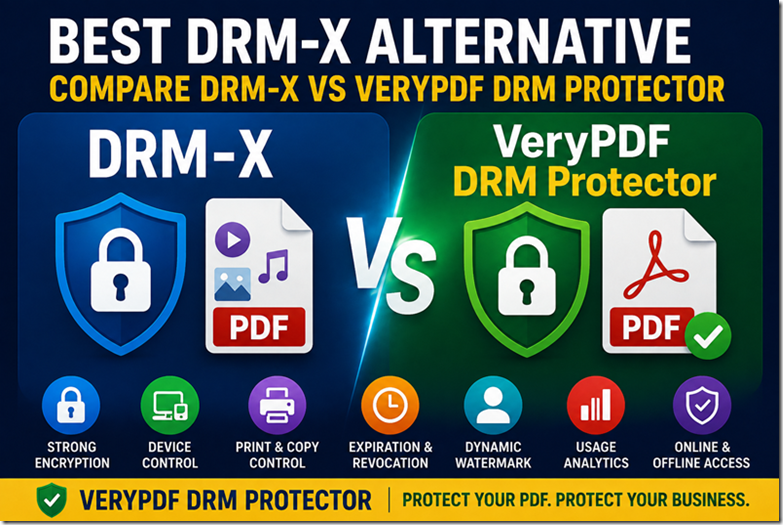
DRM-X Alternative at a Glance
Here is a quick comparison:
| Feature | DRM-X 4.0 | VeryPDF DRM Protector |
|---|---|---|
| PDF DRM | Yes | Yes |
| Video DRM | Yes | Yes |
| Audio DRM | Yes | Yes |
| Web content DRM | Yes | Yes |
| PDF-focused protection | Limited focus | Strong focus |
| PDF browser viewer | Xvast | VeryPDF Web Viewer |
| Windows | Yes | Yes |
| macOS | Yes | Yes |
| Android | Yes | Yes |
| iOS | Yes | Yes |
| Device locking | Yes | Yes |
| Dynamic watermark | Yes | Yes |
| Screen protection | Yes | Yes |
| Copy control | Yes | Yes |
| Print control | Yes | Yes |
| Print limits | Yes | Yes |
| Document expiration | Yes | Yes |
| View limits | Yes | Yes |
| IP restrictions | Available through rights controls | Yes |
| Geographic restrictions | Available | Yes |
| Instant document revocation | Yes | Yes |
| Reading analytics | Yes | Yes |
| Page-level analytics | — | Yes |
| REST API | Yes | Yes |
| Webhooks | — | Yes |
| LMS / CRM integration | Integration available | Yes |
| On-premise deployment | Enterprise options | Yes |
| Secure USB viewing | — | Yes |
| PDF-specific workflows | Some | Strong |
Feature availability can depend on the DRM-X or VeryPDF plan and deployment method. DRM-X officially provides an online control panel, flexible rights management, cross-platform protection, Xvast, XML integration, and an encryption SDK.
VeryPDF provides PDF access controls, device and location locking, expiration rules, usage tracking, dynamic watermarks, online and offline viewing, APIs, integrations, and custom deployment options.
What Is DRM-X?
DRM-X is a digital rights management platform from Haihaisoft.
It is designed to protect different types of digital content rather than focusing only on PDF.
According to its official product information, DRM-X 4.0 supports:
- MP4
- WebM
- MP3
- WAV
- HTML
- Images
- Web content
- Online meetings
- Other digital content
It also provides cross-platform DRM for Windows, macOS, Android, and iOS.
For PDF users, DRM-X provides PDF encryption and protected PDF reading through its Xvast browser environment. DRM-X also provides batch encryption tools and an SDK for automatically protecting PDF and media files on Windows and Linux.
This makes DRM-X a useful choice for companies that need one DRM platform for many types of digital content.
But that broad focus can also be a disadvantage if PDF is the main content you need to protect.
What Is VeryPDF DRM Protector?
VeryPDF DRM Protector is a document security and PDF DRM software platform designed to protect PDF files and other digital content.
Its PDF protection features include:
- User access control
- Device locking
- IP restrictions
- Geographic restrictions
- Printing control
- Print limits
- Copy protection
- Screenshot protection
- Dynamic watermarks
- View limits
- Expiration dates
- Access revocation
- Online viewing
- Offline viewing
- Usage analytics
- REST API
- Web Viewer
- Desktop and mobile viewers
VeryPDF also supports protected Office documents, images, eBooks, CAD files, video, and audio, depending on the product configuration.
The main difference is the product focus.
DRM-X is a broad DRM platform.
VeryPDF DRM Protector puts PDF and document protection at the center of the product.
That difference matters for publishers, course creators, training companies, consultants, and businesses that sell or distribute protected PDF content.
DRM-X vs VeryPDF: Which Is Better for PDF DRM?
If you only need a general DRM platform for video, audio, websites, and PDF files, DRM-X is worth considering.
If your business is mainly about PDF DRM, the comparison becomes different.
VeryPDF provides detailed controls specifically around PDF distribution and usage.
For example, VeryPDF can control:
- Who can open a PDF
- Which device can open it
- Where the user can access it
- How many times it can be viewed
- How many times it can be printed
- When access expires
- Whether copying is allowed
- Whether screenshots are allowed
- Whether the document can be accessed offline
- Whether access can later be revoked
These controls are part of the VeryPDF DRM product.
For a company selling premium PDF documents, this can be more important than having a long list of general DRM features.
DRM-X PDF DRM vs VeryPDF PDF DRM
The biggest difference is product direction.
DRM-X
DRM-X is designed to protect many types of digital content.
Its PDF protection is part of a larger DRM system that also handles video, audio, HTML, images, websites, and other content.
VeryPDF
VeryPDF started from PDF and document technology and has built DRM controls around document distribution.
Its PDF DRM features include access control, device locking, print limits, copy protection, expiration, revocation, watermarks, screen protection, and usage tracking.
If your main question is:
“How can I securely sell and distribute my PDF files?”
VeryPDF is a natural option to evaluate.
DRM-X Alternative for Publishers
Publishers often need to protect:
- eBooks
- Technical books
- Professional manuals
- Research reports
- Industry reports
- Paid publications
- Reference documents
A normal PDF download creates a simple problem.
A customer buys one copy, downloads the PDF, and can then forward it to other people.
The publisher may have no way to control the file after the download.
PDF DRM changes this model.
With VeryPDF DRM Protector, a publisher can apply controls such as device restrictions, expiration dates, printing limits, copy protection, dynamic watermarks, and access revocation.
For example:
Customer buys eBook → Customer receives protected PDF → PDF is tied to access rules → Publisher can update or revoke access
This is the type of workflow that makes a DRM-X alternative useful for PDF publishers.
DRM-X Alternative for Online Courses
Online course providers often protect their videos but forget about their PDF materials.
A course may contain:
- PDF textbooks
- Workbooks
- Course notes
- Study guides
- Worksheets
- Exam preparation materials
- Technical documents
If these files are simply uploaded as normal PDFs, students can download and share them.
VeryPDF DRM Protector can be used to control access to these PDF files.
For example, you could set:
| Requirement | PDF DRM control |
|---|---|
| Student access | User authorization |
| Stop casual sharing | Device locking |
| Course expires | Expiration date |
| Limit printing | Print limits |
| Protect text | Copy control |
| Identify leaked copies | Dynamic watermark |
| Track usage | Access analytics |
| Allow travel/offline use | Controlled offline access |
This makes VeryPDF a useful DRM-X PDF alternative for online courses.
DRM-X Alternative for eBooks
eBooks are another strong use case.
A professional eBook may cost $50, $100, or more. A technical manual may be even more valuable.
A normal PDF can be copied in seconds.
With PDF DRM, the publisher can apply restrictions to the document.
VeryPDF DRM Protector supports:
- PDF encryption
- Copy protection
- Print control
- Print limits
- Dynamic watermarks
- Device locking
- Expiration
- Revocation
- Online viewing
- Offline viewing
These controls can help publishers reduce casual redistribution of paid PDF eBooks.
DRM-X Alternative for Training Materials
Training companies often sell expensive PDF materials together with courses or certification programs.
Consider a company that sells a $1,000 professional training package.
If the PDF manual is not protected, one customer could upload it to a shared drive and distribute it to many other people.
VeryPDF can help control access to the training material.
Dynamic watermarks can also display information such as:
- User name
- Email address
- Company
- Date and time
- License information
VeryPDF documents can also be configured with expiration and printing rules.
This creates an additional barrier to unauthorized sharing.
DRM-X vs VeryPDF: Device Control
Device control is important when customers are allowed to use protected documents only on approved devices.
DRM-X supports hardware-linked licensing as part of its DRM system. Its documentation describes licenses that can be assigned to individual computers and cross-platform access through its client software.
VeryPDF also supports device-based protection.
Protected PDFs can be locked to:
- Windows computers
- Mac computers
- Mobile devices
- Tablets
- USB drives
- Browser-based viewers
For businesses selling PDF content, device locking can reduce account sharing and uncontrolled redistribution.
DRM-X vs VeryPDF: Screenshot Protection
Screen capture is a difficult problem for every DRM product.
Disabling copy and printing does not stop a user from taking a screenshot or photographing the screen.
DRM-X provides its Smart Prevent Screen Recording technology and says it can detect screen recording software.
VeryPDF DRM Protector also provides screen protection. Its Web Viewer can use a screen shield and can blur the document when the browser loses focus.
Neither approach can stop someone from using a separate camera to photograph a screen. No software can guarantee that.
The practical goal is to make digital screen capture harder and reduce casual content theft.
DRM-X vs VeryPDF: Watermarks
Watermarking is important when protecting paid documents.
A static watermark may show:
CONFIDENTIAL
A dynamic watermark can show information about the actual user.
For example:
John Smith
john@example.com
August 2026
This makes a leaked document easier to trace.
Both DRM-X and VeryPDF support dynamic watermarking. DRM-X lists dynamic digital watermarking as one of its DRM features.
VeryPDF supports dynamic watermarks with information such as user name, email, date/time, company name, and license information.
For publishers and training companies, this can be an important part of a PDF DRM strategy.
DRM-X vs VeryPDF: Offline PDF Reading
Offline access creates an interesting security problem.
Customers want to read documents without Internet access, but content owners still want DRM rules.
DRM-X supports online and offline content access through its protected client environment. Its Xvast browser is designed to support online or offline playback and PDF reading.
VeryPDF also supports offline PDF protection.
Its secure viewers can allow protected PDFs to work offline after the document has been licensed. VeryPDF also offers a Secure USB Viewer for specific deployment scenarios.
For organizations that need controlled offline access, this is an important feature to compare carefully during testing.
DRM-X vs VeryPDF: API and Integration
Integration becomes important when DRM needs to become part of an existing website.
For example:
Customer purchases course → Website creates user → DRM license is created → Customer receives protected PDF
DRM-X provides an XML service interface and an Encryption SDK for enterprise customers. The SDK can automate batch protection of audio/video and PDF files and integrate with websites and applications.
VeryPDF provides REST API access and supports API integration, workflow automation, webhooks, email notifications, eCommerce integration, LMS/CRM integration, cloud storage integration, and third-party system integration.
If your business needs a custom PDF sales or delivery workflow, API support should be part of your evaluation.
DRM-X vs VeryPDF: Analytics
Knowing that a document was opened is useful.
Knowing who opened it, when they opened it, how often they opened it, and what they did with it can be much more useful.
VeryPDF provides usage analytics and tracking for document views and prints, as well as additional analytics features depending on the plan.
This can help businesses answer questions such as:
- Which documents are most popular?
- Which customers accessed a document?
- How often was a document viewed?
- Was a document printed?
- Which content needs better protection?
- Are customers actually using the materials they purchased?
For paid digital content, these insights can be useful beyond security.
Why Choose VeryPDF as a DRM-X Alternative?
DRM-X is a capable DRM platform. There is no reason to pretend otherwise.
It has real strengths, especially if you need DRM for multiple content types such as video, audio, websites, and PDF. It also provides cross-platform support, Xvast, an online management panel, and integration tools.
But VeryPDF can be a better choice when your main requirement is PDF and document DRM.
The main reasons include:
1. Strong PDF focus
VeryPDF puts PDF protection at the center of its DRM product rather than treating PDF as only one format among many.
2. Detailed PDF controls
You can control viewing, printing, copying, expiration, device access, IP access, geographic access, and document revocation.
3. Browser-based PDF viewing
VeryPDF provides a Web Viewer for protected PDFs, allowing users to read documents in a browser without installing a traditional desktop application.
4. Online and offline options
VeryPDF supports both online and controlled offline PDF access.
5. Document analytics
VeryPDF can track document activity and provide usage information.
6. Integration options
REST API, webhooks, LMS/CRM integration, eCommerce integration, and custom development options can help connect DRM with an existing business system.
When Should You Choose DRM-X?
DRM-X may be a better fit if your main requirement is a broad DRM platform for different digital media.
For example:
- You sell protected videos.
- You protect audio files.
- You need website DRM.
- You need PDF and video DRM together.
- You want one platform for several types of digital content.
- You need the DRM-X ecosystem and Xvast environment.
DRM-X is not a bad product.
The question is whether you need a general DRM platform or a PDF-focused DRM solution.
When Should You Choose VeryPDF?
VeryPDF DRM Protector is especially worth considering if your main content is:
- PDF eBooks
- Paid PDF reports
- Training manuals
- Online course materials
- Technical documentation
- Research papers
- Professional publications
- Business reports
- Confidential documents
- Premium digital documents
If your main search is:
“I need a way to protect my PDF after I send it to customers.”
then VeryPDF DRM Protector is a strong DRM-X PDF alternative to evaluate.
DRM-X Alternative: Which One Is Better?
The answer depends on your content.
| Your main need | Better fit |
|---|---|
| Video DRM | DRM-X may be a strong choice |
| Audio DRM | DRM-X may be a strong choice |
| Website DRM | DRM-X may be a strong choice |
| General multi-format DRM | DRM-X |
| PDF DRM | VeryPDF |
| eBook protection | VeryPDF |
| Paid PDF reports | VeryPDF |
| Training PDFs | VeryPDF |
| Course PDF protection | VeryPDF |
| PDF device locking | VeryPDF |
| PDF printing limits | VeryPDF |
| PDF usage analytics | VeryPDF |
| PDF Web Viewer | VeryPDF |
| PDF online/offline control | VeryPDF |
| PDF API integration | VeryPDF |
| Custom PDF DRM deployment | VeryPDF |
This does not mean VeryPDF is automatically better for every DRM project. If your business is mainly video or audio, DRM-X’s broader media DRM capabilities may be more important.
But if PDF is the core of your business, VeryPDF deserves serious consideration as a DRM-X alternative.
Is VeryPDF the Best DRM-X Alternative?
For businesses looking specifically for a PDF DRM alternative, VeryPDF DRM Protector is one of the strongest options to evaluate.
The reason is not simply that it has many features.
The more important point is that its controls match common PDF protection problems:
Customer downloads PDF → PDF gets shared → owner loses control
VeryPDF is designed to change that model:
Customer gets authorized access → PDF remains protected → usage rules are enforced → access can expire or be revoked
VeryPDF supports PDF protection with encryption, user and device controls, printing and copying restrictions, dynamic watermarks, screenshot protection, expiration, revocation, online and offline viewing, and usage tracking.
For publishers, online course providers, eBook sellers, training companies, and businesses that distribute valuable documents, this makes VeryPDF DRM Protector a strong DRM-X replacement.
Frequently Asked Questions About DRM-X Alternatives
1. What is the best DRM-X alternative?
The best alternative depends on what you protect. For businesses mainly protecting PDF files, eBooks, reports, and training materials, VeryPDF DRM Protector is a strong DRM-X alternative.
2. Is VeryPDF better than DRM-X?
It depends on your use case. DRM-X has a broader focus on video, audio, web content, and PDF. VeryPDF has a stronger focus on PDF and document DRM, with detailed PDF controls and document workflows.
3. Is VeryPDF a DRM-X competitor?
Yes. Both platforms provide DRM for PDF content and other digital content. They compete when customers need to encrypt, distribute, and control access to protected digital files.
4. Is VeryPDF a good DRM-X PDF alternative?
Yes. VeryPDF is particularly suitable when PDF is your main content and you need device control, print limits, copy protection, expiration, watermarks, screenshot protection, and access revocation.
5. Can VeryPDF replace DRM-X?
For many PDF DRM projects, yes. However, businesses should test both products if they need specialized DRM for video, audio, websites, or other media.
6. Does DRM-X protect PDF files?
Yes. DRM-X 4.0 supports PDF protection and provides tools for encrypting PDF files. It also provides a PDF encryption tutorial and an SDK for automated PDF encryption.
7. Does VeryPDF protect PDF files after download?
Yes. VeryPDF’s DRM system is designed to keep protected files under access and usage controls after distribution, including restrictions on copying, printing, saving, and sharing.
8. Can VeryPDF prevent PDF copying?
Yes. VeryPDF provides controls to disable copying and text extraction from protected PDFs.
9. Can VeryPDF limit PDF printing?
Yes. You can disable printing or set printing limits, depending on the DRM policy you configure.
10. Can VeryPDF protect PDF screenshots?
VeryPDF provides screen protection features designed to reduce screenshots and screen recording. Its Web Viewer can also use a screen shield and blur content when the browser loses focus.
11. Can DRM-X prevent screen recording?
DRM-X 4.0 provides its Smart Prevent Screen Recording technology, which is designed to detect screen recording software.
12. Can VeryPDF PDFs expire?
Yes. VeryPDF supports expiration based on a fixed date, number of days, views, or prints, depending on the configuration.
13. Can I revoke access to a VeryPDF protected PDF?
Yes. VeryPDF supports document and user access revocation, including revoking access after the document has already been distributed.
14. Can VeryPDF protect eBooks?
Yes. VeryPDF can protect PDF eBooks and other digital documents with DRM controls such as copying, printing, device, expiration, watermark, and access restrictions.
15. Can VeryPDF protect online course PDFs?
Yes. Course providers can use VeryPDF to protect workbooks, study guides, course notes, training manuals, and other PDF materials.
16. Does VeryPDF support offline PDF reading?
Yes. VeryPDF supports controlled offline PDF viewing through its secure viewers and licensing system.
17. Does DRM-X support offline PDF reading?
Yes. DRM-X’s Xvast environment supports offline content use, including PDF reading.
18. Does VeryPDF have an API?
Yes. VeryPDF provides REST API access and supports API integration, workflow automation, webhooks, eCommerce, LMS, CRM, and other integrations.
19. Which is better for PDF publishers, DRM-X or VeryPDF?
If PDF publishing is your main business, VeryPDF is worth serious consideration because its DRM controls are closely aligned with PDF distribution, eBooks, paid reports, and document protection.
20. What is the best DRM-X replacement for PDF protection?
VeryPDF DRM Protector is a strong option for businesses that want a PDF-focused DRM-X replacement with access control, device restrictions, print and copy controls, watermarks, expiration, screenshot protection, online/offline viewing, and usage tracking.