
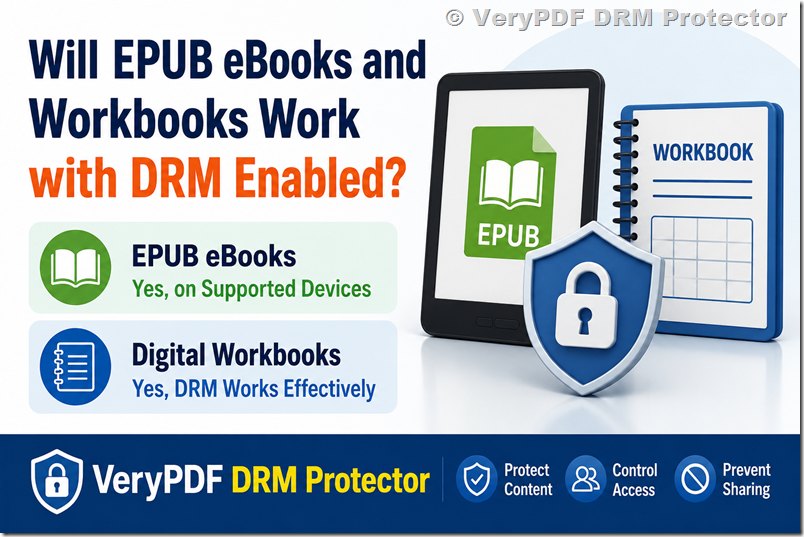
If you add DRM to an EPUB ebook, it can still work on most normal reading devices. But there is an important condition: the device or app must support that DRM system.
For example, EPUB files are usually read on apps like Apple Books, Adobe Digital Editions, Kobo, or Kindle (with conversion). If DRM is added, the ebook will only open in approved apps or devices that are linked to that DRM system.
So the real answer is:
- EPUB + DRM = works, but only on supported readers
- EPUB + DRM = will NOT work everywhere automatically
- Compatibility depends on the DRM type, not just the EPUB format
Simple comparison: EPUB without DRM vs EPUB with DRM
|
Feature |
EPUB without DRM |
EPUB with DRM |
|
Open on any device |
Yes |
No |
|
Copy / share file |
Yes |
Restricted |
|
Use on multiple apps |
Yes |
Limited |
|
Security |
Low |
High |
|
Control over access |
None |
Full control (publisher decides) |
Will DRM work for a workbook or training material?
Yes, DRM works very well for workbooks, especially if you are selling or sharing them online.
A workbook can be:
- PDF workbook (most common)
- EPUB interactive workbook
- Training manual or course file
DRM protection is actually more useful for workbooks than ebooks in many cases because:
- You may not want users to forward it to others
- You may want to control printing
- You may want to stop copying answers or content
- You may want to limit access by user or time
For example:
- A coaching workbook sold online
- A school exercise book
- A corporate training PDF
- A paid course handout
All of these are common DRM use cases.
Where people often get confused
Many people think DRM “breaks” the file or makes it unusable. That is not true.
DRM does not change the content. It only controls:
- Who can open the file
- Which app can open it
- Whether it can be copied or shared
- Whether it can be printed or downloaded again
So your EPUB or workbook still works normally, but under rules you set.
Important limitation you should know
DRM is not universal.
If you choose one DRM system, for example Adobe DRM, then:
- The user must use Adobe-compatible apps
- Some Kindle devices may not support it directly
- Some apps will refuse to open it
This is why choosing the right DRM platform matters.
A practical solution (recommended)
If you want to protect EPUB ebooks and digital workbooks without making things too complicated for users, you should look at a flexible DRM platform.
One option is:
VeryPDF DRM Protector: https://drm.verypdf.com/
It allows you to:
- Protect EPUB, PDF, and training materials
- Control who can open files
- Set expiration dates or access rules
- Prevent copying, sharing, or unauthorized distribution
- Deliver files to students, customers, or members safely
It is often used for:
- Online courses
- Educational publishers
- Corporate training materials
- Paid digital downloads
Real-world example
Let’s say you sell:
- An EPUB ebook (learning guide)
- A PDF workbook (practice exercises)
Without DRM:
- A buyer can forward it to 10 friends in seconds
With DRM:
- Only the buyer can open it
- You can block sharing
- You can even limit usage time (for example 30 days access)
This is the main reason publishers use DRM.
FAQ (Frequently Asked Questions)
1. Will EPUB DRM work on Kindle?
Not always. Kindle uses its own ecosystem, so EPUB DRM usually needs conversion or special support.
2. Can users still read DRM EPUB on phones?
Yes, if they use a supported reading app.
3. Does DRM change the EPUB content?
No, the content stays the same.
4. Can DRM stop copying completely?
It can block normal copying, but no system is 100% unbreakable.
5. Can I remove DRM later?
Only if your DRM provider allows it.
6. Is DRM good for educational workbooks?
Yes, especially for paid courses or protected learning content.
7. Can I sell DRM-protected ebooks online?
Yes, many publishers do this.
8. Do users need special software?
Yes, usually a compatible reading app is required.
9. Can I control printing of a DRM file?
Yes, many DRM systems allow print control.
10. Is EPUB better than PDF for DRM?
Both work. EPUB is better for reflow reading, PDF is better for fixed layouts like workbooks.
11. What happens if a user changes device?
They can usually re-download or re-authenticate if the license allows it.