How to Safeguard Your PDF Files from Unauthorized Sharing?

When you create a PDF document containing sensitive business or personal information, ensuring its security is paramount. You may need to share this document with specific individuals or groups, but you want to prevent unauthorized access, copying, or redistribution. Here are several ways you can protect your PDF files and control how they are shared.

https://drm.verypdf.com/online/

How to Safeguard Your PDF Files from Unauthorized Sharing?

1. Password Protection

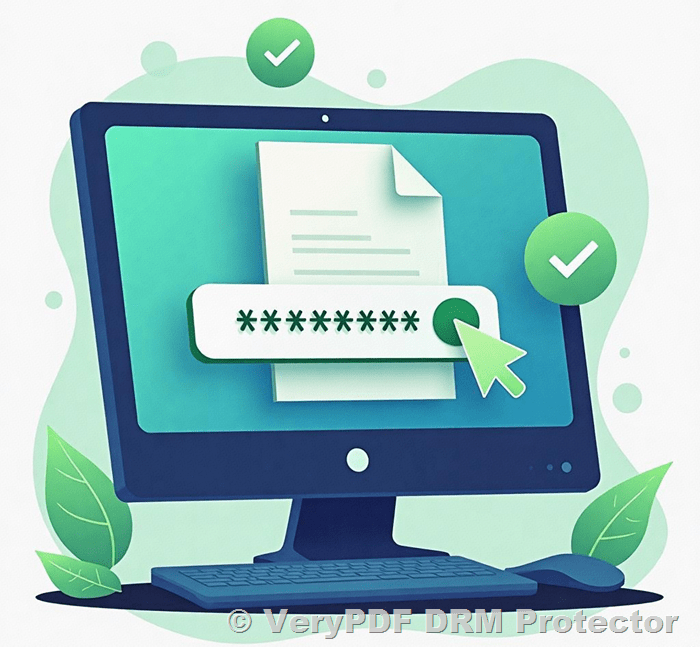
A straightforward way to secure your PDF is by setting a password. With this feature, only those with the password can access the file. Even if the document is accidentally shared with someone else, it will remain unreadable unless the recipient knows the password. Most PDF creation tools, including Adobe Acrobat and many online platforms, offer this functionality. Additionally, you can set permissions within the PDF that restrict actions like printing, editing, or copying, further safeguarding your content.

2. File Encryption

Encryption is one of the most effective ways to protect a PDF, especially when sending it over unsecured channels like email. By encrypting the file, you make it inaccessible to anyone who doesn’t have the proper decryption key. However, keep in mind that once an authorized recipient decrypts the file, they could still share or modify it unless additional restrictions are in place.

3. Watermarking

To discourage unauthorized distribution, you can add watermarks to your PDF. Watermarks can be visible or invisible, but they will always carry identifying information, such as the recipient’s name or email address. This can deter individuals from sharing the document, as it can be traced back to them. If the document ends up in the wrong hands, the watermark helps identify the original recipient.

4. Digital Rights Management (DRM)

For advanced protection, you can use Digital Rights Management (DRM) software. DRM solutions give you the power to restrict how a PDF can be accessed, viewed, or shared. You can limit viewing to specific devices, track how often the file is accessed, and even revoke access after a certain period. This added layer of security is especially useful for highly sensitive content.

5. Set Expiry Dates

Another way to control the availability of a PDF is by setting an expiration date. This means the document will automatically become inaccessible after a set period, limiting the window for unauthorized access. You can also set documents to expire after a certain number of views or prints, further limiting potential sharing.

6. Disable Printing

To ensure that physical copies of your document are not made, you can disable the print option within the PDF. Some tools even allow you to set a limit on the number of prints, or specify whether prints should be in grayscale or black and white. Tracking features can also record when and how often the document is printed, providing an additional level of oversight.

7. Location-Specific Security (Restrict PDF access to specific IP addresses)

With the growing trend of remote work, it’s essential to implement security controls that restrict access to specific locations. By setting up geo-fencing or restricting access to specific IP addresses, you can ensure that your PDF is only accessible from trusted locations. This is particularly useful when sharing business-critical documents that must remain protected, even from remote employees.

8. Use Secure File Sharing Platforms

Rather than sending PDFs directly via email, consider using secure cloud-based platforms like Google Drive, Dropbox, or Adobe Document Cloud. These services allow you to manage permissions and control who can access your document. They often include features like view-only options and expiration dates, which help reduce the risk of unauthorized sharing.

9. Consider Alternative Formats

If your PDF contains information that is frequently shared or copied, you might consider using alternative formats that are more difficult to duplicate, such as encrypted or read-only file types. These can make it harder for others to access or distribute the content without your permission.

Implementing PDF Security: A Step-by-Step Guide

  1. Choose the Right Tool: Select a PDF editor or online service that offers the security features you need, such as password protection, encryption, or watermarking.
  2. Set Passwords and Permissions: Use the tool’s options to apply strong passwords and set permission levels to control how the document can be accessed and edited.
  3. Test the Document: After applying the security measures, ensure that the PDF behaves as expected, and that restrictions are functioning properly.
  4. Monitor User Experience: Be mindful of how the security settings may affect legitimate users. Striking the right balance between protection and usability is key to avoiding frustration.

Key Considerations

  • User Experience: While securing your document is crucial, consider how too many restrictions may impact the user’s ability to view or use the file as intended.
  • Balancing Security and Accessibility: Aim to implement robust protections while ensuring that authorized users can still easily access and interact with the document.

By using these techniques, you can significantly reduce the risk of unauthorized file sharing, keeping your sensitive information secure while still allowing access to those who need it.

How to Safely Share a PDF Using the VeryPDF DRM Protector Web Application?

PDFs (Portable Document Format) were introduced by Adobe in the 1990s to preserve document formatting, including fonts, graphics, and layout, across different platforms and devices. Standardized in 2008, the PDF format ensures compatibility without requiring Adobe royalties.

Although PDFs are designed to maintain their structure, the question arises: how secure are they? In today’s digital era, where PDFs often contain sensitive information like personal details, tax records, or corporate data, safeguarding these files is crucial. Let’s explore how the VeryPDF DRM Protector web application can offer advanced security for sharing PDFs.

How to Safely Share a PDF Using the VeryPDF DRM Protector Web Application?


Why Email Isn’t a Secure Way to Share PDFs

Sending a PDF via email might seem convenient, but it’s akin to mailing an open postcard. Emails travel through various servers and systems, leaving room for interception. Cybercriminals could access unencrypted PDFs, exposing the document’s contents.

Additional security measures like two-factor authentication (2FA), VPNs, and updated router firmware can help, but email remains an inherently vulnerable channel. This is why more secure alternatives are necessary.


The Limitations of Password-Protecting PDFs

Password-protected PDFs offer basic security by encrypting the file. However, they come with significant drawbacks:

  1. Easy Sharing of Passwords: Sharing the password alongside the file nullifies the protection.
  2. No Control Post-Sharing: Once recipients receive the file and password, they can forward both to others, potentially compromising sensitive information.

While password protection helps, it falls short for highly sensitive materials that demand stricter security.


Why VeryPDF DRM Protector Is the Ultimate Solution

The VeryPDF DRM Protector web application offers a secure and feature-rich solution to share PDFs. By utilizing advanced Digital Rights Management (DRM) technology, it ensures maximum control and protection over your files. Let’s explore its key features:


1. Create Secure Workspaces

With VeryPDF DRM Protector, users can set up secure workspaces to store and share documents. These serve as virtual vaults, enabling controlled access to PDFs. Setup is quick, and users can manage files from both desktop and mobile devices.


2. Comprehensive Document Management

VeryPDF DRM Protector simplifies document handling with its integrated tools. Users can:

  • Upload files directly from browsers or through the Safelink desktop uploader.
  • Make edits using familiar software like Microsoft Office without leaving the workspace.
  • Automatically save edited versions securely, ensuring unauthorized changes don’t propagate.

3. Streamlined Collaboration

The platform supports real-time collaboration without the risks associated with password sharing. Key collaboration features include:

  • Secure messaging and notifications.
  • Assignment of administrators to manage specific queries.
  • Activity feeds to track updates and maintain transparency.

4. Customizable Permissions

Administrators can define permissions for viewing, editing, downloading, or sharing documents. Files remain private by default, and access can be revoked instantly when needed. Integration with CRM tools like Salesforce enables seamless contact management.


5. Advanced Tracking Capabilities

Monitor every interaction with your documents. From viewing and downloading to permission changes, VeryPDF DRM Protector keeps a detailed audit trail. Users can also revert to previous versions and generate reports to ensure compliance.


6. Robust Digital Rights Management

Using DRM protection, VeryPDF ensures only authorized users can access files. Features include:

  • Restricted viewing, printing, and sharing.
  • Ability to revoke access, even after sharing.
  • Secure credentials for accessing files, safeguarding them even if downloaded.

7. Custom Watermarking

Add dynamic watermarks to PDFs, displaying information like time, date, user email, or IP address. This discourages unauthorized sharing and helps trace leaks if they occur.


8. Uncompromising Security Standards

VeryPDF DRM Protector employs military-grade encryption (256-bit) and complies with global security certifications, including SOC 2, HIPAA, and ISO 27001. The platform eliminates risks associated with outdated software by operating plugin-free.


Conclusion

Sharing PDFs securely requires more than basic password protection. With VeryPDF DRM Protector, you can implement advanced safeguards, ensuring sensitive files remain under your control at all times.

Take the first step toward securing your PDFs by trying VeryPDF DRM Protector today. Experience peace of mind knowing your documents are safe, accessible only to intended recipients, and protected against unauthorized sharing.

10 Tips, Tricks, and Best Practices for Sending Secure PDF Documents

Securing your sensitive information when sharing PDF documents is essential to avoid data breaches, protect confidentiality, and ensure compliance. With tools like VeryPDF DRM Protector, securing your PDFs has never been easier or more reliable.

Below, we explore 10 best practices for sharing PDF documents securely and explain why VeryPDF DRM Protector is the ultimate solution.

10 Tips, Tricks, and Best Practices for Sending Secure PDF Documents


1. Use VeryPDF DRM Protector for Advanced Protection

VeryPDF DRM Protector is a cutting-edge tool that ensures the utmost security for your PDF documents. It allows you to:

  • Set Expiration Dates: Automatically render PDFs inaccessible after a specific date.
  • Add Watermarks: Apply visible or invisible watermarks to deter unauthorized sharing.
  • Restrict Access by IP Address: Ensure only specific users can open the document based on their IP address.
  • Prohibit Downloads and Printing: Prevent recipients from downloading or printing the file.
  • Disable Screenshots: Stop unauthorized reproduction through screen captures.

Instead of sending a password-protected PDF and worrying about securely sharing the password, VeryPDF DRM Protector generates a secure URL for the document. Share the URL with recipients, and the file remains under your control.

https://drm.verypdf.com/online/


2. Update Your PDF Software

Using outdated PDF software can expose your documents to vulnerabilities. VeryPDF DRM Protector not only ensures that your PDFs are secure but also integrates seamlessly with modern tools to provide advanced protection features.


3. Watermark Originals and Copies

Watermarking PDFs is a proven way to prevent unauthorized duplication. VeryPDF DRM Protector lets you customize watermarks with logos, signatures, or identifiers, helping you trace leaks if they occur.


4. Replace Weak Passwords with Robust DRM Controls

Password protection alone is not enough; hackers can easily crack passwords. With VeryPDF DRM Protector, you can eliminate the need for passwords by applying DRM restrictions, offering a more secure and convenient solution.


5. Authenticate Documents with Digital Signatures

Adding digital signatures ensures the authenticity of your PDF and provides a tamper-evident seal. VeryPDF DRM Protector supports advanced security features that complement digital signatures, offering end-to-end document protection.


6. Restrict Copying and Editing Rights

Using VeryPDF DRM Protector, you can lock down your PDFs to prevent unauthorized copying or editing. These restrictions ensure your document remains intact and under your control, even if it’s shared widely.


7. Use Secure Channels for Sharing PDFs

Avoid insecure methods like email for sharing sensitive documents. With VeryPDF DRM Protector, you can share documents through a secure URL, eliminating the risks associated with file attachments.


8. Set a Document Expiry Deadline

With VeryPDF DRM Protector, you can configure documents to expire after a set period, ensuring they’re not accessible indefinitely. This feature is ideal for contracts, reports, or other time-sensitive files.


9. Monitor and Enforce Compliance

Use VeryPDF DRM Protector to track access to your documents. Monitor who views the files, how they interact with them, and ensure compliance with organizational security policies.


10. Permanently Delete Files When No Longer Needed

With VeryPDF DRM Protector, you can revoke access to files even after sharing them. When a document is no longer needed, deleting its access permissions ensures no unauthorized party can recover it.


Why VeryPDF DRM Protector Is the Best Choice?

  • Comprehensive Control: From access restrictions to editing and sharing limits, you maintain full control over your PDFs.
  • Enhanced Security: DRM features provide a higher level of protection than traditional password-based security.
  • Ease of Use: Share secure URLs effortlessly without requiring recipients to install additional software.
  • Flexibility: Tailor access permissions to meet specific needs, such as IP restrictions or time-based access.

Final Thoughts

Protecting sensitive PDFs requires more than just basic passwords or outdated methods. By using VeryPDF DRM Protector, you can apply advanced security measures, such as DRM restrictions and secure URLs, ensuring your documents remain safe and under your control.

Take the next step toward secure document sharing — choose VeryPDF DRM Protector today and experience unparalleled peace of mind.

How to Securely Send the Password of a Password-Protected PDF File?

When protecting a PDF file with a password, a new challenge arises: how to securely send the password to the intended recipient. Many traditional methods, such as calling or sending the password via a separate email or SMS, offer basic security but still carry certain risks. In today’s digital age, there’s a better solution that eliminates the need to share passwords altogether.

https://drm.verypdf.com/purchase/

How to Securely Send the Password of a Password-Protected PDF File?

Traditional Methods for Sending Passwords

Here are some commonly recommended methods for sharing the password securely:

  • Call the recipient: Share the password over the phone. This is considered an “out-of-band” communication method and leverages voice authentication.
  • Send via SMS or another email address: If the PDF is sent by email, share the password via SMS or a separate email account to reduce the risk of interception.
  • Postal mail: For highly sensitive documents, you can mail the password to the recipient using traditional postal services.

While these methods add an extra layer of security, they are often cumbersome, prone to human error, and still susceptible to interception or misuse.

Why VeryPDF DRM Protector is the Best Option?

Instead of relying on passwords, consider using VeryPDF DRM Protector. This tool eliminates the need for password sharing by adding advanced Digital Rights Management (DRM) features to your PDF file. Here’s how it works and why it’s the most secure method:

Key Features of VeryPDF DRM Protector

  1. Add DRM Protection: Apply robust restrictions to your PDF file, including:
    • File Expiry Dates: Set a specific expiration date after which the file becomes inaccessible.
    • Watermarks: Add visible or invisible watermarks to deter unauthorized sharing and identify potential leaks.
    • IP Address Restrictions: Limit access to specific IP addresses to ensure that only approved users can view the document.
    • Prohibit Downloads: Prevent recipients from downloading the PDF file, keeping it confined to the secure server.
    • Prohibit Printing: Disable printing to avoid the creation of physical copies.
    • Prohibit Screenshots: Block the ability to take screenshots, reducing the risk of unauthorized reproduction.
  2. Generate a Secure URL: Once the DRM options are applied, VeryPDF DRM Protector generates a secure URL for the protected PDF file. This URL ensures controlled and restricted access to the document.
  3. Share the URL: Instead of sharing a password, send the secure URL to the recipient. The recipient can access the document only under the conditions you’ve set, ensuring full control over your content.

Advantages of Using VeryPDF DRM Protector

  • Eliminates Password Sharing: No need to share or manage passwords, reducing the risk of interception or misuse.
  • Maximum Security: The combination of DRM restrictions ensures that your document remains protected against unauthorized access and distribution.
  • Ease of Use: VeryPDF DRM Protector is user-friendly and allows you to set up restrictions quickly and efficiently.
  • Comprehensive Control: You have full control over who can access your document, how they can use it, and for how long.

Why Traditional Methods Are Less Secure

Traditional methods like phone calls, SMS, and email rely on “out-of-band” communication but still involve sharing sensitive information. These methods can be intercepted, forgotten, or mishandled. In contrast, using VeryPDF DRM Protector removes the need for password sharing entirely and offers advanced security features that go beyond basic password protection.

Conclusion

Sharing passwords for password-protected PDFs can be a hassle and a security risk. Instead of relying on traditional methods, use VeryPDF DRM Protector to add DRM protection to your PDF file. By setting restrictions like file expiry dates, adding watermarks, limiting access by IP address, and prohibiting downloads, printing, and screenshots, you can ensure your sensitive information stays secure. Share the secure URL generated by VeryPDF DRM Protector, and enjoy peace of mind knowing your document is protected.

What is the Most Secure Way to Send a PDF?

When it comes to sharing sensitive information, ensuring the security of your PDF files is critical. Many people suggest putting a password on a PDF, but this method is only marginally effective. Why? Because there are numerous tools available online that can easily unlock password-protected PDFs. This exposes your confidential information to potential risks.

Additionally, sending PDFs via email is not secure. No matter which email client you use, email operates like a postcard. When you hit send, your message bounces across dozens of servers, leaving it vulnerable to interception and copying. Anyone with access along the way can see its contents. Even those legal-sounding footers that claim, “This is a confidential document,” are legally non-binding and ineffective at protecting your data.

So, what is the solution? To securely send a PDF, you need a robust strategy that doesn’t rely on email or simple passwords.

What is the Most Secure Way to Send a PDF?

Leverage a Secure File Transfer Tool

The first step toward secure PDF sharing is to stop sending the file itself. Instead, upload the PDF to a secure server and share a link to the file. This approach ensures the document is “placed and taken” rather than being transmitted across insecure email systems. Some email services offer secure file transfer options, but standalone tools designed for secure file sharing provide better control and protection.

Why VeryPDF DRM Protector is the Best Option?

For the most secure and reliable method, use VeryPDF DRM Protector. This tool goes beyond traditional file transfer methods by adding advanced Digital Rights Management (DRM) options to your PDF files. Here’s how it works and why it’s the most secure option:

  1. Add DRM Protection: VeryPDF DRM Protector allows you to set up robust restrictions on your PDF file, such as:
    • File Expiry Dates: You can set a specific expiration date, after which the file becomes inaccessible.
    • Watermarks: Add visible or invisible watermarks to deter unauthorized sharing and identify potential leaks.
    • IP Address Restrictions: Limit access to specific IP addresses, ensuring only approved users can view the document.
    • Prohibit Downloads: Prevent recipients from downloading the PDF file, keeping it confined to the secure server.
    • Prohibit Printing: Disable the ability to print the PDF, safeguarding against physical copies being made.
    • Prohibit Screenshots: Block the ability to take screenshots of the document, reducing the risk of unauthorized reproduction.
  2. Generate a Secure URL: Once the DRM is applied, VeryPDF DRM Protector generates a secure URL for the protected PDF file. This URL ensures controlled access to your file.
  3. Share the URL: Instead of sending the actual file, share the secure URL with your recipient. The recipient can access the document only under the conditions you’ve set, ensuring full control over your content.

Advantages of Using VeryPDF DRM Protector

  • Maximum Security: By combining DRM features with a secure file hosting solution, your document remains protected against unauthorized access and sharing.
  • Ease of Use: The interface is user-friendly, allowing you to set up restrictions and share your file quickly.
  • Comprehensive Control: You retain full control over who can access your document, how they can use it, and for how long.

Why Email Alone Is Not Enough

Remember, email was never designed with security in mind. While it’s convenient, it’s far from secure. The only truly secure way to share sensitive information is to use tools that are purpose-built for protecting and delivering files.

Conclusion

When you need to send a PDF securely, don’t rely on passwords or email alone. Leverage advanced tools like VeryPDF DRM Protector to add DRM protection and share secure URLs with your recipients. By setting file expiry dates, adding watermarks, restricting IP addresses, and prohibiting downloads, printing, and screenshots, you can ensure your sensitive information stays private and protected. This method offers the highest level of security, giving you peace of mind in a world where digital threats are everywhere.